1. Okwu mmalite
The PROZOR 2-Way Amplifier Speaker Selector Switch is a passive audio device designed to manage connections between amplifiers and speakers. It allows users to connect two amplifiers to a single pair of speakers, or one amplifier to two pairs of speakers, providing flexibility in audio system configurations. This device operates without external power and is engineered to maintain sound quality.
2. Akụrụngwa Ngwaahịa
- Njikọta dị iche iche: Supports 2-in-1-out (two amplifiers to one pair of speakers) or 1-in-2-out (one amplifier to two pairs of speakers) configurations. Only one input or output can be active at a time.
- Ọdụ dị elu: Equipped with gold-plated banana plug input/output ports, compatible with up to 12-gauge speaker wire.
- Robust Internal Wiring: Utilizes UL1007 18 AWG wire for high current handling.
- Ijikwa ike: Rated for 100W RMS per channel, with a peak power of 200W.
- Passive Design: Requires no external power, ensuring plug-and-play operation and no impact on audio fidelity.
- Ọrụ dị mfe: Features an A/B switch for easy selection between different audio inputs or outputs.
- Ndakọrịta sara mbara: Dakọtara na iche iche amplifiers and passive speakers.
3. Ihe ngwugwu
- PROZOR 2-Way Amplifier Speaker Selector Switch (Model LNKVC654)
- Akwụkwọ ntuziaka onye ọrụ
4. Ntọala na Njikọ
Before making any connections, ensure all audio equipment is powered off to prevent damage.

Figure 1: Front and Rear Panels of the PROZOR Speaker Selector Switch. The front panel features a toggle switch for selection, while the rear panel displays clearly labeled banana plug terminals for speaker and ampnjikọ lifier.
4.1. Connecting Two Amplifiers to One Pair of Speakers (2-in-1-out)
- Connect the speaker cables from your first amplifier to the 'AMP 1 L' and 'AMP 1 R' terminals on the selector switch. Ensure correct polarity (+ to + and - to -).
- Connect the speaker cables from your second amplifier to the 'AMP 2 L' and 'AMP 2 R' terminals on the selector switch. Maintain correct polarity.
- Connect your single pair of speakers to the 'Speaker L' and 'Speaker R' terminals on the selector switch. Observe correct polarity.
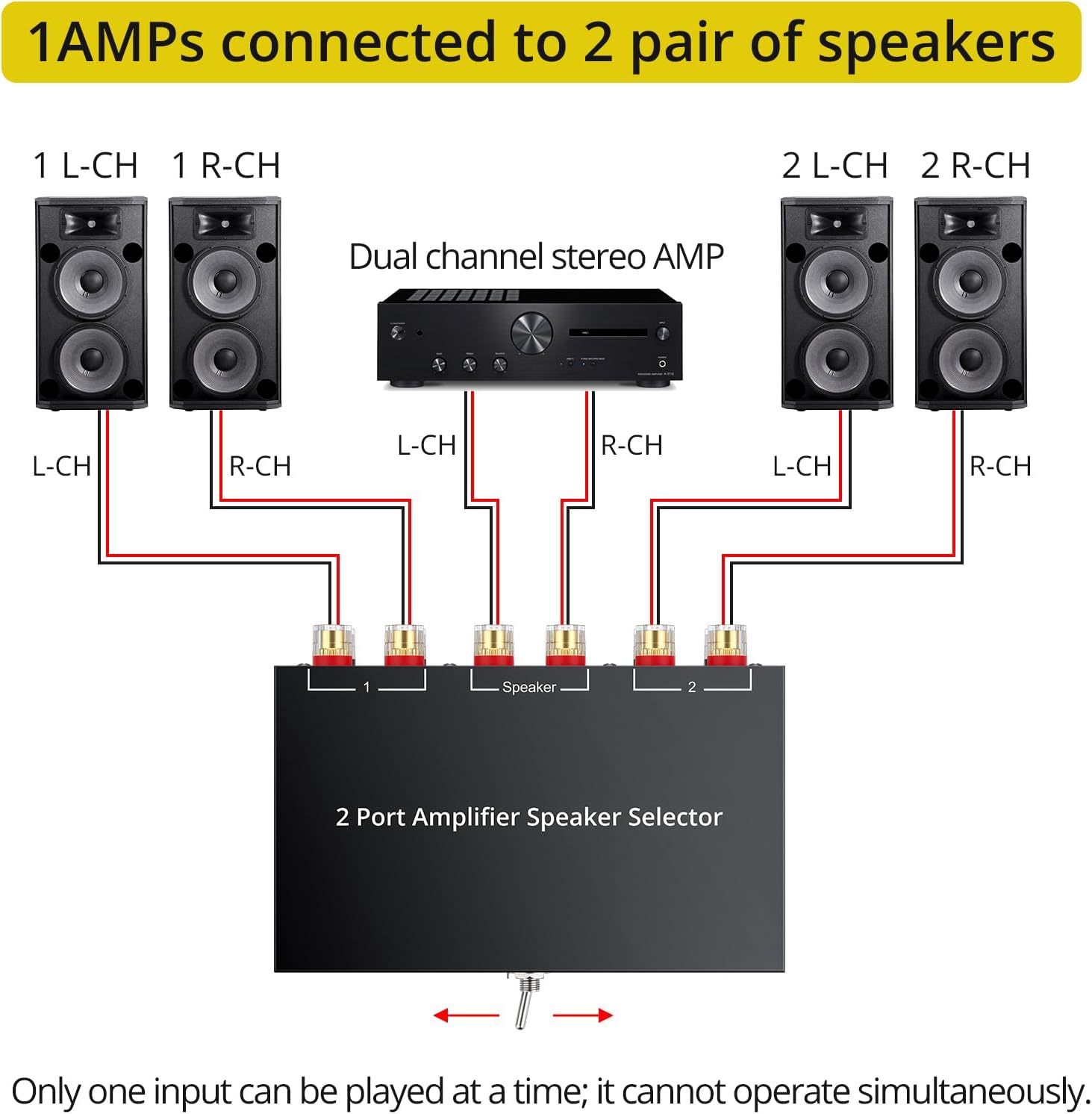
Figure 2: Diagram for connecting two amplifiers to one pair of speakers. This setup allows you to switch between Amponye isi 1 na Amplifier 2 to power the same set of speakers.
4.2. Connecting One Amplifier to Two Pairs of Speakers (1-in-2-out)
- Connect the speaker cables from your single amplifier to the 'Speaker L' and 'Speaker R' terminals on the selector switch. Ensure correct polarity.
- Connect your first pair of speakers to the 'AMP 1 L' and 'AMP 1 R' terminals on the selector switch. Maintain correct polarity.
- Connect your second pair of speakers to the 'AMP 2 L' and 'AMP 2 R' terminals on the selector switch. Observe correct polarity.
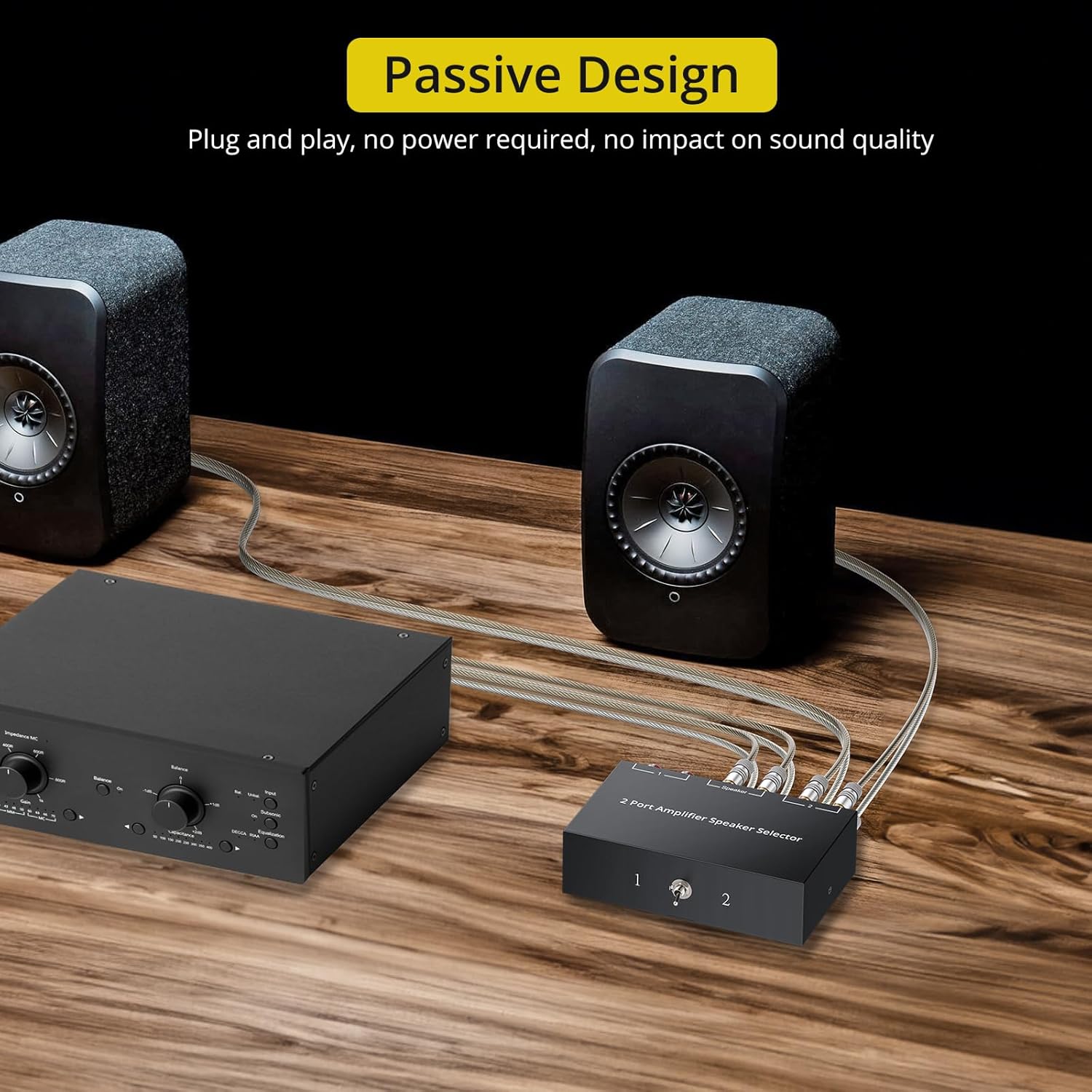
Figure 3: Diagram for connecting one amplifier to two pairs of speakers. This configuration enables you to switch between Speaker Pair 1 and Speaker Pair 2 using a single ampna -emegharị ihe.
4.3. Visual Connection Guide
Video 1: Official video demonstrating the setup and operation of the PROZOR 2-Way Amplifier Speaker Selector Switch, showing both 1-in-2-out and 2-in-1-out configurations. This video provides a visual guide for connecting your audio components.
5. Ntuziaka ọrụ
Once all connections are securely made and verified, you can begin operating the PROZOR Speaker Selector Switch.
- Ike gị amplifier(s) and audio source(s).
- Use the toggle switch on the front panel of the PROZOR selector to choose between '1' or '2'.
- In a 2-in-1-out setup, selecting '1' will route audio from Amplifier 1 to your speakers, while selecting '2' will route audio from Amponye na-agba ọsọ 2.
- In a 1-in-2-out setup, selecting '1' will send audio from your amplifier to Speaker Pair 1, and selecting '2' will send audio to Speaker Pair 2.
- Only one position can be selected at a time; simultaneous operation of both inputs/outputs is not supported.
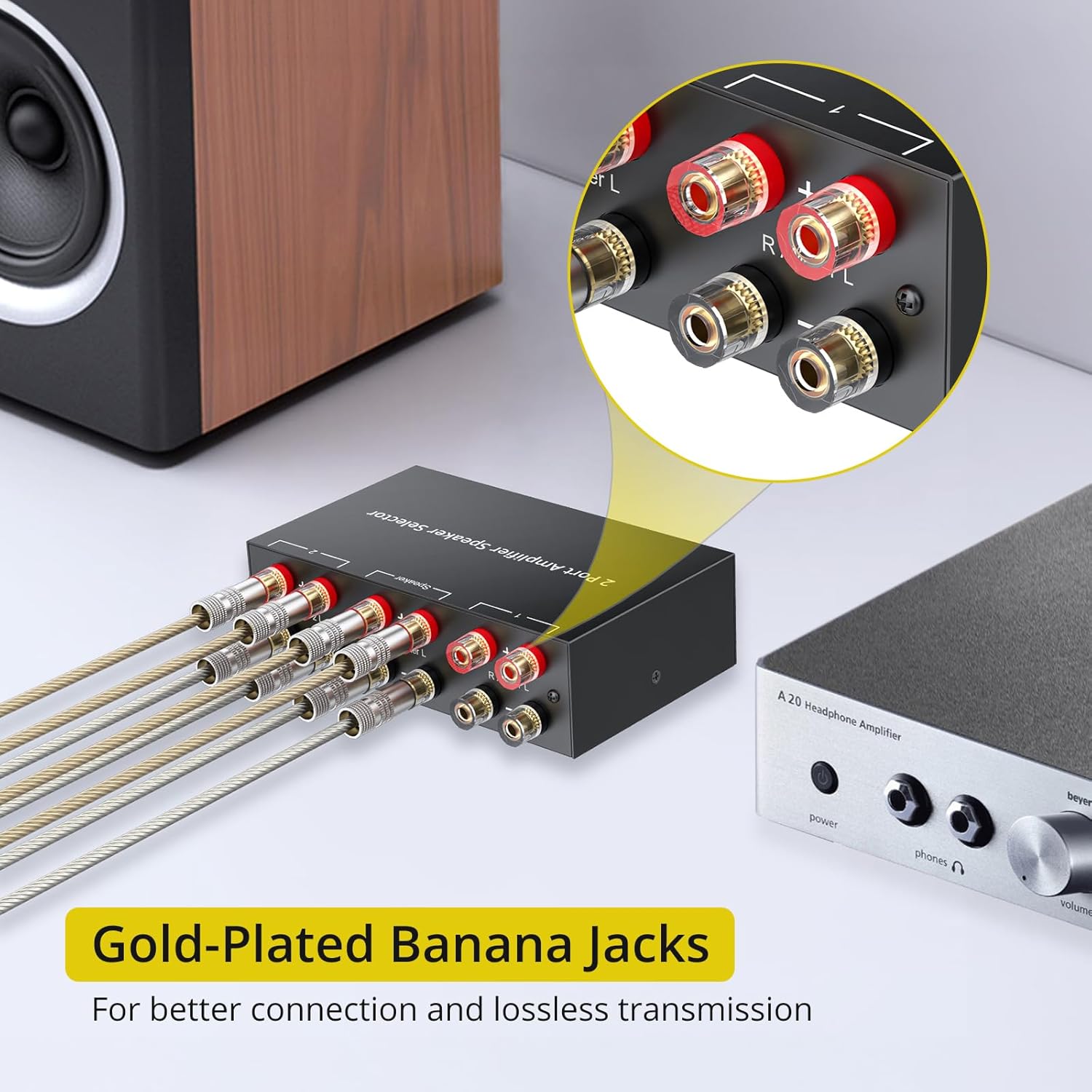
Figure 4: The PROZOR selector switch in an active audio setup, demonstrating its compact size and ease of integration into a home audio system.

Figure 5: A close-up of the gold-plated banana jacks, which ensure stable signal transmission, anti-interference, and corrosion resistance for long-term performance.
6. Nkọwapụta
| Njirimara | Nkọwa |
|---|---|
| Nọmba nlereanya | LNKVC654 |
| Akụkụ | 6.34 x 5.67 x 1.81 sentimita asatọ |
| Ibu Ibu | 1.06 pound |
| Enyere ike | 100W RMS per channel, 200W peak |
| Ụdị njikọ | Nkwụnye banana |
| Wiring ime | UL1007 18 AWG wire |
| Ndakọrịta | Amplifiers, Passive Speakers, Turntables, Laptops, CD/DVD Players, Desktops, TVs, Active Monitor Speakers, Audio Interfaces |
7. Nchọpụta nsogbu
- Enweghị ụda:
- Ensure all speaker wires are securely connected to the correct terminals on both the selector switch and your audio equipment.
- Verify that the toggle switch on the selector is set to the desired input/output (1 or 2).
- Lelee nke gị amplifier(s) and audio source(s) are powered on and functioning correctly.
- Confirm correct polarity (+ to + and - to -) for all speaker wire connections.
- Ụda agbagọ:
- Ensure speaker wire gauge is appropriate for your system and connections are tight.
- Verify that the power rating of your amplifier and speakers is within the limits of the selector switch (100W RMS / 200W Peak per channel).
- Lelee maka njikọ ọ bụla tọgbọrọ chakoo ma ọ bụ waya ndị mebiri emebi.
- Switch Not Functioning:
- The switch is mechanical; ensure it clicks firmly into position 1 or 2.
- As a passive device, no power is required for the switch itself. If issues persist, inspect for physical damage.
8. Akwụkwọ ikike na nkwado
PROZOR products are designed for reliability and performance. For any technical assistance, troubleshooting beyond this manual, or warranty inquiries, please contact PROZOR customer support through the retailer where the product was purchased or visit the official PROZOR website for contact information. Please retain your proof of purchase for warranty claims.


