1. Okwu mmalite
This manual provides essential information for the safe and efficient operation of your new Faber 60L 2200W Oven Toaster Grill (OTG), model FOTG 60L. Please read these instructions thoroughly before first use and retain them for future reference. This appliance is designed for baking, toasting, roasting, and grilling various food items.
2. Ntuziaka nchekwa
Nchekwa izugbe
- Always place the OTG on a stable, heat-resistant surface, away from flammable materials.
- Ensure adequate ventilation around the appliance. Maintain a minimum clearance of 10 cm (4 inches) from walls and other objects.
- Do not touch hot surfaces. Use oven mitts or gloves when handling hot trays, racks, or food.
- Ejila ngwa, eriri, ma ọ bụ nkwụnye n'ime mmiri ma ọ bụ mmiri mmiri ọ bụla ọzọ.
- Nleba anya dị mkpa mgbe ụmụaka na-eji ngwa ma ọ bụ nso ụmụaka.
- Ejila eriri ma ọ bụ plọg mebiri emebi rụọ ngwa ahụ, ma ọ bụ mgbe ngwa ahụ dara ma ọ bụ mebie ya n'ụzọ ọ bụla.
- Unplug the OTG from the outlet when not in use and before cleaning. Allow it to cool completely before adding or removing parts.
- Do not use accessories not recommended by the manufacturer, as this may cause hazards or injury.
- Do not place any objects on top of the OTG during operation.
Nchekwa eletriki
- Jikọọ ngwa ahụ naanị na ebe ọkụ eletrik dị n'ala site na vol kwesịrị ekwesịtage (220-240V AC, 50Hz).
- Ekwela ka eriri ike kwụgidere na nsọtụ tebụl ma ọ bụ counter, ma ọ bụ metụ ebe dị ọkụ aka.
- Avoid using extension cords unless absolutely necessary and ensure they are rated for the appliance's wattage (2200W).
- Always pull the plug directly from the outlet; never pull by the cord.
3. Ngwaahịa gafereview
The Faber FOTG 60L is a versatile Oven Toaster Grill designed for various cooking needs. It features multiple heating functions, convection, and rotisserie capabilities.
Ngwa na njikwa

Foto 1: N'ihu view of the Faber 60L OTG, showing the main body, glass door, and control panel on the right.
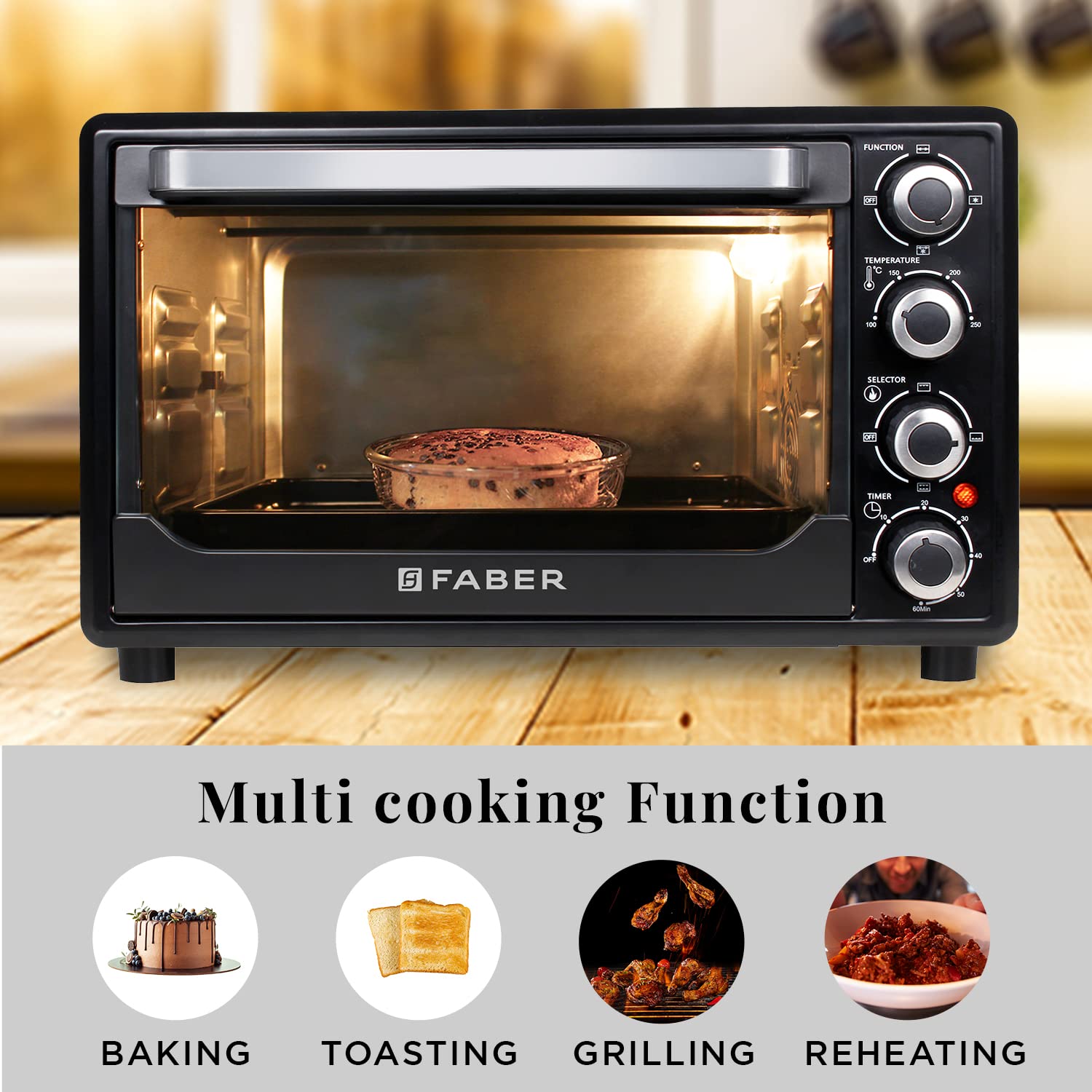
Foto 2: Close-up of the control panel, featuring knobs for Function, Temperature, Selector, and Timer.
- Knob ọrụ: Selects cooking modes such as Convection, Heating, and Fan.
- Igwe ọkụ: Na-edozi okpomọkụ isi nri site na 100 ° C ruo 250 ° C.
- Knob Nhọrọ: Chooses heating elements: Off, Upper Heating, Lower Heating, or Upper & Lower Heating.
- Igwe ngụ oge: Sets the cooking duration from 0 to 60 minutes. Includes an auto shut-off and ready bell feature.
- Chamber Light: Provides visibility inside the oven during cooking.

Foto 3: Ime ụlọ view highlighting the chamber light for easy monitoring of food.
Ngwa gụnyere
Your Faber OTG comes with the following accessories:
- Enameled Bake Tray
- Tray Crumb nke mbughari
- Stainless Steel Wire Tray (Oven Rack)
- Rotisserie Kit (Rotisserie Rod and Rotisserie Handle)
- Stainless Steel Tongs (Tray Handle)

Foto 4: All included accessories: Bake Pan, Oven Rack, Rotisserie Handle, Tray Handle, and Rotisserie Rod.
4. Nhazi
Iwepu ngwongwo
- Carefully remove the OTG and all accessories from the packaging.
- Remove any protective films, stickers, or packaging materials from the appliance.
- Inspect the appliance for any damage. Do not operate if damaged.
Ndokwa
- Place the OTG on a flat, stable, and heat-resistant surface.
- Ensure there is at least 10 cm (4 inches) of clear space on all sides (back, top, and sides) for proper ventilation.
- Do not place the appliance near water sources, heat sources, or flammable materials.
Nhicha mbụ na ojiji mbụ
- Before first use, wipe the interior and exterior of the OTG with a damp cloth. Wash all accessories (bake tray, wire rack, rotisserie kit, tongs) with warm soapy water, rinse thoroughly, and dry completely.
- To eliminate any manufacturing odors, operate the empty OTG for approximately 15 minutes at 200°C (400°F) using the 'Upper & Lower Heating' setting. Ensure the area is well-ventilated during this process. A small amount of smoke or odor is normal during initial use.
- Allow the appliance to cool down completely before its first cooking use.
5. Ntuziaka ọrụ
Your Faber OTG offers multiple cooking functions. Familiarize yourself with the control knobs before operation.

Foto 5: Visual representation of multi-cooking functions: Baking, Toasting, Grilling, and Reheating.
Ịtọpụta okpomọkụ na oge
- Place food on the appropriate accessory (bake tray, wire rack, or rotisserie rod) and insert it into the desired rack position inside the OTG.
- Mechie ọnụ ụzọ enyo ahụ nke ọma.
- Tụgharịa Igwe ọkụ to select the desired cooking temperature (100°C to 250°C).
- Tụgharịa Mkpịsị ugodi to choose the heating element configuration:
- Okpomọkụ Elu: Ideal for grilling and browning the top of food.
- Kpọọ ala: Suitable for baking bases or slow cooking.
- Upper & Lower Heating: Best for general baking, roasting, and even cooking.
- Tụgharịa Ọrụ akpu to select additional features like Convection (fan) or specific heating modes.
- Tụgharịa Ngụgụ Knob to set the desired cooking time (up to 60 minutes). The OTG will start heating. The indicator light will illuminate.
- Once the set time elapses, the OTG will automatically shut off, and a bell will ring.
Ọrụ convection
The convection feature circulates hot air inside the oven, ensuring uniform cooking and faster results.
- To activate convection, select the appropriate setting on the Ọrụ akpu.
- Convection is ideal for baking cakes, cookies, and roasting meats, providing even browning.

Foto 6: Illustration of uniform cooking with convection, showing hot air circulation.
Ọrụ Rotisserie
The rotisserie function is perfect for roasting whole chickens or large cuts of meat, ensuring they are evenly cooked and browned on all sides.
- Skewer the meat onto the rotisserie rod, securing it with the forks.
- Insert the rotisserie rod into the designated slots inside the OTG.
- Select the rotisserie function using the Ọrụ akpu and choose the appropriate heating elements with the Mkpịsị ugodi (usually upper heating for browning).
- Set the temperature and timer as required for your recipe.
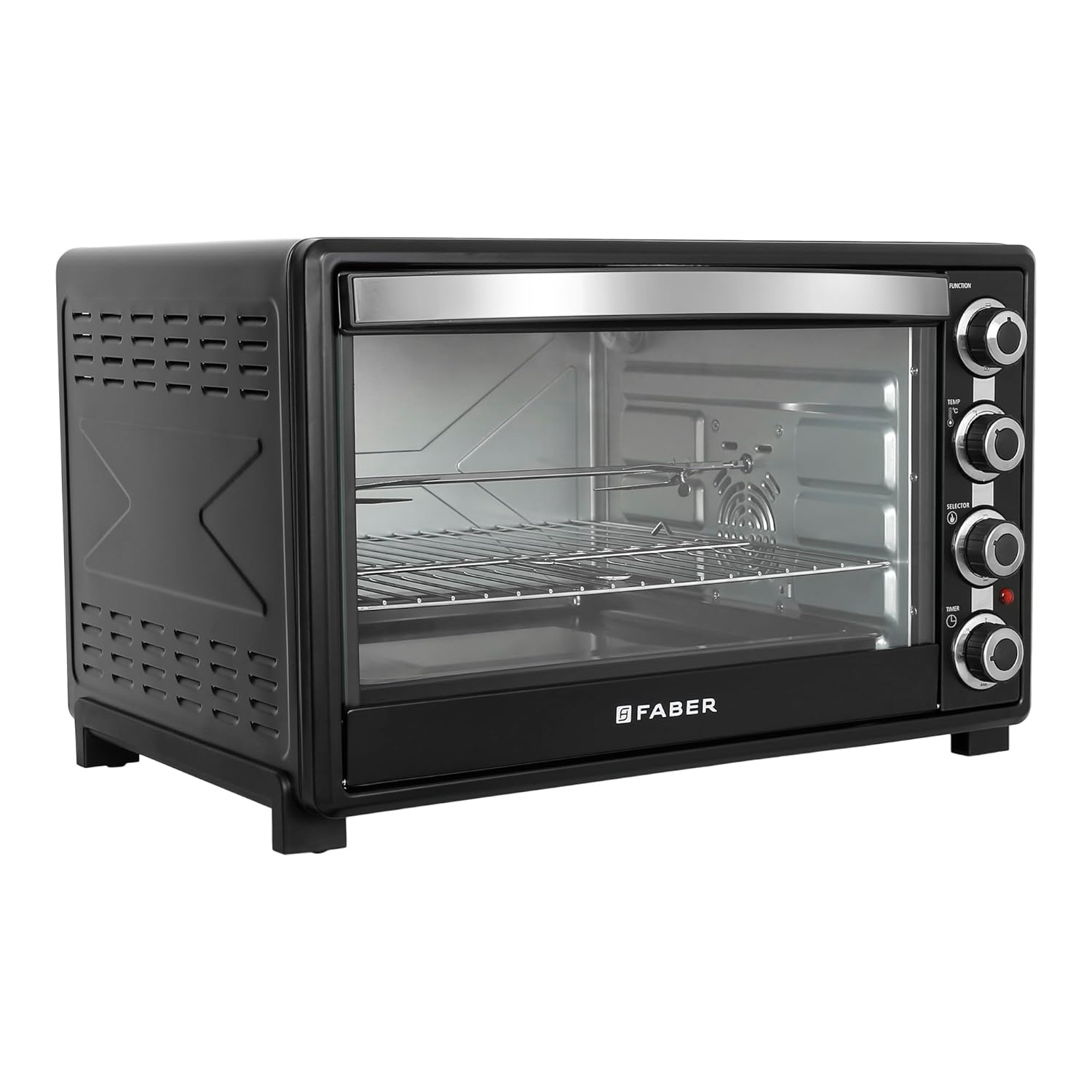
Foto 7: Ime ụlọ view of the OTG showing the rotisserie rod in place.
6. Nlekọta na nhicha
Regular cleaning ensures optimal performance and extends the life of your OTG.

Foto 8: Visual guide for cleaning your OTG.
- Always unplug the OTG from the power outlet and allow it to cool down completely to ambient temperature before cleaning.
- Remove all accessories, including the bake tray, wire rack, crumb tray, and rotisserie kit.
- Wash removable items separately using dishwashing soap and warm water. For stubborn stains, soak them before cleaning. Accessories can also be cleaned in a dishwasher if suitable.
- Wipe the interior of the OTG with a damp cloth or sponge using a mild detergent. Avoid abrasive cleaners or metal scouring pads, as they can damage the surfaces.
- Clean the exterior of the OTG with a soft, damp akwa . Ejila kemịkalụ siri ike ma ọ bụ ihe abrasive.
- Ensure all parts are completely dry before reassembling and using the OTG again.
- The removable crumb tray should be cleaned regularly to prevent grease buildup and potential fire hazards.
7. Nchọpụta nsogbu
If you encounter issues with your OTG, refer to the following common problems and solutions:
| Nsogbu | Ihe nwere ike ime | Ngwọta |
|---|---|---|
| OTG does not turn on. | A naghị etinye ya; ike gitage; oghere na-ezighi ezi; edobeghi ngụ oge. | Ensure the power cord is securely plugged into a working outlet. Check your home's circuit breaker. Set the timer knob to the desired cooking duration. |
| Uneven cooking or browning. | Incorrect rack position; uneven food placement; heating element selection. | Adjust rack position for optimal heat distribution. Ensure food is spread evenly. Select 'Upper & Lower Heating' for general cooking or use convection. |
| Food not cooking thoroughly. | Temperature too low; cooking time too short; door not closed properly. | Increase temperature or cooking time. Ensure the door is fully closed to retain heat. |
| Anwụrụ ọkụ gabigara ókè n'oge a na-arụ ọrụ. | Food spills; grease buildup; initial burn-off. | Clean the interior and crumb tray thoroughly. A small amount of smoke is normal during the first few uses. |
| Rotisserie anaghị agbagharị agbagharị. | Rotisserie rod not properly installed; function knob not set to rotisserie. | Ensure the rotisserie rod is correctly seated in its drive and support slots. Select the rotisserie function on the function knob. |
If the problem persists after attempting these solutions, please contact Faber customer support.
8. Nkọwapụta
Key technical specifications for the Faber 60L 2200W OTG (Model FOTG 60L):
- Aha nlereanya: FOTG 60L
- Ike: 60 lita
- Ike: 2200W
- Voltage: 220-240V AC, 50Hz
- Oke okpomọkụ: 100°C ruo 250°C
- Ngụ oge: 0-60 minutes with auto shut-off and ready bell
- Ụdị njikwa: Njikwa Knob
- Ọrụ kpo oku: Upper, Lower, Upper & Lower Heating
- Atụmatụ pụrụ iche: Convection, Rotisserie, Cool Touch Handle, Indicator Light, Removable Crumb Tray
- Akụkụ ngwaahịa (D x W x H): 58.3 cm x 49.2 cm x 37.8 cm
- Ibu ihe: 11.9 n'arọ
- Ihe eji eme ọnụ ụzọ: Igwe ọkụ
- Ngwa gụnyere: Enameled Bake Tray, Removable Crumb Tray, SS Wire Tray, Rotisserie Kit, SS Tongs
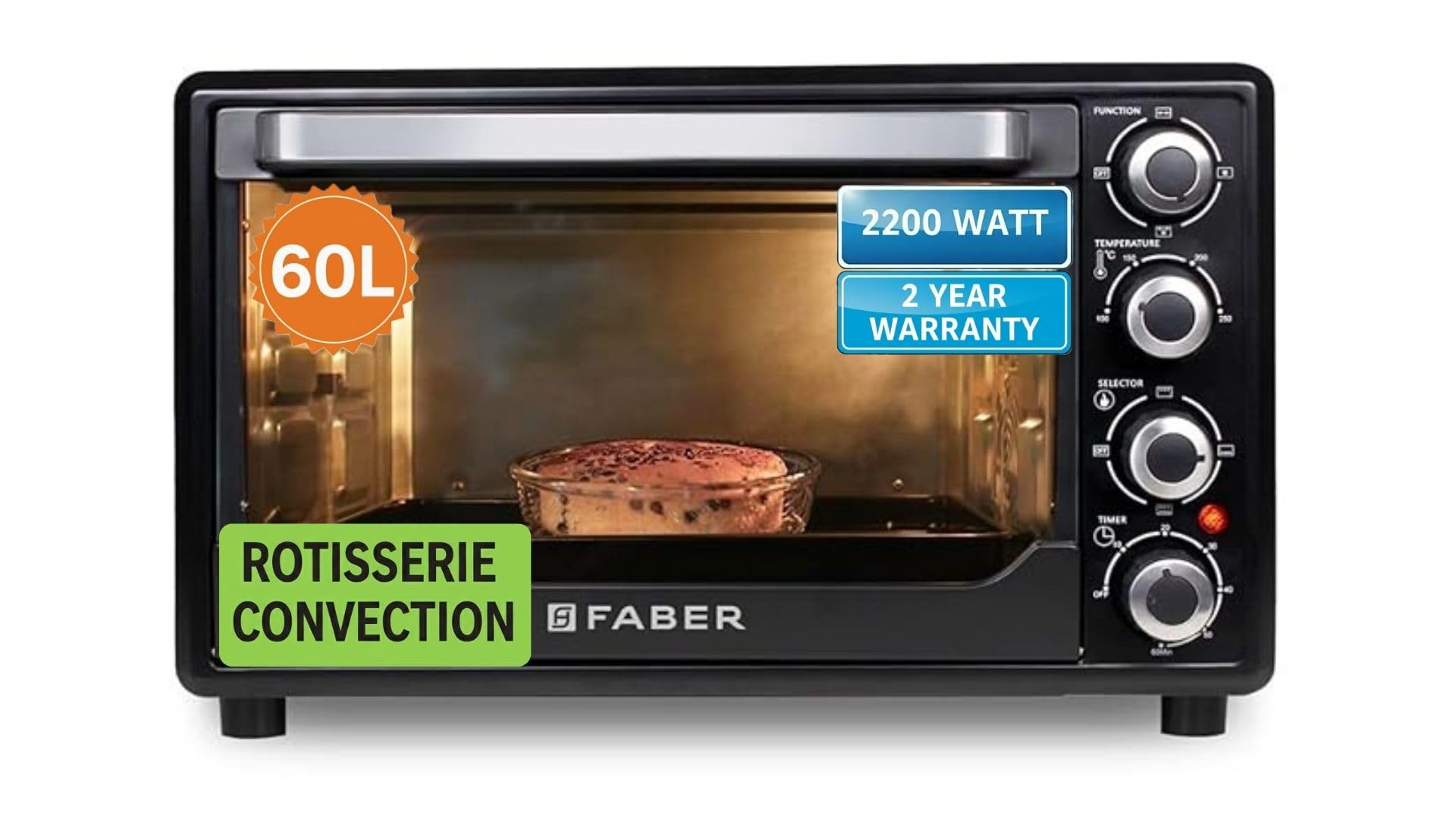
Foto 9: Product dimensions of the Faber 60L OTG.
9. Akwụkwọ ikike na nkwado
Ozi akwụkwọ ikike
Your Faber 60L 2200W OTG comes with a 2-afọ akwụkwọ ikike from the date of purchase. This warranty covers manufacturing defects under normal household use. Please retain your purchase receipt as proof of purchase for warranty claims.
Akwụkwọ ikike anaghị ekpuchi:
- Mmebi nke ojiji na-ezighi ezi, nleghara anya, ma ọ bụ ihe mberede kpatara.
- Nkịtị iyi na akwa.
- Mmebi sitere na nrụzi ma ọ bụ mgbanwe ndị a na-enyeghị ikike.
- Commercial use of the appliance.
Nkwado ndị ahịa
For any service, repair, or warranty-related inquiries, please contact Faber customer support:
- Onye nrụpụta: Franke Faber India Pvt Ltd
- Nọmba kọntaktị: 1800-209-3484
- adreesị: 1086/1/2, SANASWADI, TAL - SHIRUR, PUNE - 412208, MAHARASHTRA, INDIA


