📘 TrickleStar manuals • Free online PDFs
Akara TrickleStar

Ntuziaka na Ntuziaka Onye Ọrụ nke TrickleStar

TrickleStar manufactures energy-saving products, including Advanced PowerStrips and surge protectors, designed to reduce standby power waste in homes and offices.

Ndụmọdụ: tinye nọmba nlereanya zuru oke nke e biri na akara TrickleStar gị maka nke kacha mma.

About TrickleStar manuals on Manuals.plus

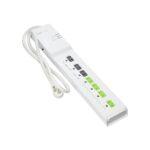
TrickleStar is a specialist in affordable, simple, and effective energy-saving products that help consumers and businesses reduce their environmental impact. Best known for their line of Advanced PowerStrips (APS), TrickleStar focuses on combating "vampire power"—the energy wasted by electronics left in standby mode. Their intelligent surge protectors utilize current-sensing technology to automatically switch off peripheral devices (such as printers or soundbars) when a primary control device (like a computer or TV) is turned off.

Headquartered with operations in Grand Rapids, Michigan, TrickleStar offers a range of solutions including motion sensor power strips, energy monitors, Wi-Fi thermostats, and portable power stations. Their products are designed for easy installation and often qualify for energy efficiency rebates. TrickleStar stands behind its surge protection technology with robust warranties and connected device protection, ensuring safe and efficient power management for modern electronics.

Akwụkwọ ntuziaka TrickleStar

Akwụkwọ ntuziaka kacha ọhụrụ si manuals+ kwadoro maka ika a.

TrickleStar TS1304 8 Ngosipụta Ngosipụta Ike Ntuziaka

Jenụwarị 14, 2023
TrickleStar TS1304 8 Outlet Timer Power Strip FOR TECHNICAL SUPPORT Toll free : 1-888-700-1098 http://www.tricklestar.com/support INTRODUCTION The TrickleStar 8-outlet Timer PowerStrip (hereafter referred to as the Product) is an energy-saving…

Ntuziaka onye ọrụ TrickleStar TS2602 dị elu

Julaị 26, 2022
TrickleStar TS2602 Advanced Keyboard Setting up the Advanced Keyboard Flip the keyboard over to reveal the settings compartment. Remove the cover plate to access the selector switches Configure the countdown…

Ntuziaka ntinye ihe mmetụta nke TrickleStar TS1921

Febụwarị 23, 2022
TS1921 Occupancy Sensor Installation Guide Welcome! Thank you for choosing the TrickleStar TS1921 Occupancy Sensor. This Occupancy Sensor is an accessory for the TrickleStar Wi-Fi Smart Thermostat. The Sensor helps…

TrickleStar manuals from online retailers

Ntuziaka Onye Ọrụ TrickleStar TS1104 Advanced PowerStrip

TS1104 • Ọgọst 18, 2025
The TrickleStar TS1104 Advanced PowerStrip is an energy-saving 7-outlet surge protector (1080 Joules) designed to eliminate standby power waste from PC and TV peripherals. Featuring current-sensing technology and…

TrickleStar support FAQ

Ajụjụ a na-ajụkarị gbasara akwụkwọ ntuziaka, ndebanye aha na nkwado maka ika a.

  • What does a TrickleStar Advanced PowerStrip do?

    A TrickleStar Advanced PowerStrip helps save energy by automatically cutting power to switched outlets when a control device, such as a TV or computer, is turned off. This eliminates standby 'vampire' power waste.

  • How do I reset the circuit breaker on my TrickleStar power strip?

    If the circuit breaker trips, locate the switch on the unit (usually on the side or top), toggle it to the 'OFF' position, and then back to 'RESET' to restore power.

  • Kedu ka m ga-esi file a warranty claim for a TrickleStar product?

    Iji file a claim, visit the TrickleStar website's warranty claim page. You will typically need to provide the product part number, proof of purchase, and a description of the issue. The form can often be emailed to warranty@tricklestar.com.

  • What is the Connected Device Warranty?

    Many TrickleStar surge protectors come with a Connected Device Warranty that covers repair or replacement costs for properly connected equipment damaged by a surge, up to a specified dollar amount (e.g., $20,000), subject to terms and conditions.

  • Why is the 'Switched' LED not illuminating?

    The 'Switched' LED only lights up when the switched outlets are receiving power. This happens when the device plugged into the 'Control' outlet is turned on and drawing sufficient power to trigger the sensor.