Arvig Manuals & User Guides
Arvig is a US-based telecommunications company providing high-speed internet, television, and telephone services to residential and business customers in the Midwest.
About Arvig manuals on Manuals.plus
Ụlọ ọrụ Arvig Enterprises, Inc. is a leading employee-owned telecommunications provider headquartered in Perham, Minnesota. Established in 1950, Arvig has grown to become one of the largest independent telecommunications companies in the United States.
The company offers a wide range of connectivity solutions, including broadband internet, managed WiFi, digital television (Arvig WiFi TV), and local and long-distance telephone services. In addition to residential services, Arvig provides business solutions such as Hosted PBX systems, security monitoring, and network management. Dedicated to connecting rural and suburban communities, Arvig delivers reliable technology backed by 24/7 customer support.
Arvig manuals
Akwụkwọ ntuziaka kacha ọhụrụ si manuals+ kwadoro maka ika a.
ACR1552U-MW ACS VAS Ntuziaka onye ọrụ ngwaọrụ
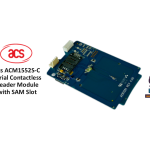
acs ACM1552S-C Serial Reader Module na-enweghị kọntaktị nwere akwụkwọ ntuziaka onye ọrụ SAM.
acs AEM004 Akwụkwọ ntuziaka onye na-agụ Smart Kaadị na-enweghị kọntaktị
aCS ACR1555, ACR1555U NFC Akwụkwọ ntuziaka onye ọrụ Bluetooth
aCS ACR1552U-A2 AquaGuard NFC USB Reader Akwụkwọ ntuziaka
acs 23V26 ngwugwu ngwungwu elu ụlọ akwụkwọ ntuziaka ntuziaka ngwa dị ala
acs ACR39T Kpọtụrụ Smart Card Reader Akwụkwọ ntuziaka onye nwe
acs ACM1552U-ZW Akwụkwọ ntuziaka onye ọrụ Smart Card Reader na-enweghị kọntaktị
acs ACM1552U-Z2 Obere NFC Reader Module Akwụkwọ ntuziaka
Arvig GigaSpire BLAST u4 Quick Start Guide: Setup and Connection
Ntuziaka mmalite mmalite ngwa ngwa WiFi TV: Ntọala na ojiji
Arvig GigaSpire BLAST FAQ: Ntọala Wi-Fi, Nchọpụta nsogbu na Ntuzi Ntugharị
MaX UC maka ntuziaka mmalite ngwa ngwa ngwa ngwa - Arvig
CommPortal Assistant App Ntuziaka mmalite ngwa ngwa - Arvig
Ntuziaka mmalite ngwa ngwa Arvig Max UC & Otu otu
Melite Webmail na Apple iPhone | Arvig
Arvig support FAQ
Ajụjụ a na-ajụkarị gbasara akwụkwọ ntuziaka, ndebanye aha na nkwado maka ika a.
-
How do I self-install my Arvig internet modem?
To install your Arvig modem, connect the coax cable and power cord, wait for the online light to turn solid, and connect your device via Ethernet. Finally, visit arvig.net/selfinstall to complete the activation process.
-
What are the credentials for the Arvig WiFi TV app?
You should log in using the email address and password you created when registering your account at arvig.net.
-
Who do I contact for Arvig technical support?
You can contact Arvig Technical Support 24/7/365 at 877-290-0560 or 888-99-ARVIG. Online chat is also available at arvig.net.
-
Where can I find my Arvig account number?
Your account number can be found on your billing statement or by logging into the My Arvig portal at arvig.net.