Okwu mmalite
This manual provides essential information for the proper setup, operation, and maintenance of your GOBOULT Mustang Racer Smart Watch. Please read these instructions carefully before using your device to ensure optimal performance and longevity.
Kedu ihe dị na Igbe ahụ
Upon unboxing your GOBOULT Mustang Racer Smart Watch, verify that all the following components are present:
- GOBOULT Mustang Racer Smart Watch (Black Blaze)
- Ịchaji eriri
- Akwụkwọ ntuziaka (akwụkwọ a)
- Akwụkwọ ikike kaadị

Image: The GOBOULT Mustang Racer Smart Watch packaging, showing the watch, charging cable, user manual, and warranty card.
Ngwaahịa gafereview
The GOBOULT Mustang Racer Smart Watch features a robust design with intuitive controls and a vibrant display.
Isi ihe:
- Ngosipụta AMOLED 1.43 inch: High-resolution screen for clear visuals.
- Bezel na-atụgharị: A functional bezel for navigating menus and features.
- Paddle Shifter: A unique side button for quick access to functions.
- Ihe mmetụta: Located on the rear for health monitoring.
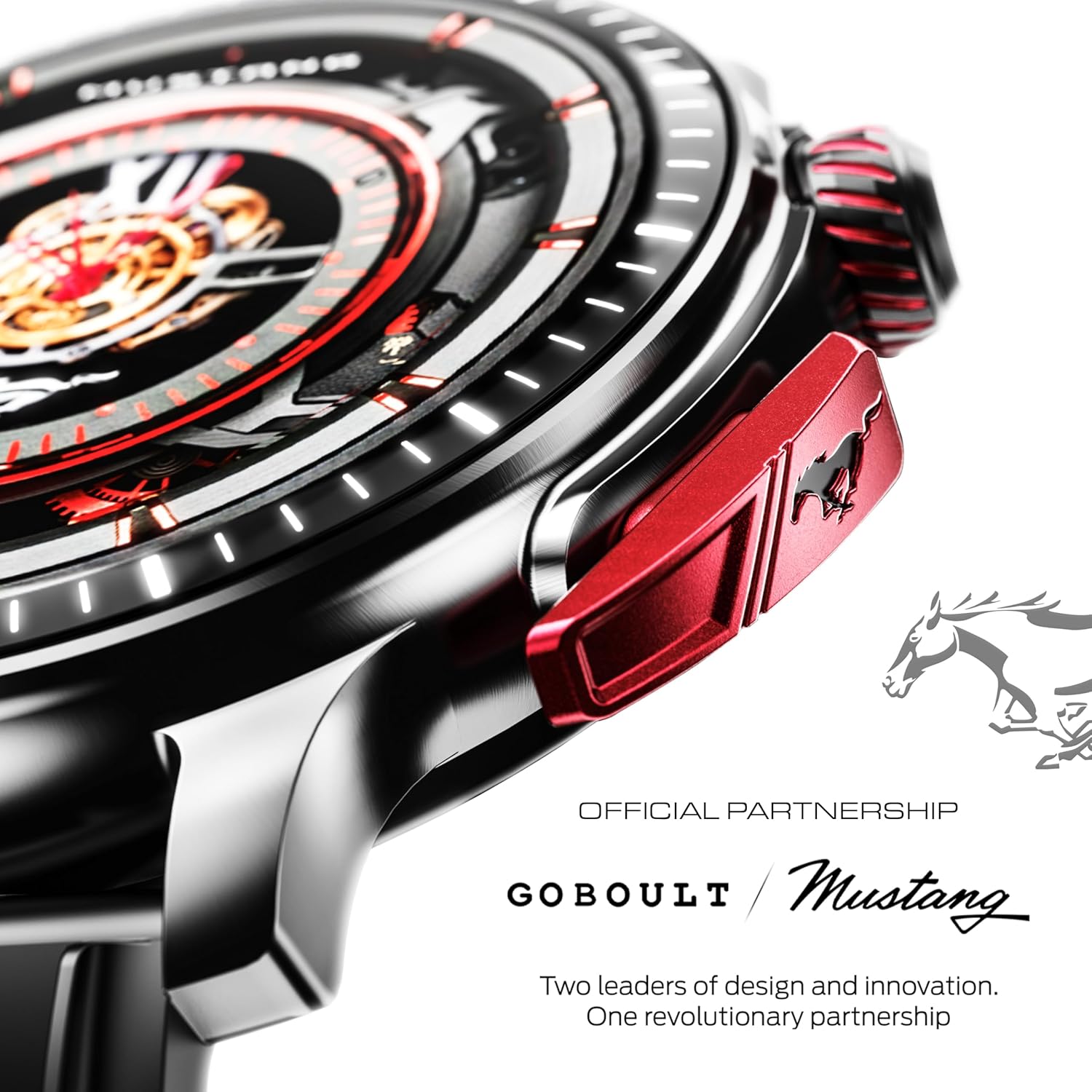
Foto: nkọwa zuru ezu view of the watch's side, highlighting the red paddle shifter and the textured rotating crown.

Image: The watch face, showcasing the 1.43-inch AMOLED display and the functional paddle shifter.
Melite
1. Ịchaji ngwaọrụ
Before initial use, fully charge your smart watch. Connect the provided charging cable to the charging port on the back of the watch and to a standard USB power adapter (not included). A full charge typically takes approximately 120 minutes.
2. Ijikọ na ekwentị mkpanaaka gị
- Download the official GOBOULT companion app from your smartphone's app store.
- Gbaa mbọ hụ na agbanyere Bluetooth na ekwentị gị.
- Open the GOBOULT app and follow the on-screen instructions to search for and connect to your Mustang Racer Smart Watch. The watch uses Bluetooth V5.3 for stable connectivity.
- Kwenye arịrịọ maka njikọta na ma elekere gị na ama ama gị.

Image: The watch on a wet surface, indicating its Bluetooth V5.3 and IP67 water resistance features.
Ntuziaka ọrụ
Kpọọ Bluetooth
The integrated speaker and microphone allow you to make and receive calls directly from your wrist. Once paired with your smartphone, access the call function through the watch interface.
Na-ahazi ihu nche
Your Mustang Racer Smart Watch offers over 150 watch faces, including exclusive Mustang-themed designs. You can change watch faces through the watch settings or the companion app to match your style.

Image: Various watch faces displayed on the GOBOULT Mustang Racer Smart Watch, demonstrating customization options.
Ụdị egwuregwu
Track your physical activities with over 120 performance sports modes. Select your desired sport from the watch menu to monitor metrics such as steps, distance, calories burned, and heart rate during your workout.

Image: The watch on a wrist, displaying the sports mode interface.
AI onye enyemaka olu
Utilize the integrated AI Voice Assistant for hands-free control. Activate the assistant through the watch interface and issue commands for various functions.
Always On Display (AOD)
The Always On Display feature allows the watch face to remain visible at a low power state, providing continuous time and information without needing to raise your wrist or press a button.

Image: The watch face with Always On Display enabled, showing continuous time display.
Health Tracking Features
The GOBOULT Mustang Racer Smart Watch is equipped with advanced sensors to monitor various health metrics:
- 24x7 Heart Rate Monitor: Continuously tracks your heart rate throughout the day and during workouts.
- SpO2 Blood Oxygen Saturation Monitor: Measures the oxygen level in your blood.
- Nleba anya ụra: Na-enyocha usoro ụra gị, gụnyere ụra miri emi, ụra dị mfe, na oge ịmụrụ anya.
- Nyochaa Ọbara Ọbara: Provides estimates of your blood pressure levels.
- Nyocha Nchekasị: Na-enyere gị aka ịghọta ma jikwaa ọkwa nrụgide gị.
Nweta data ahụike zuru ezu na usoro ya site na ngwa enyi.

Image: The back of the watch, displaying the health monitoring sensors.
Nkọwapụta
| Njirimara | Nkọwapụta |
|---|---|
| Ụdị | GOBOULT |
| Nọmba nlereanya | GOBOULT Mustang Racer |
| Ngosipụta nha | 1.43 inch AMOLED |
| Ụdị ikuku | Bluetooth V5.3 |
| Oge nchaji batrị | Nkeji 120 |
| Ọdịnaya Ike batrị | 1.11 Watt awa |
| Mmiri Nguzogide | IP67 |
| Ibu Ibu | 55 g |
| Ngwa gụnyere | Charging Cable, Smart Watch, User Manual, Warranty Card |
Nlekọta
Nhicha
Regularly clean your watch and strap with a soft, dry cloth. For stubborn dirt, lightly dampen akwa na mmiri. Zere iji kemịkalụ siri ike ma ọ bụ ihe na-emebi emebi.
Mmiri Nguzogide
The GOBOULT Mustang Racer Smart Watch is IP67 water resistant, meaning it can withstand immersion in up to 1 meter of water for 30 minutes. It is suitable for daily use and can resist splashes and sweat. However, it is not recommended for swimming, diving, or exposure to high-pressure water.
Nlekọta batrị
To prolong battery life, avoid fully discharging the watch frequently. Charge it when the battery level is low, and avoid leaving it uncharged for extended periods.
Nchọpụta nsogbu
Elekere Anaghị Agbanye
- Ensure the watch is fully charged. Connect it to the charging cable and allow it to charge for at least 30 minutes.
- Pịa ma jide bọtịnụ ike ruo ọtụtụ sekọnd.
Enweghị ike ijikọ na ekwentị mkpanaaka
- Verify that Bluetooth is enabled on your smartphone and the watch.
- Ensure the watch is within the Bluetooth range of your smartphone.
- Restart both your smartphone and the smart watch.
- Clear the Bluetooth cache on your smartphone and try pairing again.
Data ahụike ezighi ezi
- Gbaa mbọ hụ na etinyere elekere nke ọma na nkwojiaka gị, mana ọ bụghị nke siri ike.
- Hichaa ihe mmetụta dị n'azụ elekere ahụ.
- Zere oke mmegharị n'oge nha.
Ihe ngosi
- Malitegharịa elekere.
- Adjust the brightness settings.
Akwụkwọ ikike na nkwado
Your GOBOULT Mustang Racer Smart Watch comes with a warranty. Please refer to the included Warranty Card for details regarding coverage, terms, and conditions.
For further assistance, technical support, or warranty claims, please contact GOBOULT customer service through their official websaịtị ma ọ bụ ozi kọntaktị enyere na kaadị akwụkwọ ikike gị.


