1. Okwu mmalite
This manual provides comprehensive instructions for the setup, operation, and maintenance of your GOBOULT Mustang Racer Smart Watch. Please read this manual thoroughly before using the device to ensure proper functionality and to maximize your user experience. Keep this manual for future reference.
2. Kedu ihe dị na Igbe ahụ
Chọpụta na ihe niile dị na ngwugwu:
- GOBOULT Mustang Racer Smart Watch
- Ịchaji eriri
- Akwụkwọ ntuziaka (akwụkwọ a)
- Akwụkwọ ikike kaadị
3. Ngwaahịa gafereview
Familiarize yourself with the key components of your GOBOULT Mustang Racer Smart Watch.
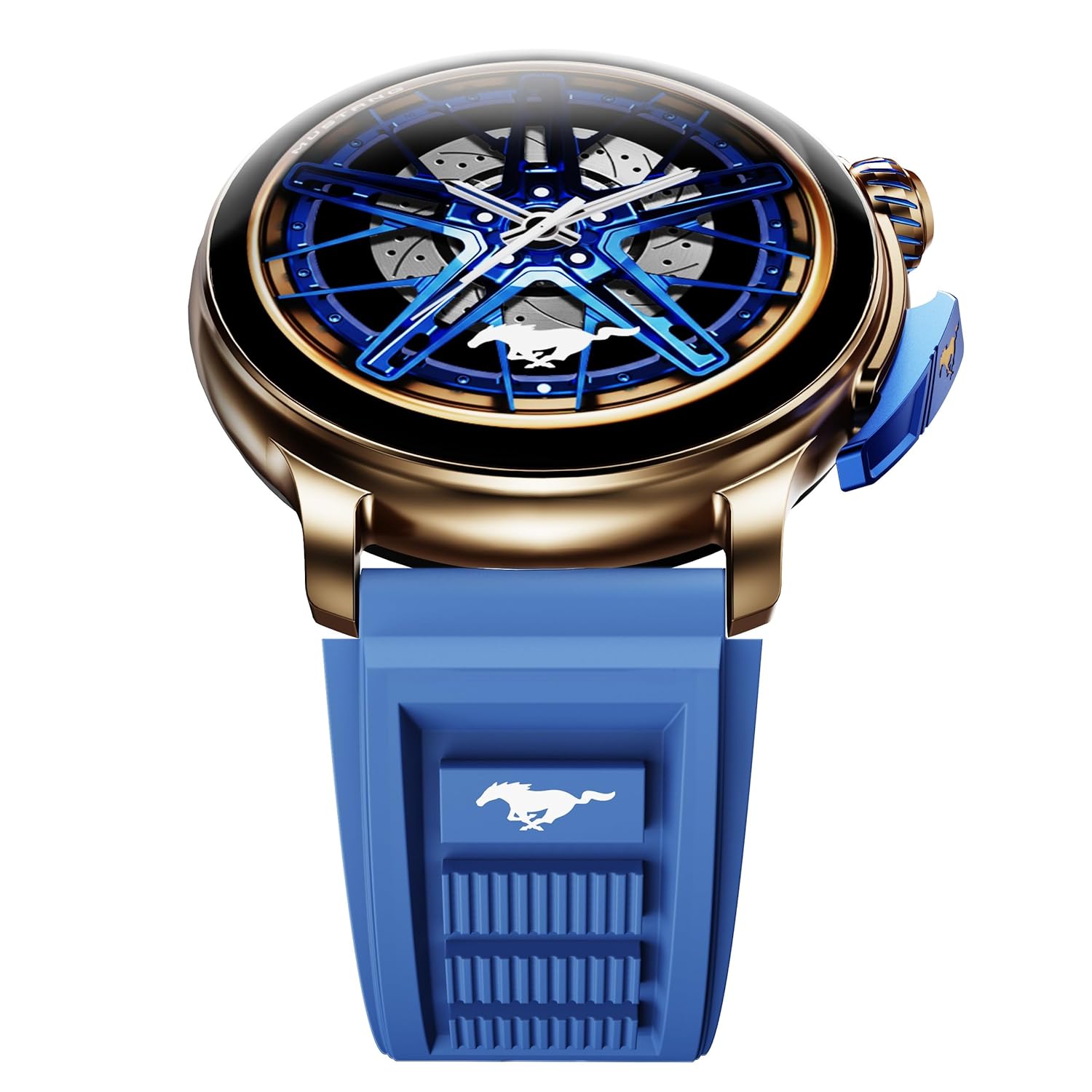
Image: The GOBOULT Mustang Racer Smart Watch, showcasing its 1.43-inch AMOLED display and overall design.
Display and Bezel
The watch features a 1.43-inch AMOLED display with 500 Nits brightness for clear visibility. The functional rotating bezel allows for intuitive navigation through menus and features.

Foto: nkọwa zuru ezu view of the smartwatch's 1.43-inch AMOLED display and the rotating bezel, highlighting its design and brightness.
Buttons and Crown
The watch includes a rotating tyre-tread crown for navigation and selection, along with a functional paddle shifter button for quick access to features.

Image: The smartwatch featuring its functional paddle shifter and rotating crown, designed for enhanced control.
4. Nhazi
4.1. Ịchaji smart Watch
Before initial use, fully charge your smartwatch. Connect the magnetic charging cable to the charging pins on the back of the watch and plug the USB end into a compatible power adapter (not included) or a computer's USB port. The watch will display a charging indicator. A full charge takes approximately 120 minutes.
4.2. Ịgbanye / gbanyụọ
- Ike Na: Press and hold the main power button (crown) for a few seconds until the GOBOULT logo appears.
- Gbanyụọ: From the watch face, swipe down to access quick settings, or navigate to the settings menu. Select "Power Off" and confirm. Alternatively, press and hold the main power button until the power-off option appears.
4.3. Ijikọ na ekwentị mkpanaaka gị
To unlock all features, pair your GOBOULT Mustang Racer Smart Watch with the companion app on your smartphone via Bluetooth.
- Download the official GOBOULT app from your smartphone's app store (iOS App Store or Google Play Store).
- Gbaa mbọ hụ na agbanyere Bluetooth na ekwentị gị.
- Open the GOBOULT app and follow the on-screen instructions to create an account or log in.
- In the app, select "Add Device" or similar option.
- Select "GOBOULT Mustang Racer" from the list of available devices.
- Kwenye arịrịọ njikọta na ma ekwentị gị ma smartwatch.
Once paired, the watch will synchronize data with your phone, and you can customize settings through the app.

Image: The smartwatch highlighting its Bluetooth V5.3 connectivity for quick syncing and IP67 water resistance.
5. Ntuziaka ọrụ
5.1. Ntugharị
- Mịgharịa gaa Elu/Ala/Aka ekpe/Aka nri: Navigate through menus, notifications, and quick access panels.
- Kpatụ: Họrọ otu ihe ma ọ bụ kwado ihe omume.
- Rotating Bezel/Crown: Rotate to scroll through lists or adjust settings. Press to select or return to the home screen.
- Paddle Shifter Button: Customizable shortcut for frequently used functions (e.g., sports modes).
5.2. Oku Bluetooth
With integrated speaker and microphone, you can make and receive calls directly from your wrist after pairing with your smartphone.
- Hụ na ejiri Bluetooth jikọọ elekere gị na ekwentị gị.
- To make a call: Access the dialer or contacts list on your watch.
- To receive a call: An incoming call notification will appear on your watch. Tap to answer or decline.
5.3. Ihu nche
Customize your watch's appearance with over 150 watch faces, including exclusive Mustang designs. Long-press the watch face to change it, or use the companion app for more options.

Image: The smartwatch showcasing multiple watch face options, including exclusive Mustang designs.
5.4. Ụdị egwuregwu
The watch supports over 120 sports modes to track your physical activities. Access sports modes from the main menu or via the paddle shifter shortcut (if configured).
- Select your desired sport.
- Start the activity. The watch will record metrics such as duration, calories burned, and heart rate.
- End the activity to save data. Review your performance in the app.

Image: The smartwatch displaying a sports tracking interface, indicating its capability to monitor various physical activities.
5.5. Nlekọta ahụike
The GOBOULT Mustang Racer Smart Watch provides comprehensive health tracking features:
- 24x7 Heart Rate Monitor: Na-enyocha obi gị mgbe niile.
- SpO2 Blood Oxygen Saturation Monitor: Na-enyocha ọkwa oxygen dị n'ọbara.
- Nleba anya ụra: Analyzes sleep patterns (deep sleep, light sleep, awake time).
- Nyocha Nchekasị: Na-enye nghọta na ọkwa nrụgide gị.
- Ọbara Ọbara: (Note: Smartwatch blood pressure measurements are for reference only and should not be used for medical diagnosis.)
Access these features from the watch's health menu or view detailed reports in the companion app.

Foto: Ihe dị n'ime view of the smartwatch highlighting its health tracking sensors, with text indicating features like heart rate, SpO2, sleep, and stress monitoring.
5.6. Onye Inyeaka Olu AI
Activate the AI Voice Assistant on your watch to perform tasks, set reminders, or get information using voice commands. Ensure your watch is connected to your phone for this feature to function.
5.7. Ọkwa Amamihe
Receive notifications for calls, messages, and app alerts directly on your watch. Manage notification settings through the GOBOULT app.
5.8. Always On Display
The Always On Display feature allows the time and essential information to remain visible on the screen without needing to raise your wrist or press a button. This feature can be enabled or disabled in the watch settings to manage battery consumption.

Image: The smartwatch displaying the time and a car image, illustrating the Always On Display functionality.
6. Atụmatụ na Nkọwapụta
Akụkụ ndị bụ isi:
- 1.43" AMOLED Display with 500 Nits Brightness
- Bluetooth Calling (BT V5.3)
- Rotating Bezel for intuitive control
- 150+ Watch Faces, including exclusive Mustang designs
- AI onye enyemaka olu
- Health Monitoring: SpO2, Heart Rate, Sleep, Stress, Blood Pressure
- Ụdị egwuregwu 120+
- IP67 mmiri na-eguzogide
- Up to 7-day battery runtime with fast charging
Nkọwa nka nka:
| Ụdị | GOBOULT |
| Nọmba nlereanya | GOBOULT Mustang Racer |
| Ngosipụta nha | 1.43 sentimita asatọ |
| Ụdị ikuku | Bluetooth V5.3 |
| Oge nchaji batrị | Nkeji 120 |
| Ọdịnaya Ike batrị | 1.11 Watt awa |
| Mmiri Nguzogide | IP67 |
| Ibu Ibu | 55 g |
| Mba onye si | China |
7. Nlekọta
7.1. Cleaning Your Smart Watch
Regular cleaning helps maintain the watch's appearance and functionality:
- Jiri akwa dị nro hichaa ihuenyo na ahụ.
- Maka isi ike smudges, ntakịrị dampen akwa na mmiri. Zere iji kemịkalụ siri ike ma ọ bụ ihe na-emebi emebi.
- Clean the charging contacts periodically with a dry cloth to ensure proper charging.
7.2. Mmiri Na-eguzogide Mmiri (IP67)
The GOBOULT Mustang Racer Smart Watch is IP67 water resistant, meaning it can withstand immersion in up to 1 meter of fresh water for up to 30 minutes. It is suitable for daily use and light splashes. However, it is not recommended for swimming, showering with hot water, or diving. Avoid exposure to saltwater or chemicals, as this may damage the device.
7.3. Nlekọta batrị
- Zere ịchaji batrị ugboro ugboro.
- Debe elekere ahụ n'ebe dị jụụ ma kpọọ nkụ mgbe a naghị eji ya ruo ogologo oge.
- Jiri naanị eriri nchaji enyere.
8. Nchọpụta nsogbu
| Nsogbu | Ngwọta enwere ike |
|---|---|
| Elekere anaghị agba ọkụ. | Gbaa mbọ hụ na chajịrị elekere ahụ nke ọma. Jikọọ ya na chaja opekata mpe nkeji iri atọ. |
| Enweghị ike ijikọ na smartphone. |
|
| Data ahụike na-ezighi ezi. |
|
| Ndụ batrị dị mkpụmkpụ. |
|
9. Akwụkwọ ikike na nkwado
Your GOBOULT Mustang Racer Smart Watch comes with a warranty as specified on the included Warranty Card. Please refer to the card for details regarding warranty period, coverage, and terms and conditions.
For technical support, product inquiries, or warranty claims, please contact GOBOULT customer service through the contact information provided on your Warranty Card or visit the official GOBOULT websaịtị.
Ngwa gụnyere: Charging Cable, Mustang Racer Apex Blue Smart watch, User Manual, Warranty Card


