1. Okwu mmalite
The FiiO DISC is a portable HiFi music player designed for high-quality audio playback. It features a slim aluminum body, a circular touchscreen, and advanced audio components to deliver an immersive listening experience. This manual provides essential information for setting up, operating, and maintaining your FiiO DISC.

Figure 1.1: FiiO DISC Portable HiFi Music Player in various colors.
2. Nhazi
2.1. Unboxing na mbụ Charge
Upon unboxing, ensure all components are present: the FiiO DISC player, a USB-C charging cable, and any included stickers. Before first use, fully charge the device using the provided USB-C cable connected to a compatible power adapter (not included).
2.2. Itinye Kaadị MicroSD
The FiiO DISC supports MicroSD cards up to 2TB for expanded music storage. Locate the MicroSD card slot on the side of the device. Gently insert the MicroSD card until it clicks into place. Ensure the card is inserted correctly to avoid damage.

Figure 2.1: MicroSD card slot for storage expansion up to 2TB.
2.3. Ịgbanye / gbanyụọ
Press and hold the power button (usually located on the side or top) for a few seconds to power on or power off the device. A short press will typically turn the screen on/off or lock/unlock the device.
2.4. Initial Language Selection
Upon first power-on, you may be prompted to select your preferred language. Follow the on-screen instructions to navigate and select English or your desired language.
3. Operating the FiiO DISC
3.1. Ntugharị Ihuenyo Mmetụ Aka
The FiiO DISC features a circular touchscreen for intuitive control. Swipe across the screen to navigate menus and tap icons to select options. The user interface includes customizable lock screens, screen savers, album art, and lyrics display.

Figure 3.1: Dynamic user interface on the FiiO DISC circular touchscreen.
3.2. Nghaghachi egwu
- Nchọgharị: Navigate to the 'Music' or 'Folders' section to browse your audio files.
- Gwuo/kwụsịtụ: Tap the play/pause icon on the screen or use the dedicated physical buttons.
- Ikwu egwu: Use the forward/backward icons on the screen or physical buttons to skip tracks.
- Njikwa olu: Adjust volume using the dedicated volume buttons on the device.
3.3. Njikọ Bluetooth
The FiiO DISC supports Bluetooth 5.4 with LDAC for high-quality wireless audio. To pair with Bluetooth headphones or speakers:
- Go to the 'Settings' menu and select 'Bluetooth'.
- Turn on Bluetooth and put your external device into pairing mode.
- Select your device from the list of available devices to connect.

Figure 3.2: FiiO DISC demonstrating Bluetooth 5.4 with LDAC support.
3.4. Wired Headphone Outputs
The device is equipped with both 3.5mm single-ended and 4.4mm balanced headphone outputs. Connect your preferred wired headphones to the corresponding jack for optimal audio quality.

Figure 3.3: The FiiO DISC features both 3.5mm and 4.4mm headphone outputs.
3.5. USB Modes and Other Connectivity
The FiiO DISC supports various connectivity options:
- Ọnọdụ DAC USB: Connect to a computer to use the FiiO DISC as an external DAC.
- Ọdịda USB: Output audio digitally via USB to compatible devices.
- Mmepụta Dijitalụ Coaxial: For connecting to home audio systems.
- AirPlay: Jiri ngwaọrụ Apple na-agagharị egwu na-enweghị eriri.
4. Atụmatụ igodo
- Premium Aluminum Alloy Body with Circular Touchscreen: The ultra-slim aluminum alloy body provides a refined, lightweight feel. The round touchscreen offers a rich UI with customizable lock screens, screen savers, album art, and lyrics display.
- Dual DAC Design with Dual Headphone Outputs: Equipped with dual CS43131 DACs and a balanced audio architecture, it delivers up to 280mW of output power through both 3.5mm single-ended and 4.4mm balanced headphone outputs.
- Bluetooth 5.4 with LDAC Support: Ensures fast, stable, and low-latency wireless connections with support for high-quality audio codecs like LDAC and SBC.
- Pure Music OS with Up to 2TB Storage Expansion: Powered by a dual-core X2000 controller and FiiO’s self-developed Linux-based pure music system, offering smooth operation and support for up to 2TB MicroSD card expansion.
- Ruo awa iri atọ nke ndụ batrị: The built-in 1450mAh battery provides up to 12 hours of continuous playback.
- Njikọta dị iche iche: Supports USB DAC mode, USB Audio output, coaxial digital output, and AirPlay for seamless integration with various audio setups.
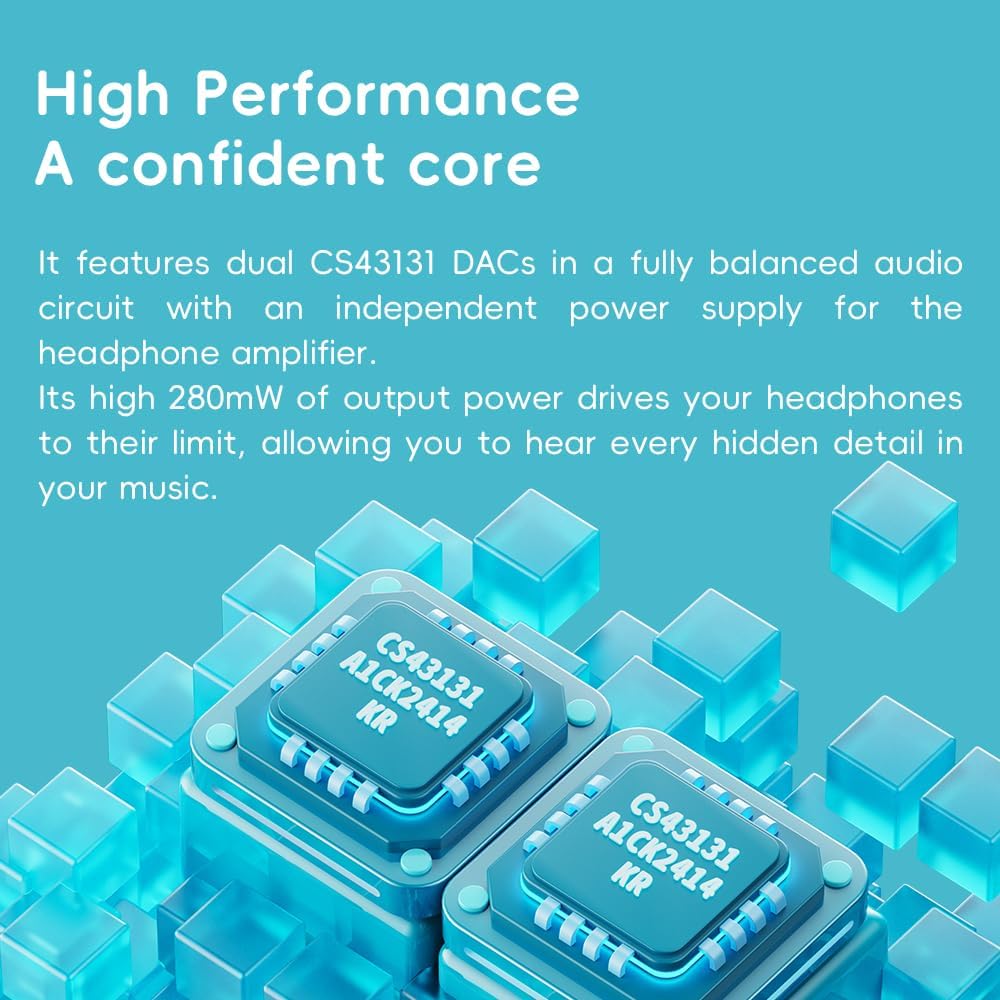
Figure 4.1: The FiiO DISC utilizes dual CS43131 DACs for high-fidelity audio.

Figure 4.2: The Ingenic X2000 dual-core chip powers the FiiO DISC's pure music OS.

Figure 4.3: The FiiO DISC offers up to 12 hours of battery life.
5. Nlekọta
- Nhicha: Jiri ákwà dị nro ma kpọọ nkụ hichaa ngwaọrụ ahụ. Zere iji kemịkalụ siri ike ma ọ bụ ihe ndị na-emebi ihe.
- Nchekwa: Store the FiiO DISC in a cool, dry place away from direct sunlight and extreme temperatures.
- Nlekọta batrị: Iji mee ka batrị dị ogologo, zere ịgbapụ ngwa ahụ mgbe niile. Chajie ya mgbe niile, ọbụlagodi na ọ naghị eji ya ruo ogologo oge.
6. Nchọpụta nsogbu
6.1. Ngwaọrụ anaghị agba ọkụ
- Ensure the device is fully charged. Connect it to a power source and wait a few minutes before attempting to power on again.
- Try holding the power button for a longer duration (e.g., 10-15 seconds) to perform a hard reset.
6.2. Enweghị ụda ụda
- Check the volume level on the device and your connected headphones/speakers.
- Ensure headphones are properly connected to the correct output jack (3.5mm or 4.4mm).
- If using Bluetooth, verify that the device is correctly paired and connected to your audio output.
- Test with different headphones or speakers to rule out an issue with the audio output device.
6.3. Egwu Files Not Appearing
- Ensure the MicroSD card is properly inserted.
- Chọpụta na egwu ahụ files are in a supported format.
- Perform a music library scan through the device's settings.
6.4. Bluetooth Pairing Issues
- Ensure both the FiiO DISC and the target Bluetooth device are in pairing mode.
- Move the devices closer to each other to ensure they are within range.
- Forget previous pairings on both devices and attempt to pair again.
7. Nkọwapụta
| Njirimara | Nkọwa |
|---|---|
| Ụdị | FiiO |
| Aha Nlereanya | AKW |
| Nọmba Nlereanya ihe | F5381D |
| Teknụzụ Njikọta | Bluetooth, ihe mgbakwunye |
| Njirimara Pụrụ Iche | Hi-Res Audio |
| Agba | Blue (other variants available) |
| Nha ihuenyo | 1.8 sentimita asatọ |
| Ngwa dakọtara | Igwe ekweisi |
| Batrị | 1450mAh (up to 12 hours playback) |
| Mgbasawanye nchekwa | Up to 2TB MicroSD card |
| DAC | Abụọ CS43131 |
| Ike mmepụta | Up to 280mW |
| Sistemụ nrụọrụ | Linux-based pure music system |
| Ibu Ibu | 5.9 ounces |
| Akụkụ ngwugwu | 11.46 x 4.06 x 1.22 sentimita asatọ |
8. Akwụkwọ ikike & Nkwado
For warranty information and technical support, please refer to the official FiiO websaịtị ma ọ bụ kpọtụrụ ndị ahịa ha ọrụ. Debe ihe akaebe nke ịzụrụ ihe maka akwụkwọ ikike.
Visit the official FiiO Store for more information: FiiO Store


