Okwu mmalite
This manual provides essential instructions for the proper installation, operation, and maintenance of your GOWENIC P10 Full Color Scrolling LED Display. This display is designed to deliver vibrant, full-color visuals with flexible display modes, suitable for various commercial applications such as storefronts, salons, and cafes. Please read this manual thoroughly before using the product to ensure optimal performance and longevity.
Ozi nchekwa
Always handle the LED display with care. Ensure all power connections are secure and correctly wired to prevent electrical hazards. Do not expose the display to extreme temperatures or harsh chemicals. While the unit features upgraded waterproof capabilities, avoid submerging it in water. Disconnect power before performing any maintenance or installation procedures.
Ihe ngwugwu
Nyochaa na etinyere ihe niile edepụtara n'okpuru na ngwugwu gị:
- 1 x LED Screen Board
- 1 x Connector Cable
- 1 x Supply Cable
- 4 x kposara

Image: The GOWENIC P10 LED display panel shown with its included accessories: a connector cable, a supply cable, and four mounting screws.
Melite
1. Ịwụnye ihe ngosi ahụ
The LED display can be mounted using the provided screws. Ensure the mounting surface is stable and capable of supporting the display's weight. For optimal visibility, consider the viewing angle and height relative to your target audience.

Foto: Examples of the GOWENIC P10 LED display in use, showcasing its application in a fruit shop, supermarket, and as a door sign.
2. Njikọ eriri
Connect the supply cable to the power input port on the LED screen board. If connecting multiple panels, use the connector cable to link them in sequence. Ensure all connections are firm and correctly oriented.
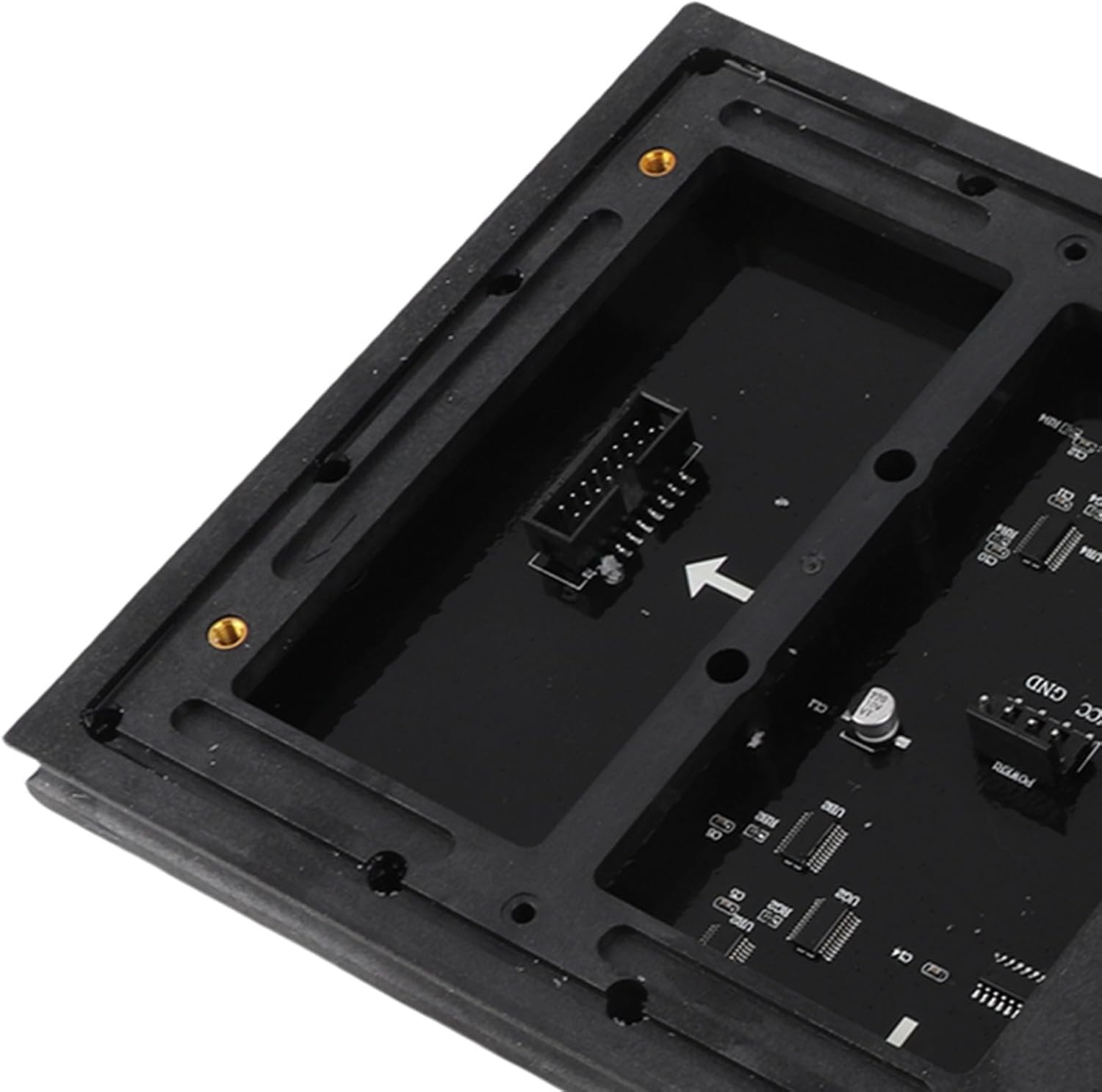
Foto: A nso nso view of a connector port located on the back of the LED display panel, indicating where data or power cables are attached.

Foto: N'azụ view of a single GOWENIC P10 LED display panel, showing the circuit board layout and various connection ports for power and data.
3. Na-agbanye ike
Once all connections are secure, connect the supply cable to a suitable power source. The display should power on automatically. If it does not, check all connections and the power source.
Ntuziaka ọrụ
The GOWENIC P10 LED display requires an external control system (not included) for programming and managing content. Please refer to the instruction manual provided with your specific LED control card or software for detailed programming steps.
The display supports various modes, including vertical or horizontal scrolling text, gradient color transitions, and other dynamic visual effects. Content can be updated to showcase promotions, announcements, or other messages relevant to your business.
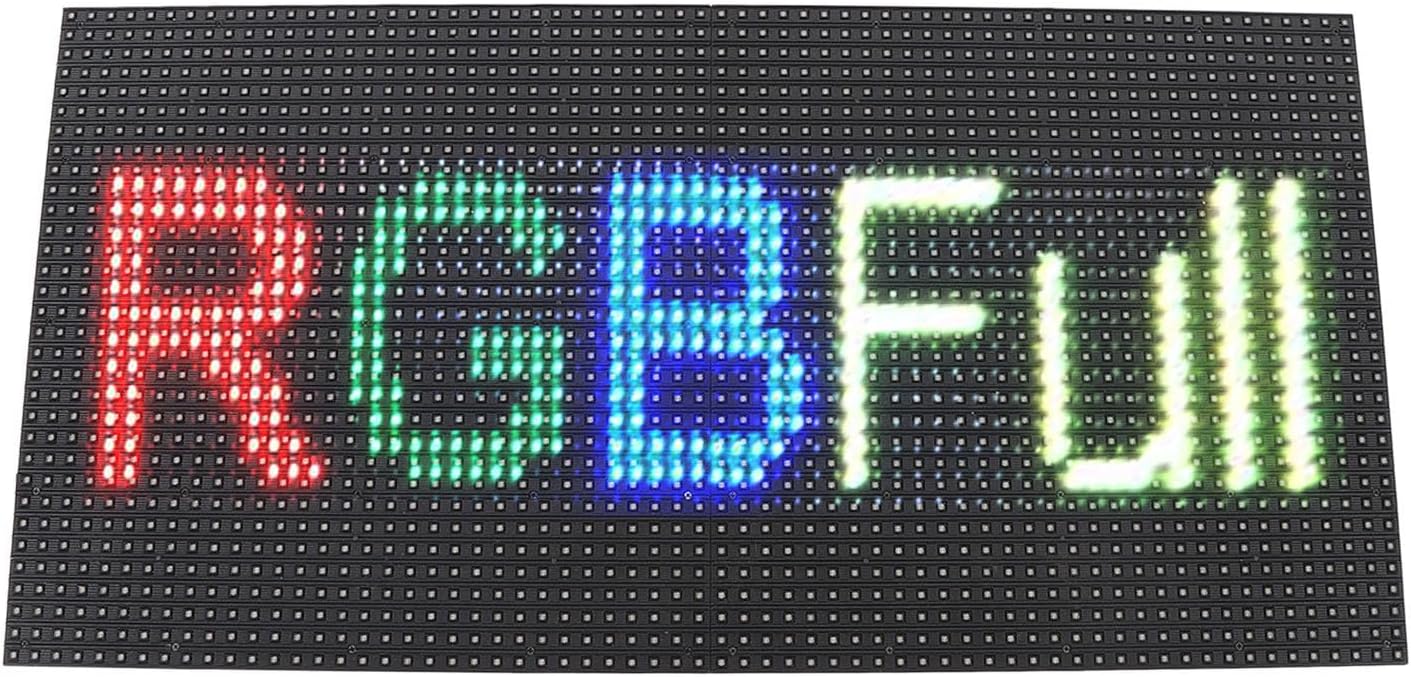
Foto: N'ihu view of the GOWENIC P10 LED display, illuminated to show the text 'RGBFull' in various colors, demonstrating its full-color capability.
Nlekọta
Nhicha
To clean the display surface, gently wipe it with a soft, dry, lint-free cloth. For stubborn dirt, slightly dampen the cloth with water. Avoid using abrasive cleaners, solvents, or excessive moisture, as these can damage the display. Ensure the display is powered off before cleaning.
Waterproof Features
The GOWENIC P10 LED display is designed with upgraded IP64 waterproof features, making it suitable for sturdy use in various weather conditions. However, it is not designed for submersion. Ensure proper installation to prevent water ingress through unsealed connections or mounting points.
Nchọpụta nsogbu
- Ngosipụta Anaghị Agbanwu: Check the power supply cable connection to both the display and the power outlet. Ensure the power source is active.
- No Content Displayed: Verify that the control system (e.g., LED control card) is correctly connected and powered. Ensure content has been successfully uploaded and configured through the control software.
- Partial Display or Flickering: Check the connector cables between panels for secure connections. This may indicate a loose connection or an issue with the control card.
- Agba ezighi ezi: Ensure the control software settings match the display's color configuration.
If issues persist, consult the manual for your specific LED control system or contact customer support.
Nkọwapụta
| Njirimara | Nkọwapụta |
|---|---|
| Nọmba nlereanya | GOWENIC0i2oqd13lh |
| Ụdị ihe | Akara ikanam mpịgharị |
| Ihe onwunwe | FPC, PU, Resin |
| Advertising Board Size | Approx. 320 x 160mm / 12.6 x 6.3in |
| Njupụta Pixel | P10 (10mm spacing) |
| Ngosi nke enweghị mmiri | IP64 |
| Akụkụ ngwaahịa | 40 x 4 x 1 cm; 385 g (40L x 4W Centimetres) |
| Atụmatụ igodo | Quality chips, 2 copper capacitors, low power consumption, long-lasting high brightness |
| Mba onye si | China |
Akwụkwọ ikike na nkwado
For warranty information and technical support, please refer to the documentation provided at the time of purchase or contact your retailer/manufacturer directly. Keep your purchase receipt as proof of purchase.