1. Okwu mmalite
This manual provides detailed instructions for the LIGE FV21-F Smart Watch. Please read this guide thoroughly to ensure proper usage, optimal performance, and longevity of your device. This smartwatch is designed to enhance your daily life with health monitoring, fitness tracking, and smart communication features.
2. Kedu ihe dị na Igbe ahụ
Upon unboxing your LIGE FV21-F Smart Watch, verify that all the following items are included:
- Smartwatch (LIGE FV21-F)
- Ịchaji eriri
- Watch Strap (Black Mesh)
- Additional Watch Strap (Apricot Silicone)
- Watch Setting Tools
- Smartwatch Manuals (this document)
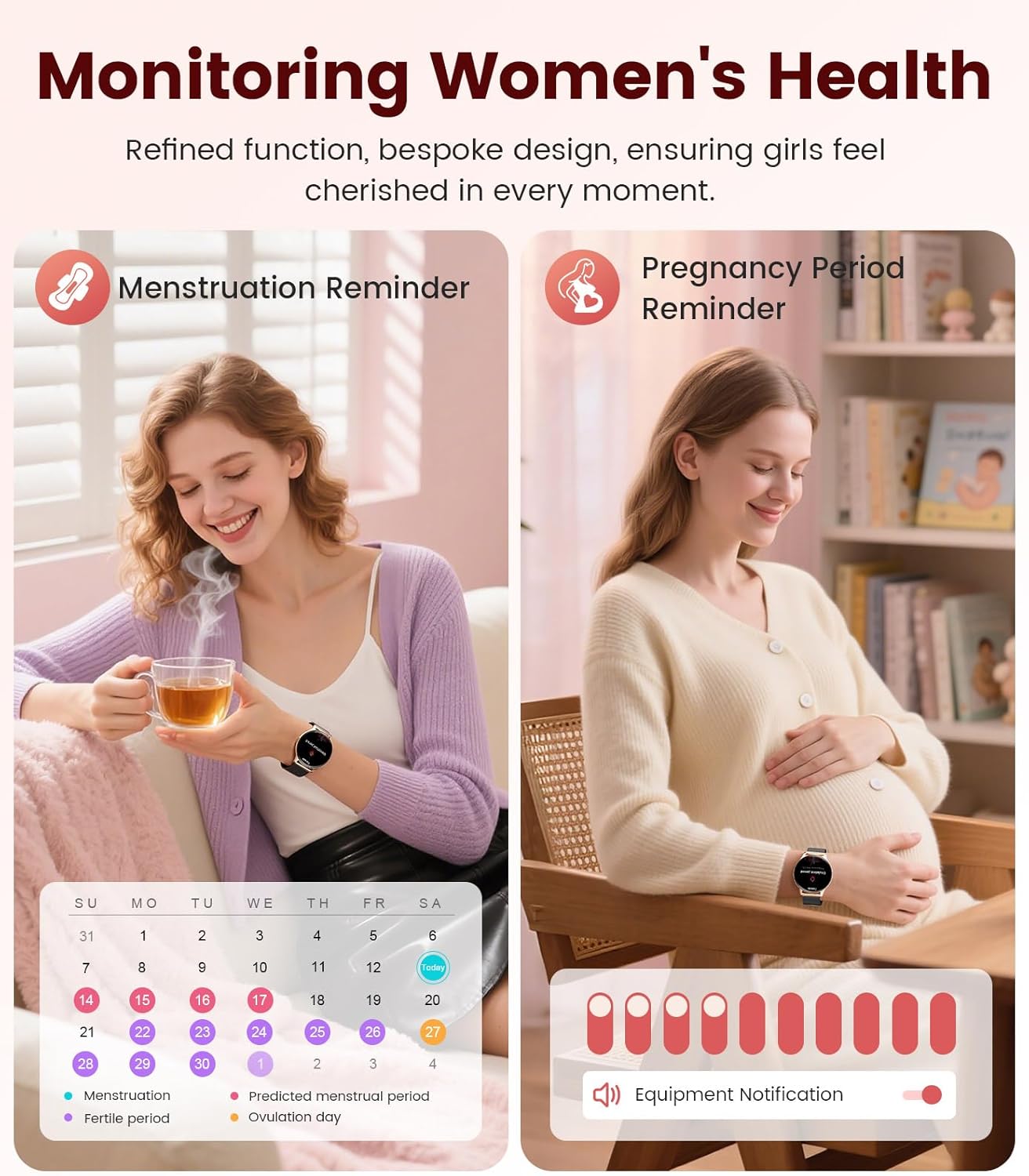
Image: Contents of the LIGE FV21-F Smart Watch package, showing the watch, charging cable, and two interchangeable bands.
3. Ntuziaka Nhazi
3.1 Attaching the Watch Straps
Your LIGE FV21-F Smart Watch comes with two interchangeable straps: a black mesh band and an apricot silicone band. To attach a strap:
- Locate the spring bar on the back of the watch strap.
- Align one end of the spring bar with the lug hole on the watch case.
- Push the spring bar inward and slide the strap into place between the lugs.
- Release the spring bar, ensuring both ends are securely seated in the lug holes.
- Gently pull the strap to confirm it is firmly attached.
Video: Demonstrates how to attach and change the watch straps, as well as initial setup and pairing with a smartphone.
3.2 Ịchaji smart Watch
Before first use, fully charge your smartwatch. Use the provided magnetic charging cable.
- Connect the USB end of the charging cable to a power adapter (not included) or a computer's USB port.
- Place the magnetic end of the charging cable onto the charging contacts on the back of the smartwatch. The magnets will align it correctly.
- The watch screen will display a charging indicator. A full charge typically takes approximately 2-3 hours.
Image: The LIGE FV21-F Smart Watch being charged using its magnetic charging cable.
3.3 Ngwa nbudata na ijikọ
To unlock the full functionality of your smartwatch, download the companion app, "FitCloudPro," and pair it with your smartphone.
- Budata ngwa: Scan the QR code displayed on the watch screen (access via Settings > QR Code) or search for "FitCloudPro" in your smartphone's app store (App Store for iOS, Google Play Store for Android).
- Kwado Bluetooth: Gbaa mbọ hụ na agbanyere Bluetooth na ekwentị gị.
- Mepee Ngwa ma Mekọọ: Open the FitCloudPro app, navigate to the "Device" section, and tap "Add Device" or "Search Now". Select "FV21" from the list of discovered devices.
- Kwenye njikọ: A pairing request will appear on both your phone and watch. Confirm the pairing on both devices.
- Kwe ka amamọkwa: Grant necessary permissions for notifications (calls, messages, apps) when prompted by the app.

Image: The FitCloudPro app interface on a smartphone and the QR code on the smartwatch for easy app download and pairing.
4. Ntuziaka ọrụ
4.1 Nsoro ụzọ
- Ihuenyo mmetụ aka: Swipe left/right, up/down to navigate menus and screens. Tap to select.
- Bọtịnụ akụkụ: Press to wake the screen, return to the home screen, or access the app list.
- Ihuenyo Teta: Raise your wrist or press the side button to activate the display.
4.2 Hazie ihu nche
The LIGE FV21-F offers over 200 customizable watch faces. You can also upload your own photos.
- On the watch, long-press the home screen to access watch face options, then swipe to select.
- In the FitCloudPro app, go to "Watch Face Store" to browse and sync new faces.
- To use a custom photo, select "Watch Face DIY" in the app, choose a photo, adjust its position, and sync to your watch.

Image: The smartwatch displaying a custom watch face, demonstrating the personalization options available through the app.
4.3 Atụmatụ Nkwurịta Okwu
- Zaa/Kpọọ oku: Once paired via Bluetooth, you can answer incoming calls directly from your watch or dial numbers using the watch's dial pad.
- Ọkwa ozi: Receive notifications for SMS, emails, and various social media apps (WhatsApp, Facebook, Instagram, etc.) directly on your wrist. Ensure app permissions are granted.
- Enyemaka Olu: Utilize the integrated voice assistant for quick commands and information.

Image: The smartwatch displaying an incoming call and message notifications, highlighting its communication capabilities.
5. Nlekọta ahụike
The LIGE FV21-F Smart Watch provides comprehensive health tracking features to help you monitor your well-being.
- Nlekota obi obi: Na-aga n'ihu na-enyocha ọnụọgụ obi gị ụbọchị niile.
- Nleba anya ụra: Na-enyocha usoro ụra gị, gụnyere ụra miri emi, ụra dị mfe, na oge ịmụrụ anya.
- Nyocha ọbara oxygen (SpO2): Na-enyocha ọkwa oxygen dị n'ọbara gị.
- Women's Physiological Cycle Monitor: Provides reminders and tracking for menstrual and pregnancy periods.
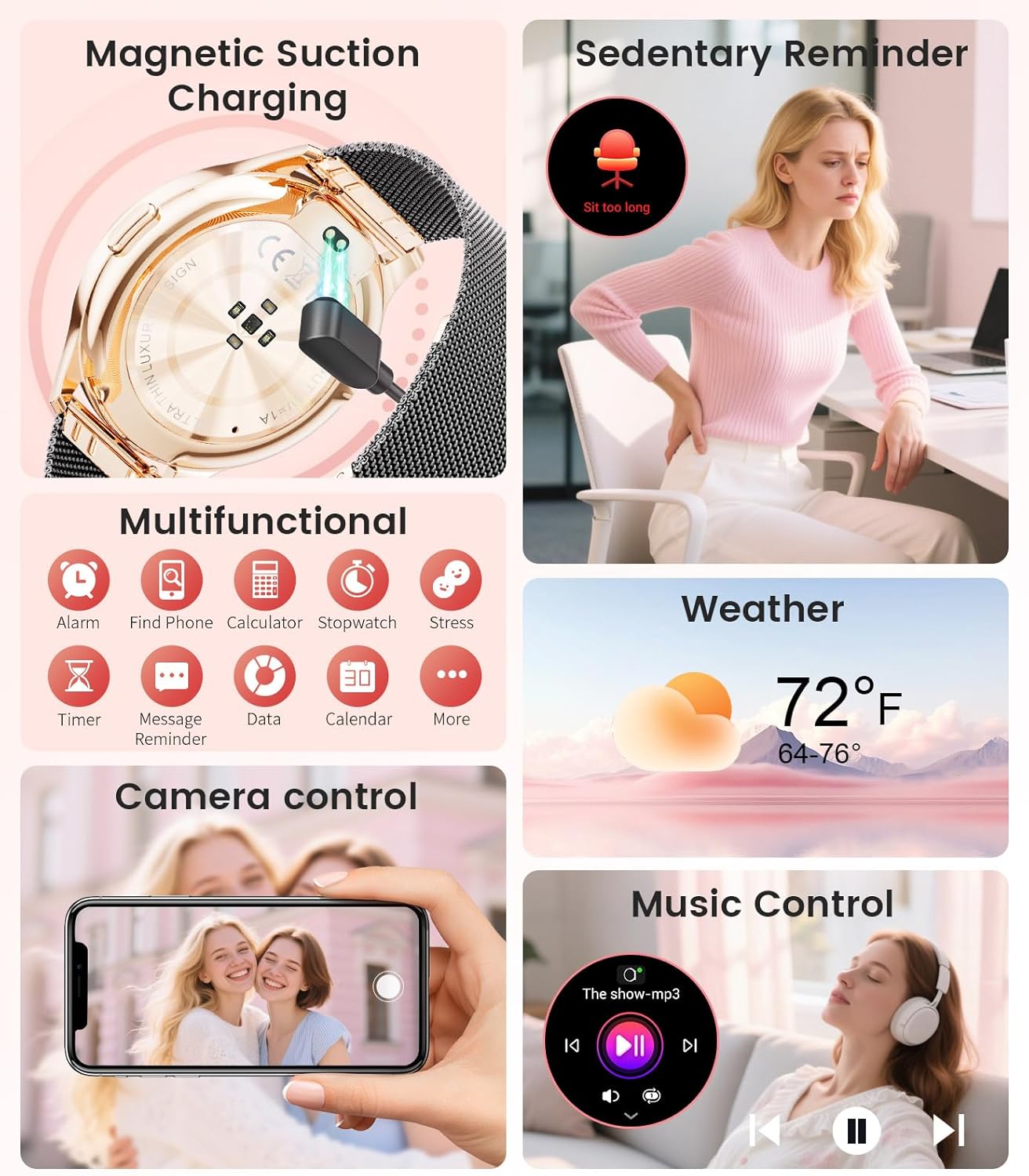
Image: The smartwatch interface showing women's health tracking features, including menstruation and pregnancy reminders.

Image: A user sleeping while wearing the smartwatch, with an inset showing the sleep tracking data on the watch face.
6. Fitness Tracking (120+ Sport Modes)
The LIGE FV21-F Smart Watch supports over 120 sport modes to track your activities, including walking, running, cycling, yoga, and more. It records steps, distance, calories burned, and heart rate during workouts.
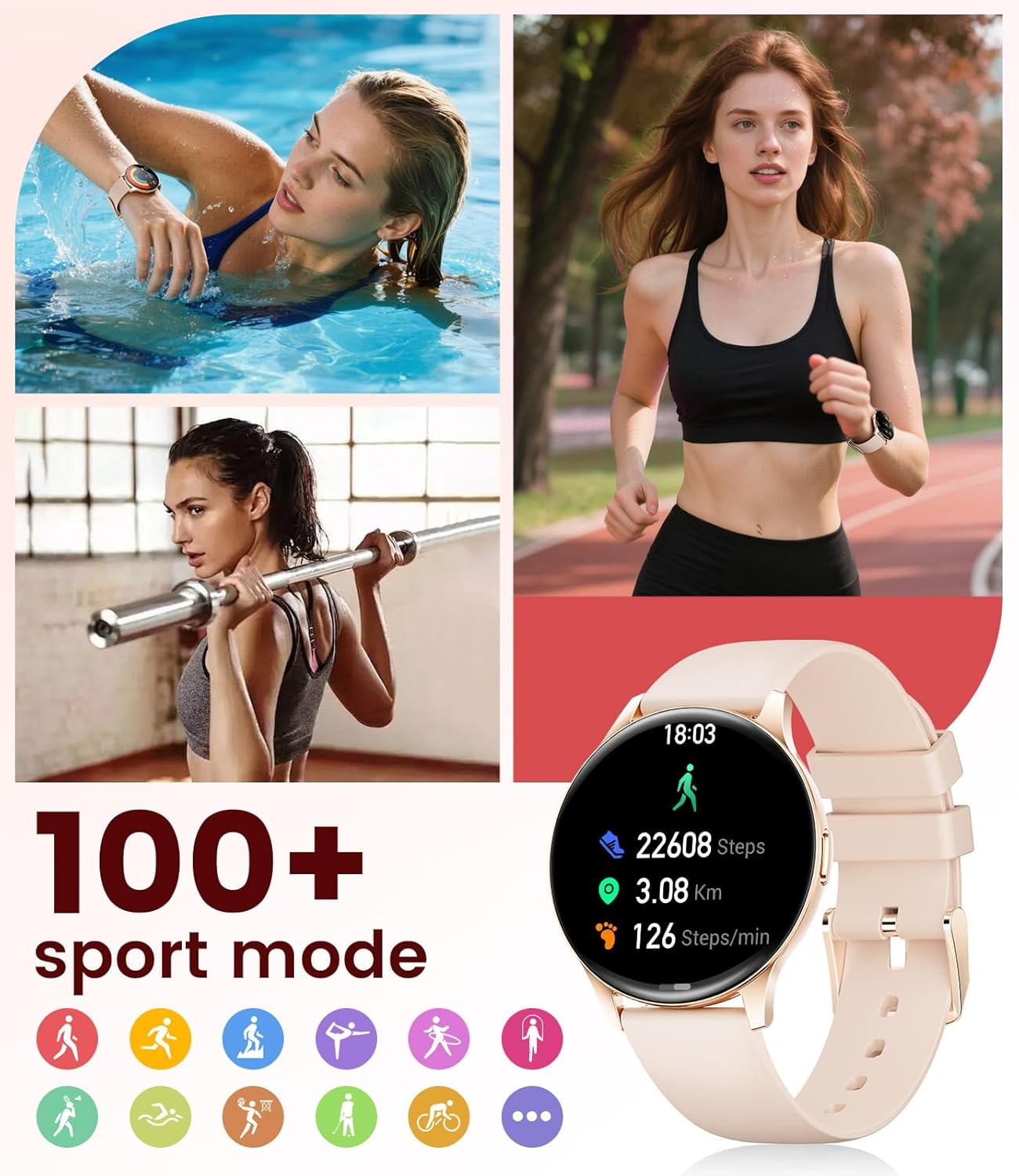
Image: The smartwatch showing different sport modes and real-time fitness data like steps, distance, and calories.
7. Atụmatụ Amamihe Ndị Ọzọ
Beyond health and fitness, your smartwatch offers several convenient smart features:
- Njikwa egwu: Jikwaa egwu egwu na ekwentị gị ozugbo site na elekere gị.
- Njikwa igwefoto: Jiri elekere gị dị ka ihe mkpuchi anya maka igwefoto ekwentị gị.
- Ngosipụta ihu igwe: Nweta mmelite ihu igwe ozugbo.
- Mkpu na ncheta: Set alarms, sedentary reminders, and drink water reminders.
- Chọta ekwentị: Locate your misplaced phone by triggering an alarm from your watch.
- Calculator & Stopwatch: Basic utility tools available on your wrist.

Image: The smartwatch screen showing icons for music control, weather forecast, camera remote, and other utility features.
8. Nkọwapụta
Detailed technical specifications for the LIGE FV21-F Smart Watch:
| Njirimara | Nkọwa |
|---|---|
| Aha Nlereanya | FV21-F |
| Ngosipụta | 1.43" HD Curved AMOLED (466x466) |
| Ndakọrịta sistemụ arụmọrụ | Gam akporo 4.4+ na iOS 9.0+ |
| Njikọta | Bluetooth |
| Ike batrị | 1000 ndeamp Awa (Lithium Polymer) |
| Mmiri Nguzogide | IP68 Waterproof (up to 50 meters) |
| Ike Nchekwa ebe nchekwa | 256 MB |
| Ụdị ihe Band | Igwe anaghị agba nchara, silicone |
| Metrics tụrụ | Heart Rate, Sleep Duration, Blood Oxygen |
| Ntinye Interface mmadụ | Ihuenyo mmetụ aka |
| GPS | Site na smartphone |
9. Nlekọta
To ensure the longevity and optimal performance of your LIGE FV21-F Smart Watch, follow these maintenance guidelines:
- Nhicha: Regularly wipe the watch screen and straps with a soft, dry cloth. For silicone straps, a mild soap and water solution can be used, ensuring to rinse thoroughly and dry completely.
- Zere kemịkalụ siri ike: Do not use abrasive cleaners, solvents, or strong chemicals, as these can damage the watch's finish and internal components.
- Ịchaji: Use only the provided magnetic charging cable. Avoid exposing the charging contacts to moisture or corrosive substances.
- Nchekwa: Mgbe a naghị eji ya ruo ogologo oge, debe elekere ahụ n'ebe dị jụụ ma kpọọ nkụ, ebe anwụ na-anaghị anwụ kpọmkwem ma ọ bụ oke okpomọkụ dị oke njọ.
- Mkpughe mmiri: While IP68 waterproof, avoid prolonged submersion in hot water, steam, or high-pressure water jets. Dry the watch thoroughly after exposure to water.
Video: The smartwatch being rinsed under tap water, showcasing its IP68 water resistance. Ensure to dry the watch after such exposure.
10. Nchọpụta nsogbu
If you encounter issues with your LIGE FV21-F Smart Watch, refer to the following common solutions:
- Lelee anaghị agbanye: Gbaa mbọ hụ na chajịrị elekere ahụ nke ọma. Jikọọ ya na chaja opekata mpe nkeji iri atọ.
- Enweghị ike ijikọ na ekwentị:
- Gbaa mbọ hụ na agbanyere Bluetooth na ekwentị gị yana elekere nọ n'ime oke.
- Malitegharịa ekwentị gị ma elekere.
- Clear the Bluetooth cache on your phone and try pairing again.
- Ensure the FitCloudPro app has all necessary permissions.
- Anabataghị ọkwa:
- Check app permissions for notifications in your phone settings and within the FitCloudPro app.
- Ensure the watch is properly connected via Bluetooth.
- Disable and re-enable notifications in the FitCloudPro app.
- Data ahụike ezighi ezi:
- Gbaa mbọ hụ na etinyere elekere nke ọma na nkwojiaka gị, ọ bụghị nke siri ike ma ọ bụ nke tọgbọrọ chakoo.
- Hichaa ihe mmetụta dị n'azụ elekere.
- Note that health data is for reference and not for medical diagnosis.
- Ndụ obere batrị:
- Belata ìhè ihuenyo na oge ihuenyo na-enwu.
- Disable continuous heart rate monitoring if not needed.
- Limit the number of apps sending notifications to the watch.
Ọ bụrụ na nsogbu ahụ ka dị, biko kpọtụrụ nkwado ndị ahịa.
11. Akwụkwọ ikike na nkwado
The LIGE FV21-F Smart Watch comes with a 2-afọ akwụkwọ ikike from the date of purchase, covering manufacturing defects. This warranty does not cover damage caused by misuse, accidents, unauthorized modifications, or normal wear and tear.
For technical support, warranty claims, or any other inquiries, please contact LIGE customer service through the retailer where you purchased the product or visit the official LIGE websaịtị maka ozi kọntaktị.
We are committed to ensuring your satisfaction and providing a delightful experience with your LIGE Smart Watch.


