1. Okwu mmalite
Thank you for choosing the EENOUR U1200 Golf Rangefinder. This device is designed to provide precise distance measurements for golf, hunting, and other outdoor activities. Featuring 7X magnification, slope compensation, pin lock with vibration, and a durable IP54 waterproof design, the U1200 offers reliable performance. Please read this manual thoroughly before use to ensure optimal operation and longevity of your device.
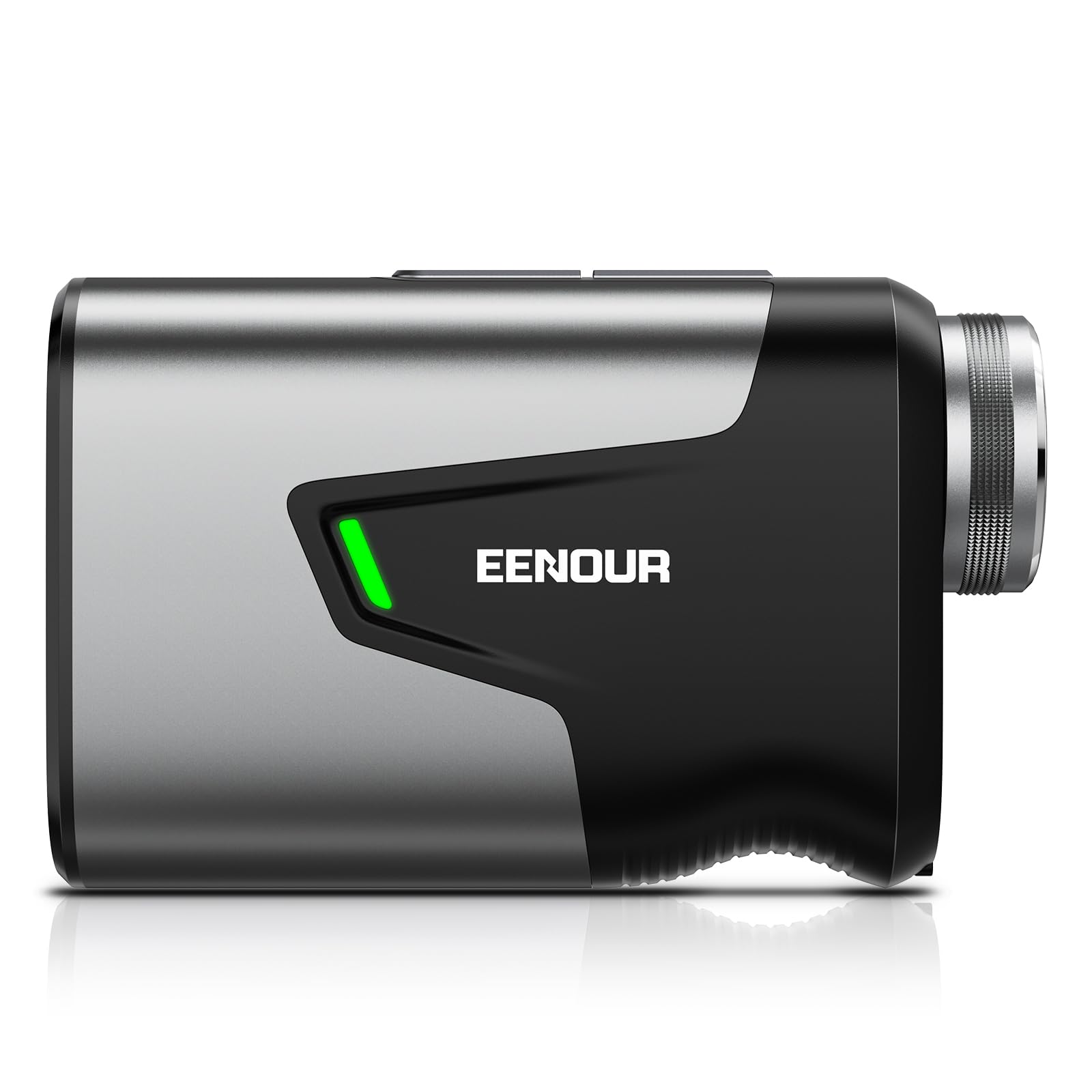
Image 1.1: EENOUR U1200 Golf Rangefinder with highlighted features.
2. Kedu ihe dị na Igbe ahụ
Upon opening your EENOUR U1200 Golf Rangefinder package, please verify that all the following items are included:
- EENOUR U1200 Golf Rangefinder
- Akpa nchekwa
- Strap/USB Type-C Cable
- Akwụkwọ ntuziaka onye ọrụ
- Akwa nhicha
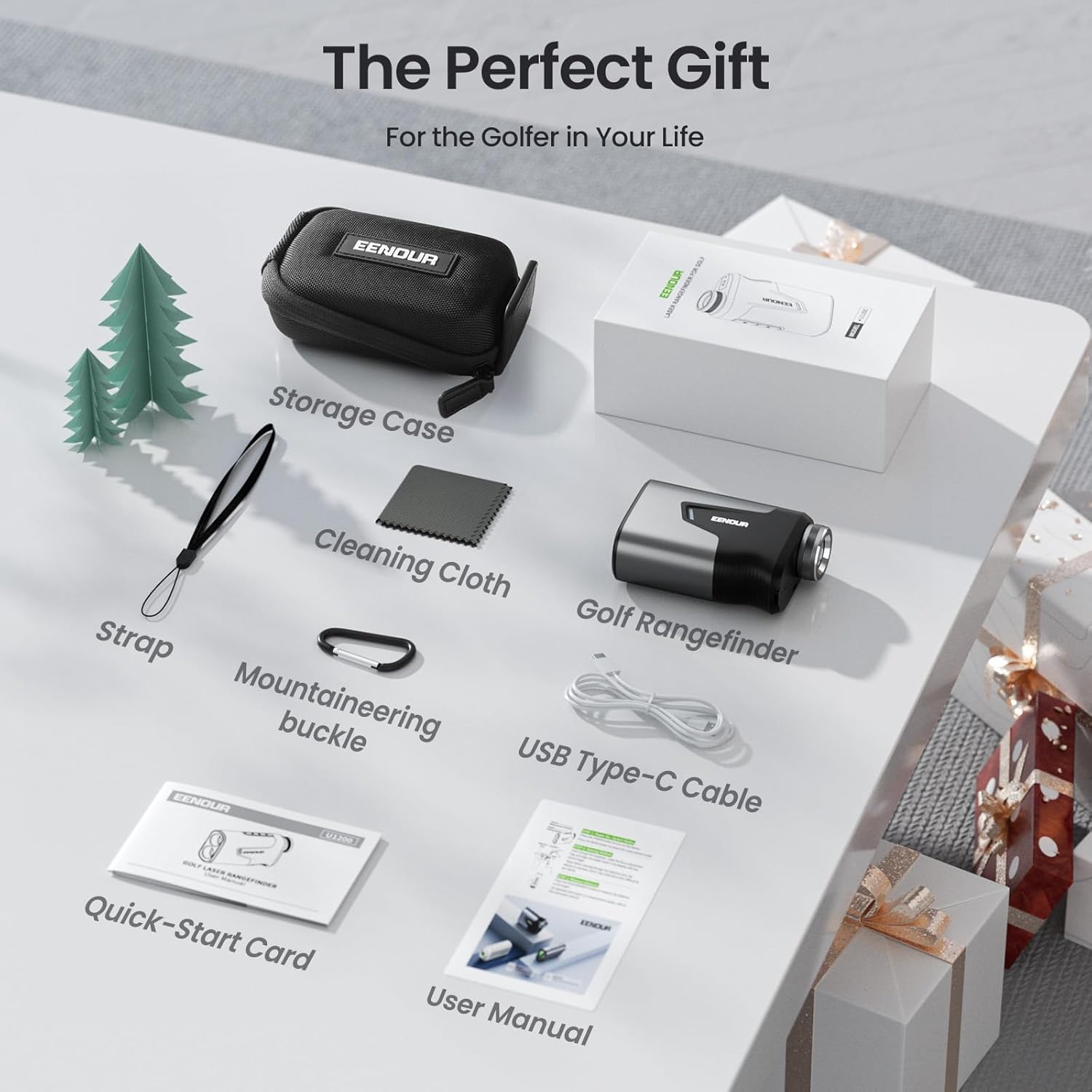
Image 2.1: All included components of the EENOUR U1200 package.
3. Ngwaahịa gafereview
The EENOUR U1200 Golf Rangefinder features a robust metal body and an ergonomic design for comfortable handling. It is equipped with a 23.5mm extra-large objective lens for a wide field of view and 7X magnification for clear target acquisition.
3.1 Ngwa na njikwa
Familiarize yourself with the main parts and controls of your rangefinder:
- Igwe anya ebumnobi: The larger lens at the front of the device.
- Eyepiece/Diopter Adjustment: The smaller lens at the back, with a rotating ring for focus adjustment.
- Power/Measurement Button: Used to power on the device and initiate measurements.
- Mode/Setting Button: Used to cycle through measurement modes and adjust settings.
- Slope Switch/Tournament-Legal Indicator: A physical switch to enable/disable slope compensation, with an indicator light for tournament play.
- Ọdụ ụgbọ mmiri USB-C: Maka ịchaji batrị dị n'ime.
- Magnetic Strip: Located on the side for convenient attachment to golf carts.
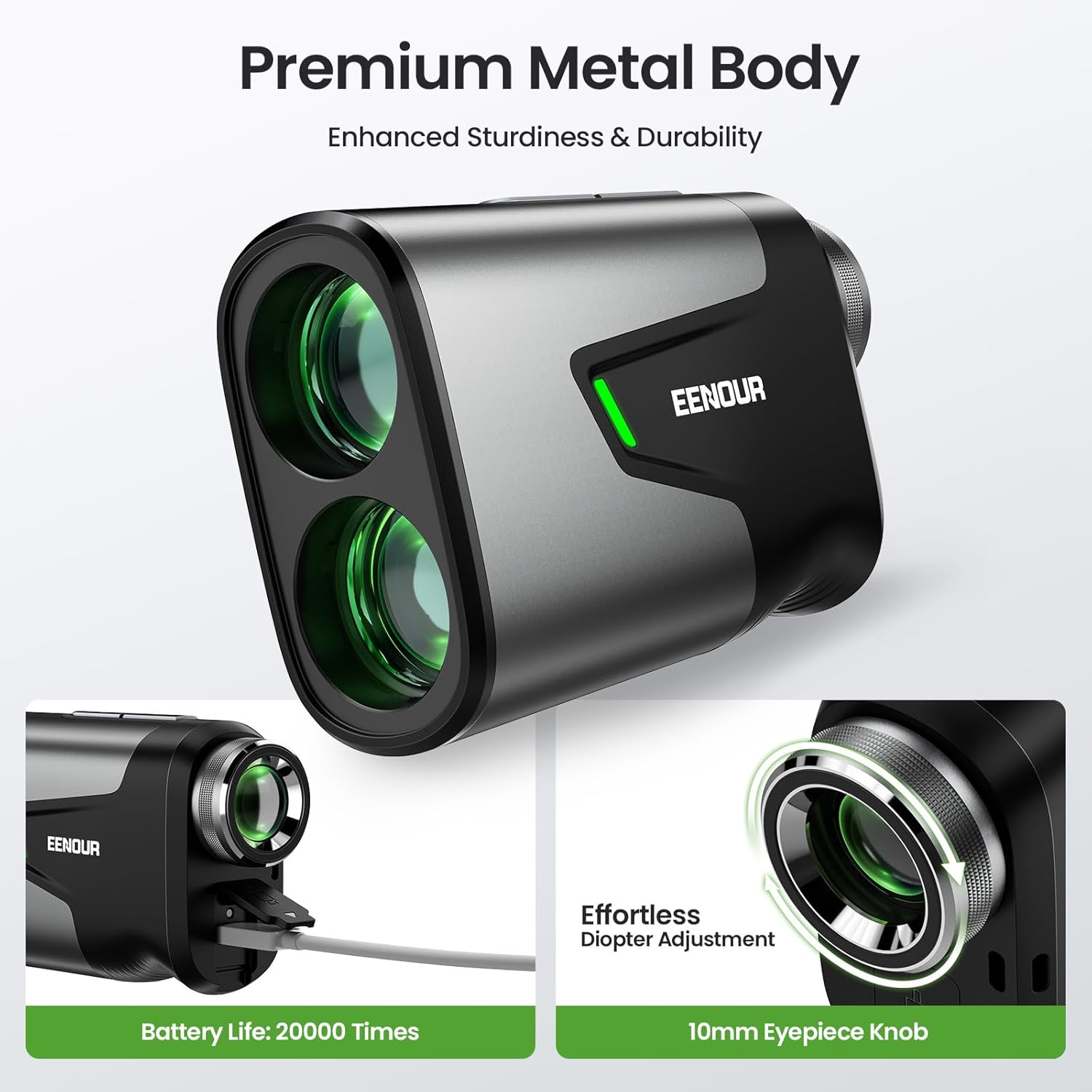
Foto 3.1: Zuru ezu view of the rangefinder's charging port and diopter adjustment.
4. Nhazi
4.1 Ịchaji batrị
The EENOUR U1200 is powered by a high-capacity rechargeable lithium-ion battery. Before first use, fully charge the device.
- Chọta ọdụ ụgbọ mmiri USB-C na ngwaọrụ ahụ.
- Connect the provided USB Type-C cable to the rangefinder and a compatible USB power source (e.g., wall adapter, computer USB port).
- The charging indicator light will show the charging status. Once fully charged, the indicator will change (refer to the device's specific light behavior).
- A full charge supports up to 20,000 measurements.
4.2 Ndozi diopter
Adjust the eyepiece to achieve a clear view of the display and target.
- Lelee anya site na nku anya.
- Rotate the diopter adjustment ring (10mm eyepiece knob) until the reticle and display appear sharp and clear to your eye.
5. Ntuziaka ọrụ
5.1 Power On/Off and Basic Measurement
- Pịa Bọtịnụ ike/atụ once to power on the device. The display will activate.
- Mee ka ihe ndị dị n'elu ihe mgbaru ọsọ gị zute ebe ị chọrọ ịga.
- Pịa Bọtịnụ ike/atụ again to take a measurement. The distance will be displayed instantly (0.04-second response time).
- Ngwaọrụ a ga-agbanyụ na akpaghị aka mgbe oge ụfọdụ nke enweghị ọrụ gasịrị iji chekwaa batrị.
5.2 Changing Measurement Units (Yards/Meters)
While the device is powered on, press and hold the Mode/Setting Button to switch between yards (Y) and meters (M).
Ụdị nha 5.3
Pịa Mode/Setting Button repeatedly to cycle through the available measurement modes:
- Distance Mode (Straight-Line Distance): Measures the direct line-of-sight distance to a target up to 1200 yards. This is the default mode.
- Ụdị nyocha: For continuous measurement of multiple targets or moving objects. Press and hold the Bọtịnụ ike/atụ while sweeping across targets. The distance will update continuously.
- Flag Lock with Vibration Alert: Designed for golf, this mode helps lock onto the flagstick while ignoring background objects. When the flag is successfully locked, the device will vibrate briefly to confirm the measurement. This mode provides ±0.5-yard accuracy.
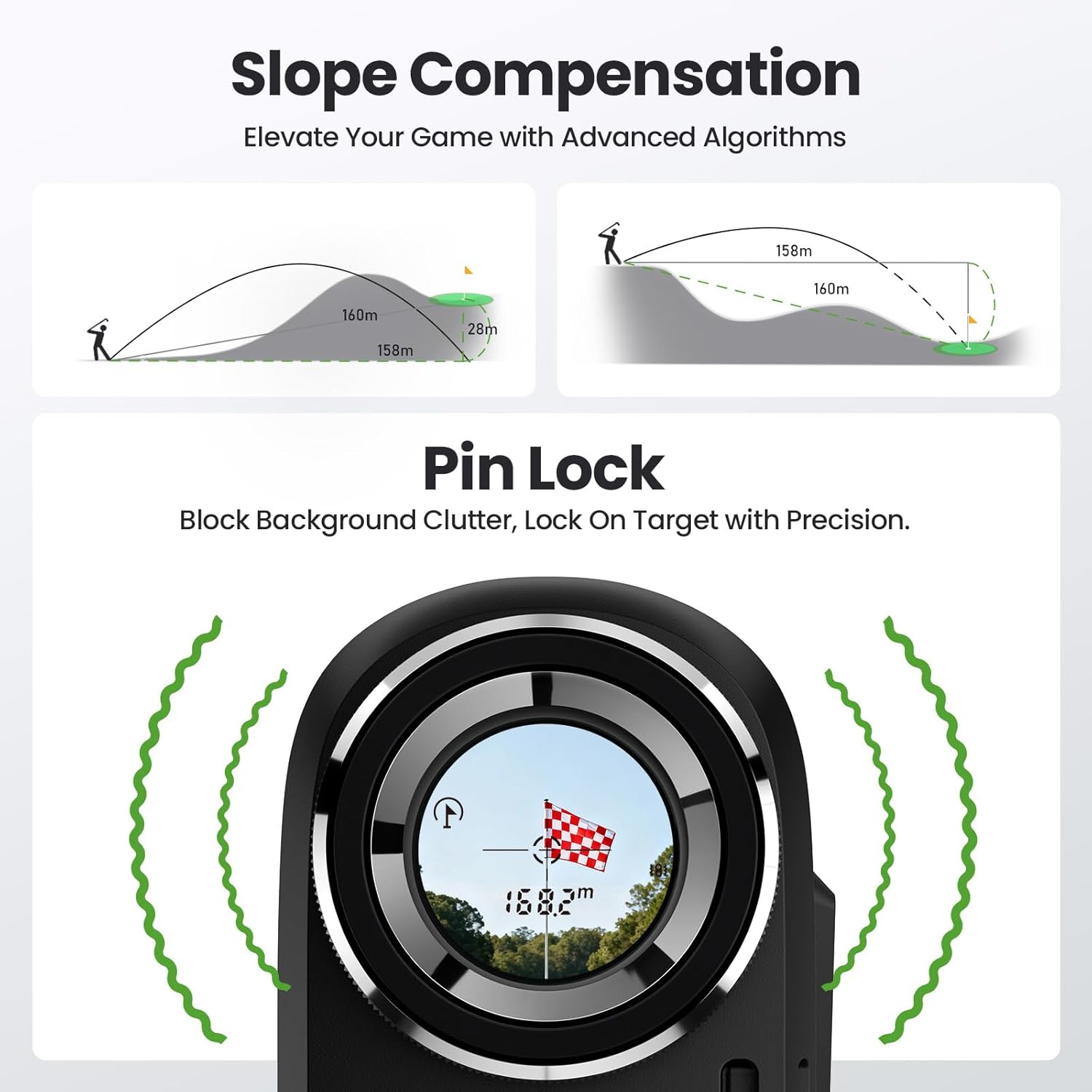
Image 5.1: Slope compensation and Pin Lock feature in action.
- Slope Compensation (Golf Compensation Mode): This mode calculates the adjusted distance based on elevation changes (uphill/downhill) to provide a more accurate 'play as' distance. Use the physical Mkpọda Mkpọda on the side of the device to enable or disable this function. A green tournament-legal indicator light will illuminate when slope compensation is disabled, making the device compliant for official tournament play.

Image 5.2: Rangefinder in use on a golf course, demonstrating speed and distance measurement.
- Height Mode (Horizontal/Vertical Distance): Measures the horizontal distance and vertical height to a target.
- Ụdị Ntụle Ọsọ: Measures the speed of a moving object. Aim at the moving object and press the Bọtịnụ ike/atụ.
6. Nlekọta
Proper care ensures the longevity and performance of your rangefinder.
- Nhicha: Use the provided cleaning cloth to gently wipe the lenses and body. Do not use abrasive materials or chemical cleaners.
- Nchekwa: Store the rangefinder in its protective case when not in use. Avoid extreme temperatures and high humidity.
- Nguzogide mmiri: The device is IP54 rated, meaning it is dust-resistant and splash-proof. It is not designed for submersion in water. Wipe off any moisture immediately.
- Mgbakwụnye magnetik: The built-in magnetic strip allows for secure attachment to metal surfaces like golf carts. Ensure the surface is clean and stable before attaching.
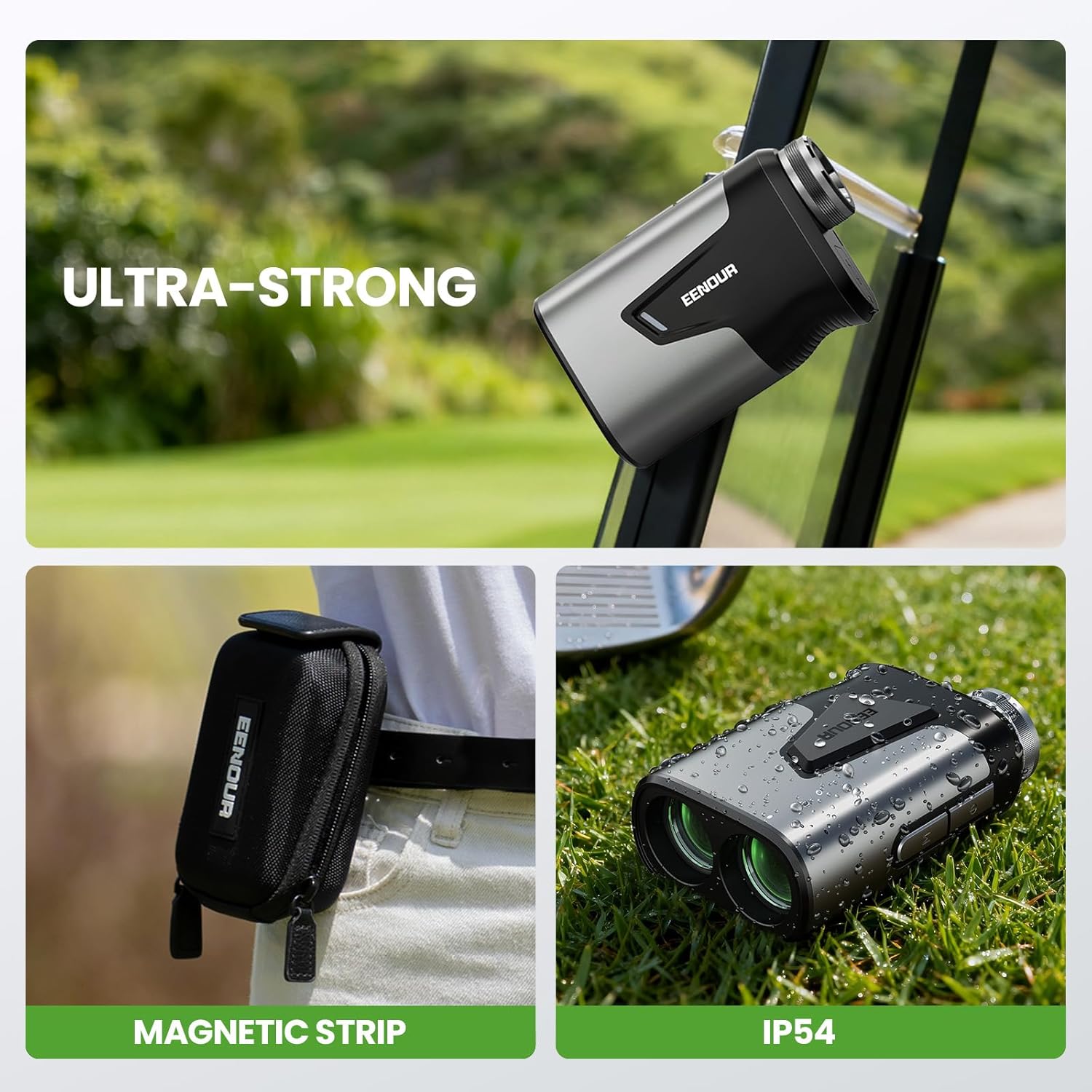
Image 6.1: Magnetic attachment, carrying case, and IP54 rating demonstration.
7. Nchọpụta nsogbu
If you encounter issues with your rangefinder, refer to the following common problems and solutions:
| Nsogbu | Ihe nwere ike ime | Ngwọta |
|---|---|---|
| Ngwaọrụ anaghị agbanwu ọkụ. | Batrị dị ala. | Jiri eriri USB-C chajịa batrị. |
| Ngosipụta ahụ adịghị mma. | Diopter emezighị ya. | Rotate the diopter adjustment ring until the display is clear. |
| Inaccurate measurements or difficulty locking on target. | Obstructions, poor weather conditions, or unsteady hand. | Ensure a clear line of sight. Use Scan Mode for moving targets. For flag lock, ensure the flag is clearly visible. Hold the device steady. |
| Measurement unit is incorrect. | Incorrect unit selected. | Press and hold the Mode/Setting Button to switch between yards and meters. |
8. Nkọwapụta
Key technical specifications for the EENOUR U1200 Golf Rangefinder:
- Akara: EENOUR
- Aha nlereanya: U1200
- Agba: Nwa
- Ihe: Aluminom
- Mbulite: 7X
- Oke nha: 3-1200 Yard
- Dayameta oghere ebumnuche: 23.5mm
- Mbufe ọkụ: 95%+
- Oge nzaghachi: 0.04 sekọnd
- izi ezi: ±0.5 Yaadị
- Ụdị batrị: Rechargeable Lithium Iron Phosphate (LiFePO4) battery
- Ndụ batrị: Up to 20,000 measurements per charge
- Nguzogide mmiri: IP54 (Dust-resistant, Splash-proof)
- Ibu ihe: 5.6 ounces
- Akụkụ ngwaahịa: 3.6"L x 1.3"W x 2"H
- Atụmatụ: Slope Compensation, Pin Lock Vibration, Built-in Magnet
9. Akwụkwọ ikike na nkwado
The EENOUR U1200 Golf Rangefinder comes with a 2.5-afọ akwụkwọ ikike. For warranty claims, technical support, or any inquiries not covered in this manual, please contact EENOUR customer service through the official websaịtị ma ọ bụ ikpo okwu ịzụrụ ihe. Biko dowe ihe akaebe nke ịzụrụ ihe maka nkwado akwụkwọ ikike.


