Okwu mmalite
This manual provides essential information for setting up, operating, maintaining, and troubleshooting your HP 17-cn3003dx 17.3" HD+ Laptop. Please read these instructions carefully to ensure proper use and longevity of your device.
1. Mbido Mbido
1.1 Unboxing na ọdịnaya
Jiri nlezianya wepụ ihe niile dị na ngwugwu ahụ. Igbe ahụ kwesịrị ịnwe ihe ndị a:
- HP 17-cn3003dx 17.3" HD+ Laptop (Natural Silver)
- Ihe nkwụnye ọkụ
- HP 90 Day Limited Warranty Information
1.2 Ijikọ ike
- Connect the power adapter cable to the power input port on the side of the laptop.
- Tinye nkwụnye ọkụ n'ime oghere mgbidi.
- Allow the laptop to charge for at least 30 minutes before initial use, or until the battery indicator shows sufficient charge.
1.3 Boot mbụ na Windows 11 Ntọala
- Pịa bọtịnụ ike ka ịgbanwuo laptọọpụ.
- Soro ntuziaka dị na ihuenyo iji mezue usoro nhazi Windows 11 Home. Nke a gụnyere ịhọrọ mpaghara gị, asụsụ gị, ijikọ na netwọk Wi-Fi, na ịmepụta akaụntụ onye ọrụ.
- Ensure you have an active internet connection for Windows updates and software installations during the setup.
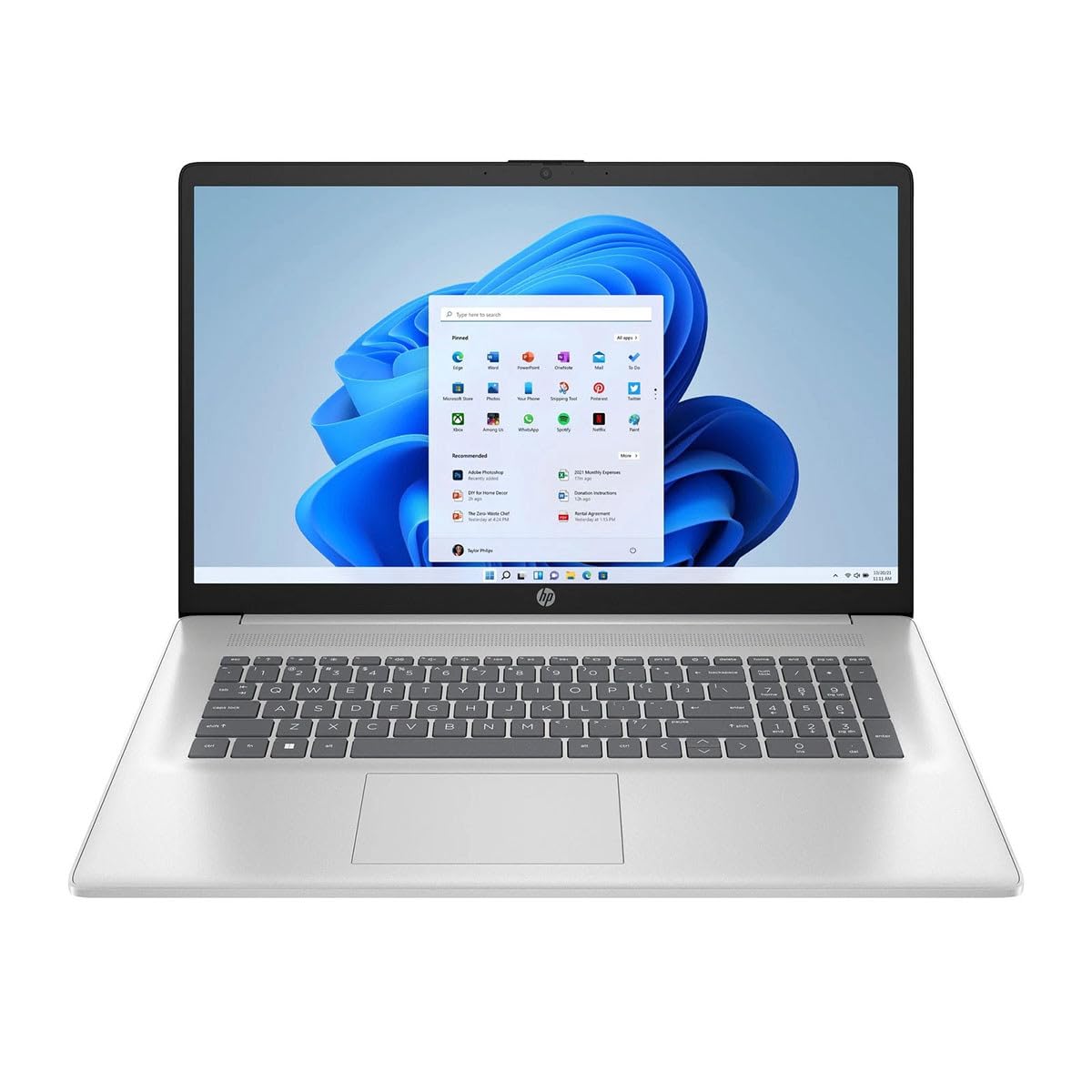
Figure 1: HP 17-cn3003dx Laptop, open view na-egosi ihuenyo na ahụigodo.
2. Operating Your HP 17-cn3003dx Laptop
2.1 Ọnọdụ Ịgbanye/Mgbanyụ na Ụra Ike
- Ike Na: Pịa bọtịnụ ike dị n'elu ebe a na-etinye ihe n'ime keyboard ahụ.
- Mechie: Pịa bọtịnụ Malite, wee pịa Power > Mechie.
- Modera Modera: Close the laptop lid or click the Start button, then Power > Sleep.
2.2 Ojiji nke ahụigodo na Touchpad
- The laptop features a full-size keyboard with a numeric keypad.
- The integrated touchpad supports multi-touch gestures for navigation and control. Refer to Windows settings for touchpad customization.
2.3 Ijikọ ngwaọrụ mpụga
The laptop is equipped with various ports for connecting external devices:
- ọdụ ụgbọ mmiri USB: Use the USB 3.0 ports for connecting peripherals such as external hard drives, mice, or keyboards.
- Ọdụ ụgbọ mmiri HDMI: Connect an external monitor or TV using an HDMI cable for extended display options.
- Jack ọdịyo: Jikọọ ekweisi ma ọ bụ okwu na mpụga.

Figure 2: Left side of the HP 17-cn3003dx laptop, showing USB port and power input.

Figure 3: Right side of the HP 17-cn3003dx laptop, showing HDMI, USB, and audio jack.
2.4 Njikọ ikuku (Wi-Fi)
Iji jikọọ na netwọk Wi-Fi:
- Pịa akara ngosi Wi-Fi dị na tray sistemụ (aka nri ala nke ihuenyo).
- Họrọ netwọk nke ịchọrọ na listi ahụ.
- Tinye paswọọdụ netwọk ma ọ bụrụ na ịchọrọ wee pịa Jikọọ.
2.5 Njikwa batrị
- The laptop is powered by a nonstandard battery.
- For optimal battery life, use the provided HP power adapter.
- Battery life can vary based on usage patterns and settings.
2.6 Using Microsoft Copilot
The HP 17-cn3003dx laptop includes Microsoft Copilot, an AI-powered intelligent assistant. Access Copilot by pressing the dedicated Copilot key on the keyboard. Copilot can assist with various tasks, enhance creativity, and provide relevant information.
3. Nlekọta na nlekọta
3.1 Na-ehicha laptọọpụ gị
- Ihuenyo: Jiri akwa dị nro na nke enweghị mmiri ọkụ dampjiri mmiri ma ọ bụ ihe nhicha ihuenyo kpuchie ya. Afesala mmiri mmiri ozugbo na ihuenyo.
- Ahụigodo na chassis: Jiri akwa dị nro ma kpọọ nkụ. Maka unyi isi ike, ntakịrị damp a pụrụ iji ákwà mee ihe. Zere oke mmiri mmiri.
- Gbaa mbọ hụ na agbanyụrụ laptọọpụ wee wepụ ya tupu ihicha ya.

Ọgụgụ 4: Azụ view of the HP 17-cn3003dx laptop, showing the HP logo.
3.2 Mmelite ngwanrọ
Na-elele ma wụnye mmelite Windows oge niile iji hụ na sistemụ gị nwere patches nche kachasị ọhụrụ yana nkwalite arụmọrụ. Gaa na Ntọala > Mmelite Windows iji jikwaa mmelite.
3.3 Njikwa nchekwa
The laptop is equipped with a 256GB PCIe NVMe M.2 SSD. To maintain optimal performance:
- Avoid filling the SSD to its maximum capacity.
- Ihichapụ mgbe niile na-enweghị isi files na ngwa.
- Consider using cloud storage for large files to free up local space.
4. Ịchọpụta nsogbu nkịtị
4.1 Okwu ike
- Laptọọpụ anaghị agbanye: Ensure the power adapter is securely connected to both the laptop and a working power outlet. Check if the power indicator light is on.
- Batrị anaghị akwụ ụgwọ: Hụ na ihe nkwụnye ọkụ eletrik ahụ na-arụ ọrụ nke ọma. Nwaa oghere ọzọ.
4.2 Ngosipụta nsogbu
- Enweghị ngosi: Connect an external monitor via HDMI to check if the issue is with the laptop's internal display. Restart the laptop.
- Ihuenyo na-egbuke egbuke: Melite draịva eserese gị. Hazie ọsọ mmelite ngosipụta na ntọala Windows.
4.3 Okwu Njikọta
- Wi-Fi anaghị ejikọta: Ensure Wi-Fi is enabled. Restart your router and modem. Check network settings in Windows.
- Ekwetaghị ngwaọrụ USB: Try connecting the device to a different USB port. Update USB drivers.
5. Nkọwapụta ngwaahịa
| Njirimara | Nkọwapụta |
|---|---|
| Aha Nlereanya | 17-cn3003dx |
| Nha ihuenyo | 17.3 inch HD + |
| Mkpebi ihuenyo kacha | 1920 x 1080 pikselụ |
| Nhazi | Intel Core i3-N305 (1.8 GHz) |
| RAM | 8 GB DDR4 |
| Draịvụ ike | 256 GB PCIe NVMe M.2 SSD |
| Sistemụ nrụọrụ | Windows 11 Ụlọ |
| Kaadị eserese | Ihe eserese Intel agbakwunyere |
| Ụdị ikuku | 802.11ax (Wi-Fi 6) |
| ọdụ ụgbọ mmiri USB | Ọtụtụ ọdụ ụgbọ mmiri USB 3.0 |
| HDMI Port | Ee |
| Ibu Ibu | 6.5 pound |
| Akụkụ ngwaahịa | 22 x 13.3 x 13.3 sentimita asatọ |
| Agba | Ọlaọcha eke |
6. Akwụkwọ ikike na nkwado
6.1 Ozi akwụkwọ ikike
This HP 17-cn3003dx laptop comes with an HP 90 Day Limited Warranty. Please refer to the warranty documentation included in your product packaging for full terms and conditions.
6.2 Nkwado nka na ụzụ
Maka enyemaka teknụzụ, nbudata ndị ọkwọ ụgbọala, ma ọ bụ nkwado ndị ọzọ, biko gaa na nkwado HP gọọmentị websaịtị:
When contacting support, please have your laptop's model number (17-cn3003dx) and serial number ready.