1. Okwu mmalite
Thank you for choosing the Vieta Pro Party 220 Portable Bluetooth Speaker. This powerful and versatile speaker is designed to deliver high-quality audio for various occasions, including parties, events, and karaoke sessions. This manual provides essential information for setting up, operating, and maintaining your speaker to ensure optimal performance and longevity.
2. Ngwaahịa gafereview
The Vieta Pro Party 220 is a self-amplified portable speaker featuring advanced audio technology. It boasts 500W of powerful sound, Bluetooth 5.3 connectivity, Auracast technology, and a long-lasting 10-hour battery. Designed for portability, it includes an integrated handle and trolley-style wheels. Key features include:
- 500W RMS Sound Output: Delivers robust and clear stereo sound with 2" tweeters and 8" woofers.
- Bluetooth 5.3 with Auracast: Ensures stable and fast wireless connections, allowing multiple Auracast-compatible speakers to connect simultaneously.
- Karaoke Compatibility: Includes a wireless microphone and supports additional microphones. Features LED lights that synchronize with music.
- Ndụ batrị nke awa 10: Enjoy extended music playback with the rechargeable battery.
- Nhọrọ njikọta ọtụtụ: Mini Jack 3.5mm, AUX, Micro USB, USB MP3 player, and SD card slot.
- Ezi stereo ikuku ikuku (TWS): Connect two Party 220 speakers for an immersive stereo experience.
- Enwere ike ibugharị: Ejikọtara ọnụ na wiil maka njem dị mfe.
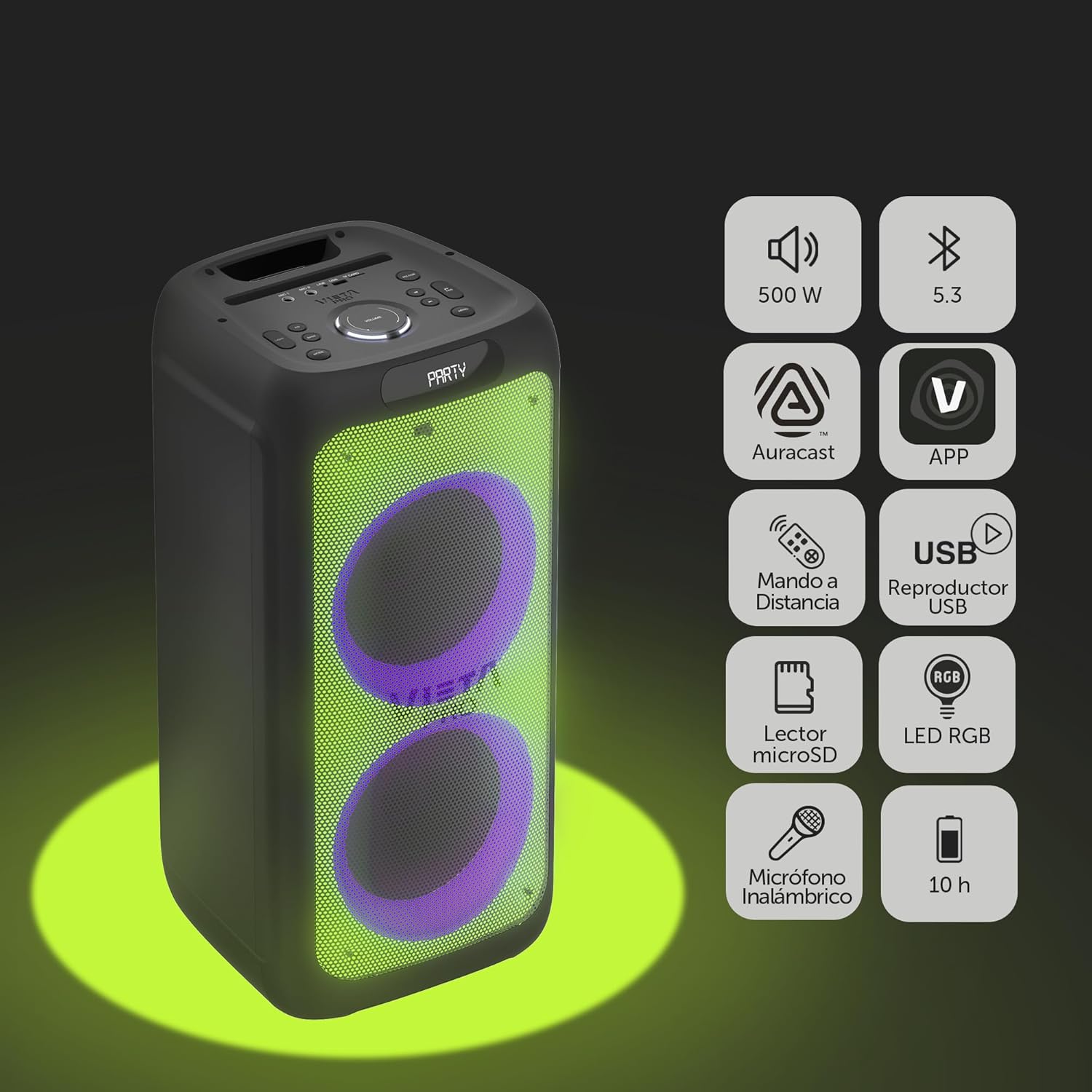
Image 2.1: The Vieta Pro Party 220 speaker highlighting its main features such as 500W power, Bluetooth 5.3, Auracast, app control, remote control, USB player, RGB LED lights, MicroSD reader, wireless microphone, and 10-hour battery life.
3. Kedu ihe dị na Igbe ahụ
Mgbe ebupuchara, biko hụ na ihe niile dị na ọ dị mma:
- Vieta Pro Party 220 Portable Bluetooth Speaker
- Igwe ọkụ ọkụ
- Igwe okwu ikuku
- Njikwa anya
- Akwụkwọ ntuziaka (akwụkwọ a)
4. Nhazi
4.1. gingchaji Okwu Okwu
Before first use, fully charge the speaker. Connect the provided power cable to the speaker's power input and then to a suitable power outlet. The charging indicator will illuminate. Once fully charged, the indicator may change color or turn off, depending on the model.
A full charge provides up to 10 hours of continuous playback.

Image 4.1: The Vieta Pro Party 220 speaker in a home environment, illustrating its long battery life of up to 10 hours.
4.2. Ịgbanye / gbanyụọ
Locate the Power button on the speaker's control panel. Press and hold the Power button for a few seconds to turn the speaker ON or OFF.
5. Ntuziaka ọrụ
5.1. Njikọ Bluetooth
- Turn on the Vieta Pro Party 220 speaker. It will automatically enter Bluetooth pairing mode, indicated by a flashing LED light (usually blue).
- Enable Bluetooth on your audio device (smartphone, tablet, computer).
- Chọọ maka "Vieta Pro Party 220" in the list of available Bluetooth devices.
- Select the speaker to pair. Once connected, the LED indicator will stop flashing and remain solid.
5.2. Auracast Technology
The Party 220 supports Auracast, allowing you to connect multiple compatible speakers (including other Party 220 units or different brands supporting Auracast) for a synchronized audio experience. Refer to the specific instructions for Auracast pairing, usually initiated via a dedicated button or through the Vieta Pro app (if available).
5.3. Ezi Ikuku Stereo (TWS) Pairing
To achieve a true stereo sound experience, you can pair two Vieta Pro Party 220 speakers:
- Ensure both Party 220 speakers are turned on and not connected to any Bluetooth device.
- On one speaker (this will be the primary speaker), press and hold the TWS button (if available) or follow the TWS pairing instructions in the speaker's specific controls.
- The primary speaker will search for the secondary speaker. Once connected, you will hear an audible confirmation, and the LED indicators will reflect the TWS connection status.
- Now, connect your audio device to the primary speaker via Bluetooth as described in section 5.1. Audio will play in stereo across both speakers.
5.4. Wired Connections (AUX, USB, MicroSD)
- Ntinye AUX: Connect an external audio device using a 3.5mm audio cable to the AUX input port. The speaker will automatically switch to AUX mode or require manual selection via the Mode button.
- USB playback: Fanye draịva USB nwere ọdịyo MP3 files into the USB port. The speaker will automatically detect and play the files. Use the control panel or remote to navigate tracks.
- MicroSD Card Playback: Insert a MicroSD card with MP3 audio files into the MicroSD slot. The speaker will automatically detect and play the files.
5.5. Karaoke Function and Wireless Microphone
The Party 220 comes with a wireless microphone for karaoke. Simply turn on the microphone, and it should automatically connect to the speaker. Adjust microphone volume using the dedicated controls on the speaker or remote control. The speaker also has inputs for additional wired microphones.

Foto 5.5: nso nso view of the wireless microphone included with the Vieta Pro Party 220 speaker, ready for karaoke use.
5.6. LED RGB Lights
The speaker features dynamic RGB LED lights that can enhance your audio experience. Use the dedicated button on the control panel or the remote control to cycle through different light modes, synchronize them with the music, or turn them off.

Image 5.6: The Vieta Pro Party 220 speaker showcasing its vibrant RGB LED lighting feature.
5.7. Remote Control
The included remote control allows for convenient operation of the speaker from a distance. Functions typically include power, volume, track navigation, mode selection, EQ settings, and LED light control.
6. Nlekọta
- Nhicha: Jiri akwa dị nro dị nro hichaa mpụta ọkà okwu. Ejila ihe nchacha abrasive, waxes, ma ọ bụ ihe mgbaze.
- Nchekwa: Chekwaa ọkà okwu n'ebe dị jụụ, kpọrọ nkụ na-adịghị na ìhè anyanwụ kpọmkwem na oke okpomọkụ.
- Nlekọta batrị: Iji mee ka batrị dị ogologo, zere ịgbapụta batrị ahụ mgbe niile. Chajie igwe okwu mgbe niile, ọbụlagodi na ọ naghị eji ya ruo ogologo oge.
- Mkpughe mmiri: While the speaker may have some resistance, avoid direct exposure to water or excessive moisture unless explicitly stated as waterproof.
7. Nchọpụta nsogbu
| Nsogbu | Ihe nwere ike ime | Ngwọta |
|---|---|---|
| Enweghị ike | Batrị agwụla; eriri ọkụ anaghị ejikọ nke ọma. | Chajie ọkà okwu ahụ; Hụ na e jikọtara eriri ọkụ eletrik nke ọma. |
| Enweghị ụda | Olu dị oke ala; Ụdị ntinye ezighi ezi; Ngwaọrụ ejikọtaghị. | Increase volume on speaker and source device; Select correct input mode (Bluetooth, AUX, USB); Re-pair Bluetooth device. |
| Njikọ Bluetooth ada ada | Ọkà okwu adịghị n'ụdị njikọta; Ngwaọrụ dị anya; Ntinye aka. | Ensure speaker is in pairing mode; Move device closer; Turn off other Bluetooth devices. |
| Igwe okwu anaghị arụ ọrụ | Microphone off; Battery low in microphone; Volume too low. | Turn on microphone; Replace microphone batteries; Increase microphone volume. |
| Njikota TWS ada ada | Speakers not in TWS pairing mode; Too far apart. | Ensure both speakers are in TWS pairing mode; Place speakers closer together. |
8. Nkọwapụta
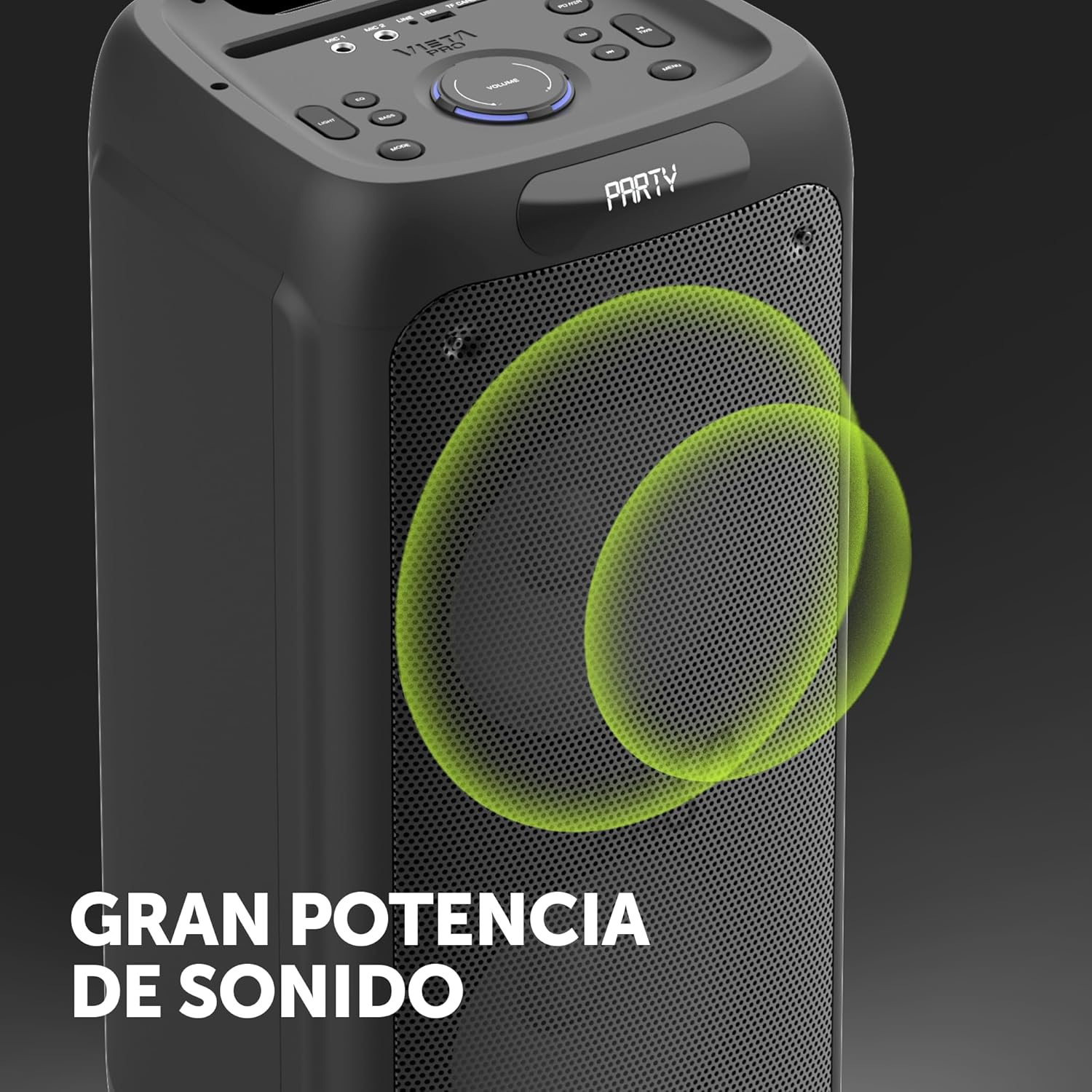
Image 8.1: The Vieta Pro Party 220 speaker, highlighting its powerful sound output.
| Njirimara | Nkọwa |
|---|---|
| Aha Nlereanya | Party 220 |
| Nọmba nlereanya | VM-HW455BK |
| Ụdị | Vieta Pro |
| Ụdị Ọkà Okwu | Outdoor, Portable, Self-ampkwadoro |
| Teknụzụ Njikọta | Bluetooth 5.3, AUX, USB, MicroSD |
| Nkwukọrịta ikuku | Bluetooth |
| Ike Mmepụta Ọkà Okwu Kachasị Elu | 500 watts (RMS) |
| Ọnọdụ mmepụta ọdịyo | Stereo (nwere TWS) |
| Nzaghachi ugboro ugboro | 20 MHz |
| Isi Iyi Ike | Akwanyere batrị |
| Ndụ batrị | Ruo awa iri abụọ |
| Usoro njikwa | Remote Control, On-device buttons |
| Atụmatụ pụrụ iche | Anti-shock, USB Port, Shock resistant, Wireless speakers, Auracast, Karaoke, LED RGB lights |
| Ngwa dakọtara | MP3 Player, Mobile, PC, DJ Mixer, Tablet, Television |
| Akụkụ ngwaahịa | 33.7D x 30W x 70.5H cm |
| Ibu Ibu | 5 kilogram |
| Ihe onwunwe | Plastic |
| Agba | Nwa |
9. Akwụkwọ ikike na nkwado
The Vieta Pro Party 220 speaker comes with a limited warranty. Please refer to the warranty card included in your packaging for detailed terms and conditions. For technical support, troubleshooting assistance beyond this manual, or warranty claims, please contact Vieta Pro customer service through their official websaịtị ma ọ bụ ozi kọntaktị enyere na akwụkwọ ngwaahịa gị.
Biko dowe ihe akaebe nke ịzụrụ ihe maka ebumnuche ikike.