Okwu mmalite
This manual provides detailed instructions for setting up, operating, and maintaining your LIGE Smart Watch EF24-B. Please read this manual thoroughly to ensure proper use and to fully utilize all features of your smartwatch.
Kedu ihe dị na Igbe ahụ
- Smart Watch x 1
- Watch Band x 3 (One stainless steel, two silicone)
- Charging Cable x 2 (USB and Type-C magnetic charging cables)
- Akwụkwọ ntuziaka onye ọrụ x 1
Melite
1. Ịchaji smart Watch
Before first use, fully charge your smartwatch. Connect one of the provided magnetic charging cables (USB or Type-C) to the charging points on the back of the watch and to a power source. A full charge typically takes about 2 hours.

Image: The LIGE Smart Watch EF24-B being charged using both USB and Type-C magnetic charging cables, highlighting its 1000mAh battery capacity.
2. Ngwa nwụnye na ijikọ
To unlock the full functionality of your LIGE Smart Watch, download the companion app (e.g., "FitCloudPro" as mentioned in reviews) from your smartphone's app store (compatible with iOS 8.0+ and Android 4.4+).
- Scan the QR code in the included user manual or search for "FitCloudPro" in the App Store (iOS) or Google Play Store (Android).
- Wụnye ngwa ahụ wee mepụta akaụntụ ma ọ bụ banye.
- Gbaa mbọ hụ na agbanyere Bluetooth na ekwentị gị.
- Open the app and follow the on-screen instructions to add your device. Select "EF24" or the corresponding model from the list of available devices.
- Kwenye arịrịọ maka njikọta na ma elekere gị na ama ama gị.
Once paired, the watch will synchronize time and data with your phone, and you can customize settings and receive notifications.
Ntuziaka ọrụ
Nsoro ụzọ
- Ihuenyo mmetụ aka: Mịgharịa aka ekpe/aka nri, elu/ala iji lelee menu na atụmatụ dị iche iche. Pịa iji họrọ.
- Bọtịnụ akụkụ: The watch features side buttons for power, back, and quick access to sports modes. Refer to the watch's interface for specific button functions.

Image: The LIGE Smart Watch EF24-B showcasing its 1.7-inch HD display with multiple customizable watch faces and application icons.
Ịkpọ na ịnata oku
With Bluetooth 5.3 connectivity, you can make and receive calls directly from your watch when paired with your smartphone.
- Ka ịkpọ oku: Access the dialer or contact list on your watch.
- Iji nweta oku: An incoming call notification will appear on your watch. Tap to answer or decline.

Image: The LIGE Smart Watch EF24-B displaying its Bluetooth calling interface and smart notification alerts from various social media applications.
The watch is equipped with an 8Ω speaker and a 42dB microphone for clear audio during calls and voice assistant interactions.
Amamọkwa smart
Receive real-time alerts from social applications like Facebook, Twitter, and WhatsApp directly on your watch. Ensure notification permissions are enabled in the companion app.
Ụdị egwuregwu
The watch offers over 100 sports modes, including walking, running, cycling, tennis, and more. Select your desired activity to track key metrics such as steps, distance, calories, and exercise duration.

Image: The LIGE Smart Watch EF24-B showcasing its extensive range of over 100 sports modes, with examples like walking, running, and cycling.
Video: This video demonstrates the LIGE Smart Watch EF24's various sports tracking capabilities and user interface navigation for different activities.
Nyocha ahụike
The smartwatch provides 24-hour heart rate and blood oxygen monitoring. It also features automatic sleep tracking, offering insights into your awake, light, and deep sleep patterns. All data can be synced to the app for detailed analysis.
Mara: Measurements are for reference only and are not medical data.
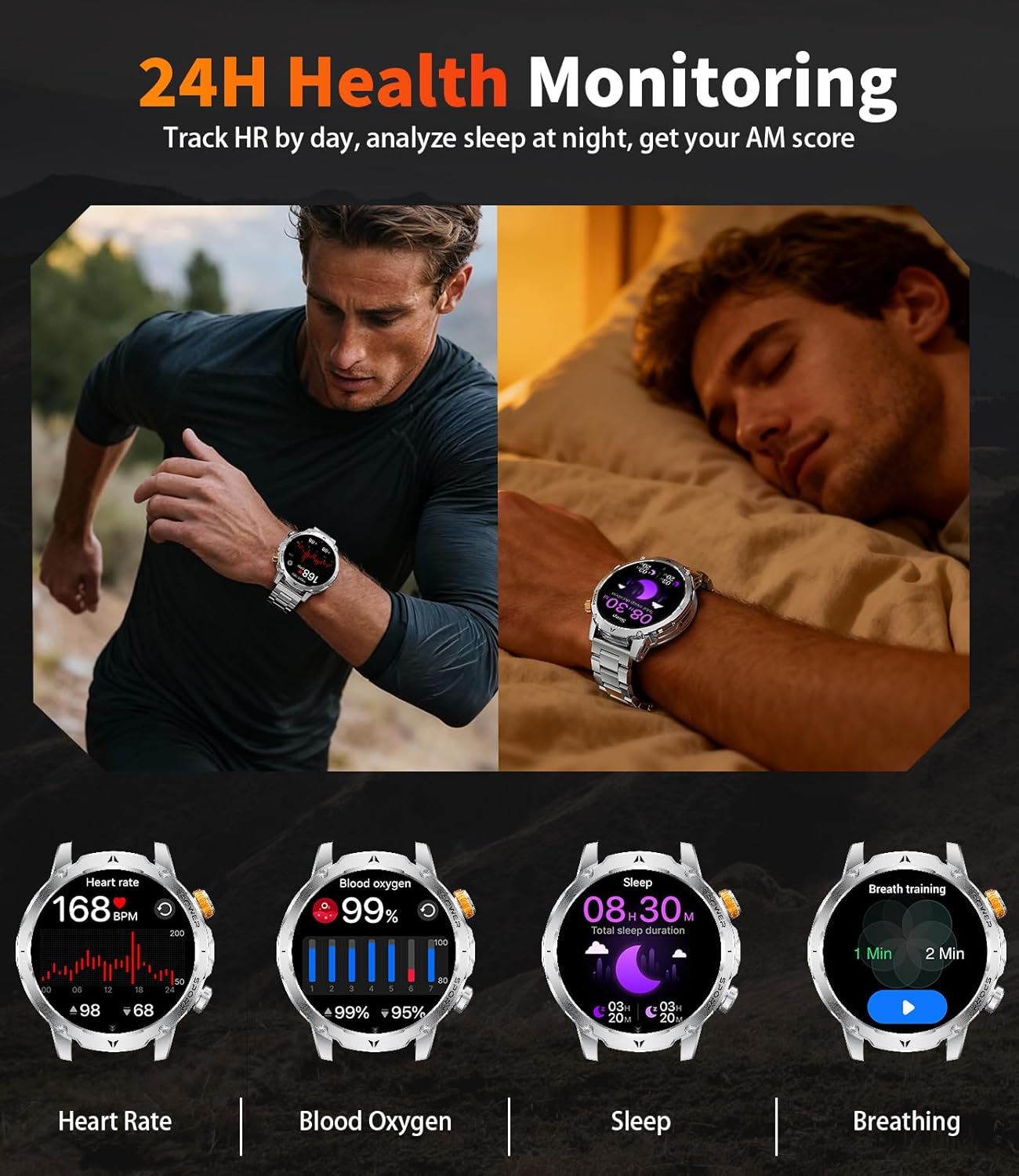
Image: The LIGE Smart Watch EF24-B displaying its 24-hour heart rate, blood oxygen, sleep tracking, and breathing exercise features.
Ọrụ ọkụ ọkụ
The watch includes a powerful LED flashlight with multiple modes (constant light, warning mode, SOS mode) for various situations like camping, iketages, or finding items in the dark.

Image: The LIGE Smart Watch EF24-B demonstrating its powerful LED flashlight feature, useful for various low-light scenarios.
Atụmatụ ndị ọzọ
- Onye enyemaka olu AI: Interact with your watch using voice commands.
- Njikwa egwu: Jikwaa ịkpọghachi egwu na ama gị.
- Igwefoto dị anya: Jiri elekere gị dị ka ihe mkpuchi anya maka igwefoto ekwentị gị.
- Ngosipụta ihu igwe: Nweta mmelite ihu igwe ozugbo.
- Elekere mkpu: Tọọ mkpu ozugbo site na elekere gị.
- Ncheta ịnọdụ ala: Get alerts to move after periods of inactivity.
- Ncheta mmiri: Reminders to drink water.
- Chọta ekwentị: Chọta ekwentị gị ejikọtara ọnụ site n'ime ka ọ kpọọ ụda.
- Ihu nche omenala: Choose from 200+ online dials or upload your own photo to create a unique background.
Nlekọta
Mgbochi mmiri (IP68)
The LIGE Smart Watch EF24-B is IP68 water-resistant, protecting it from splashes, rain, and sweat. It is suitable for swimming but not recommended for hot showers, saunas, or diving due to steam and pressure.

Image: The LIGE Smart Watch EF24-B highlighting its water-resistant, cold-resistant, shock-resistant, and dust-resistant properties, showcasing its military-grade durability.
Video: This video illustrates the ruggedness and durability of the LIGE Smart Watch EF24, including its resistance to impacts and water.
Nhicha
Wipe the watch and straps regularly with a soft, dry cloth. For stubborn dirt, use a slightly damp cloth and dry thoroughly. Avoid harsh chemicals or abrasive materials.
Nlekọta batrị
To prolong battery life, avoid extreme temperatures and fully discharge and recharge the watch periodically.
Nchọpụta nsogbu
- Lelee anaghị agbanye: Gbaa mbọ hụ na chajịrị elekere ahụ nke ọma.
- Enweghị ike ijikọ na ekwentị:
- Gbaa mbọ hụ na agbanyere Bluetooth na ekwentị gị yana elekere nọ n'ime oke.
- Malitegharịa ma elekere ahụ ma ekwentị gị.
- Lelee ma emelitere ngwa enyi ahụ ka ọ bụrụ nke kachasị ọhụrụ.
- Chezọ ngwaọrụ dị na ntọala Bluetooth ekwentị gị wee nwaa ijikọ ọzọ site na ngwa ahụ.
- Data ahụike ezighi ezi: Ensure the watch is worn snugly on your wrist. Avoid excessive movement during measurements. Remember, data is for reference only.
- Amamọkwa anaghị apụta: Check app notification permissions on your phone and within the companion app settings. Ensure the watch is connected via Bluetooth.
Nkọwapụta
| Njirimara | Nkọwa |
|---|---|
| Nọmba nlereanya | EF24-B |
| Ngosipụta nha | 1.7 Inches TFT, 360*360 resolution |
| Ike batrị | 1000mAh Lithium Polymer |
| Ndụ Batrị Ojiji A Na-ejikarị | Ruo ụbọchị 15 |
| Oge Njikere | Above 60 days |
| Oge Nchaji | Ihe dị ka awa 2 |
| Njikọta | Bluetooth 5.3 |
| Ndakọrịta sistemụ arụmọrụ | Android 4.4+ / iOS 8.0+ |
| Mmiri Nguzogide | IP68 |
| Chipset | RTL8773EWE Dual-Core |
| Ike Nchekwa ebe nchekwa | 128 MB |
| Akụkụ ngwaahịa | 5.91 x 2.76 x 0.79 sentimita asatọ |
| Ibu Ibu | 8.8 ounces (0.25 Kilogram) |
Akwụkwọ ikike na nkwado
LIGE offers a 24-month worry-free product warranty, which includes replacement, return, or accessory replacement services. If you have any questions or concerns about your smartwatch, please contact our customer support team.
For support, refer to the contact information provided in your product packaging or visit the official LIGE websaịtị.


