1. Okwu mmalite
This manual provides comprehensive instructions for the realme C71 4G Smartphone. It covers essential information regarding device setup, operation, maintenance, and troubleshooting to ensure optimal performance and user experience. Please read this manual thoroughly before using your device.
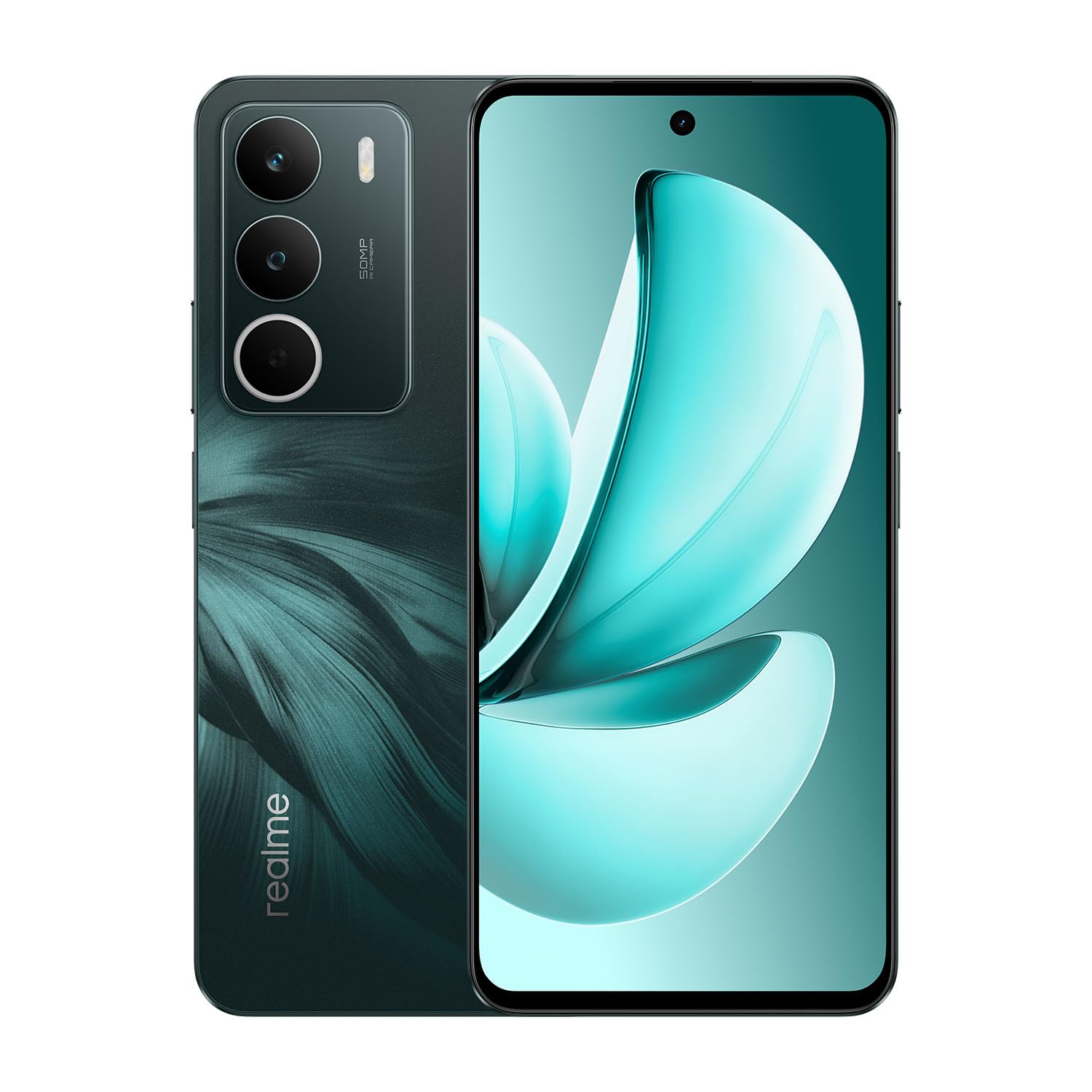
Image: realme C71 4G Smartphone in Forest Owl color, showcasing ya sleek imewe.

Image: An infographic highlighting key features of the realme C71, such as its 6000mAh battery, 45W fast charging, military-grade shock resistance, 120Hz display, and octa-core chipset.
2. Kedu ihe dị na Igbe ahụ
Chọpụta na ihe niile dị na nkwakọ ngwaahịa:
- realme C71 4G Smartphone
- Akpa ekwentị
- SIM Tray Ejector
- eriri USB
3. Nhazi
3.1. Inserting SIM and SD Card
- Chọta tray kaadị SIM n'akụkụ ngwaọrụ ahụ.
- Fanye ngwaọrụ mkpagharị SIM tray n'ime obere oghere dị n'akụkụ tray ahụ wee pịasie ike ruo mgbe tray ahụ pụtara.
- Tinye kaadị Nano-SIM na/ma ọ bụ kaadị microSD gị n'ime oghere ndị ahọpụtara na tray. Gbaa mbọ hụ na kọntaktị ọla edo chere ihu ala.
- Jiri nlezianya tinyegharịa traị ahụ n'ime ekwentị ruo mgbe ọ batara n'ime ya.
3.2. Ike izizi
- Press and hold the Power button (located on the right side) until the realme logo appears on the screen.
- Soro mkpali na ihuenyo iji mechaa nhazi mbụ, gụnyere nhọrọ asụsụ, njikọ Wi-Fi, na nbanye akaụntụ Google.
3.3. Ịchaji ngwaọrụ
Connect the USB cable to the phone's charging port and the other end to a compatible power adapter. The device supports 45W fast charging.
4. Ijikwa ngwaọrụ
4.1. Ngosipụta atụmatụ
The realme C71 features a 6.67-inch display with a 120Hz refresh rate for smooth visuals and an Eye Comfort Display with Real DC-Dimming technology to reduce eye strain.

Image: The realme C71 display showcasing its 120Hz refresh rate, 725 nit maximum brightness, 6.67-inch screen size, and up to 240Hz touch sampọnụego ling.

Image: An illustration emphasizing the 120Hz Eye Comfort Display and Real DC-Dimming feature of the realme C71.
4.2. Igwefoto
The device is equipped with a 50MP AI Camera, designed to capture detailed and clear photos in various environments. It includes features like Film Simulations for creative photography.

Image: A visual representation of the realme C71's 50MP AI Camera capabilities, including various film simulation options and exampna foto.
4.3. Batrị na Nchaji
The realme C71 features a 6000mAh battery, providing extended usage time. It supports 45W fast charging, allowing for quick recharges.

Image: The realme C71 in two colors, highlighting its 6000mAh massive battery and 45W fast charging, capable of providing 2 days of usage from a 1-hour charge.

Image: An illustration demonstrating the realme C71's 6000mAh battery life, indicating over 8 hours of gaming and up to 2 days of heavy usage on a full charge.

Image: The realme C71 being charged, illustrating its 45W fast charging capability which can achieve 50% charge in 35 minutes.
4.4. Arụmọrụ
The device is powered by a robust 8-core processor (UNISOC T7250) with advanced architecture, ensuring smooth multitasking and efficient daily operations.

Image: A graphic representing the UNISOC T7250 8-core processor, highlighting its advanced architecture and 12nm process for exceptional performance.
4.5. Ogologo oge
The realme C71 offers IP54 water and dust resistance for everyday use, providing protection against splashes and dust. It also features military-grade shock resistance with tough corner protection, a reinforced aluminum structure, and foam protection.

Image: The realme C71 being splashed with water, illustrating its IP54 water and dust resistance for daily use.

Foto: Ihe gbawara view of the realme C71's internal structure, detailing its military-grade shock resistance with tough corner protection, reinforced aluminum structure, and foam protection, designed for a maximum drop height of 1.5 meters.
4.6. Pulse Light
The Pulse Light feature provides visual notifications and interactions through glowing modes, enhancing the user experience.

Image: Close-up of the realme C71's rear camera module, illustrating the Pulse Light feature with its vivid glowing modes for notifications.
5. Nlekọta
5.1. Na-ehicha ngwaọrụ gị
- Jiri akwa dị nro na-enweghị lint hichaa ihuenyo na ahụ nke ekwentị.
- Zere iji kemịkalụ siri ike, ihe nchacha abrasive, ma ọ bụ aerosol sprays.
- Gbaa mbọ hụ na ọdụ ụgbọ mmiri niile akpọnwụwo tupu ịchaji ma ọ bụ jikọọ ngwa.
5.2. Mmelite ngwanrọ
Lelee ma wụnye mmelite ngwanrọ mgbe niile iji hụ na ngwaọrụ gị nwere njirimara kachasị ọhụrụ, patches nche na nkwalite arụmọrụ. Gaa na Settings > About phone > Software update ka ịlele maka mmelite dị.
6. Nchọpụta nsogbu
If you encounter issues with your realme C71, refer to the following common troubleshooting steps:
- Ngwaọrụ anaghị agbanye: Gbaa mbọ hụ na agbagoro batrị. Jikọọ chaja wee chere nkeji ole na ole tupu ị nwaa ịgbanye ọzọ.
- Ngwa na-akụda ma ọ bụ na-ajụ oyi: Close the problematic app and reopen it. If the issue persists, restart the phone.
- Mgbaàmà netwọk adịghị mma: Check if your SIM card is properly inserted. Move to an area with better network coverage.
- Batrị na-agbapụta ngwa ngwa: Belata ìhè ihuenyo, mechie ngwa ndị a na-ejighị na-arụ ọrụ n'azụ, ma gbanyụọ atụmatụ ndị na-adịghị mkpa dịka GPS ma ọ bụ Bluetooth mgbe a naghị eji ha.
- Enweghị ike imetụ aka na ihuenyo aka: Restart the device. If the issue continues, contact customer support.
7. Nkọwapụta
Key technical specifications for the realme C71 4G Smartphone:

Image: A visual representation of the realme C71's memory, indicating up to 6GB of dynamic RAM and 128GB of ROM.

Image: A hand holding the realme C71, emphasizing its slim profile of 7.79mm thickness and 196g weight.
| Njirimara | Nkọwapụta |
|---|---|
| Nọmba nlereanya | RMX5303 |
| Sistemụ nrụọrụ | Android 15 |
| Ngosipụta nha | 6.67 sentimita asatọ |
| Ọnụego ume ọhụrụ | 120Hz |
| Nhazi | 8-Core (UNISOC T7250), 1.8 GHz |
| Ebe nchekwa RAM | 6 GB |
| Ike nchekwa | 128 GB |
| Igwefoto azụ | 50MP |
| Ike batrị | 6000mAh (5830 Milliamp Aka elekere |
| Ịchaji | Nchaji ngwa ngwa 45W |
| Njikọta | Bluetooth, USB, Wi-Fi, GPS |
| Mgbochi mmiri/Uzuzu | IP54 |
| Akụkụ (L x W x H) | 6.53 x 2.99 x 0.31 sentimita asatọ |
| Ibu | 6.9 ounce (gram 196) |
| Agba | Forest Owl |
8. Ozi nchekwa
Please observe the following safety guidelines to prevent damage to your device or injury to yourself:
- Ekpughela ngwaọrụ ahụ n'ebe okpomọkụ dị oke elu, anwụ kpọmkwem, ma ọ bụ oke mmiri mmiri dị.
- Use only realme-approved chargers and accessories.
- Zere ịkwasa ma ọ bụ gbanwee ngwaọrụ ahụ.
- Keep the device away from medical implants and devices.
- Tụfuo ngwaọrụ na batrị ya nke ọma dịka iwu mpaghara siri dị.
9. Akwụkwọ ikike na nkwado
9.1. Akwụkwọ ikike Ozi
Your realme C71 Smartphone is covered by a limited warranty. Please refer to the warranty card included in your product packaging or visit the official realme website for detailed terms and conditions. The warranty typically covers manufacturing defects but does not cover damage caused by misuse, accidents, or unauthorized repairs.
9.2. Nkwado ndị ahịa
For technical assistance, service, or further inquiries, please visit the official realme support website or contact their customer service hotline. Contact information can usually be found on the realme official websaịtị ma ọ bụ na akwụkwọ ikike.
Nkwado n'ịntanetị: https://www.realme.com/global/support


