Okwu mmalite
The LogiLink BT0076 Wireless Car Adapter converts your vehicle's wired CarPlay or Android Auto system into a wireless connection. This allows for seamless navigation, music playback, and hands-free calls using dual-band Wi-Fi and Bluetooth 5.0, without the need to physically connect your phone. The adapter features a plug-and-play setup and automatic reconnection for a convenient driving experience. It is compatible with over 800 car models from 2017 onwards.
Ihe ngwugwu
Biko chọpụta na agụnyere ihe niile edepụtara n'okpuru na ngwugwu gị:
- 1 x LogiLink Wireless Car Adapter (BT0076)
- 1 x USB-A na eriri USB-C
- 1 x Akwụkwọ ntuziaka onye ọrụ

Image: The LogiLink BT0076 Wireless Car Adapter shown alongside its retail box, illustrating the product and its packaging.
Ntuziaka nhazi
- Chọpụta Ọdụ USB: Locate an available USB-A or USB-C port in your vehicle that supports wired CarPlay or Android Auto.
- Jikọọ nkwụnye:
- If your car has a USB-A port, plug the LogiLink BT0076 adapter directly into it.
- If your car has a USB-C port, first connect the provided USB-A to USB-C adapter to the car's port, then plug the LogiLink BT0076 adapter into the USB-A end of the converter.

Image: The LogiLink BT0076 adapter shown with the included USB-A to USB-C converter, ready for connection to different car ports.
- Vehicle System Activation: Start your vehicle. The car's infotainment system should detect the adapter and prompt for connection.
- Pair with Phone: On your smartphone, enable Bluetooth and Wi-Fi. Chọọ maka the LogiLink adapter in your Bluetooth settings and pair with it. Follow any on-screen prompts on your phone and car display to complete the connection.
- Njikọta akpaaka: Once successfully paired, the adapter will automatically connect to your phone each time you start your car, provided Bluetooth and Wi-Fi are enabled on your phone.

Image: The LogiLink BT0076 adapter discreetly installed in a car's dashboard, with the car's display showing a navigation interface, indicating a successful wireless connection.
Ntuziaka ọrụ
After successful setup, your LogiLink BT0076 adapter enables wireless use of CarPlay or Android Auto.
- Ịnweta CarPlay/Android Auto: Once connected, your car's infotainment system will display the CarPlay or Android Auto interface. You can navigate through apps, make calls, send messages, and use navigation wirelessly.
- Using Car Controls: The adapter supports all original vehicle controls, including physical buttons, touch screen, voice commands, and steering wheel controls. Operate your car's system as you normally would.
- Ndabere mgbasa ozi: Stream music and podcasts directly from your phone to your car's audio system via the wireless connection.
- Ntugharị: Utilize your preferred navigation apps (e.g., Apple Maps, Google Maps, Waze) on your car's display for real-time directions.
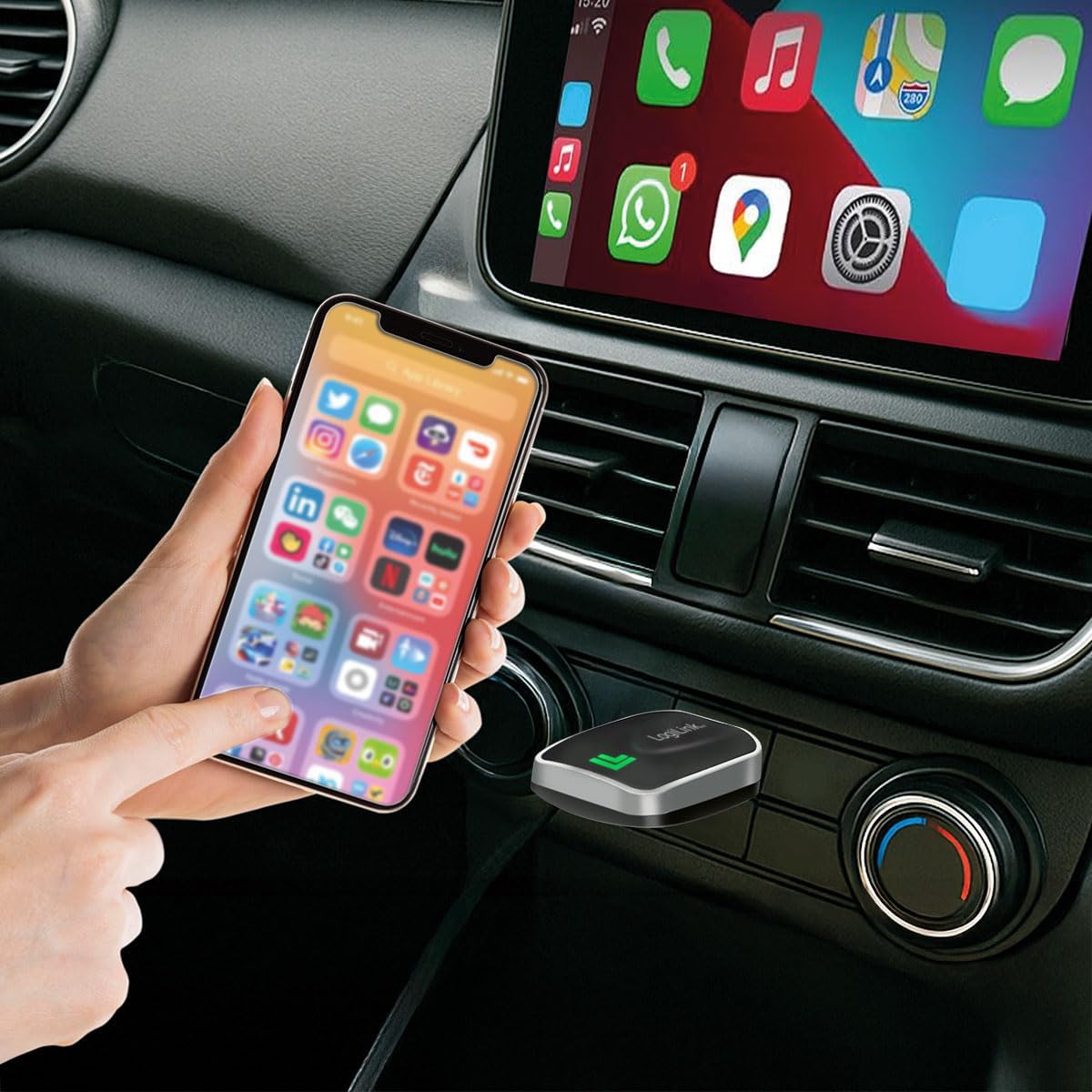
Image: A smartphone screen showing various applications, wirelessly mirrored to the car's infotainment display, with the LogiLink BT0076 adapter visible in the foreground, demonstrating active use.
Nlekọta
To ensure the longevity and optimal performance of your LogiLink BT0076 Wireless Car Adapter, follow these simple maintenance guidelines:
- Nhicha: Gently wipe the adapter with a soft, dry, lint-free cloth. Do not use liquid cleaners, aerosols, or solvents, as these may damage the device.
- Nchekwa: When not in use for extended periods, store the adapter in a cool, dry place, away from direct sunlight and extreme temperatures.
- Ijikwa: Avoid dropping the adapter or subjecting it to strong impacts. Do not attempt to disassemble the device, as this will void the warranty.
Nchọpụta nsogbu
If you encounter issues with your LogiLink BT0076 Wireless Car Adapter, please refer to the following common solutions:
| Nsogbu | Ngwọta |
|---|---|
| Adapter not detected by car. |
|
| Phone not connecting wirelessly. |
|
| Intermittent connection or audio issues. |
|
Nkọwapụta
| Nlereanya | BT0076 |
| Ụdị | Logilink |
| Ngwaọrụ Akụrụngwa | Bluetooth 5, Dual-Band Wi-Fi |
| Ndakọrịta | Wired CarPlay/Android Auto systems, over 800 car models from 2017+ |
| Akụkụ (L x W x H) | 48 x 11 x 26 mm |
| Ibu | 9 grams |
| Agba | Nwa |
Akwụkwọ ikike na nkwado
For warranty information or technical support, please refer to the documentation included with your purchase or visit the official LogiLink websaịtị. Debe ihe akaebe nke ịzụrụ maka akwụkwọ ikike.
Manufacturer: 2direct GmbH