Okwu mmalite
Thank you for choosing the NexiGo Wireless Controller NS32-A9. This controller is designed to enhance your gaming experience on Nintendo Switch and Switch 2 consoles, offering advanced features such as no deadzone thumbsticks, customizable RGB lighting, adjustable vibration, six-axis gyroscope, and a turbo function. Please read this manual carefully to ensure proper setup and operation.
Njirimara ngwaahịa
- No Deadzone Thumbsticks: Experience precise control with minimal input delay, ensuring accurate movements in games.
- Dual Motors and Six-Axis Gyroscope: Enjoy immersive haptic feedback and responsive motion controls for a dynamic gaming experience.
- Ihe ngosi LED: The thumbsticks feature LED activity indicator rings that light up and flash during use, providing visual feedback.
- Nchaji ngwa ngwa: The controller can be fully charged in 2-3 hours, providing up to 10 hours of gameplay.
- Njikọ Bluetooth: Easily pairs wirelessly with your Nintendo Switch console. Initial pairing requires a wired connection.
- Comfortable Non-Slip Design: Constructed from durable ABS material with ergonomic, non-slip grips to reduce hand fatigue during extended play sessions.
- Ọrụ Turbo: Allows for partial and full automatic button mashing for repetitive actions in games.
- Vibration nwere ike imezi: Customize the intensity of the haptic feedback with four distinct levels.
- Ndakọrịta sara mbara: Compatible with Nintendo Switch, Nintendo Switch OLED, Nintendo Switch Lite, and PC.
- Switch Wake-Up Function: Conveniently wake up your Nintendo Switch console directly from the controller.

Image: No Deadzone Precision

Image: Wide Compatibility Overview
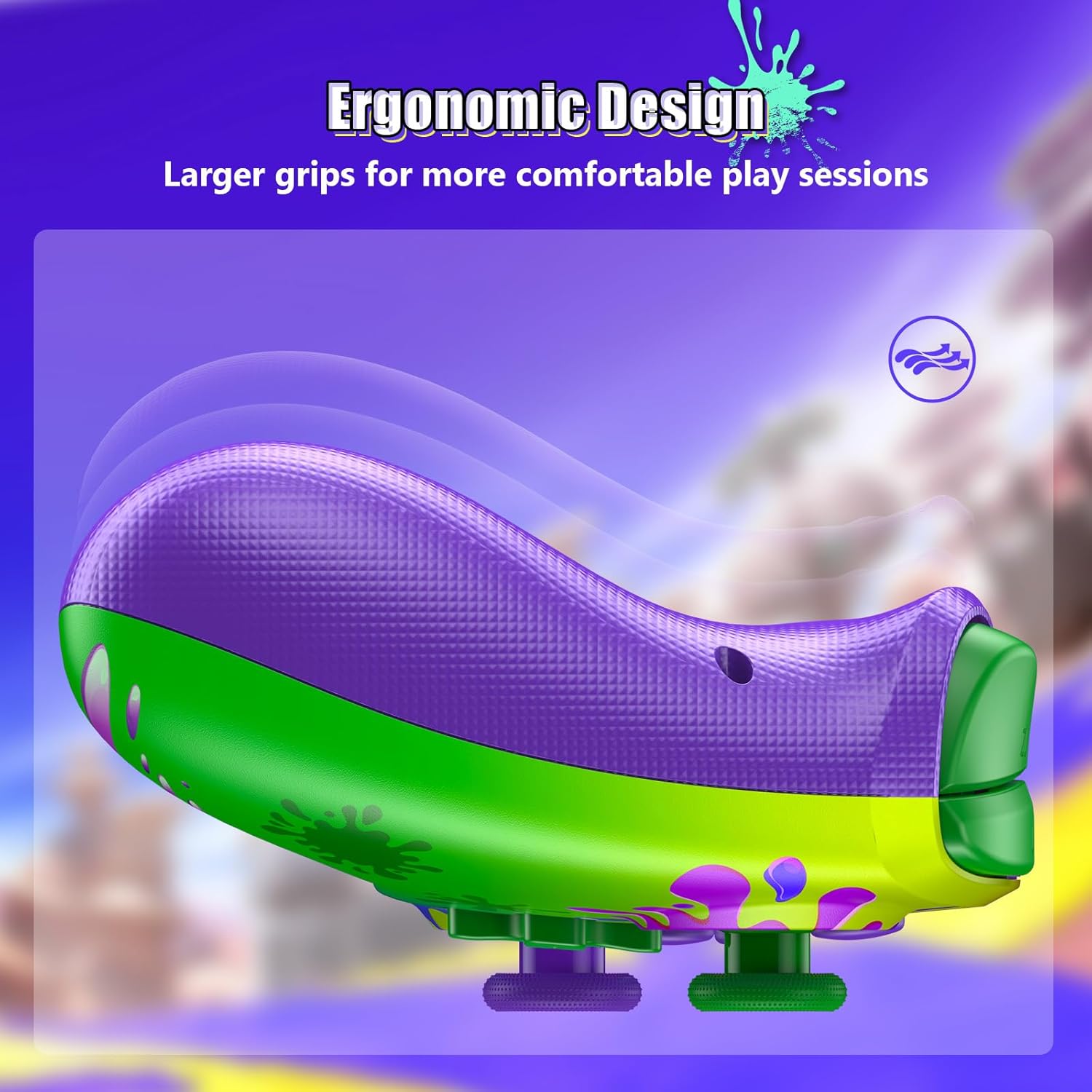
Image: Ergonomic Design for Comfort
Setup: Wireless Connection
Follow these steps to connect your NexiGo Wireless Controller to your Nintendo Switch console:
- Nzọụkwụ 1: Turn on your Nintendo Switch console and navigate to the "Controllers" menu from the HOME screen.
- Nzọụkwụ 2: Select "Change Grip/Order" from the list of options.
- Nzọụkwụ 3: Press and hold the Pairing button on the top of your controller for at least two seconds. The Pairing button is typically a small, circular button located near the charging port.
- Nzọụkwụ 4: The LEDs on your controller will flash during the pairing process and remain solid when the connection is successful.
Mara: You can only connect your controller wirelessly after pairing it once via a USB cable for the initial setup.
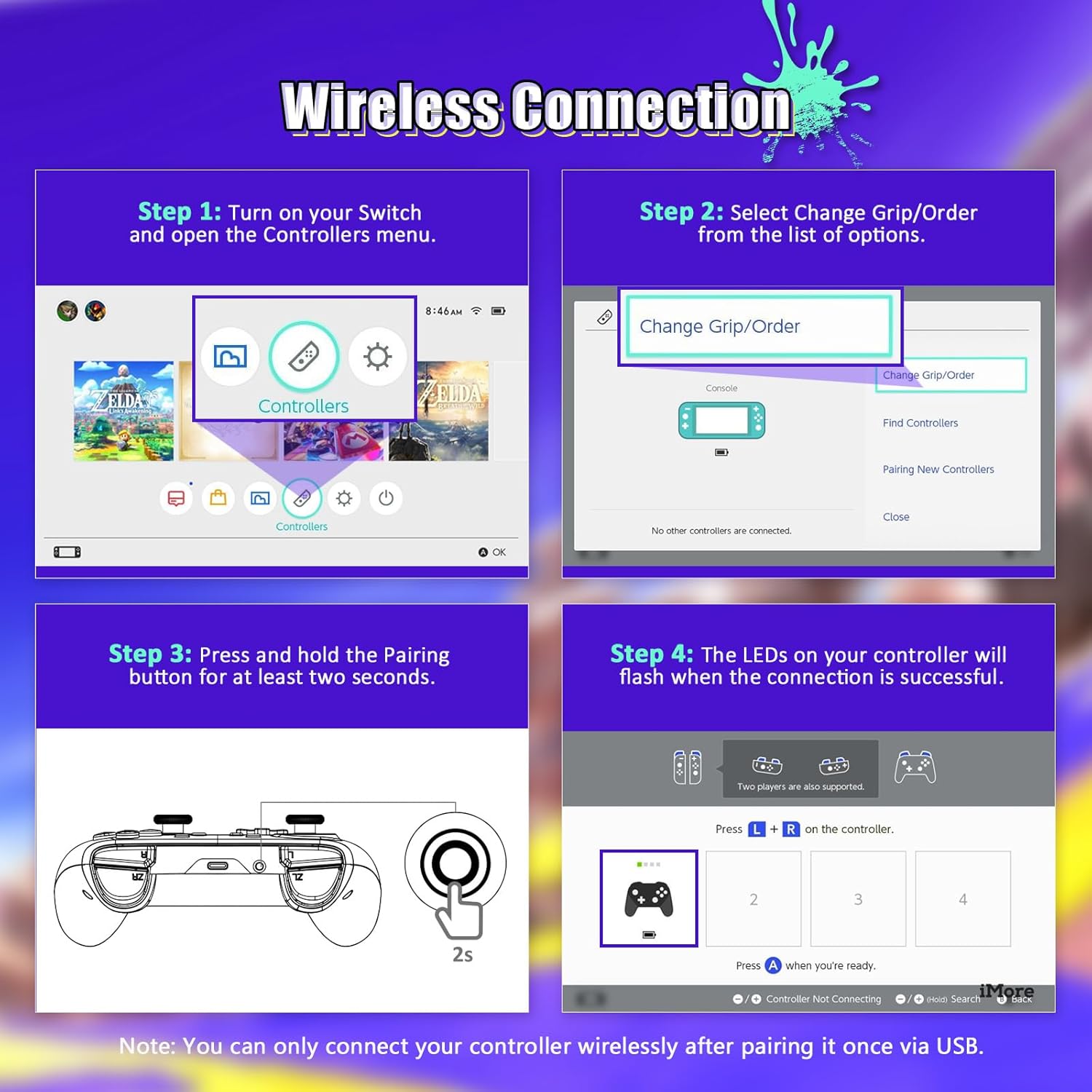
Image: Wireless Connection Setup Guide
Ntuziaka ọrụ
Ọrụ Turbo
The Turbo function allows you to assign rapid-fire capabilities to specific buttons. This is useful for games requiring quick, repeated button presses.
- Turbo na-arụ ọrụ: Press and hold the button you wish to assign Turbo to, then press the Turbo button (usually located on the back or bottom of the controller). The button will now rapidly input when held down.
- Deactivating Turbo: Repeat the activation steps for the same button to turn off the Turbo function.
- Na-edozi ọsọ Turbo: (If applicable, consult specific controller documentation for speed adjustment methods, often involves Turbo button + D-pad up/down).

Image: Turbo Mode in action
Vibration na-agbanwe agbanwe
The controller features four levels of vibration intensity. You can adjust this to suit your preference or the game you are playing.
- Adjusting Vibration: Typically, this is done by holding a specific button (e.g., Turbo or Function button) and pressing the D-pad Up or Down. Refer to the quick start guide for your specific model's button combination.
- The four levels are usually 0% (off), 30%, 75%, and 100% intensity.

Image: Adjustable Vibration Levels
Six-Axis Gyroscope
The built-in six-axis gyroscope provides precise motion control for games that support it. This allows for intuitive tilt and motion-based gameplay.
- Ensure the game you are playing supports motion controls.
- Calibrate the gyroscope if you experience inaccurate motion sensing. This option is usually found in the Nintendo Switch system settings under "Controllers and Sensors."
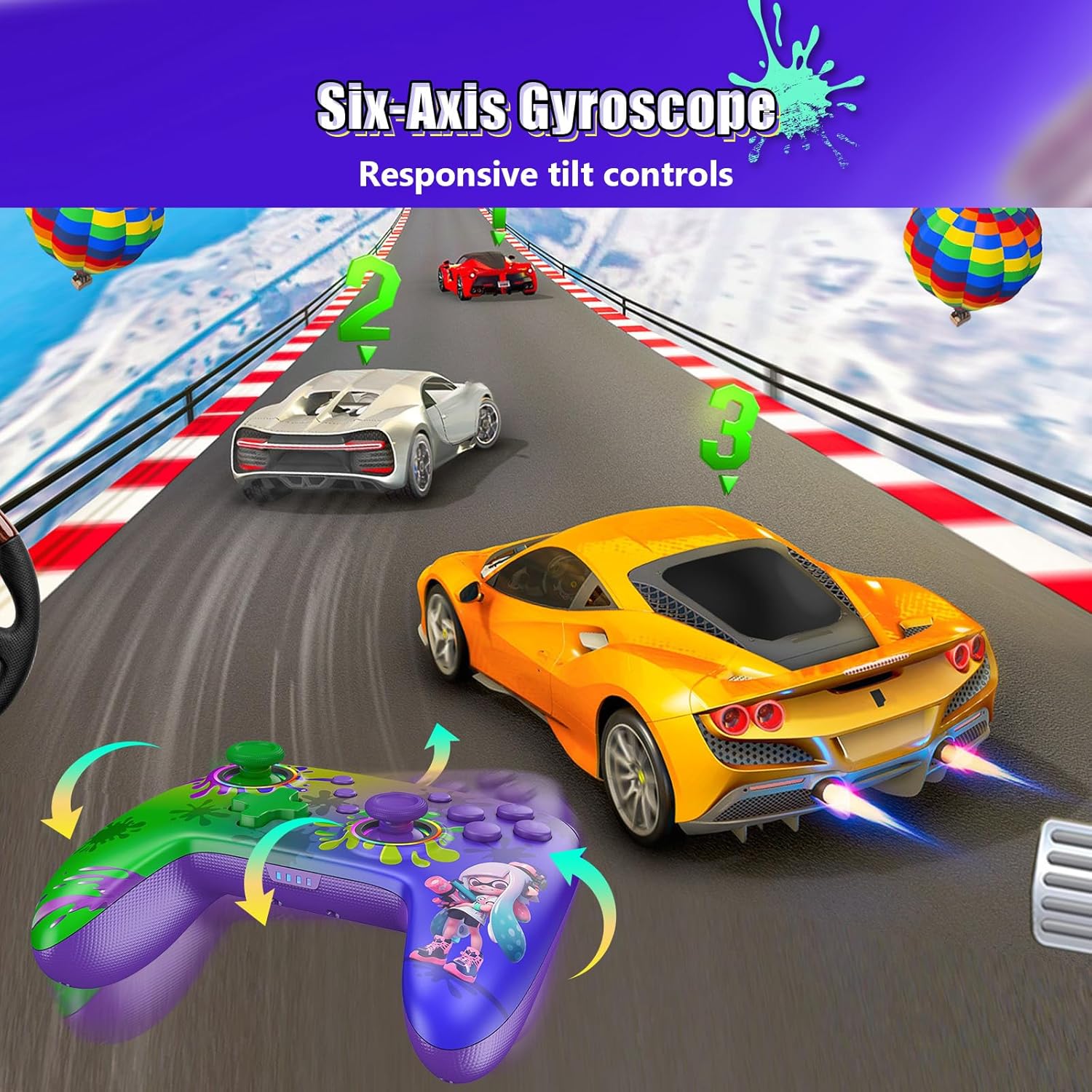
Image: Six-Axis Gyroscope in use
RGB Thumbsticks
The controller features customizable RGB lighting around the thumbsticks. These lights can be adjusted for color, brightness, and mode.
- Changing Colors/Modes: Refer to the controller's quick start guide for specific button combinations to cycle through seven colors, adjust brightness, and select from three lighting modes (e.g., breathing, cycling, static).
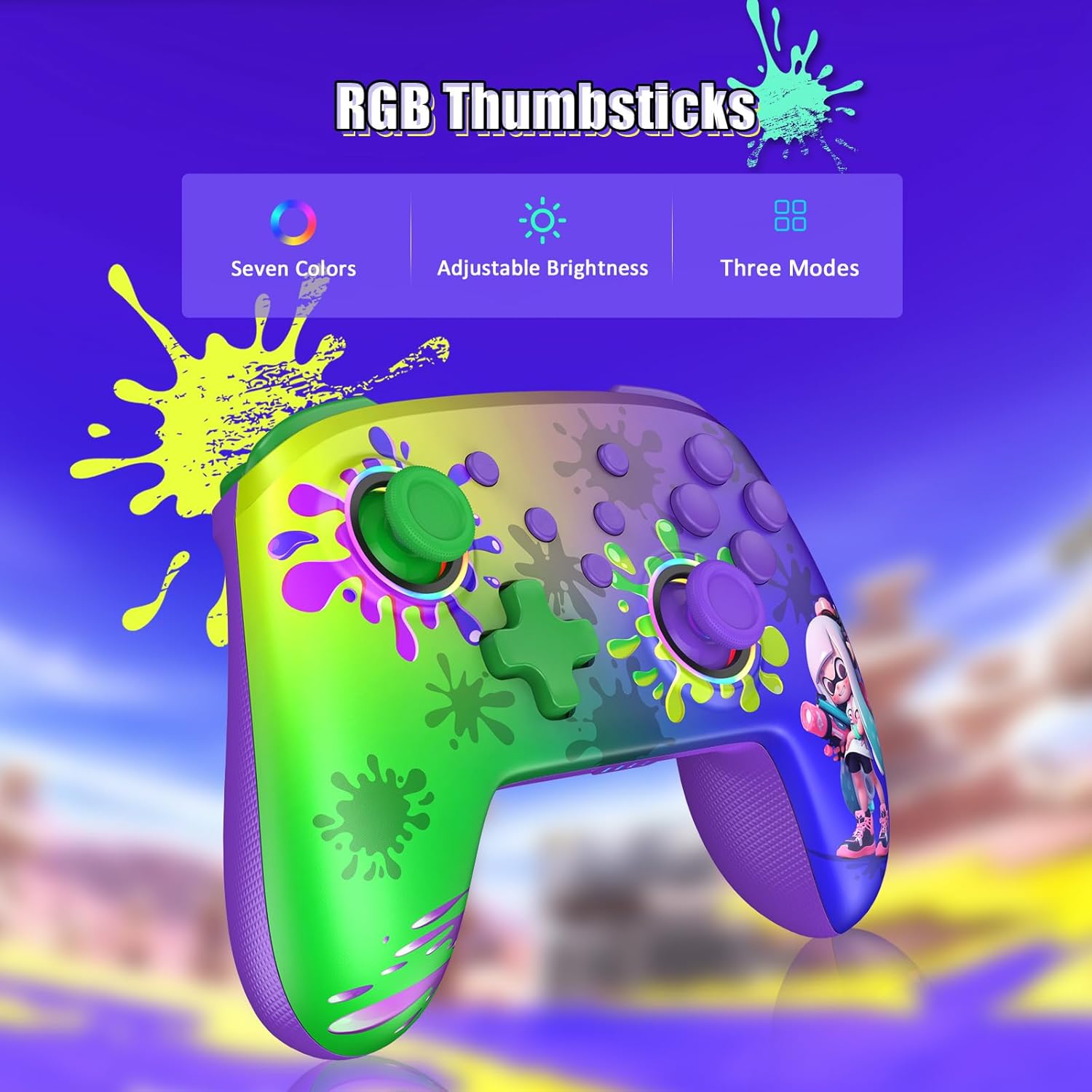
Image: RGB Thumbsticks Features
Nlekọta
- Nhicha: Jiri ákwà dị nro ma kpọọ nkụ hichaa ihe njikwa ahụ. Zere iji kemịkalụ siri ike ma ọ bụ ihe ndị na-emebi ihe.
- Nchekwa: Chekwaa onye njikwa ahụ n'ebe dị jụụ, kpọrọ nkụ na-adịghị na ìhè anyanwụ kpọmkwem na oke okpomọkụ.
- Nlekọta batrị: Iji mee ka batrị dị ogologo, zere iwepụ ihe njikwa ahụ kpamkpam mgbe niile. Chajie ya mgbe niile, ọbụlagodi na ọ naghị arụ ọrụ mgbe niile.
- Zere mbelata: Chebe onye njikwa ka ọ ghara ịdaba na mmetụta, nke nwere ike imebi ihe ndị dị n'ime.
Nchọpụta nsogbu
- Njikwa Anaghị ejikọta:
- Gbaa mbọ hụ na ebubo onye njikwa ahụ.
- Verify Bluetooth is enabled on your Nintendo Switch.
- Attempt to re-pair the controller by following the "Wireless Connection" steps.
- Try connecting the controller via USB cable to confirm it powers on.
- Input Lag or Unresponsive Buttons:
- Ensure there are no obstructions between the controller and the console.
- Lelee maka ndabichi sitere na ngwaọrụ ikuku ndị ọzọ.
- Update the controller's firmware if an update is available (check the NexiGo official websaịtị).
- Ịma jijiji anaghị arụ ọrụ:
- Lelee ntọala egwuregwu ahụ iji hụ na agbanyere mkpọtụ ahụ.
- Adjust the vibration intensity using the controller's dedicated function.
- Motion Controls Inaccurate:
- Calibrate the gyroscope in the Nintendo Switch system settings.
- Ensure the controller is held steadily during calibration.
Nkọwapụta
| Nọmba nlereanya | NS32-A9 |
| Akụkụ ngwaahịa | 6.14 x 4.02 x 2.56 sentimita asatọ |
| Ibu Ibu | 10.6 ounces |
| Njikọta | Bluetooth |
| Ndụ batrị | Ruo awa 10 (ihe dị ka.) |
| Oge Nchaji | 2-3 awa (ihe dị ka.) |
| Onye nrụpụta | Ụgwọ nke ụlọ ọrụ Next INC |
Akwụkwọ ikike na nkwado
NexiGo products are designed for reliability and performance. For any issues or questions, please refer to the following support information:
- Nkwado ndị ahịa: NexiGo offers quick response customer support, typically within 24 hours.
- Iwu nloghachi: Products can be returned within 30 days for an exchange or refund, subject to terms and conditions.
- Nkwado ndị teknuzu: Lifetime technical customer support is provided for your NexiGo product.
- For detailed warranty information and to contact support, please visit the official NexiGo websaịtị ma ọ bụ rụtụ aka na kaadị ikike nke ngwaahịa gị gụnyere.


