1. Okwu mmalite na gafereview
The Bagotte A21 Robot Vacuum and Mop Combo is a versatile 3-in-1 cleaning device designed to sweep, vacuum, and mop your floors. It features powerful 5000Pa suction, a tangle-free design ideal for pet hair, and multiple control options including a mobile app, Wi-Fi, voice commands, and a remote control. The A21 is equipped with a 2600mAh battery, providing up to 120 minutes of cleaning time, and automatically returns to its charging dock when power is low.

Image: The Bagotte A21 Robot Vacuum and Mop Combo demonstrating its 3-in-1 vacuuming, sweeping, and mopping capabilities on a hard floor, highlighting adjustable water flow and suction.
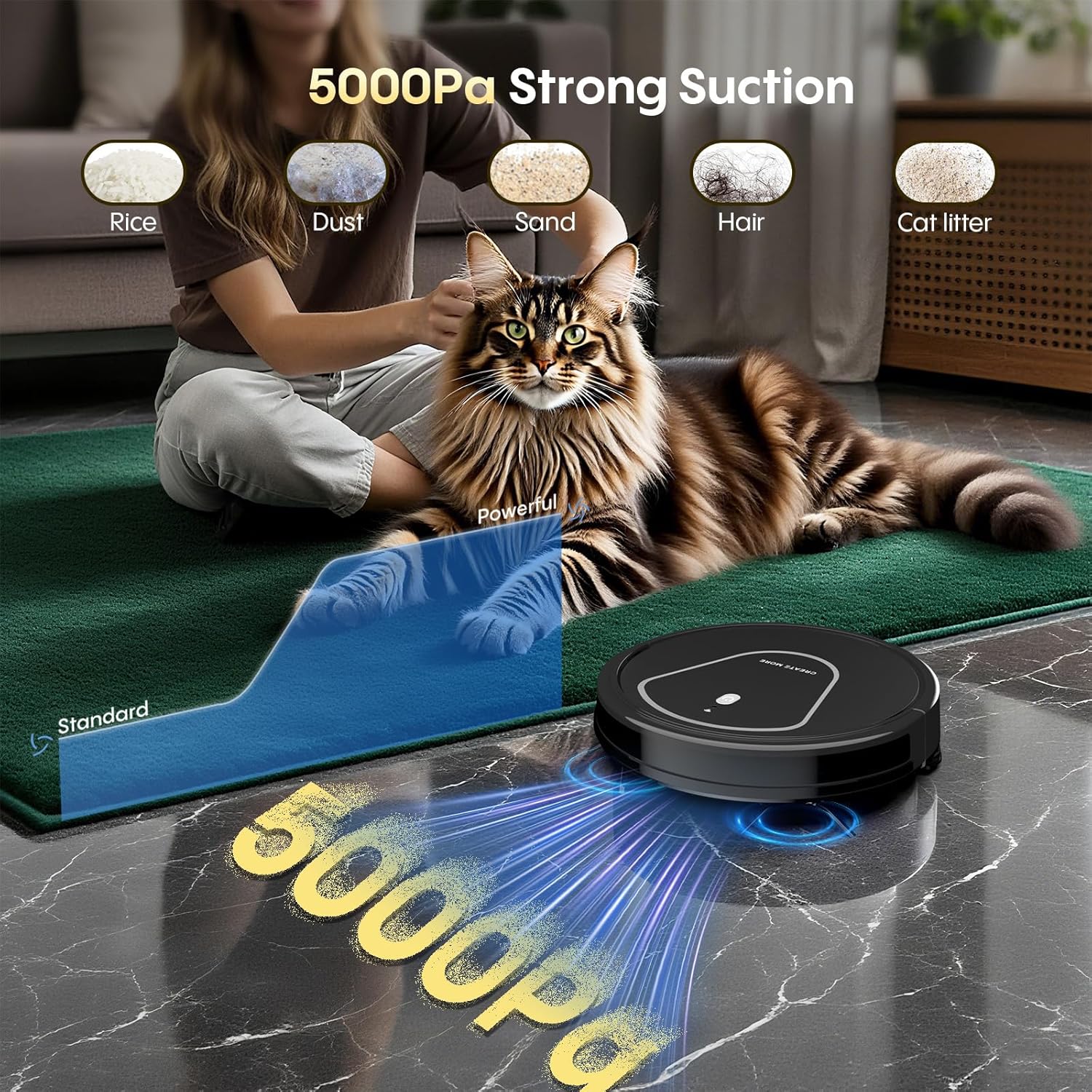
Image: The Bagotte A21 Robot Vacuum showcasing its 5000Pa strong suction, effectively cleaning different types of debris including pet hair, dust, and cat litter from a carpeted surface.
2. Nhazi
2.1 Unboxing na nlele mbụ
Carefully remove all components from the packaging. Verify that all accessories are present, including the robot vacuum, charging dock, power adapter, remote control, side brushes, dustbin, water tank, and extra mop pads and filter. Inspect the device for any visible damage.
Video: An unboxing and function introduction for the Bagotte A21 Robot Vacuum, demonstrating how to unpack the device and identify its main components.
2.2 Nhazi ọdụ ụgbọ mmiri
Place the charging dock against a wall in an open area, ensuring there is at least 0.5 meters (1.6 feet) of clear space on both sides and 1.5 meters (4.9 feet) in front. Connect the power adapter to the charging dock and plug it into a power outlet. Ensure the robot vacuum is fully charged before its first use.

Image: The Bagotte A21 Robot Vacuum automatically docking for recharge, highlighting its 120-minute runtime and ability to cover up to 1290 sq ft.
2.3 Wi-Fi and App Connection
To utilize smart features, download the companion app (e.g., Tuya app) on your smartphone. Ensure your phone is connected to a 2.4GHz Wi-Fi network and Bluetooth is enabled. Follow the in-app instructions to register an account and add the A21 device. You will typically need to press and hold the power button on the robot for about 5 seconds until you hear two beeps and the indicator flashes, signaling pairing mode.
Video: A step-by-step guide on connecting the Bagotte A21 Robot Vacuum to Wi-Fi and pairing it with the mobile application for smart control.

Image: Demonstrating app control for the Bagotte A21 Robot Vacuum, showing the smartphone interface for managing cleaning settings and its compatibility with Google Assistant and 2.4GHz Wi-Fi.
2.4 Mop Attachment Installation
To enable mopping functionality, fill the 200ml water tank with clean water. Attach the mop pad securely to the water tank module. Then, slide the water tank module into the designated slot at the rear of the robot vacuum until it clicks into place. Ensure the dustbin is empty before mopping.

Foto: nkọwa zuru ezu view of the Bagotte A21's underside, illustrating the mop pad, water tank, and side brushes for its 3-in-1 vacuuming, sweeping, and mopping functions.
3. Ntuziaka ọrụ
3.1 Mmalite na Ịkwụsị Nhicha
Press the power button on the robot or the 'ON' button in the app/remote to start a cleaning cycle. To pause or stop cleaning, press the power button again or use the corresponding controls in the app/remote.
3.2 Ụdị nhicha
The A21 offers four systematic cleaning modes to suit different needs:
- Ụdị ihicha akpaaka: The robot intelligently navigates to clean the entire floor area.
- Ụdị ihicha Edge: Robot a na-elekwasị anya n'ịsacha mgbidi na nsọtụ arịa ụlọ.
- Ụdị ihicha ntụpọ: The robot cleans a specific concentrated area in a spiral pattern.
- Manual Cleaning Mode: Control the robot's movement directly using the app or remote control.
These modes can be selected via the mobile app or the included remote control.

Image: The remote control for the Bagotte A21 Robot Vacuum, showing the selection options for Auto, Spot, Edge, and Manual cleaning modes.
3.3 Nhazi oge na Njikwa Olu
Use the mobile app to set cleaning schedules for specific times and days. The robot also supports voice control via Alexa or Google Assistant for convenient hands-free operation.

Image: The Bagotte A21 Robot Vacuum demonstrating multiple control methods, including a remote control and voice commands via a smart speaker, alongside app control.
3.4 Ntugharị na Mwepu ihe mgbochi
The A21 features a slim design (2.87 inches high) allowing it to clean under furniture and in tight spaces. It is equipped with sensors for anti-fall and obstacle avoidance, ensuring efficient navigation and preventing collisions or falls down stairs.

Image: The Bagotte A21 Robot Vacuum demonstrating its slim design by cleaning underneath a sofa, illustrating its ability to reach low-clearance areas.
4. Nlekọta
4.1 Nhicha ájá na nzacha
Regularly empty the dustbin after each cleaning cycle. Remove the filter and tap it gently to dislodge dust. The filter can also be rinsed with water; ensure it is completely dry before reinserting. The app can provide information on remaining brush life.
4.2 Mop Pad Maintenance
After mopping, remove the mop pad from the water tank and clean it thoroughly. The mop pads are washable and reusable. Ensure the water tank is emptied and dried after each use to prevent mold or odors.
4.3 Side Brush and Wheel Cleaning
Periodically check the side brushes and wheels for tangled hair or debris. Use a small brush or cleaning tool to remove any obstructions. This ensures optimal cleaning performance and prevents damage to the robot.
5. Nchọpụta nsogbu
If your Bagotte A21 encounters an issue, refer to the following common solutions:
- Robot anaghị akwụ ụgwọ: Hụ na e tinyere ebe a na-agba chaja nke ọma, nakwa na robot ahụ dabara na ebe a na-agba chaja nke ọma. Hichaa ebe a na-agba chaja na robot ahụ na ebe a na-agba chaja.
- Robot stuck or not moving: Check for obstacles, tangled wires, or debris around the wheels and brushes. Lift the robot and clear any obstructions.
- Poor suction performance: Empty the dustbin and clean or replace the filter. Check the main brush and side brushes for tangles.
- Ịchapụ ihe anaghị arụ ọrụ nke ọma: Ensure the water tank is filled and the mop pad is clean and properly attached. Check the water flow settings in the app.
- Nsogbu njikọ Wi-Fi: Verify your router is broadcasting a 2.4GHz network. Ensure the robot is within Wi-Fi range. Restart your router, phone, and the robot, then attempt to reconnect via the app.
- Robot making unusual noises: Inspect brushes, wheels, and the dustbin area for any foreign objects or blockages.
For persistent issues, consult the in-app help section or contact customer support.
6. Nkọwapụta
| Njirimara | Nkọwapụta |
|---|---|
| Ụdị | Bagotte |
| Aha Nlereanya | A21 |
| Atụmatụ pụrụ iche | Anti-Fall, Scheduling, Simultaneous Vacuuming & Mopping |
| Agba | Ink Black |
| Akụkụ ngwaahịa | 11"L x 11"W x 2.87"H |
| Ngwa gụnyere | Charging Adapter, Collection Bag, Dust Tank, Side Brush, Water Tank |
| Ụdị nzacha | Iyo |
| Ndụ batrị | 120 nkeji |
| Obosara Ụzọ Nhicha | 11 sentimita asatọ |
| Voltage | 110 volts |
| Ike tank mmiri | 200 milliliters |
| Isi Iyi Ike | Akwanyere batrị |
| Usoro njikwa | App, Remote, Voice (Alexa/Google Assistant) |
| Ngwa dakọtara | Smartphones |
| Ụdị Ihe | Gburugburu |
| Ibu Ibu | 7.09 pound |
| Nkwanye elu | Hard Floor/Ceramic |
7. Akwụkwọ ikike na nkwado
For warranty information, please refer to the documentation included with your product at the time of purchase. If you require technical assistance, troubleshooting, or have questions regarding your Bagotte A21 Robot Vacuum and Mop Combo, please contact Bagotte customer support through their official websaịtị ma ọ bụ ozi kọntaktị enyere na nkwakọ ngwaahịa gị.


