1. N'eluview
The XIAOMI 15T PRO Ai 5G is a high-performance smartphone designed for global use, featuring advanced camera technology co-engineered with Leica, a powerful MediaTek Dimensity 9400+ processor, and a vibrant 144Hz AMOLED display. This manual provides essential information for setting up, operating, and maintaining your device.

Ọgụgụ 1: N'ihu na azụ view of the XIAOMI 15T PRO Ai 5G smartphone.
2. Kedu ihe dị na Igbe ahụ
Chọpụta na ihe niile dị na nkwakọ ngwaahịa gị:
- XIAOMI 15T PRO Ai 5G Smartphone
- eriri USB (ụdị-C)
- SIM Tray Ejector
- Akpa ekwentị
- Akwụkwọ ntuziaka
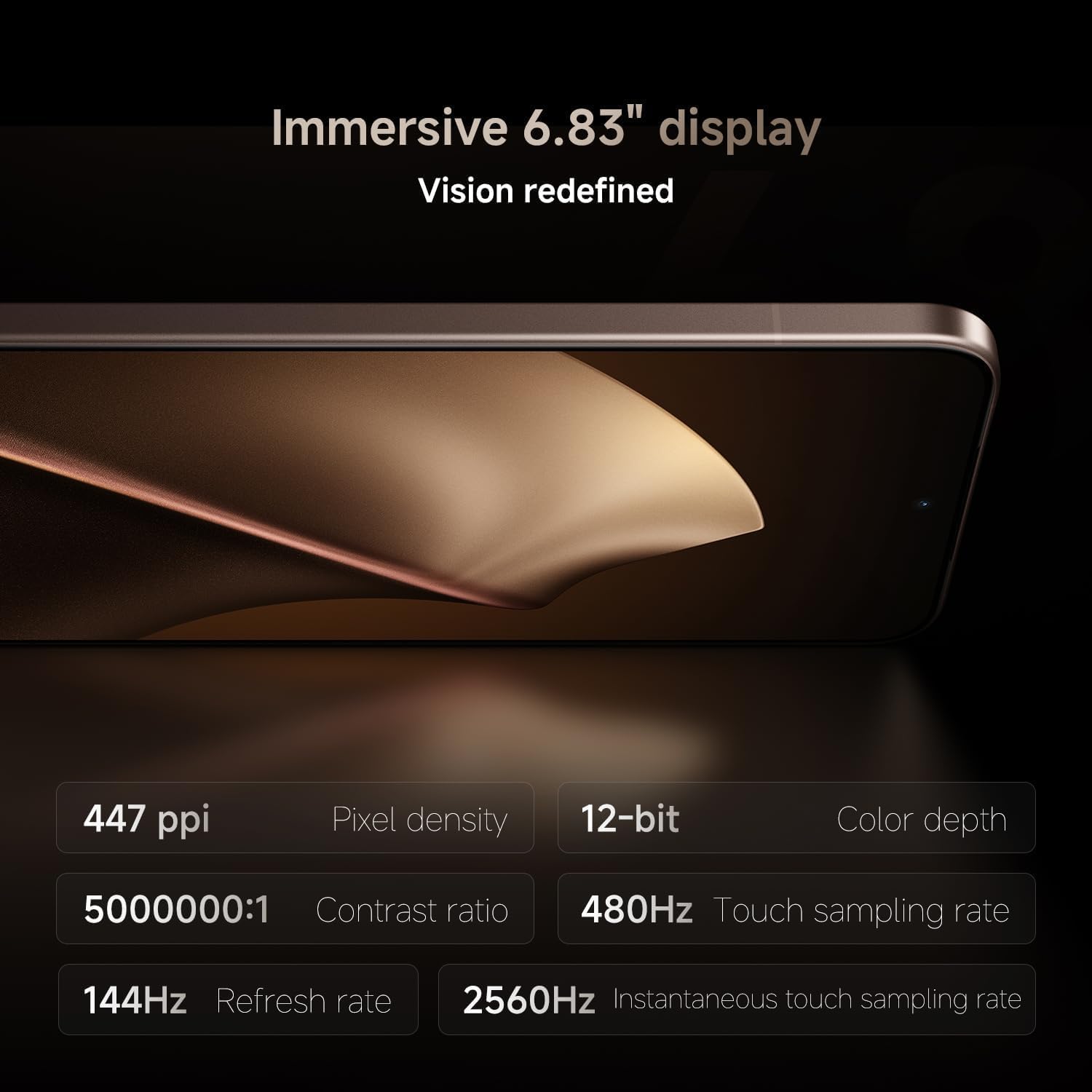
Figure 2: Items included in the product packaging.
3. Nhazi ngwaọrụ
Familiarize yourself with the physical components of your smartphone:
- N'ihu: 6.83" 144Hz eye-care AMOLED display, 32MP in-display selfie camera.
- Azu: Leica 5x Pro telephoto, Leica Summilux optical lens system (50MP main, 50MP super telephoto, 12MP ultra-wide cameras).
- Akụkụ: Power button, volume rocker, USB-C charging port, SIM tray.
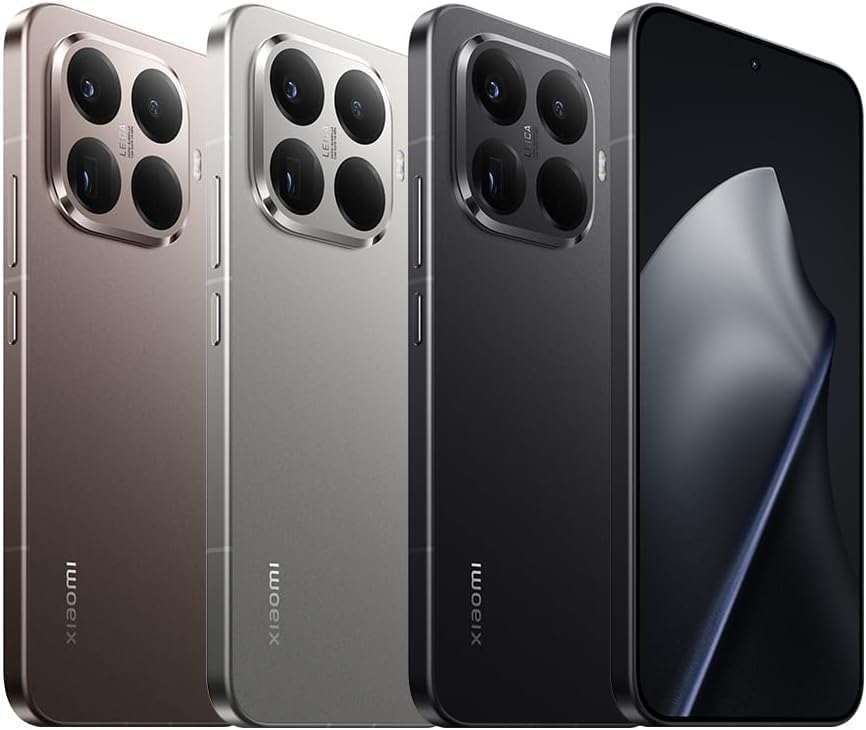
Foto 3: N'ihu view nke ngwaọrụ.

Foto 4: Akụkụ view showing buttons and ports.

Ọgụgụ 5: Azụ view highlighting the camera module.
4. Mbido Mbido
4.1. SIM Card / eSIM Installation
- Insert the SIM tray ejector tool into the small hole on the side of the device.
- Gently push until the SIM tray pops out.
- Tinye kaadị Nano-SIM gị n'ime tray ahụ ka ihe ndị e ji ọlaedo mee na-eche ihu ala.
- For eSIM, follow the on-screen instructions during initial setup or navigate to Settings > Network & Internet > SIMs.
- Carefully reinsert the SIM tray into the device.
4.2. Powering On & Initial Configuration
- Pịa ma jide bọtịnụ Ike ruo mgbe akara ngosi Xiaomi pụtara.
- Soro mkpali na ihuenyo ka ịhọrọ asụsụ gị, jikọọ na Wi-Fi, wee guzobe akaụntụ Google gị.
- Configure security features such as fingerprint unlock and AI face unlock.
5. Basic Ọrụ
5.1. Navigation & Gestures
The device operates on Hyper OS, offering intuitive gesture navigation. Swipe up from the bottom to go home, swipe up and hold for recent apps, and swipe from the left or right edge to go back.
5.2. Nchekwa atụmatụ
- In-screen fingerprint sensor: Register your fingerprints for quick and secure unlocking.
- AI face unlock: Use facial recognition for convenient access.
6. Sistemụ igwefoto
The XIAOMI 15T PRO features a powerful Leica co-engineered triple camera system:
- Leica 23mm Main Camera: 50MP with Light Fusion 900 image sensor, f/1.62, OIS.
- Leica 115mm Super Telephoto Camera: 50MP, f/3.0, OIS, 5x optical zoom, 10x optical-level zoom, 20x and above Ultra Zoom.
- Leica 15mm Ultra-Wide Camera: 12MP, f/2.2, 120° FOV.
- Igwefoto ihu: 32MP in-display selfie camera, f/2.2.
6.1. Photography Features
- HDR, Portrait mode, Palm shutter, Voice shutter, Timed burst, Selfie timer, Screen fill light.
- Master Portrait algorithm for lifelike portraits across multiple focal lengths and lighting scenarios.
6.2. Ndekọ vidiyo
- Igwefoto azụ: 8K (7680x4320) at 30fps; 4K (3840x2160) at 30/60/120fps; 1080p at 30/60fps; 720p at 30fps.
- Slow motion video: 720p/1080p at 120/240/960fps.
- Igwefoto ihu: 4K (3840x2160) at 30fps; 1080p at 30/60fps; 720p at 30fps.
- HDR10+ video recording, Video teleprompter, Slow motion selfie, Time-lapse selfie.

Figure 6: Key camera and processor features.
7. Performance & Display
7.1. Processor & Memory
The device is powered by the MediaTek Dimensity 9400+ (3nm manufacturing process) with a CPU clocking up to 3.73GHz and an Immortalis-G925 MC12 GPU, ensuring smooth performance for demanding applications and gaming. It comes with 12GB RAM and 512GB of UFS 4.0 storage.

Figure 7: Xiaomi Surge T1S Tuner for enhanced connectivity.
7.2. Ngosipụta
Experience visuals on a 6.83" 144Hz eye-care AMOLED flat display with Corning Gorilla Glass 7i. It boasts a resolution of 2772 x 1280 (447ppi), a peak brightness of 3200nits (25% APL), and supports HDR10+ and DCI-P3 color gamut. The touch sampling rate is 480Hz, with an instantaneous touch sampling rate of 2560Hz in Game Turbo mode.
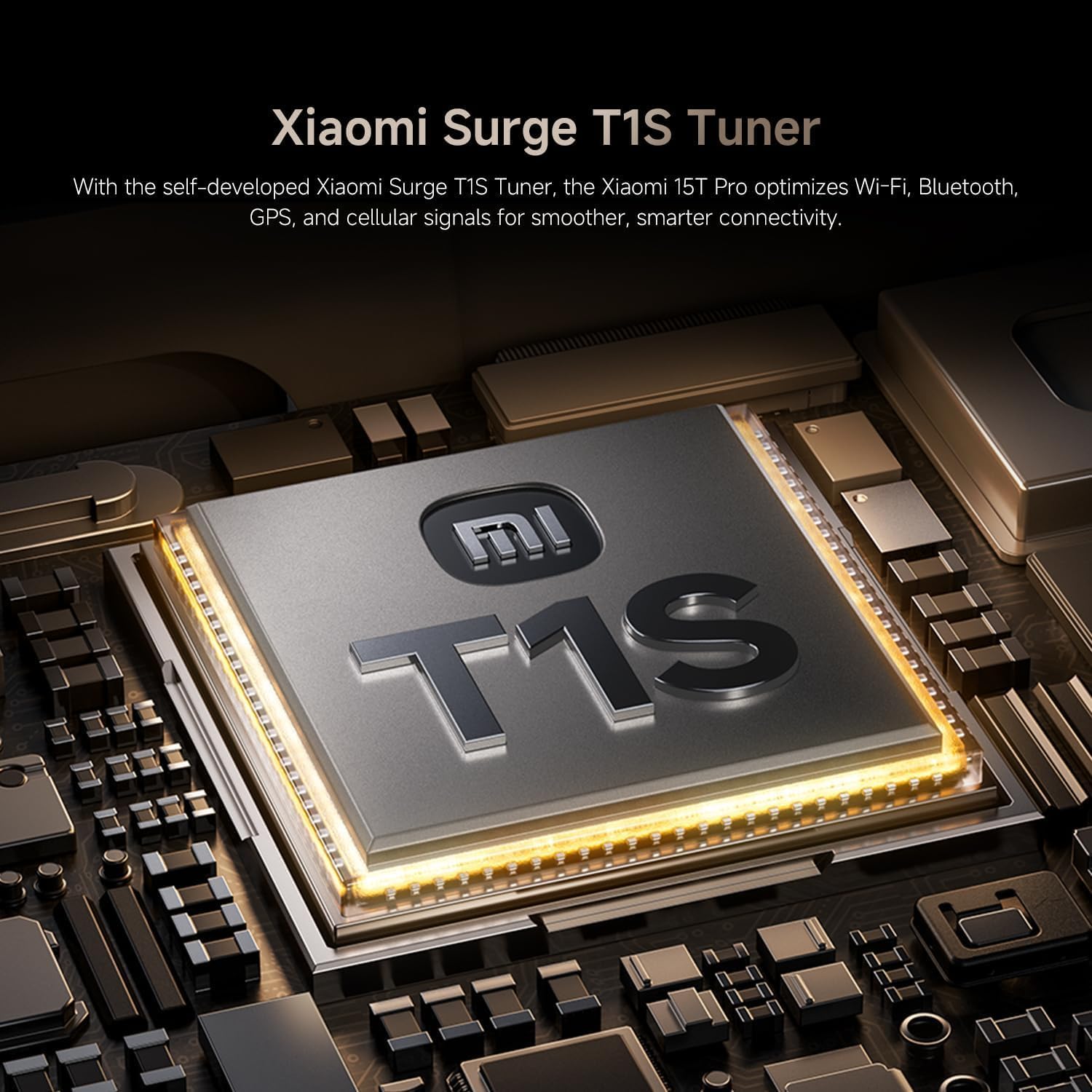
Figure 8: Detailed specifications of the immersive display.

Figure 9: Ultra-slim bezels for an enhanced visual experience.
8. Batrị & Nchaji
The device is equipped with a long-lasting 5500mAh (typ) Xiaomi Surge battery. It supports 90W HyperCharge (PD3.0 / PD2.0) via USB-C and 50W wireless HyperCharge. Note that a power adapter is not included in the box; a 67W or above Xiaomi power adapter is recommended for optimal charging speeds.
9. Njikọta
- Netwọk: Dual Nano SIM 5G + eSIM support. Compatible with T-Mobile, Mint, Tello & Global networks. Not compatible with Verizon, Sprint, Boost, Metro PCS, AT&T, Cricket in the USA.
- Ebe: GPS (L1+L5), Galileo (E1+E5a), GLONASS (G1), Beidou, QZSS (L1+L5), NavIC (L5), A-GPS supplementary positioning.
- Ikuku: Wi-Fi, Bluetooth.
- Ndị ọzọ: NFC, IR blaster, Proximity sensor, Ambient light sensor, Accelerometer, Gyroscope, Electronic compass, Flicker sensor, X-axis linear vibration motor, Color temperature sensor.
10. Njirimara AI
The XIAOMI 15T PRO integrates advanced AI capabilities for enhanced user experience:
- Circle to Search with Google, Google Gemini
- AI Interpreter, AI Notes, AI Recorder, AI Subtitles, AI Film, AI image editing, AI Portrait
- AI Writing, AI Speech Recognition, AI Search, AI Dynamic Wallpapers, AI Creativity Assistant
11. Nkọwapụta
| Njirimara | Nkọwa |
|---|---|
| Nọmba nlereanya | Xiaomi 15T Pro |
| Sistemụ nrụọrụ | Hyper OS |
| Nhazi | MediaTek Dimensity 9400+ |
| RAM | 12 GB |
| Nchekwa | 512 GB |
| Ngosipụta nha | 6.83 sentimita asatọ |
| Ngosipụta mkpebi | 2772 x1280 |
| Ọnụego ume ọhụrụ | 144 Hz |
| Ike batrị | 5500 ndeamp Oge awa |
| Nchaji | 90W HyperCharge |
| Nchaji ikuku | 50W HyperCharge |
| Igwefoto azụ | 50MP Main, 50MP Telephoto, 12MP Ultra-wide |
| Igwefoto ihu | 32MP |
| Njikọta | 5G, Wi-Fi, Bluetooth, NFC, GPS |
| Mgbochi mmiri/Uzuzu | IP68 |
| Akụkụ | 3.94 x 59.06 x 5.91 sentimita asatọ |
| Ibu Ibu | 15.8 ounces |
12. Nlekọta & Nlekọta
- Keep your device away from extreme temperatures and direct sunlight.
- Zere idobe ngwaọrụ ma ọ bụ tinye ya na mmetụta siri ike.
- Jiri ákwà dị nro, nke na-enweghị ihe e ji ehicha ákwà hichaa ákwà ahụ na ahụ gị. Zere kemịkalụ siri ike.
- Hụ na ọdụ ụgbọ mmiri niile enweghị uzuzu na ihe mkpofu.
- The device has IP68 water and dust resistance, but avoid intentional submersion or exposure to high-pressure water.
13. Nchọpụta nsogbu
- Ngwaọrụ anaghị agbanye: Ensure the battery is charged. Connect to a charger and try again.
- Ihuenyo anaghị anabata: Force restart the device by holding the Power button for approximately 10 seconds.
- Nsogbu netwọk: Check SIM card insertion, ensure mobile data is enabled, or try restarting the device.
- Ngwa mebiri: Clear the app's cache and data in Settings > Apps, or reinstall the app.
14. Akwụkwọ ikike & Nkwado
This is an International Model and does not carry a warranty in the US. For warranty claims or technical support, please refer to the documentation provided with your device or contact your point of purchase. Ensure to keep your proof of purchase for any service inquiries.

Figure 10: Additional benefits and support information.


