Okwu mmalite
Thank you for choosing the EarFun Air Pro 4+ Adaptive Noise Cancelling Wireless Earbuds. This manual provides detailed instructions to help you set up, operate, and maintain your earbuds for optimal performance. Please read this manual thoroughly before use and retain it for future reference.
Kedu ihe dị na Igbe ahụ
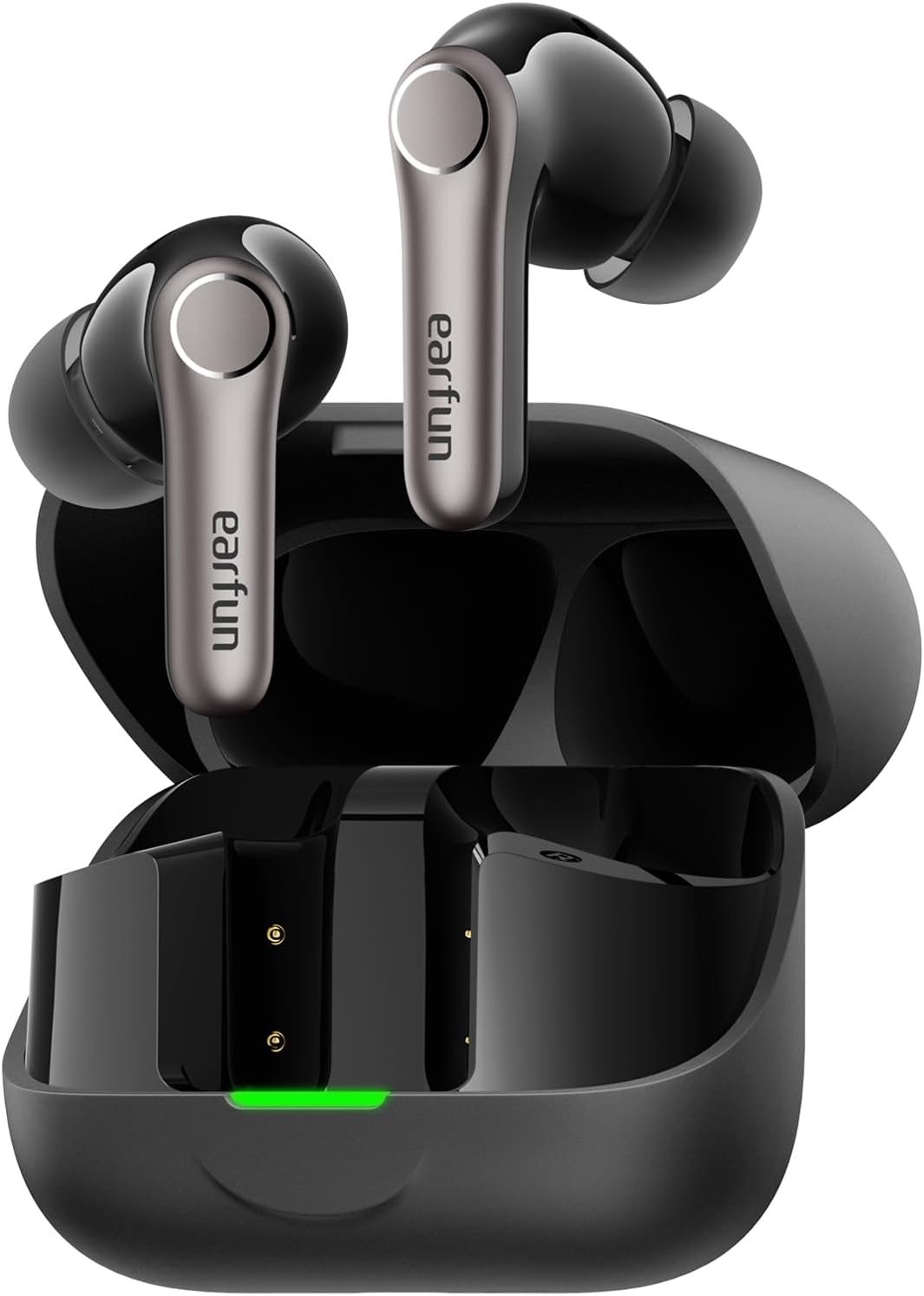
- EarFun Air Pro 4+ Earbuds
- Nchaji case
- USB-C eriri USB
- Akwụkwọ ntuziaka onye ọrụ
- Ọtụtụ nha nke ntị ntị
Melite
1. Nchaji mbụ
- Tinye ntị ntị abụọ n'ime akpa chaja.
- Jikọọ eriri USB-C na ọdụ chaja dị na akpa ahụ na isi iyi ike.
- Ensure the earbuds and case are fully charged before first use. The LED indicator on the case will show charging status.

2. Ịhọrọ Eartips ziri ezi
A proper fit is crucial for sound quality and noise cancellation. Experiment with the included eartips to find the size that provides the best seal and comfort for your ears.

3. Ijikọ na ngwaọrụ gị
- Mepee igbe chaja. Ekwe ntị ga-abanye na ọnọdụ njikọta na akpaghị aka (LED ga-enwu gbaa).
- Na ngwaọrụ gị (smartphone, mbadamba, wdg), gbanye Bluetooth.
- Chọọ maka "EarFun Air Pro 4+" in the list of available devices and select it to connect.
- For Android devices, Google Fast Pair is supported for quick connection.

Ntuziaka ọrụ
1. Gbanyụọ / gbanyụọ
- Ike Na: Mepee igbe nchaji, na ntị ntị ga-agbanye ọkụ ozugbo.
- Gbanyụọ: Tinye ihe ntị ntị n'ime akpa nchaji wee mechie mkpuchi.
2. Aka njikwa
The EarFun Air Pro 4+ features customizable touch controls. Refer to the EarFun App for detailed customization options.
| Omume | Function (Default) |
|---|---|
| Otu mgbata (aka ekpe/aka nri) | Volume Down / Volume Up |
| Pịa ugboro abụọ (Aka ekpe/Aka nri) | Gwuo/kwụsịtụ |
| Pịa ugboro atọ (aka ekpe/aka nri) | Trackzọ gara aga / Na-esote Track |
| Pịa ogologo (aka ekpe/aka nri) | Noise Control / Voice Assistant |
3. Ụdị Njikwa Mkpọtụ
Utilize the EarFun QuietSmart 3.0 technology for various listening experiences:
- Adaptive Hybrid Active Noise Cancellation (ANC): Reduces ambient noise by up to 50dB, intelligently adjusting based on your surroundings.
- Ụdị ụda gburugburu: Na-enye gị ohere ịnụ ihe gbara gị gburugburu ka ị na-ege ọdịyo.
- Ụdị nkịtị: Standard audio playback without noise cancellation or ambient sound.
- Wind Noise Cancelling: Specifically designed to reduce wind interference during calls or listening outdoors.
4. Multipoint Njikọ
The earbuds support connecting to two devices simultaneously (e.g., phone and laptop) for seamless switching between audio sources.
5. Auracast Broadcast Audio
With Auracast technology, you can share audio with others or tune into public audio broadcasts in compatible environments.
6. Smart In-Ear Detection
Audio playback automatically pauses when you remove an earbud and resumes when you put it back in.
7. Gaming Mode (Low Latency)
Activate Gaming Mode via the EarFun App for ultra-low latency (under 50ms), enhancing your gaming and video experience.
8. Njikwa oku
Equipped with 6-Mic AI Beamforming and Qualcomm cVc 8.0 technology, the earbuds ensure clear calls by focusing on your voice and suppressing background noise.
Nchaji na batrị
- Ndụ batrị: Up to 12 hours on a single charge (normal mode), and up to 54 hours with the charging case.
- Nchaji ngwa ngwa: Chajị nkeji iri na-enye ihe dị ka awa anọ nke oge egwuregwu.
- Nchaji akpa: Supports both USB-C cable charging and wireless charging.
Nlekọta na nlekọta
- Water & Dust Resistance: The earbuds are IP55 rated, protecting against sweat, light rain, and dust. The charging case is not water-resistant.
- Nhicha: Regularly clean the earbuds and charging case with a soft, dry cloth. Ensure charging contacts are free of debris.
- Nchekwa: Chekwaa ntị ntị n'akpa chaja ha mgbe anaghị eji ya iji chekwaa ya na idobe ndụ batrị.
Nchọpụta nsogbu
If you encounter any issues, please refer to the EarFun App's FAQ section or contact customer support. Common issues and solutions include:
- Enweghị ụda: Check device volume, earbud battery, and Bluetooth connection.
- Okwu ijikọ: Ensure earbuds are in pairing mode, disable/enable Bluetooth on your device, or reset the earbuds.
- Ogo ụda adịghị mma: Check eartip fit, clean earbuds, or adjust EQ settings in the EarFun App.
- Nkagbu mkpọtụ adịghị arụ ọrụ: Ensure proper eartip seal and select the appropriate ANC mode.
Nkọwapụta
| Njirimara | Nkọwa |
|---|---|
| Aha Nlereanya | EarFun Air Pro 4+ |
| Nọmba nlereanya | TW700B |
| Njikwa mkpọtụ | Adaptive Hybrid Active Noise Cancellation (up to 50dB) |
| Ndị ọkwọ ụgbọ ala ọdịyo | Dual-Driver Synergy: 10mm composite dynamic driver + ultra-light FeatherBA balanced armature |
| Njikọta | Bluetooth 6.0 |
| Codec ọdịyo | Qualcomm aptX Lossless, Snapdragon Sound, LDAC, LC3, LE Audio, SBC, AAC |
| Igwe okwu | 6-Mic AI Beamforming with Qualcomm cVc 8.0 ENC |
| Ndụ batrị (Earbuds) | Up to 12 hours (Normal Mode) |
| ngụkọta oge egwuregwu (ya na ikpe) | Up to 54 hours (Normal Mode) |
| Mmiri Nguzogide | IP55 (naanị ekwe ntị) |
| Atụmatụ pụrụ iche | Multipoint Connection, Auracast Broadcast Audio, Google Fast Pair, Smart In-Ear Detection, Gaming Mode (<50ms latency) |
| Usoro njikwa | Ngwa, metụ |
| Ibu Ibu | 1.87 ounce (gram 53) |
| Akụkụ ngwaahịa | 2.36 x 1.97 x 1.1 sentimita asatọ |
Akwụkwọ ikike na nkwado
EarFun products typically come with a manufacturer's warranty. Please refer to the warranty card included in your product packaging or visit the official EarFun website for detailed warranty information and support options. For technical assistance or inquiries, contact EarFun customer service.


