1. Okwu mmalite
Welcome to the TABWEE T90 11-inch Android 16 Tablet. This manual provides essential information to help you get started and make the most of your new device. Please read these instructions carefully before using the tablet.

Image: The TABWEE T90 tablet, showcasing ya sleek imewe.
2. Ihe ngwugwu
Gbaa mbọ hụ na ihe niile dị na ngwugwu:
- Tablet Main Unit
- Ahụigodo
- Òké
- Okwu nchekwa
- Bracket (Stand)
- Ihe nkiri nchekwa
- Ihe nkwụnye
- USB data USB
- Akwụkwọ ntuziaka onye ọrụ
- Na-emetụ Pen

Image: All included accessories for the TABWEE T90 tablet.
3. Mbido Mbido
3.1 Ịchaji mbadamba nkume
Before first use, fully charge the tablet using the provided adapter and USB cable. The charging port is a versatile Type-C port.

Image: The tablet connected to a charger via its Type-C port.
3.2 Gbanyụọ ma ọ bụ gbanyụọ
- To power on: Press and hold the power button until the screen lights up.
- Iji gbanyụọ ọkụ: Pịa ma jide bọtịnụ ike, wee họrọ "Gbanyụọ ọkụ" site na nhọrọ ndị ahụ.
3.3 Nhazi izizi
Soro mkpali na ihuenyo iji mechaa nhazi mbụ, gụnyere nhọrọ asụsụ, njikọ Wi-Fi, na nbanye akaụntụ Google.
4. Atụmatụ igodo
4.1 Android 16 OS & Gemini AI Optimization
The TABWEE T90 runs on the latest Android 16 OS, optimized for 64-bit application processing. It features a refreshed UI for improved operability across work, study, and daily use. Enhanced security and privacy management allow fine control over app permissions and communication. The Android 16 AI function automatically adjusts operation and power consumption based on usage, ensuring smooth multitasking and notification handling. Integration with Gemini AI 2.5 enables intuitive document creation, information organization, and image/video processing, boosting efficiency.

Image: Visual representation of Android 16 OS and Gemini AI capabilities.

Foto: Zuru ezu view of Android 16 user interface and features like security, notifications, and regional optimization.

Image: Gemini AI features for natural language understanding, data analysis, report generation, and translation support.
4.2 11-inch IPS FHD Display & Widevine L1 Support
The TABWEE T90 features a comfortable 11-inch IPS In-Cell TDDI display with a high resolution of 1920x1200, reproducing vivid details and rich colors. Android 16's unique "Full Screen to Edge" function automatically expands applications to the screen edges, providing an immersive viewing experience without black borders. Widevine L1 support allows smooth playback of FHD (1080p) or higher quality video from major streaming services like Netflix and Amazon Prime Video, enhancing your daily entertainment.
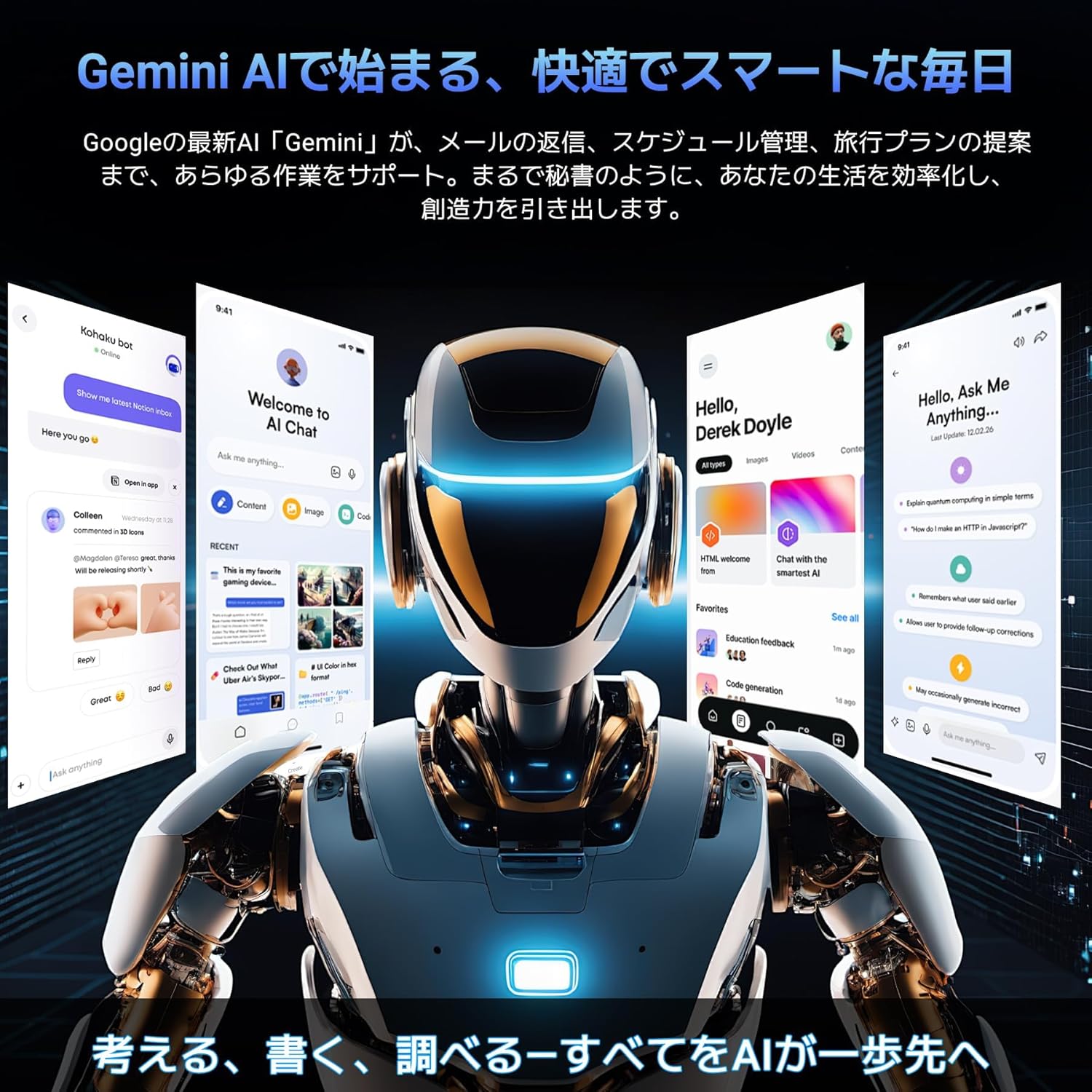
Image: The tablet displaying high-definition video, highlighting its 11-inch FHD screen and Widevine L1 support.

Image: Close-up of the tablet screen displaying specifications like 11-inch size, 1920x1200 resolution, and 350 nits brightness.
4.3 Large Capacity RAM & Storage with High-Performance CPU
The TABWEE T90 Android 16 Tablet offers 8GB of RAM, expandable by up to 16GB for a total of 24GB equivalent RAM, ensuring smooth operation. It comes with 128GB of internal storage and supports up to 2TB of expandable storage via an SD card (sold separately). This allows ample space for photos, videos, music, and applications. Powered by the Unisoc T615 Octa-core chip, featuring two high-performance A75 cores at 1.8GHz and six A55 cores, it delivers high-speed processing for smart office tasks, efficient learning, and immersive entertainment. The Mali G57 GPU and intelligent algorithms optimize color and detail expression, providing a beautiful and immersive visual experience for games and video playback.

Image: Visualizing the tablet's 24GB RAM, 128GB ROM, and 2TB expandable storage.

Image: Diagram of the Unisoc T615 Octa-core CPU, highlighting its architecture and performance.

Image: Illustrates the tablet's smooth multitasking capabilities with multiple apps open.
4.4 AI Image Processing, Dual Cameras & Face Recognition
The TABWEE T90 WiFi tablet is equipped with a 5MP front camera and a 13MP auto-focus rear camera, allowing you to capture beautiful photos and videos with ease. The latest Android 16 AI image processing technology ensures natural and vivid images. It also supports HEVC video encoding, maintaining high quality during editing and playback. Smart recognition via Google Lens simplifies scanning, translation, search, and information retrieval. Face recognition provides instant unlocking for a secure and convenient user experience.
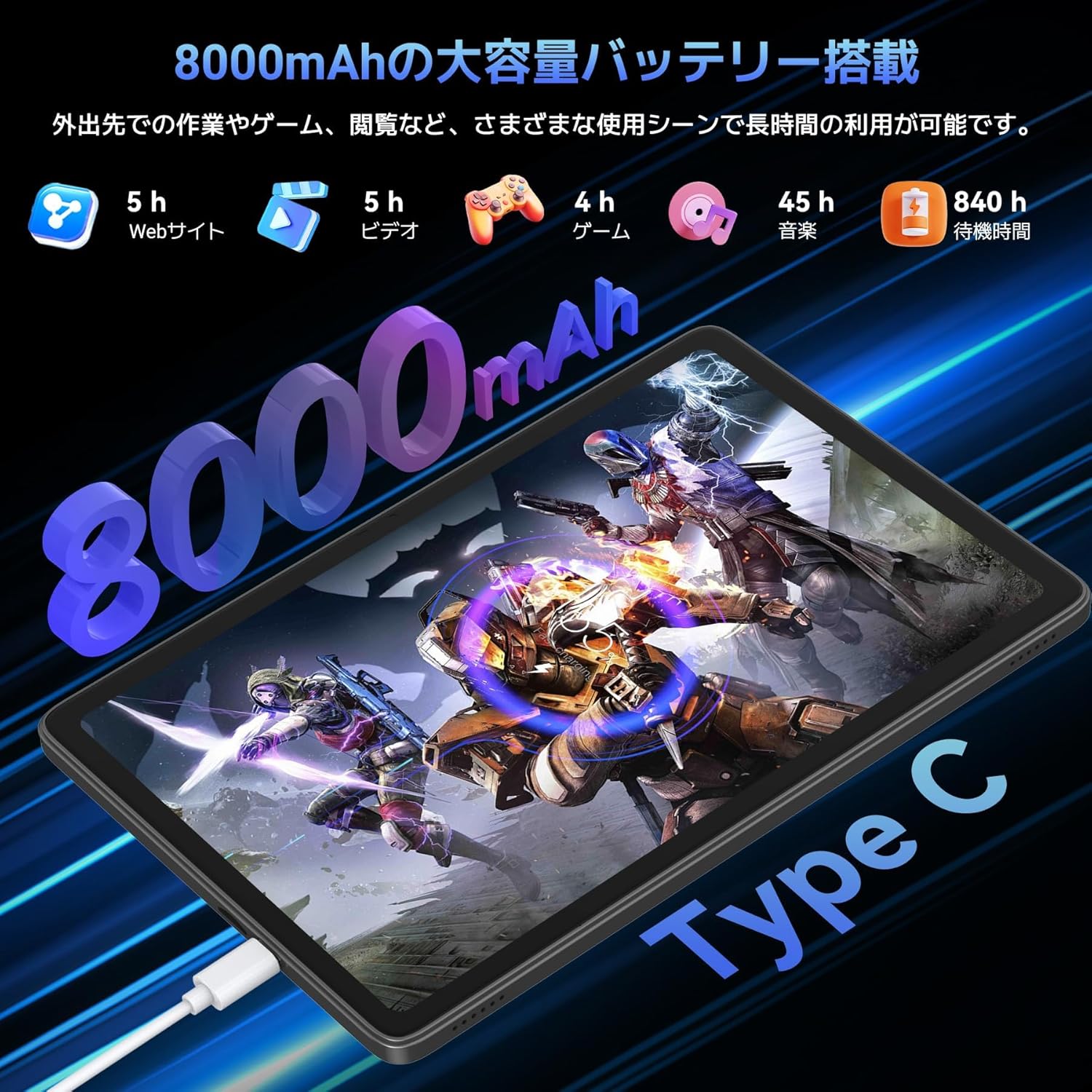
Image: Highlights the 13MP rear camera and 5MP front camera, along with AI image processing and Google Lens features.

Image: Demonstrates various smart scan and recognition features of Google Lens, such as solving math problems, identifying plants, translating foreign languages, and finding similar products.
4.5 8000mAh Large Capacity Battery & Custom Keyboard
The TABWEE T90 Android 16 Tablet offers a large 8000mAh battery, providing extended usage time for commuting, outings, and various daily scenarios without worrying about battery life. The versatile Type-C charging method ensures quick and easy charging. Android 16's custom keyboard function allows you to freely set shortcut keys after connecting a Bluetooth keyboard, enabling one-touch launch of frequently used applications for even more convenient operation.
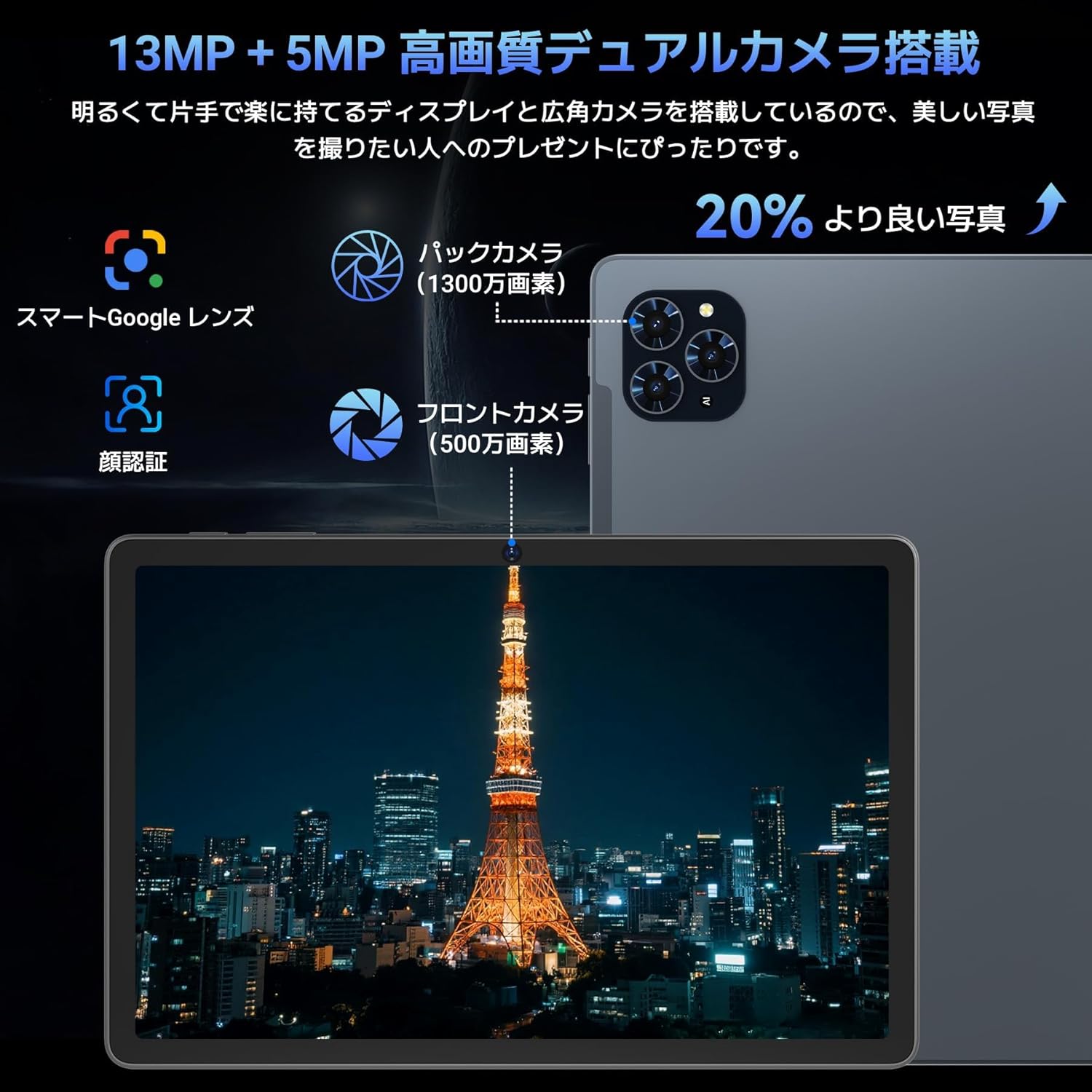
Image: Illustrates the long battery life of the 8000mAh battery for web browsing, video, gaming, and music.

Image: Shows custom keyboard shortcuts and the "forced full screen" feature of Android 16.
4.6 Lightweight Design & Versatile Use
This tablet features a lightweight all-metal design with a thickness of just 8.3mm and a weight of approximately 505g. Its 11-inch size is easy to hold with one hand, making it ideal for work, study, and carrying on the go. It supports various scenarios including remote work, online classes, office tasks, video calls, gaming, and photography.

Image: Depicts the tablet being used in various settings such as remote processing, online classes, office work, video calls, gaming, and taking photos.
5. Ntuziaka ọrụ
5.1 Nsoro ụzọ
- Mmegharị aka: Pịa ka ịhọrọ, pia ka ịpịgharịa, tuo ka mbugharị.
- Ihuenyo ụlọ: Access apps and widgets.
- Amamọkwa: Si n'elu ihuenyo gaa ala view ọkwa na ntọala ngwa ngwa.
- Drawer ngwa: Si na ala ihuenyo pịgharịa ka ị nweta ngwa niile arụnyere.
5.2 Jikọọ na Wi-Fi
- Gaa na Ntọala > Netwọk & ịntanetị > Wi-Fi.
- Gbanwuo Wi-Fi.
- Họrọ netwọk nke ịchọrọ ma tinye paswọọdụ ma ọ bụrụ na kpaliri gị.
5.3 Iji Ngwa
- Ahụigodo & òké: Connect via Bluetooth. Refer to the accessory's specific instructions for pairing.
- Touch Pen: Use for precise input on the screen, drawing, or navigating.
- Protective Case & Bracket: Use to protect the tablet and provide a stable viewakụkụ n'akuku.
6. Nlekọta
- Nhicha: Jiri akwa dị nro na-enweghị lint hichaa ihuenyo na ahụ. Zere kemịkalụ siri ike.
- Mmelite ngwanrọ: Na-enyocha ma wụnye mmelite sistemụ mgbe niile iji hụ na arụmọrụ na nchekwa kacha mma. Gaa na Ntọala > Sistemu > Mmelite sistemụ.
- Nlekọta batrị: Avoid extreme temperatures. For long-term storage, charge the battery to around 50%.
7. Nchọpụta nsogbu
| Nsogbu | Ngwọta |
|---|---|
| Mbadamba agaghị agbanwu | Ensure the battery is charged. Press and hold the power button for 10-15 seconds to force a restart. |
| Ihuenyo anaghị anabata | Restart the tablet. If the issue persists, perform a factory reset (data will be lost). |
| Nsogbu njikọ Wi-Fi | Restart the tablet and your Wi-Fi router. Forget the network in settings and reconnect. |
| Ngwa na-akụda ma ọ bụ na-ajụ oyi | Hichapụ cache na data n'ime ngwa ahụ Ntọala > Ngwa. Update the app or reinstall it. |
8. Nkọwapụta
| Njirimara | Nkọwa |
|---|---|
| Ụdị | TABWEE |
| Aha Nlereanya | TABWEE T90 |
| Sistemụ nrụọrụ | Android 16 |
| Nha ihuenyo | 11 sentimita asatọ |
| Ngosipụta mkpebi | 1920x1200 pikselụ |
| Ụdị CPU | Unisoc |
| Ọsọ CPU | 1.8 GHz |
| Ihe eserese eserese | Mali-G57 |
| Ike Nchekwa ebe nchekwa | 128 GB (A pụrụ ịgbasa ruo 2TB) |
| Mkpebi igwefoto n'ihu | 5 MP |
| Mkpebi igwefoto azụ | 13 MP (Auto-focus) |
| Njikọta | Bluetooth, Wi-Fi (802.11ac) |
| Ike batrị | 8000 mAh |
| Arọ mbadamba | Ihe ruru. 505g |
| Akụkụ ngwugwu | 29.1 x 20 x 5.4 cm |
| Nọmba nlereanya | JPDYZ+T90+Grey |
| Asambodo | PSE, GMS, Technical Conformity (技適) |
9. Akwụkwọ ikike & Nkwado
The TABWEE T90 Android 16 Tablet comes with a standard two-year quality warranty. By contacting TABWEE official email, you can extend the warranty period to four years. If you encounter any issues or defects, please feel free to contact us. We offer 24-hour support.
Ozi mkpọtụrụ:
- Official Email: [Please refer to your product packaging or official website for the exact email address]
- LINE ID: @647bgvrm

Image: Details about the 4-year quality warranty and 24-hour support service.
10. Videos ngwaahịa
TABWEE T90 Android 16 Tablet Overview
Vidiyo a na-enye nkọwa zuru okeview of the TABWEE T90 Android 16 Tablet, showcasing its design and key functionalities. (Creator: TABWEE Official Store)


