1. Okwu mmalite
Thank you for choosing the Blackstorm 27-inch QHD Mini-LED Gaming Monitor. This monitor is designed to provide an exceptional visual experience for gaming enthusiasts, offering unparalleled precision and performance. Featuring a 27-inch IPS panel with advanced Mini-LED backlighting, it delivers superior image quality, making every gaming moment vivid and immersive. This manual will guide you through the setup, operation, and maintenance of your new monitor.
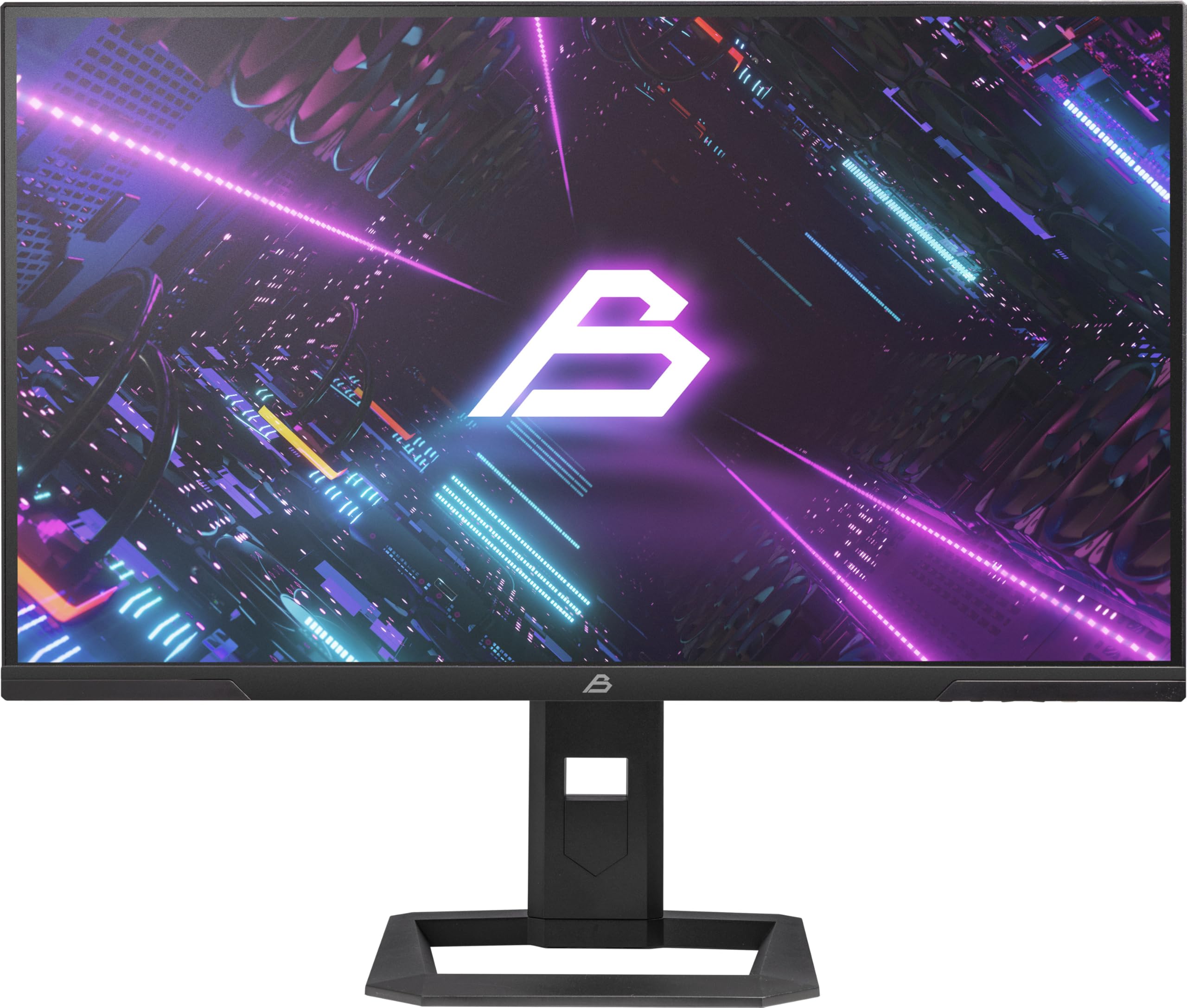
Foto 1: N'ihu view of the Blackstorm 27-inch QHD Mini-LED Gaming Monitor.
2. Atụmatụ igodo
- High-Performance Gaming Display: A 27-inch IPS panel with Mini-LED backlighting provides exceptional brightness, contrast, and color reproduction, ideal for visual precision and performance in all game types.
- Smooth Gaming Experience: WQHD resolution (2560 x 1440) and a 180 Hz refresh rate ensure smooth, detailed visuals. A rapid 2 ms response time is crucial for fast-paced games.
- Superior Color Reproduction and Brightness: Covers 99% of AdobeRGB and DCI-P3 color spaces for accurate and vibrant colors. Features 450 nits (SDR) brightness and HDR1000 compatibility for an impressive gaming experience in any environment.
- Ergonomic Design and Connectivity: The ergonomic stand allows for height, tilt, swivel, and pivot adjustments. VESA 100x100 mount compatible. Includes HDMI 2.1 and DisplayPort 1.4 connections for high-resolution, fast image transfer.
- Ngosipụta teknụzụ dị elu: IPS panel with Mini-LED technology, 576 dimming zones, and a 1,000,000:1 contrast ratio.
3. Ihe ngwugwu
Biko lelee ọdịnaya nke ngwugwu ahụ nke ọma. Ọ bụrụ na ihe ọ bụla na-efu ma ọ bụ mebie, kpọtụrụ onye na-ere ahịa gị.
- Blackstorm 27-inch QHD Mini-LED Gaming Monitor
- Nyochaa Stand (Base and Olu)
- Igwe ọkụ ọkụ
- HDMI USB
- USB DisplayPort
- Akwụkwọ ntuziaka (akwụkwọ a)
- Kaadị akwụkwọ ikike (ọ bụrụ na ọdabara)
4. Nhazi ntuziaka
4.1 Ịchịkọta Stand
- Jiri nlezianya wepụ ihe nleba anya ma guzobe ihe ndị dị na nkwakọ ngwaahịa ahụ.
- Attach the stand neck to the monitor panel. Ensure it clicks securely into place or is fastened with screws as indicated in the quick start guide.
- Attach the stand base to the stand neck. Tighten any screws firmly to ensure stability.
- Debe ihe nleba anya gbakọtara n'elu kwụsiri ike ma dịkwa larịị.

Ọgụgụ 2: N'azụ view of the monitor showing the stand attachment and port area.
4.2 Ijikọ na Kọmputa
- Ensure both your computer and the monitor are powered off.
- Connect one end of the provided HDMI or DisplayPort cable to the corresponding port on your computer's graphics card.
- Connect the other end of the cable to the HDMI 2.1 or DisplayPort 1.4 input on the back of the monitor.
- Connect the power cable to the monitor's power input, then plug the other end into a power outlet.
- Power on your computer, then power on the monitor. The monitor should automatically detect the input signal.
4.3 Mgbanwe Ergonomic
Ihe nguzo ihuenyo na-enye ohere maka mgbanwe dị iche iche iji mee ka ọrụ gị ka mma. viewnkasi obi:
- Ndozi elu: Gently push or pull the monitor up or down to your desired height.
- Ndozi Tilt: Tilt the monitor screen forward or backward to find the optimal viewakụkụ n'akuku.
- Ndozi Swivel: Tụgharịa ihe nleba anya aka ekpe ma ọ bụ aka nri na ntọala ya.
- Ndozi pivot: Rotate the monitor 90 degrees to switch between landscape and portrait orientation.

Foto 3: Akụkụ view illustrating the monitor's adjustable stand.
5. Na-arụ ọrụ nlekota oru
5.1 Ngosipụta Ngosipụta (OSD) NchNhr
The OSD menu allows you to adjust various monitor settings. Typically, buttons are located on the back or bottom edge of the monitor. Refer to the quick start guide for exact button locations.
- Press the OSD button to open the menu.
- Use the navigation buttons (up/down/left/right) to browse through menu options.
- Press the select button to enter a sub-menu or confirm a setting.
- Press the exit button to return to the previous menu or close the OSD.
5.2 Ịgbanwe Ntọala Ngosipụta
Key settings you can adjust include:
- Icha ọkụ/ọdịiche: Adjust for optimal visual comfort.
- Ntọala agba: Fine-tune color temperature, gamma, and color space (e.g., AdobeRGB, DCI-P3).
- Ọnụego ume ọhụrụ: Ensure your computer's display settings are configured to utilize the monitor's 180 Hz refresh rate for the smoothest experience.
- Ụdị HDR: Enable HDR1000 for compatible content to experience enhanced dynamic range.
- Ìhè azụ dị ike: This feature enhances depth and realism. For competitive gaming requiring extreme responsiveness, you may choose to disable dynamic backlighting for a more consistent and precise image.
6. Nlekọta
Nlekọta kwesịrị ekwesị na-eme ka ihe nlele gị dị ogologo ndụ ma rụọ ọrụ nke ọma.
- Na-ehicha ihuenyo:
- Gbanyụọ ma gbanyụọ ihe nlele ahụ mgbe niile tupu ị sachaa ya.
- Jiri akwa dị nro na nke enweghị mmiri ọkụ dampejiri mmiri ma ọ bụ ihe nhicha ihuenyo nke na-abụghị ammonia, nke na-abụghị mmanya.
- Wipe the screen gently to remove dust and smudges. Avoid applying direct pressure.
- Na-ehicha Casing:
- Jiri ákwà dị nro ma kpọrọ nkụ hichaa ihe nlele ahụasing.
- Zere iji ihe nchacha abrasive ma ọ bụ ihe mgbaze nwere ike imebi elu.
- Igwe ikuku: Gbaa mbọ hụ na egbochighị oghere ikuku ikuku nke onye nleba anya ka ọ ghara ikpo oke ọkụ.
- Nchekwa: When not in use for extended periods, store the monitor in a cool, dry place, ideally in its original packaging.
7. Nchọpụta nsogbu
Ọ bụrụ na ịnwee nsogbu na ihe nleba anya gị, rụtụ aka na azịza ndị a na-ahụkarị:
| Nsogbu | Ngwọta enwere ike |
|---|---|
| No image on screen / "No Signal" message |
|
| Onyonyo na-agbagọ ma ọ bụ agbagọ |
|
| Monitor anaghị agba ọkụ |
|
| Agba na-egosi na ezighi ezi |
|
If the problem persists after trying these solutions, please contact Blackstorm customer support.
8. Nka na ụzụ nkọwa
| Njirimara | Nkọwapụta |
|---|---|
| Ụdị | Oke oji |
| Nlereanya | GMF27QHD180-MLED |
| Nha ihuenyo | 27 sentimita asatọ |
| Ngosipụta teknụzụ | IPS with Mini-LED |
| Mkpebi | 2560 x 1440 Pixels (WQHD) |
| Ọnụego ume ọhụrụ | 180 Hz |
| Oge nzaghachi | 2 nkeji |
| Brightness (SDR) | 450 candela/square meter |
| Ọnụọgụ ọdịiche | 1,000,000:1 |
| Agba Gamut | 99% AdobeRGB, DCI-P3 |
| Nkwado HDR | HDR1000 |
| Mpaghara Ndị Na-ebelata Mbelata | 576 |
| Akụkụ akụkụ | 16:9 (1.77:1) |
| Ngwaọrụ Akụrụngwa | DisplayPort 1.4, HDMI 2.1 |
| Atụmatụ pụrụ iche | HDR, Height Adjustment, Tilt Adjustment, Swivel Adjustment, Pivot Adjustment, Adjustable Stand |
| Ndakọrịta VESA | 100x100 mm |
| Akụkụ ngwaahịa | 23.5 x 54 x 96 cm; 12.66 n'arọ |

Figure 4: Energy efficiency label. For more details, visit Ebe nchekwa data EPREL.
9. Akwụkwọ ikike na nkwado
For warranty information, please refer to the separate warranty card included with your product or visit the official Blackstorm website. For technical support, troubleshooting assistance beyond this manual, or service inquiries, please contact Blackstorm customer support through their official channels.
Ị nwere ike ịchọta ozi ndị ọzọ na nkọwa kọntaktị na Blackstorm Store on Amazon.


