Okwu mmalite
This manual provides detailed instructions for the safe and efficient operation of your KBS 20-in-1 Bread Maker, Model MBF-014A. Please read all instructions carefully before first use and retain this manual for future reference.
Ntuziaka nchekwa dị mkpa
- Always ensure the bread maker is placed on a stable, heat-resistant surface.
- Ejila ngwa, eriri, ma ọ bụ nkwụnye n'ime mmiri ma ọ bụ ihe mmiri ndị ọzọ.
- Na-elekọta ụmụaka anya mgbe akụrụngwa na-arụ ọrụ.
- Zere kọntaktị na akụkụ ndị na-akpụ akpụ mgbe ị na-arụ ọrụ.
- Do not touch hot surfaces. Use oven mitts or the provided hook tool when handling the hot bread pan or bread.
- Unplug the appliance from the outlet when not in use and before cleaning. Allow to cool before adding or removing parts.
- Ejila ngwa ọ bụla nwere eriri ma ọ bụ plọg mebiri emebi rụọ ọrụ, ma ọ bụ mgbe ngwa ahụ dara ma ọ bụ mebie n'ụzọ ọ bụla.
- Ejila mgbakwunye ndị nrụpụta akwadoghị.
- Ejila n'èzí.
- Ekwela ka eriri ahụ kwụgidere na nsọtụ tebụl ma ọ bụ counter, ma ọ bụ metụ ebe dị ọkụ aka.
- Etinyela na ma ọ bụ nso gas na-ekpo ọkụ ma ọ bụ ọkụ eletrik, ma ọ bụ na oven ọkụ.
- Kpachara anya nke ukwuu mgbe ị na-ebugharị ngwa nwere mmanụ ọkụ ma ọ bụ ihe ọ bụla na-ekpo ọkụ.
- To disconnect, turn any control to "off," then remove the plug from the wall outlet.
- Ejila ngwa ahụ maka ndị ọzọ karịa ebumnuche ebumnuche.
Ngwaahịa gafereview
The KBS 20-in-1 Bread Maker is designed for versatile bread making with 20 pre-programmed menus and a customizable mode. It features a nonstick ceramic pan, a durable stainless steel paddle, and a user-friendly touch panel.

Figure 1: KBS 20-in-1 Bread Maker
Melite
Ịmeghe igbe na nhicha mbụ
- Carefully remove the bread maker and all accessories from the packaging.
- Wash the bread pan, kneading paddle, measuring cup, and measuring spoon with warm, soapy water. Rinse thoroughly and dry completely.
- Jiri mgbasa ozi hichaa mpụta onye na-eme achịchaamp akwa . Ejila ihe nhicha abrasive.
- Hụ na akụkụ niile kpọrọ nkụ tupu e jikọta ha ma jiri ha.
Ngwa gụnyere
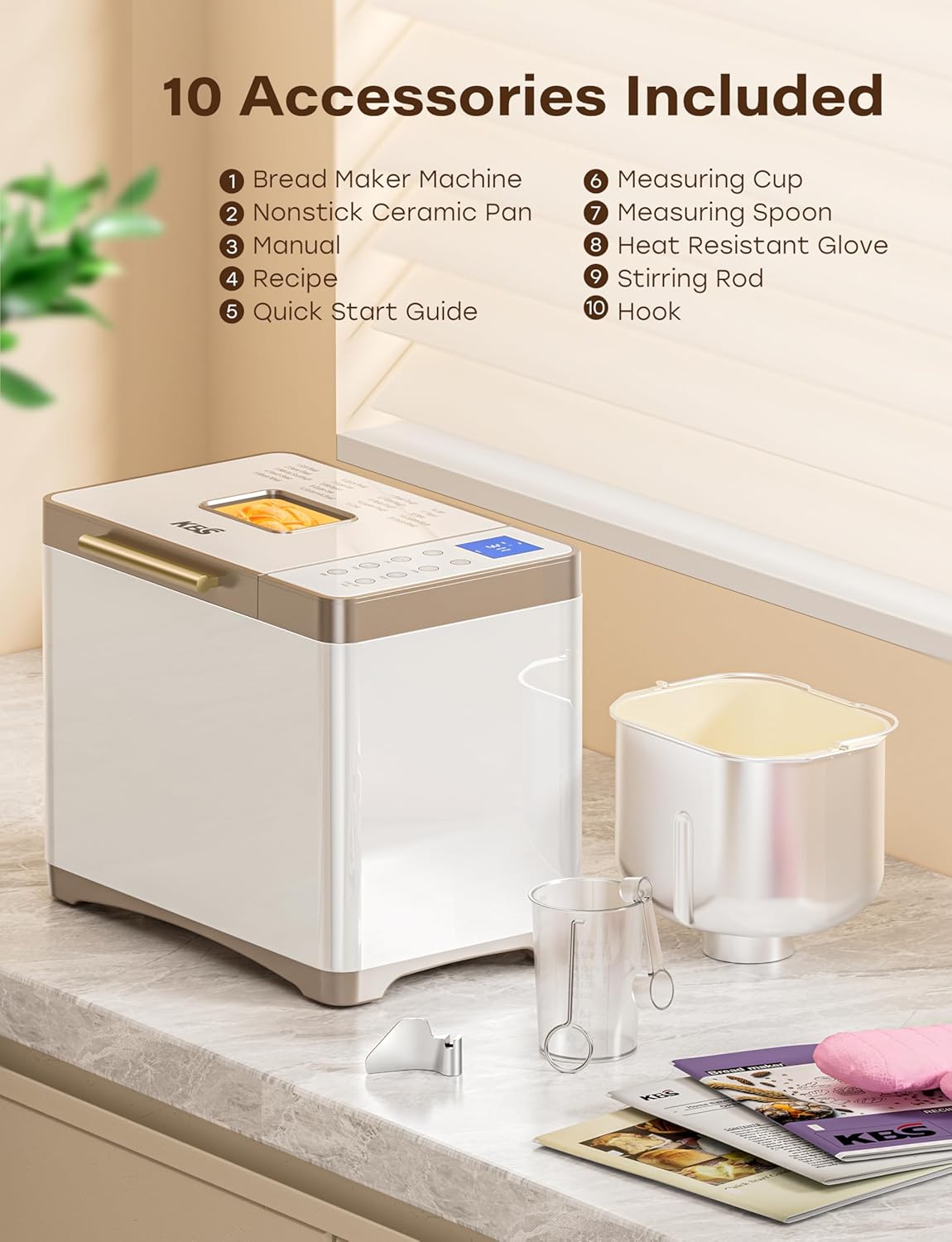
Ọgụgụ 2: Ngwa gụnyere
Your KBS Bread Maker comes with the following accessories:
- 1 Nonstick Ceramic Pan
- 1 Stainless Steel Kneading Paddle
- 1 Okpomọkụ na-eguzogide mkpuchi
- 1 iko
- 1 Ngaji nha
- 1 Hook (for removing the kneading paddle)
- 1 Instruction Manual (this document)
- 1 Recipe Book
- 1 Ntuziaka mmalite ngwa ngwa
Installing the Bread Pan and Kneading Paddle
- Place the bread pan into the baking chamber, ensuring it is securely seated. Twist gently if needed to lock it into place.
- Attach the kneading paddle onto the shaft at the bottom of the bread pan. Ensure it clicks into place.
Ntuziaka ọrụ
Ogwe njikwa gafereview

Figure 3: Control Panel and Menu Options
The bread maker features a seamless glass digital touch panel for easy operation and cleaning.
- NchNhr: Press to cycle through the 20 pre-programmed settings.
- LOAF: Select desired loaf size (1 LB, 1.5 LB, 2 LB).
- Agba: Choose crust color (Light, Medium, Dark).
- IKWU: Dedicated button for kneading functions.
- Mee N'onwe Gị: Access the custom mode (Menu 19) for personalized settings.
- Achịcha: Dedicated button for bread making functions.
- +/-: Adjust time for delayed start or custom mode settings.
- Malite/Kwụsị/kwụsịtụ: Initiate, pause, or cancel a program.
Na-agbakwunye Efrata
Always add ingredients in the order specified by your recipe, typically liquids first, followed by dry ingredients, and yeast last. Ensure the kneading paddle is correctly installed before adding ingredients.
Ịhọrọ mmemme
The bread maker offers 20 programs, including:
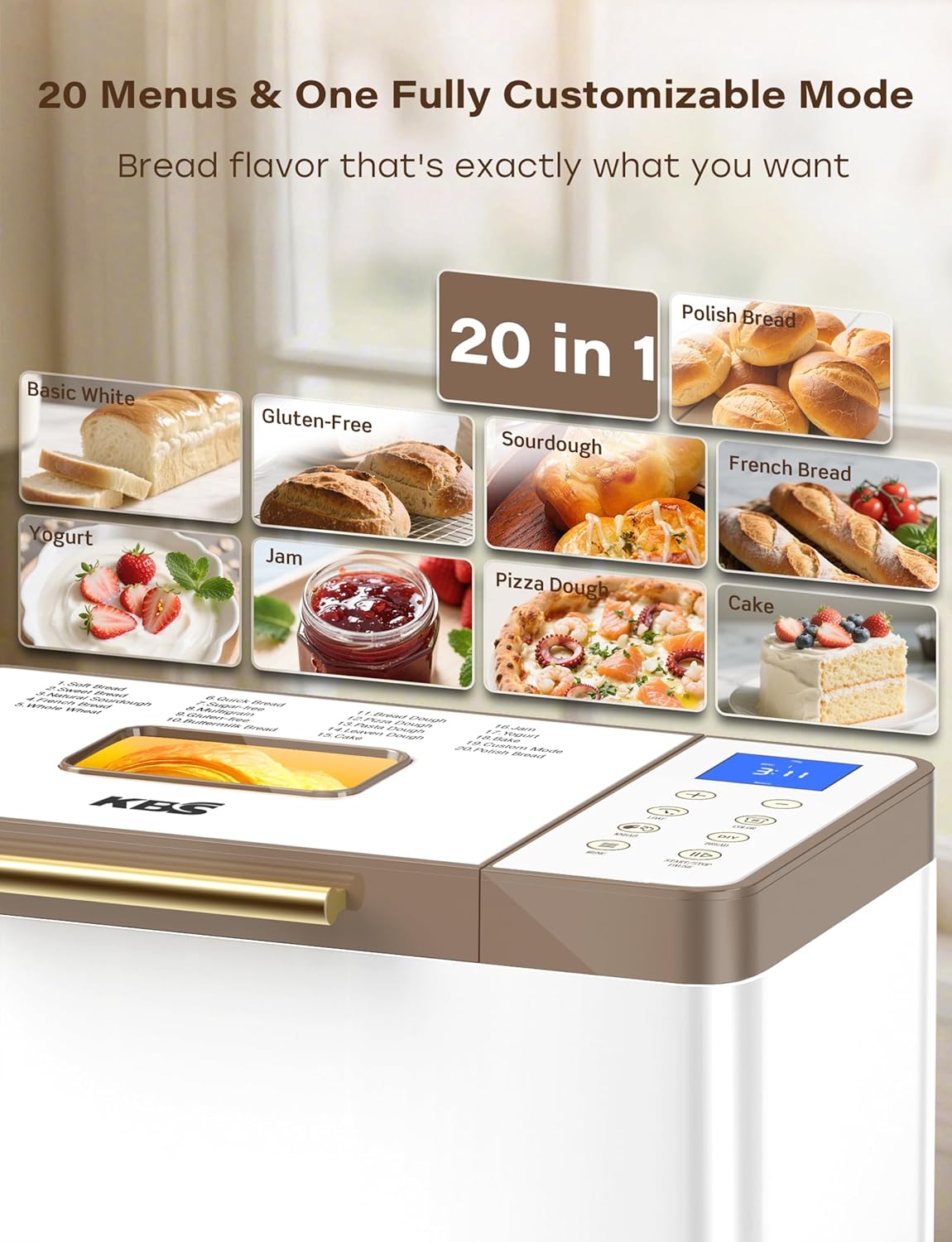
Figure 4: 20 Menu Options
- Soft Bread, Sweet Bread, Natural Sourdough, French Bread, Whole Wheat
- Quick Bread, Sugar-free, Multigrain, Gluten-free, Buttermilk Bread
- Bread Dough, Pizza Dough, Pasta Dough, Leaven Dough, Cake
- Jam, Yogurt, Bake, Custom Mode, Polish Bread
Pịa MENU button repeatedly until the desired program number appears on the display.
Loaf Size and Crust Color
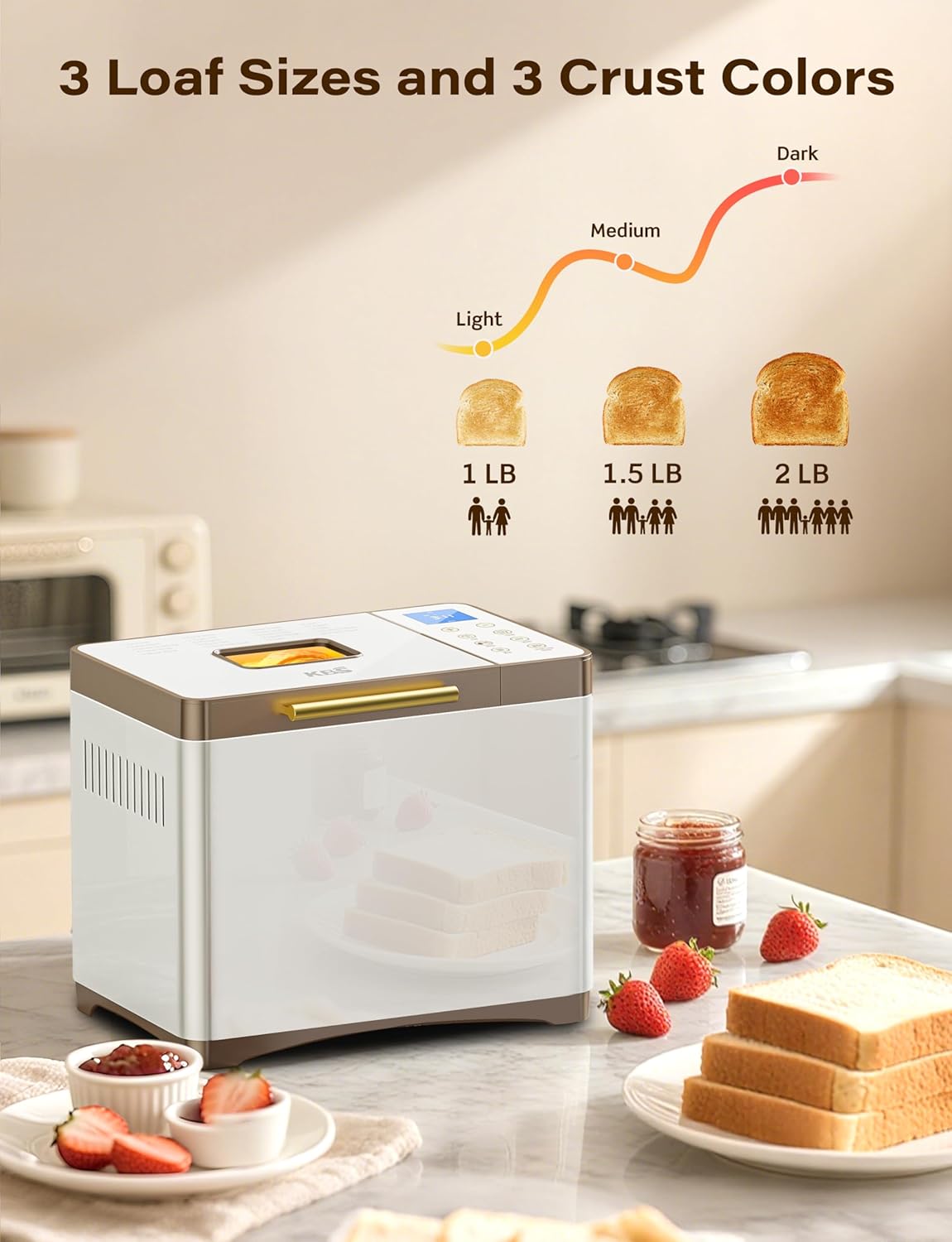
Figure 5: Loaf Size and Crust Color Selection
After selecting a program, use the LOAF button to choose between 1 LB, 1.5 LB, or 2 LB loaf sizes. Use the Agba button to select your preferred crust darkness: Light, Medium, or Dark.
Custom Mode (Menu 19)
Menu 19 allows for full customization of each baking stage: autolysing, basic rise, degassing, re-rise, reshape, last rise, and bake. Use the +/- buttons to adjust the time for each step. Settings can be saved for future use.
Delayed Start, Keep Warm, and Power Outage Backup
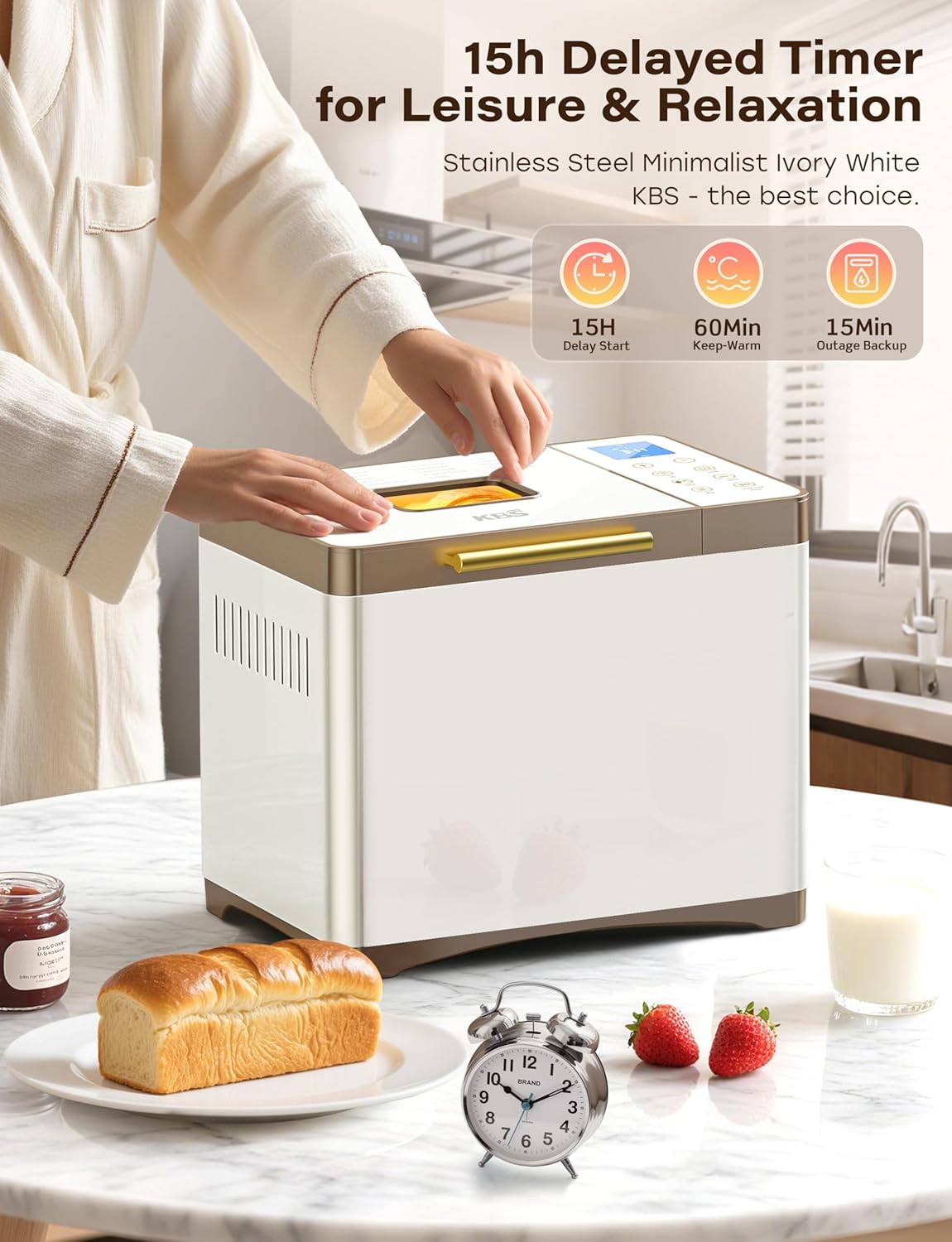
Figure 6: Timer and Power Features
- 15-Hour Delayed Start: Program the bread maker to finish baking at a later time. Use the +/- buttons to set the delay.
- 60-Minute Keep Warm: After baking, the bread maker automatically enters a 60-minute keep warm cycle to maintain optimal bread temperature.
- 15-Minute Power Outage ndabere: In case of a power interruption, the bread maker can resume its program if power is restored within 15 minutes.
Ịmalite mmemme
Once ingredients are added and settings are selected, press the START/STOP/PAUSE button to begin the baking cycle.
Nlekọta na nlekọta
Cleaning the Bread Pan and Kneading Paddle
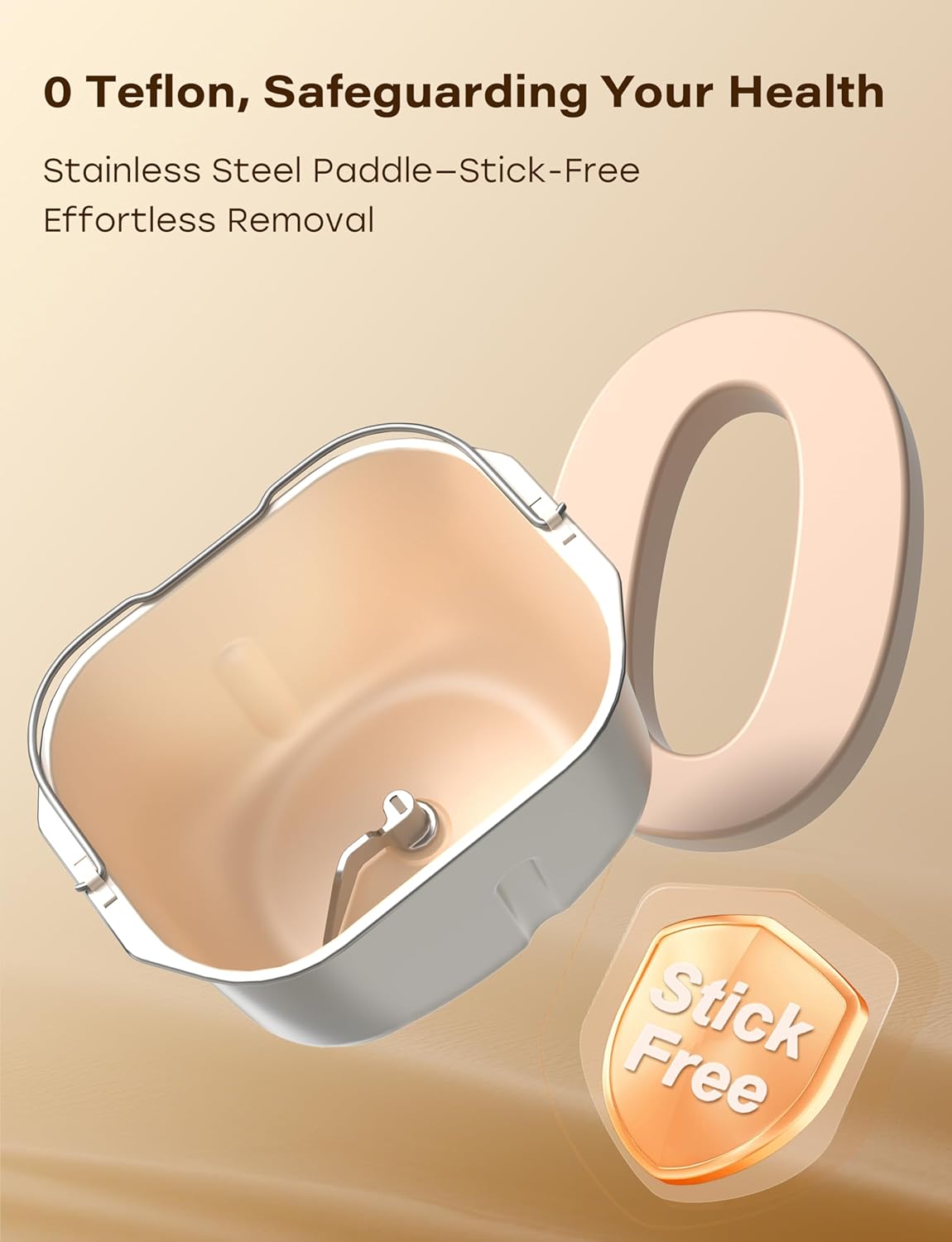
Figure 7: Nonstick Ceramic Pan and Stainless Steel Paddle
- After use, allow the bread pan and kneading paddle to cool completely.
- Remove the kneading paddle from the pan using the provided hook tool.
- Wash the ceramic pan and stainless steel paddle with warm, soapy water. The ceramic pan is fired at 3000°F for long-lasting nonstick properties and is dishwasher safe.
- For stubborn residue, soak the pan and paddle in warm water for a short period before cleaning.
- Hụ na akụkụ niile akpọọla nkụ nke ọma tupu ị chịkọta ma ọ bụ chekwaa ha ọzọ.
Na-ehicha Mpụga
- Jiri nwayọ hichaa mpụta nke onye na-eme achịcha, damp akwa .
- The seamless glass digital panel can be easily wiped clean.
- Do not use abrasive cleaners or scouring pads, as these can damage the surface.
Nchọpụta nsogbu
If you encounter issues with your bread maker, refer to the common problems and solutions below.
| Nsogbu | Ihe nwere ike ime | Ngwọta |
|---|---|---|
| Achịcha anaghị ebili ma ọ bụ na-ebili nke ukwuu. | Incorrect yeast amount, expired yeast, incorrect water temperature, wrong flour type. | Ensure yeast is fresh and measured accurately. Use water at the correct temperature (typically lukewarm). Verify flour type matches the recipe. |
| Achịcha dị oke ma ọ bụ dị arọ. | Ntụ ọka buru ibu, obere mmiri mmiri, enweghị ike ịgwakọta ya nke ọma. | Measure ingredients precisely. Adjust liquid slightly if dough appears too dry during kneading. Ensure the correct program is selected for adequate kneading time. |
| Paddle na-agwakọta ọnụ rapaara na achịcha. | Common occurrence, especially with larger loaves. | Allow bread to cool slightly. Use the provided hook tool to carefully remove the paddle. |
| Uneven baking or browning. | Improper ingredient distribution, lid not fully closed, external temperature fluctuations. | Ensure ingredients are evenly distributed. Confirm the lid is securely closed. The 360° hot air circulation and NTC/PID system help maintain even temperature. |
Nkọwapụta
| Njirimara | Nkọwa |
|---|---|
| Nọmba nlereanya | MBF-014A |
| Ụdị | KBS |
| Agba | Creamy White Stainless Steel |
| Akụkụ ngwaahịa | 8"D x 13.4"W x 11"H |
| Ibu Ibu | 12.97 pound |
| Ọnụọgụ nke Mmemme | 20 (including Custom Mode) |
| Loaf Sizes | 1 LB, 1.5 LB, 2 LB |
| Crust Settings | Ìhè, Ọkara, Ọchịchịrị |
| Pan ihe | Nonstick Ceramic (3000°F-fired) |
| Paddle Material | Igwe anaghị agba nchara |
| Ike moto | 650W Variable-Frequency Motor |
| Njikwa okpomọkụ | Dual NTC and PID System |
| Delayed Start Timer | Ruo awa iri abụọ |
| Debe Ọrụ Na-ekpo ọkụ | 60 nkeji |
| Ike Outage Backup | 15 nkeji |
| Nlekọta ngwaahịa | Dishwasher Safe (pan), Hand Wash (general) |
Akwụkwọ ikike na nkwado
Your KBS Bread Maker comes with a 2-year warranty. For technical support or customer service inquiries, please contact our team. We aim to provide customized solutions with a rapid response within 12 hours.
- Oge ikike: Afọ 2
- Support Response Time: N'ime awa 12
- Please refer to the contact information provided in your Quick Start Guide or on the official KBS websaịtị maka enyemaka.


