Okwu mmalite
Welcome to your iTouch AIR 5 Smartwatch. This manual provides essential information for setting up, operating, and maintaining your device. The iTouch AIR 5 features a 1.85” AMOLED display, Bluetooth calling, comprehensive health tracking, and over 100 sport modes, designed to enhance your daily life and fitness journey.
Kedu ihe dị na Igbe ahụ
- iTouch Air 5 Smartwatch
- Ịchaji eriri
- Ntuziaka mmalite ngwa ngwa
Ntọlite na ijikọ
To begin using your iTouch AIR 5 Smartwatch, follow these steps:
- Charge Your Smartwatch: Before initial use, fully charge your smartwatch using the provided magnetic charging cable. Connect the cable to a USB power source.
- Download the iTOUCH Wearables App: Scan the QR code provided in the Quick Start Guide or search for "iTOUCH Wearables" in your smartphone's app store (compatible with Android 9.0+ and iOS 13.0+).
- Pair Your Smartwatch:
- Kwado Bluetooth na ekwentị gị.
- Open the iTOUCH Wearables app and follow the on-screen instructions to create an account and set up your profile.
- The app will guide you through pairing your iTouch AIR 5. Ensure your smartwatch is nearby during the pairing process.
The iTOUCH Wearables App is essential for activity syncing, firmware updates, and full feature control.
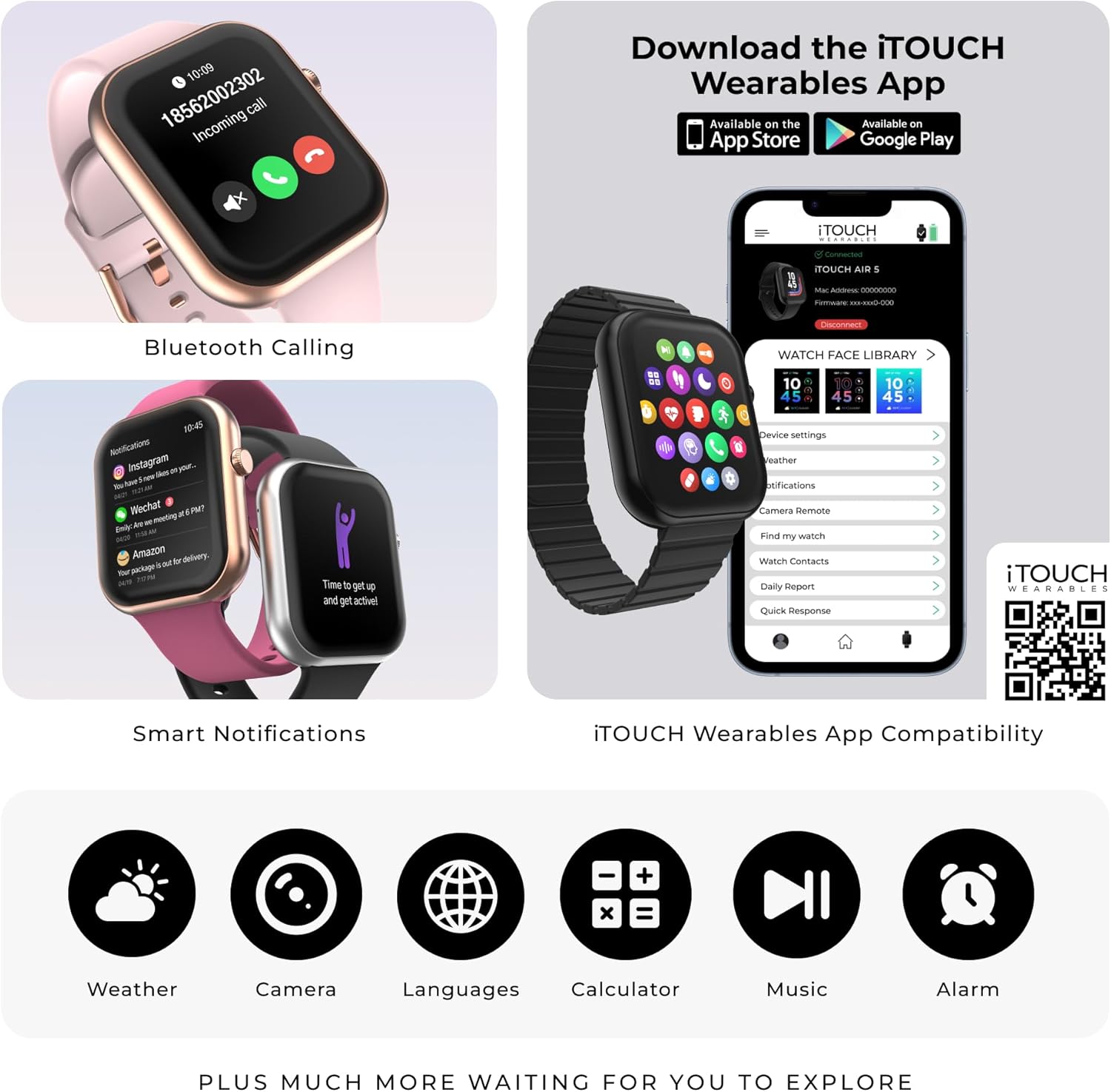
Image: The iTouch AIR 5 Smartwatch showing Bluetooth calling and smart notifications, alongside a smartphone displaying the iTOUCH Wearables app interface. The app allows for device settings, watch face library, notifications, camera remote, and quick responses.
Na-arụ ọrụ Smartwatch
Nsoro ụzọ
The iTouch AIR 5 features a responsive 1.85” AMOLED full touchscreen display. Swipe left, right, up, or down to navigate through menus, notifications, and features. Use the side button for quick access to the main menu or to return to the watch face.
Kpọọ Bluetooth
Make and receive phone calls directly from your wrist. The smartwatch is equipped with a built-in microphone and speaker. An active Bluetooth connection to your smartphone is required for this feature.
Amamọkwa smart
Receive call, text, app, and calendar alerts directly on your smartwatch. You can also control music playback and your smartphone camera remotely. Android users can utilize quick reply messages.
Nyocha ahụike zuru oke
Your iTouch AIR 5 Smartwatch offers 24/7 monitoring of key health metrics:
- Ọnụọgụgụ obi: Continuous monitoring of your heart rate.
- SpO₂: Track your blood oxygen saturation levels.
- Ọkwa nrụgide: Monitor your stress throughout the day with daily wellness summaries and guided breathing exercises.
- Advanced Sleep Monitoring & Scoring: Automatically tracks both naps and nighttime sleep, providing a personalized sleep score based on duration, consistency, and sleep stages.

Image: The iTouch AIR 5 Smartwatch showcasing its health tracking capabilities, including sleep duration, a relaxation mode, real-time heart rate, and blood oxygen measurement in progress.
100+ Sports Modes with Connected GPS
Track a wide variety of workouts with over 100 dedicated sports modes. These include running, swimming, yoga, cycling, and many more. For outdoor activities, utilize your smartphone’s GPS to accurately log distance, pace, and routes directly through the app.

Image: The iTouch AIR 5 Smartwatch showing a selection of its 100+ sports modes, such as walking, running, cycling, jump rope, and badminton, with additional icons for hiking, swimming, yoga, and more.
Ndụ batrị na Nchaji
The iTouch AIR 5 is designed for extended use with optimized power management:
- Ruo 7 ụbọchị nke ahụkarị ojiji.
- Up to 4 days of heavy use.
- Up to 14 days in battery saver mode.
- Always-On Display (AOD) reduces battery life to approximately 2 days.
To charge, simply align the magnetic charging cable with the charging points on the back of the smartwatch. A full charge typically takes about an hour.

Image: The iTouch AIR 5 Smartwatch highlighting its 7+ day battery life and demonstrating the magnetic charging cable connected to the device.
IP68 Mmiri Nguzogide
The iTouch AIR 5 Smartwatch is IP68 water resistant, making it suitable for daily wear and active lifestyles. It is resistant to sweat, splashes, and can be submerged in water up to 1.5 meters for 30 minutes. It is not recommended for diving or high-pressure water activities.

Image: The iTouch AIR 5 Smartwatch being splashed with water, emphasizing its IP68 water-resistant design, suitable for sweat, splashes, and everyday adventures.
iTOUCH Wearables App Compatibility
The iTouch AIR 5 Smartwatch works seamlessly with Android 9.0+ and iOS 13.0+ devices. The app allows for activity syncing, firmware updates, and full control over your smartwatch features, including access to fitness programs and meditation training.
Video: An official seller video titled "Your Everyday Smartwatch for Health, Fitness & Lifestyle" demonstrating the iTouch AIR 5 Smartwatch's features and integration with the iTouch Wearables app.
Customizable Watch Faces & Always-On Display
Personalize your iTouch AIR 5 with a variety of dynamic watch faces available through the iTOUCH Wearables App. You can also activate the Always-On Display (AOD) for quick glances at the time and essential information. Note that AOD will reduce battery life.
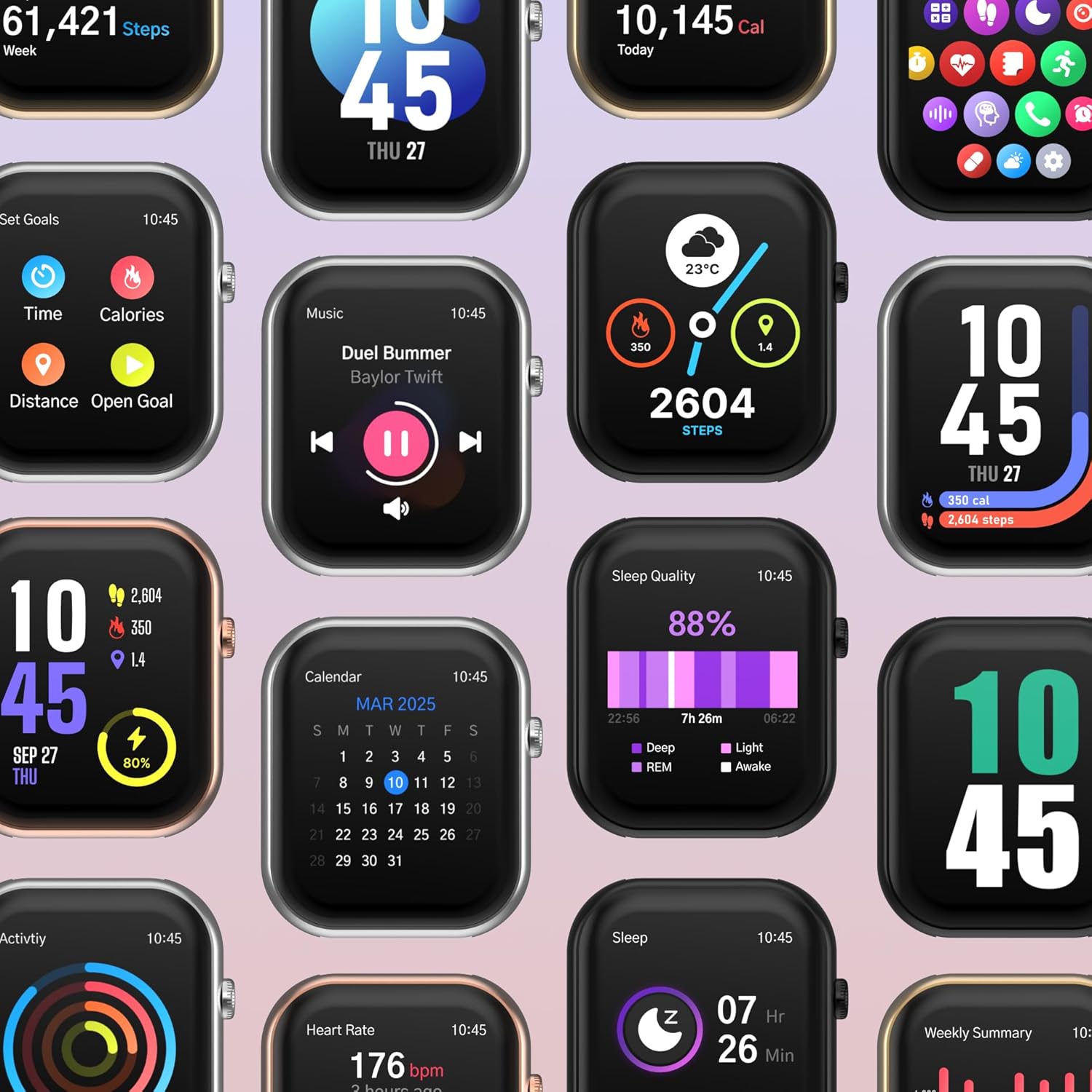
Image: A collage of iTouch AIR 5 Smartwatch screens showcasing different customizable watch faces and various features such as step count, calorie tracking, music control, calendar, and sleep quality monitoring.
Nkọwapụta
| Njirimara | Nkọwa |
|---|---|
| Ngosipụta nha | 1.85 inch AMOLED |
| Mkpebi | 390×450 |
| Icha ọkụ | 700 nits |
| Ndụ Batrị (Nkịtị) | Ruo ụbọchị 7 |
| Ndụ Batrị (Ojiji Dị Oke) | Ruo ụbọchị 4 |
| Battery Life (Battery Saver) | Ruo ụbọchị 14 |
| Mmiri Nguzogide | IP68 |
| Njikọta | Bluetooth |
| Sistemụ nrụọrụ | Sistemụ arụmọrụ nkeonwe |
| Ike Nchekwa ebe nchekwa | 16 MB |
| Ike batrị | 300 ndeamp Oge awa |
| GPS | Site na smartphone |
Nchọpụta nsogbu
- Lelee anaghị agbanye: Ensure the smartwatch is fully charged. Connect it to the charging cable and a power source for at least 30 minutes.
- Okwu ijikọ:
- Ensure Bluetooth is enabled on your smartphone and the smartwatch is within range.
- Malitegharịa ekwentị gị na smartwatch.
- Try unpairing and re-pairing the device through the iTOUCH Wearables app.
- Data ahụike ezighi ezi: Ensure the smartwatch is worn snugly on your wrist, not too tight or too loose. Clean the sensors regularly.
- Amamọkwa anaghị apụta: Check your smartphone's app settings to ensure notifications are enabled for the iTOUCH Wearables app and the specific apps you wish to receive alerts from. Also, verify that the smartwatch is properly connected via Bluetooth.
Akwụkwọ ikike na nkwado
For warranty information, technical support, or further assistance, please refer to the official iTouch Wearables website or contact their customer service. Details can typically be found in the Quick Start Guide or within the iTOUCH Wearables App.


