1. Okwu mmalite
Daalụ maka ịzụrụasing the CAMRY Digital Pocket Gram Scale. This precision instrument is designed for accurate weighing of small items, offering a maximum capacity of 500g with 0.01g readability. Its compact size and multiple weighing units make it suitable for various applications, including food, jewelry, herbs, and more. Please read this manual carefully to ensure proper use and maintenance of your scale.
2. Ozi nchekwa
- Do not overload the scale beyond its maximum capacity of 500g, as this may cause permanent damage.
- Zere ikpughe oke okpomọkụ, iru mmiri, ma ọ bụ ìhè anyanwụ kpọmkwem.
- Debe ọnụ ọgụgụ ahụ pụọ na mpaghara electromagnetic siri ike.
- Jiri nwayọ hichaa ọnụ ọgụgụ, damp akwa . Ejila ihe nchacha abrasive ma ọ bụ iminye nha n'ime mmiri.
- Handle the scale with care. Avoid dropping or subjecting it to sudden shocks.
- Wepu batrị ma ọ bụrụ na agaghị eji ọ̀tụ̀tụ̀ ahụ mee ogologo oge iji gbochie ntapu.
3. Ihe ngwugwu
Chọpụta na ihe niile dị na ngwugwu gị:
- 1 x CAMRY Digital Pocket Gram Scale (Model WEHA0451H)
- 2 x AAA batrị
- 1 x Ntuziaka onye ọrụ
4. Ngwaahịa gafereview
The CAMRY Digital Pocket Gram Scale features a compact design with a protective flip cover that doubles as a weighing tray. Key components include:
- Stainless Steel Weighing Platform: Durable and easy to clean surface for placing items.
- Ngosipụta LCD backlit: Provides clear weight readings and unit indications.
- Bọtịnụ:
- [T] TARE Button: Used to zero the scale or subtract the weight of a container.
- [U] UNIT Button: Used to switch between weighing units (g, oz, gn, ct, dwt, ozt).
- [Power] ON/OFF Button: Gbanyụọ ma ọ bụ gbanyụọ nha nha.
- Mkpuchi Mkpuchi Mkpuchi: Shields the weighing platform and display when not in use.

Foto: Ofeview of the CAMRY Digital Pocket Gram Scale, highlighting its components and the instructions printed on the protective lid.
5. Nhazi
5.1. Ntinye batrị
- Open the battery compartment cover located on the underside of the scale.
- Fanye batrị AAA abụọ ahụ, na-ahụ polarity ziri ezi (+/-).
- Mechie mkpuchi nke batrị batrị nke ọma.
5.2. Ntinye mbụ
Place the scale on a hard, flat, and stable surface to ensure accurate readings. Avoid placing it on soft or uneven surfaces, or near sources of vibration.
6. Ntuziaka ọrụ
6.1. Agbanye / Gbanyụọ
- Iji gbanye: Pịa [Ike] button. The LCD will display "88888" then "0.00g" (or the last used unit).
- Iji gbanyụọ: Pịa ma jide [Ike] button for a few seconds, or the scale will automatically turn off after approximately 60 seconds of inactivity (Auto-Off function).
6.2. Ntugharị nkeji
With the scale turned on, press the [U] UNIT button repeatedly to cycle through the available weighing units:
- Grams (g)
- Oz (oz)
- Ọka (gn)
- Carats (ct)
- Pennyweights (dwt)
- Troy Ounces (ozt)
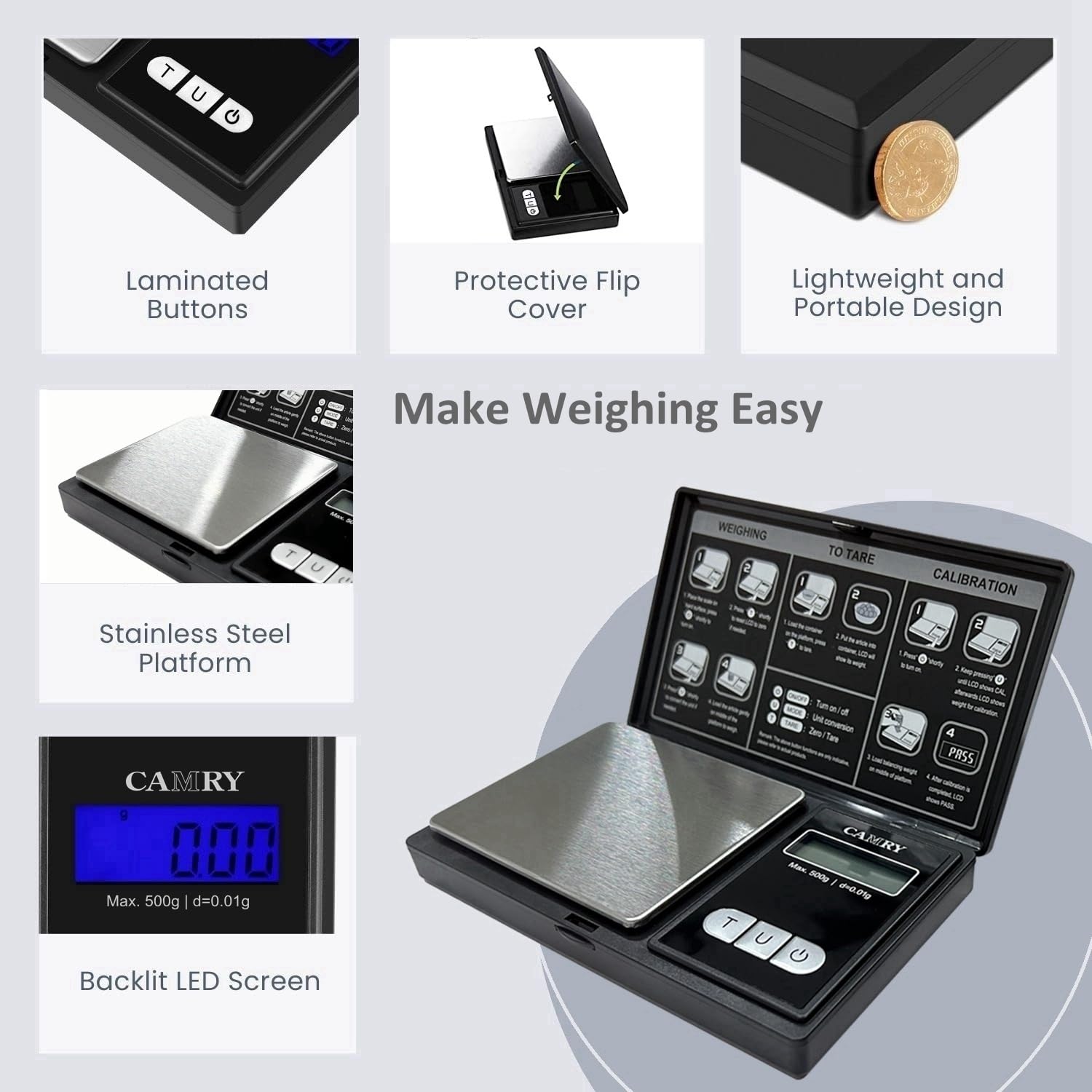
Image: The scale's display and unit button, illustrating the six different weighing units.
6.3. Ọrụ Tare
The Tare function allows you to subtract the weight of a container, so you only measure the net weight of the contents.
- Turn on the scale and wait for it to display "0.00g".
- Place an empty container (e.g., a bowl or tray) on the weighing platform. The display will show the container's weight.
- Pịa [T] TARE button. The display will reset to "0.00g".
- Add the items you wish to weigh into the container. The display will now show only the weight of the items.

Image: Step-by-step illustration of using the Tare function to measure net weight.
6.4. Ihe atụ
- Ensure the scale is on and displays "0.00g".
- Carefully place the item(s) to be weighed onto the center of the stainless steel platform.
- Wait for the display to stabilize and read the weight.
- If using a container, utilize the Tare function as described above.

Image: The scale in use, weighing small items on its platform, highlighting its accuracy.
7. nhazi nhazi
Calibration ensures the accuracy of your scale. It is recommended to calibrate the scale periodically or if you suspect inaccurate readings. A 500g calibration weight (not included) is required for this process.
- Tụgharịa nha nha.
- Pịa ma jide [U] UNIT button until the display shows "CAL".
- Pịa [U] UNIT button again. The display will flash "500.00g".
- Place a 500g calibration weight gently onto the center of the weighing platform.
- Wait for the display to show "PASS". This indicates successful calibration.
- Remove the calibration weight. The scale is now ready for use.
Image: Calibration instructions as displayed on the scale's protective lid.
8. Nlekọta
8.1. Nhicha
To clean the scale, wipe the surface with a slightly damp cloth. Do not use harsh chemicals, abrasive cleaners, or immerse the scale in water. The stainless steel platform can be wiped clean easily.
8.2. Nchekwa
When not in use, store the scale in a dry, cool place. Keep the protective flip cover closed to prevent dust and damage to the weighing platform and display. Remove batteries if storing for extended periods.

Image: The scale with its protective imitation leather cover closed, suitable for storage.
9. Nchọpụta nsogbu
| Nsogbu | Ihe nwere ike ime | Ngwọta |
|---|---|---|
| "Lo" or Low Battery Indicator | Batrị dị ala. | Dochie batrị AAA abụọ ahụ na nke ọhụrụ. |
| "O-Ld" or "EEEE" (Overload) | Weight on the platform exceeds maximum capacity (500g). | Remove the item immediately. Do not exceed 500g. |
| Ọgụgụ na-ezighi ezi |
|
|
| Ọkwa anaghị agbanye |
|
|
10. Nkọwapụta
- Ụdị: WEHA0451H
- Ike: 500g
- izi ezi: 0.01g
- Nkeji na-atụ aro: g, oz, gn, ct, dwt, ozt
- Ngosipụta: LCD azụ
- Ngwa Platform: Igwe anaghị agba nchara
- Ike: Batrị 2 x AAA (gụnyere)
- Gbanyụọ onwe: Ihe dị ka sekọnd asatọ nke enweghị ọrụ
- Akụkụ: Approximately 12.8 cm (5.0 in) x 7.4 cm (3.0 in) x 1.8 cm (0.7 in) (closed)
- Atụmatụ pụrụ iche: Tare Function, Overload Indicator, Low Battery Indicator, Protective Flip Cover

Image: Dimensions and portable size of the CAMRY Digital Pocket Gram Scale.
11. Video ngwaahịa
Watch this video for a visual guide on the features and operation of the CAMRY Digital Pocket Gram Scale.
Video: A demonstration of the CAMRY Digital Gram Scale (Model WEHA0451H), showcasing its backlight LCD display, unit conversion, and calibration process.
12. Akwụkwọ ikike na nkwado
CAMRY products are designed for reliability and performance. For specific warranty details or technical support, please refer to the contact information provided with your purchase or visit the official CAMRY websaịtị. Debe nnata nzụta gị dị ka ihe akaebe nke ịzụrụ maka nkwupụta ikike.
For further assistance, you may contact the seller, USA NUTRI FIT, through the Amazon platform.