Okwu mmalite
This manual provides detailed instructions for the proper use, setup, and maintenance of your Trevi EAR 100 AID Wireless Headphones. Please read this manual carefully before using the product to ensure optimal performance and longevity.
Ihe ngwugwu
Chọpụta na ihe niile dị na ngwugwu:
- Trevi EAR 100 AID Wireless Headphones (Left and Right Earbuds)
- Charging Case with Touch Display
- USB-C eriri USB
- 2 Pairs of Ear Tips (various sizes)
- Akwụkwọ ntuziaka (akwụkwọ a)
Ngwaahịa gafereview
Familiarize yourself with the components of your Trevi EAR 100 AID headphones.
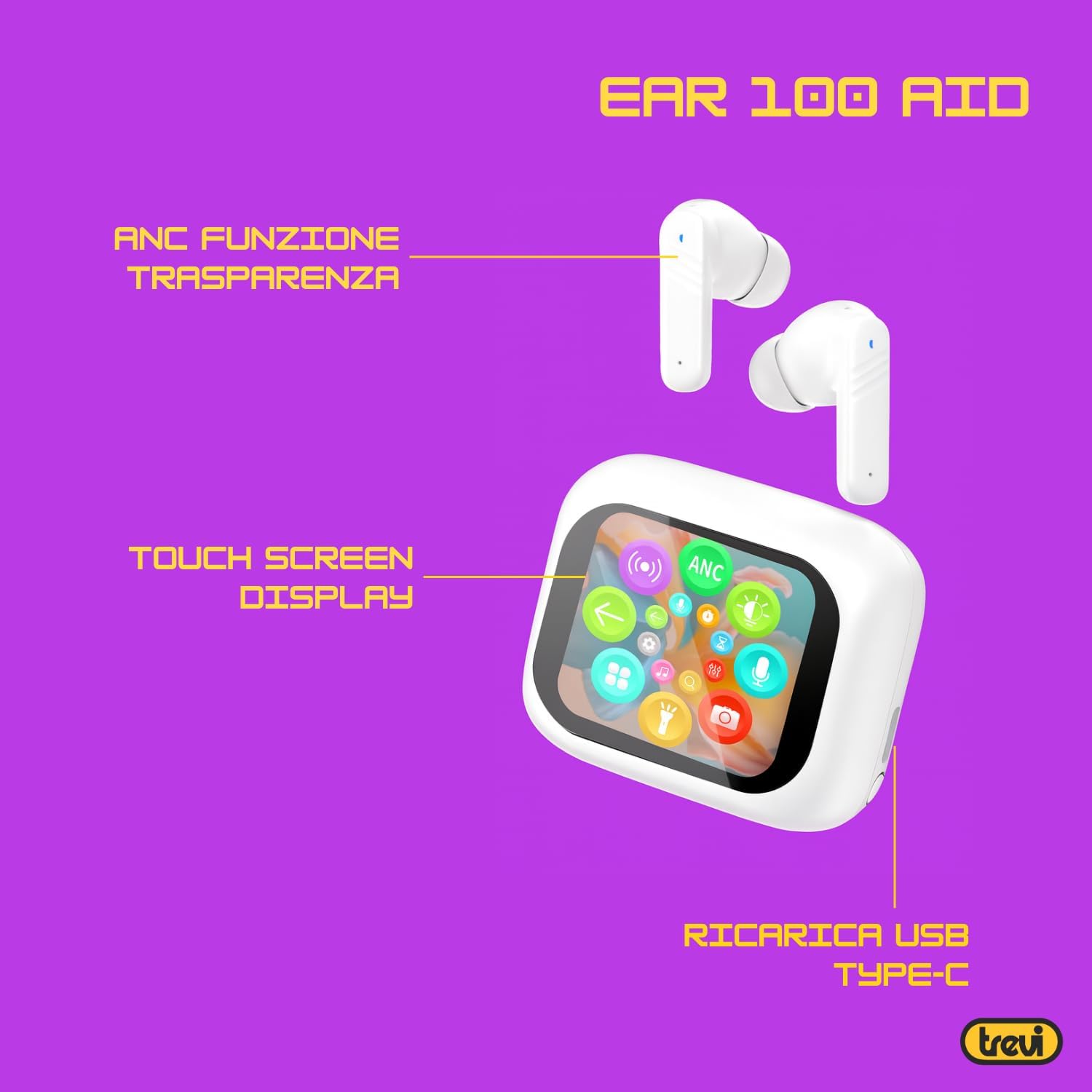
Image: Trevi EAR 100 AID Wireless Headphones and Charging Case. This image shows the earbuds and the charging case from a front-facing perspective.

Foto: Akụkụ view of Trevi EAR 100 AID Wireless Headphones and Charging Case. This image provides a profile view of the earbuds and their charging case.
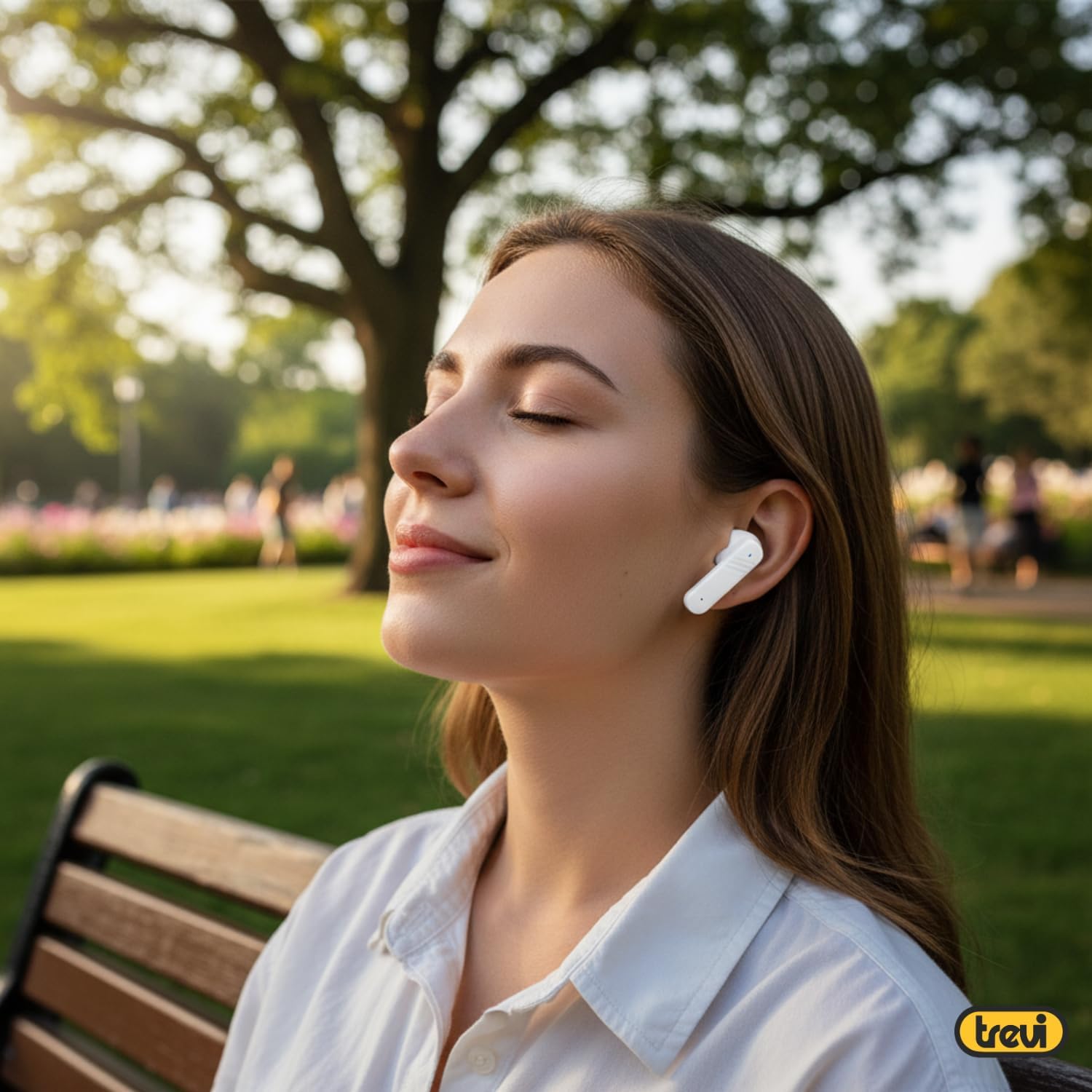
Foto: Azụ view of Trevi EAR 100 AID Wireless Headphones and Charging Case. This image displays the rear aspect of the earbuds and their charging case.

Foto: Ofeview of Trevi EAR 100 AID features. This graphic highlights the Active Noise Cancellation (ANC) and Transparency function, the Touch Screen Display on the charging case, and the USB-C charging port.
Melite
1. Ịchaji ekweisi na ikpe ahụ
Tupu ejie ya nke mbụ, chajie nke ọma ekweisi na akpa nchaji.
- Tinye ntị ntị n'ime akpa nchaji.
- Jikọọ eriri USB-C na nchaji na ọdụ ụgbọ mmiri dị na akpa ahụ yana na isi iyi ọkụ.
- The display on the charging case will indicate the charging status.
- A full charge provides up to 5 hours of earbud autonomy, extendable with the charging case.

Image: Smart Charging Case with Rapid Charging. This image shows the open charging case with earbuds inside, emphasizing its quick charging capability via USB Type-C. A QR code for the AI COOL app download is also visible.
2. Ijikọ na ngwaọrụ
- Hụ na earphones dị n'ime akpa chaja ma mepee akpa ahụ.
- Na ngwaọrụ gị (smartphone, mbadamba, wdg), gbanye Bluetooth.
- Chọọ maka "Trevi EAR 100 AID" in the list of available Bluetooth devices.
- Select it to pair. A voice prompt will confirm successful connection.
- The headphones use Wireless V5.4 technology for a fast and reliable connection.
3. AI COOL App Installation
For AI simultaneous translation and advanced features, download the AI COOL app.
- Scan the QR code found on the charging case or in the product packaging.
- N'aka nke ọzọ, gaa na https://www.xuanjiai.cn/app/download ka ibudata ngwa.
- Follow the on-screen instructions to install and set up the app.
Ntuziaka ọrụ
1. Yiri ekwe ntị
Select the appropriate ear tips for a comfortable and secure fit. Insert the earbuds gently into your ears and adjust them until they feel snug.

Image: A woman wearing Trevi EAR 100 AID earbuds comfortably while relaxing in a park. This illustrates the in-ear fit and comfort of the headphones.
2. Touch Controls on Charging Case Display
The charging case features a touch display for smart controls.
- Nkpọghachi egwu: Control play, pause, skip tracks directly from the display.
- Njikwa oku: Zaa, kwụsị, ma ọ bụ jụ oku.
- Ụdị ọdịyo: Gbanwee n'etiti ụdị ANC, Transparency, na Nkịtị.
- Ihe nhata (EQ): Gbanwee ụda profiles.
- Chọta ihe ekwe ntị: Use this function to locate misplaced earbuds.

Image: Trevi EAR 100 AID charging case with color LED touch screen. The screen displays various functions such as call answering, music playback, and other smart controls.

Image: Customizable screen options for the Trevi EAR 100 AID charging case. This image shows four dynamic and one static high-quality display options that can be changed at any time.
3. Nkagbu mkpọtụ mkpọtụ (ANC) na ọnọdụ nghọta
The headphones offer two distinct audio modes for different environments:
- Nkagbu mkpọtụ mkpọtụ (ANC): Eliminates external noise, providing a quiet listening experience. This mode is ideal for travel or noisy environments, reducing external noise by up to 35 dB with an effectiveness of up to 99.44%.
- Ụdị nghọta: Allows you to hear your surroundings while still enjoying your audio. This is useful for situations where you need to be aware of your environment, such as walking in a city or listening to announcements.
Switch between these modes using the touch controls on the charging case or through the connected app.

Image: A person using Trevi EAR 100 AID earbuds on an airplane, demonstrating the deep active noise reduction (ANC) feature. The image highlights the intelligent external noise cancellation up to 35 dB.
4. AI Simultaneous Translation
Utilize the AI COOL app for real-time language translation.
- Ensure the AI COOL app is installed and connected to your headphones.
- Open the app and select the desired translation mode (e.g., conversation mode, interpreter mode).
- Speak into your device's microphone or the earbud's microphone, and the translation will be provided in real-time through the earbuds.
- This feature is designed for seamless communication across language barriers during travel, work, or multilingual conversations.
5. Clear Calls with ENC Technology
The headphones feature Environmental Noise Cancellation (ENC) technology for clear voice calls.
- ENC reduces background noise during calls, making your voice clearer to the person on the other end.
- This technology is optimized for crowded environments, ensuring conversations are clear and free from interference.

Image: A man making a phone call using Trevi EAR 100 AID earbuds. This image illustrates the ENC (Environmental Noise Cancellation) technology for clear calls, optimized for crowded environments.
Nlekọta
- Nhicha: Jiri akwa dị nro, kpọrọ nkụ na-adịghị na-ehicha ntị ntị na chaja mgbe niile. Ejila ihe nchacha abrasive ma ọ bụ ihe mgbaze.
- Ndụmọdụ ntị: Remove and clean the ear tips with mild soap and water, then dry thoroughly before reattaching.
- Nchekwa: Mgbe ejighị ya, chekwaa ekweisi na akpa chaja ha iji chebe ha pụọ na uzuzu na mmebi.
- Nlekọta batrị: To preserve battery life, avoid fully discharging the battery frequently. Charge the device regularly, even if not in use for extended periods.
Nchọpụta nsogbu
| Nsogbu | Ngwọta enwere ike |
|---|---|
| Ekweisi anaghị agbanye. | Ensure the charging case and earbuds are fully charged. Place earbuds in the case and close it, then open again. |
| Enweghị ike ijikọ na ngwaọrụ. | Make sure Bluetooth is enabled on your device. Ensure earbuds are in pairing mode (usually by opening the case). Forget the device from your Bluetooth list and try pairing again. |
| Enweghị ụda ma ọ bụ obere olu. | Check volume levels on both your device and the headphones. Ensure earbuds are properly seated in your ears. Reconnect the Bluetooth connection. |
| AI Translation not working. | Verify the AI COOL app is installed, updated, and properly connected to the headphones. Check your internet connection for translation services. |
| Okwu ịchaji. | Check the USB-C cable and power adapter. Ensure the charging contacts on the earbuds and case are clean and free of debris. |
Nkọwapụta
| Njirimara | Nkọwa |
|---|---|
| Ụdị | Trevi |
| Aha Nlereanya | EAR 100 AID |
| Agba | Ọcha |
| Ntinye ntị | N'ime ntị |
| Ụdị Ihe | N'ime ntị |
| Njikwa mkpọtụ | Nkagbu Noise nọchiri anya (ANC) |
| Jack ekweisi | No Jack (Wireless) |
| Teknụzụ Njikọta | Ikuku |
| Teknụzụ nzikọrịta ozi ikuku | Bluetooth V5.4 |
| Ngwa gụnyere | 2 Ear Tips, Cable, User Manual |
| Ndụ batrị (Earbuds) | Up to 5 hours (extendable with charging case) |
| ANC Effectiveness | Up to 35 dB reduction, 99.44% shielding effectiveness |
Akwụkwọ ikike na nkwado
For warranty information and technical support, please refer to the official Trevi websaịtị ma ọ bụ kpọtụrụ ndị ahịa ha ọrụ. Debe ihe akaebe nke ịzụrụ ihe maka akwụkwọ ikike.
Maka enyemaka ọzọ, gaa na Trevi Store on Amazon.


