1. Okwu mmalite
Thank you for choosing the Baseus Bass BP1 NC Hybrid Active Noise Cancelling Wireless Earbuds. This manual provides essential information for setting up, operating, and maintaining your earbuds to ensure optimal performance and longevity. Please read it thoroughly before use.
2. Kedu ihe dị na Igbe ahụ
Chọpụta na ihe niile dị na ngwugwu gị:
- Baseus Bass BP1 NC Wireless Earbuds
- Akpa nchaji ikuku
- Eartips (S/M/L sizes)
- Akwụkwọ ntuziaka onye ọrụ

Image: Contents of the Baseus Bass BP1 NC Earbuds package.
3. Ngwaahịa gafereview
Familiarize yourself with the components of your Baseus Bass BP1 NC earbuds and charging case.
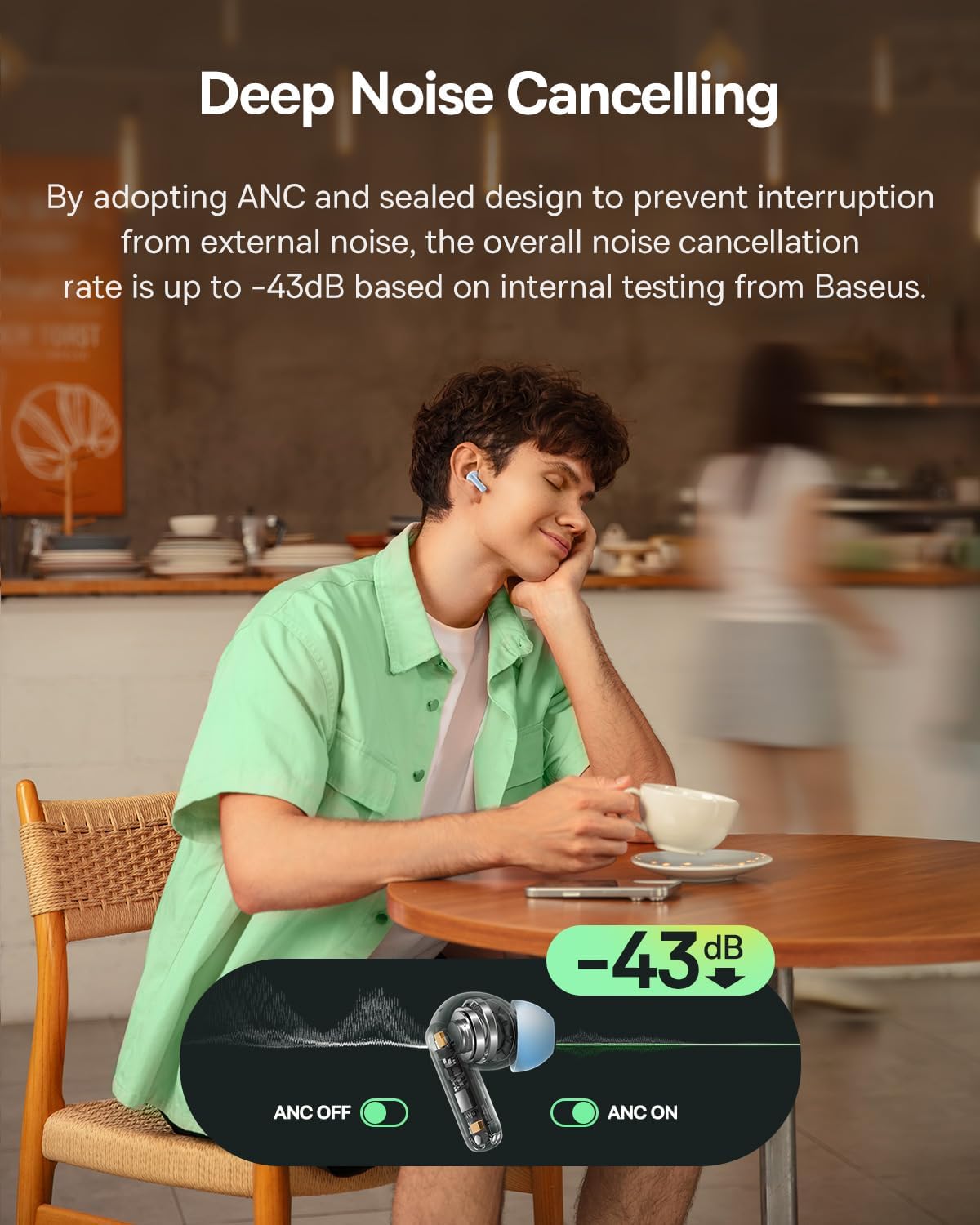
Image: Baseus Bass BP1 NC Earbuds and Charging Case.
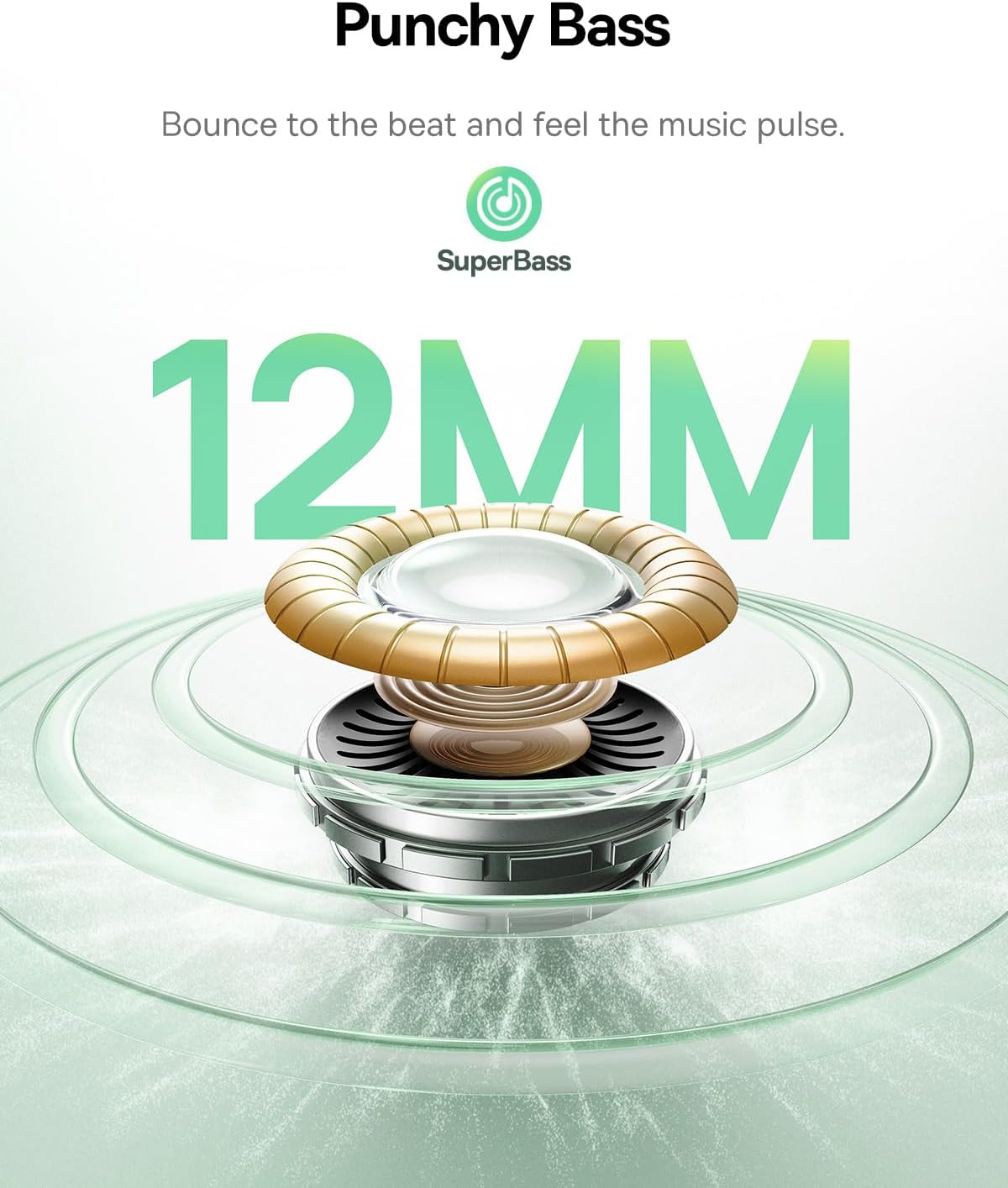
Foto: Zuru ezu view of a single earbud.
4. Nhazi
4.1 Ịchaji ntị na akpa
Before first use, fully charge the earbuds and charging case. Place the earbuds into the charging case. Connect the charging case to a power source using a USB-C cable. The indicator lights on the case will show the charging status.
Chajị nkeji iri na-enye ihe dị ka awa anọ nke oge egwuregwu.

Image: Battery life and charging information.
4.2 Njikọ Bluetooth
- Open the charging case. The earbuds will automatically enter pairing mode, indicated by a flashing light.
- Na ngwaọrụ gị (smartphone, mbadamba, wdg), gbanye Bluetooth.
- Chọọ maka "Baseus Bass BP1 NC" in the list of available Bluetooth devices and select it to connect.
- Once connected, the indicator light on the earbuds will turn off or show a steady light, depending on the model.
The earbuds feature Bluetooth 6.0 for lower latency, more stable connectivity, and increased transmission range.

Image: Bluetooth 6.0 technology overview.
4.3 Ịtinye eriri ntị
For optimal sound quality and noise cancellation, ensure a proper fit. Choose the eartips that provide a snug seal in your ear canal. Insert the earbuds gently and twist them slightly until they feel secure and comfortable.

Image: Earbuds properly fitted in ear.
5. Ntuziaka ọrụ
5.1 Gbanyụọ ma ọ bụ gbanyụọ
- Ike Na: Mepee igbe nchaji, na ntị ntị ga-agbanye ọkụ ozugbo.
- Gbanyụọ: Tinye ihe ntị ntị n'ime akpa nchaji wee mechie mkpuchi. Ha ga-agbanyụ ozugbo wee malite ịchaji.
5.2 Njikwa mmetụ
The Baseus Bass BP1 NC earbuds feature intuitive touch controls on each earbud. The 'Pinch Area' on the stem of the earbud is where touch gestures are registered.

Image: Touch control functions.
| Omume | Ọrụ |
|---|---|
| Double Tap (x2) | Play/Pause music; Answer/End calls |
| Triple Tap (x3) | Play Previous Track (Left earbud); Play Next Track (Right earbud) |
| Pịa ma jide (2s) | Reject calls; Switch Noise Reduction / Transparency Mode |
5.3 Mkpọtụ Na-arụ Ọrụ (ANC) na Ọnọdụ Nghọta
The earbuds feature Hybrid ANC technology, reducing external noise by up to -43dB. You can switch between ANC On, ANC Off, and Transparency modes by pressing and holding the touch area for 2 seconds.
- ANC na: Na-egbochi mkpọtụ gburugburu ebe obibi maka ahụmịhe ige ntị miri emi.
- ANC kwụsịrị: Standard audio mode without noise cancellation.
- Ụdị nghọta: Na-enye gị ohere ịnụ ihe gbara gị gburugburu ka ị ka na-anụ ụda olu gị, nke bara uru maka mmata n'ebe ndị mmadụ na-ekwo ekwo.

Image: Deep Noise Cancelling feature in action.
5.4 Njikwa oku
The 4-Mic AI ENC technology ensures clear calls by isolating your voice from background noise.

Image: 4-Mic AI ENC for clear calls.
5.5 Customizable Audio Performance (EQ)
Utilize the Baseus app to personalize your listening experience with 24 customizable EQ settings. This allows you to tailor the sound profile to your preferences for various music genres or content types.

Image: Baseus app EQ customization interface.
5.6 Egwuregwu Latency dị ala
The earbuds offer a low latency of 58ms, providing a synchronized audio-visual experience ideal for gaming.
Video: Demonstrating the low latency feature for gaming.
6. Nlekọta
6.1 Nhicha
- Regularly clean the earbuds, especially the eartips and charging contacts, with a soft, dry, lint-free cloth.
- Wepụ isi ntị ma jiri ncha na mmiri dị nro hichaa ha ma ọ bụrụ na ọ dị mkpa. Hụ na ha kpọrọ nkụ kpamkpam tupu ị tinyeghachi ha.
- Ejila ihe nchacha abrasive ma ọ bụ ihe mgbaze.
6.2 Nchekwa
When not in use, always store the earbuds in their charging case to protect them from dust, damage, and to keep them charged.
6.3 Mmiri Nguzogide
The earbuds are IP55 water-resistant, protecting them from sweat, splashes, and light rain. Do not submerge them in water or expose them to strong jets of water.

Image: IP55 Water & Dust Resistant feature.
7. Nchọpụta nsogbu
Ọ bụrụ na ị na-enwe nsogbu, rụtụ aka na nsogbu ndị a na-ahụkarị na ngwọta ndị a:
| Nsogbu | Ngwọta enwere ike |
|---|---|
| Igwe ntị anaghị ejikọta ọnụ | Ensure earbuds are charged. Turn off and on Bluetooth on your device. Place earbuds back in case, close, then reopen to re-enter pairing mode. |
| Enweghị ụda sitere na otu ntị ntị | Check if both earbuds are charged. Try resetting the earbuds (refer to manufacturer's specific reset instructions if available). Re-pair with your device. |
| Poor sound quality / Weak bass | Ensure eartips provide a snug seal. Try different sized eartips. Check EQ settings in the Baseus app. |
| ANC adịghị arụ ọrụ | Ensure earbuds are properly seated in your ears. Verify ANC mode is active via touch control or the Baseus app. |
| Earbuds anaghị akwụ ụgwọ | Clean charging contacts on both earbuds and case. Ensure charging cable is securely connected and power source is active. |
8. Nkọwapụta
Detailed technical specifications for the Baseus Bass BP1 NC Earbuds:
- Aha nlereanya: Baseus Bass BP1 NC
- Njikwa mkpọtụ: Adaptive Noise Cancellation (Hybrid ANC up to -43dB)
- Ụdị ọkwọ ụgbọala ọdịyo: Ọkwọ ụgbọala dị ike
- Nha ọkwọ ụgbọ ala ọdịyo: 12 mm
- Nzaghachi ugboro ugboro: 20 kHz
- Mgbochi: 16 ohms
- Teknụzụ Njikọta: Ikuku
- Teknụzụ nzikọrịta ozi ikuku: Bluetooth
- Ụdị Bluetooth: 6.0
- Ogologo Bluetooth: 10 mita
- Latency ọdịyo: 58 nkeji
- Ndụ batrị (Earbuds): Ruo awa 7 (ANC kwụsịrị)
- Total Playtime (with Charging Case): Ruo awa 41 (ANC kwụsịrị)
- Charging Time (Rapid Charge): Nkeji 10 maka awa 2 oge egwuregwu
- Ọkwa Nguzogide mmiri: IP55 (mmiri na-eguzogide)
- Ụdị njikwa: Njikwa aka
- Igwe okwu: 4-Mic AI ENC
- EQ nwere ike ịhazi ya: 24 settings via Baseus App
- Ihe: Acrylonitrile Butadiene Styrene (ABS), Polycarbonate (PC)
- Item Weight (per earbud): gram 4.1 (ihe dị ka 0.145 ounces)
- Akụkụ ngwaahịa: 1.2 x 0.8 x 0.9 sentimita asatọ
- Ngosi nke ibu: 5.7 x 4.9 x 2.8 centimita
- UPC: 810196183469
9. Ozi nchekwa
- Ewepụla ma ọ bụ gbanwee ngwaahịa a.
- Debe ya ebe okpomọkụ dị oke njọ, anwụ kpọmkwem, na ọkụ na-enwu enwu.
- Avoid exposing the product to water beyond its IP55 rating.
- Ejila ekwe ntị dị oke elu ruo ogologo oge iji gbochie mmebi ntị.
- Debe ebe ụmụaka na anụ ụlọ na-apụghị iru.
10. Akwụkwọ ikike na nkwado
Baseus products are covered by a limited warranty. For specific warranty terms, registration, or technical support, please refer to the warranty card included in your package or visit the official Baseus websaịtị. Biko dowe ihe akaebe nke ịzụrụ ihe maka akwụkwọ ikike.


