1. Ngwaahịa gafereview
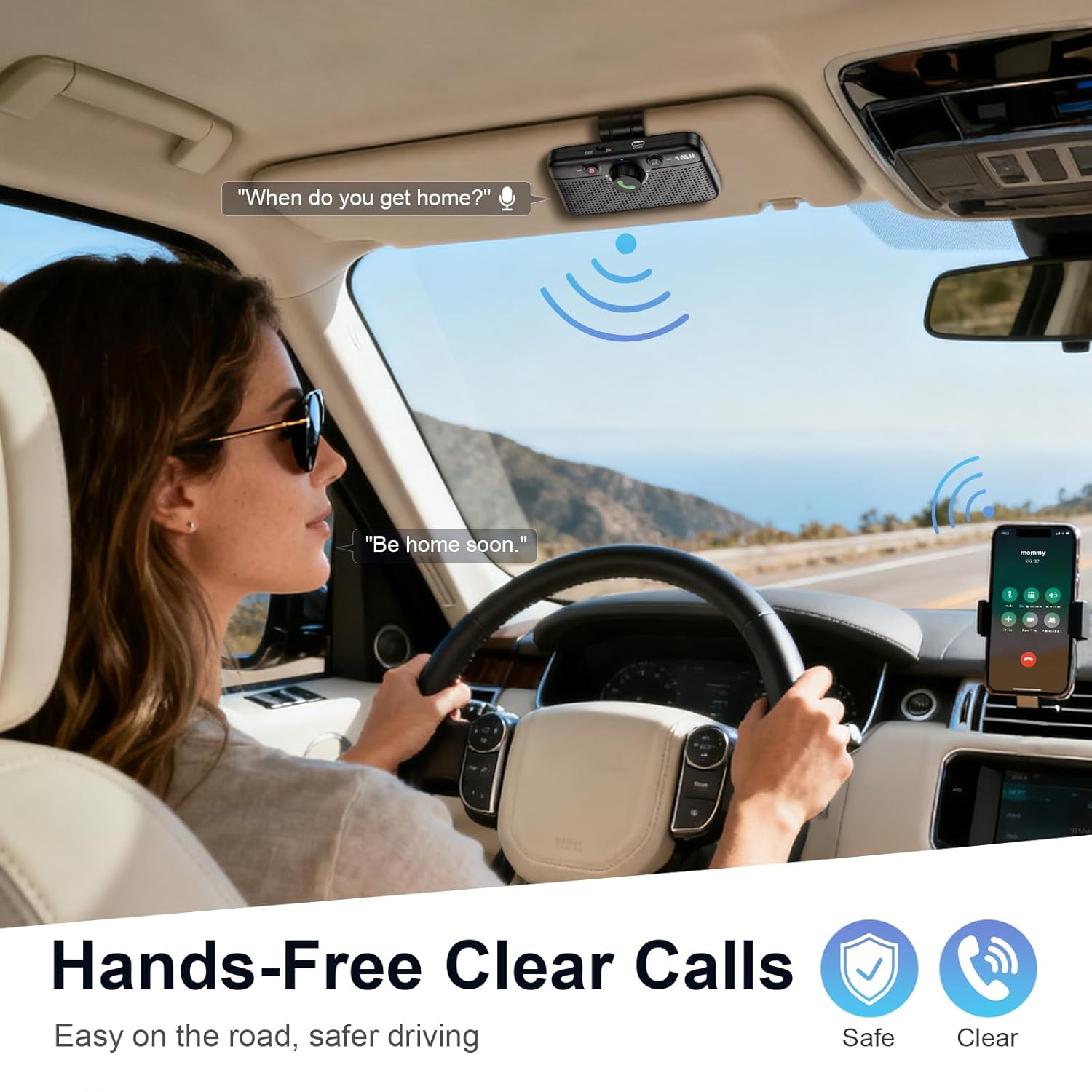
The 1Mii MK02 Bluetooth 6.0 Car Speaker is designed to provide hands-free communication and audio streaming in vehicles. It offers a practical solution for cars without integrated Bluetooth systems, enhancing safety and convenience during driving.
Akụkụ ndị bụ isi:
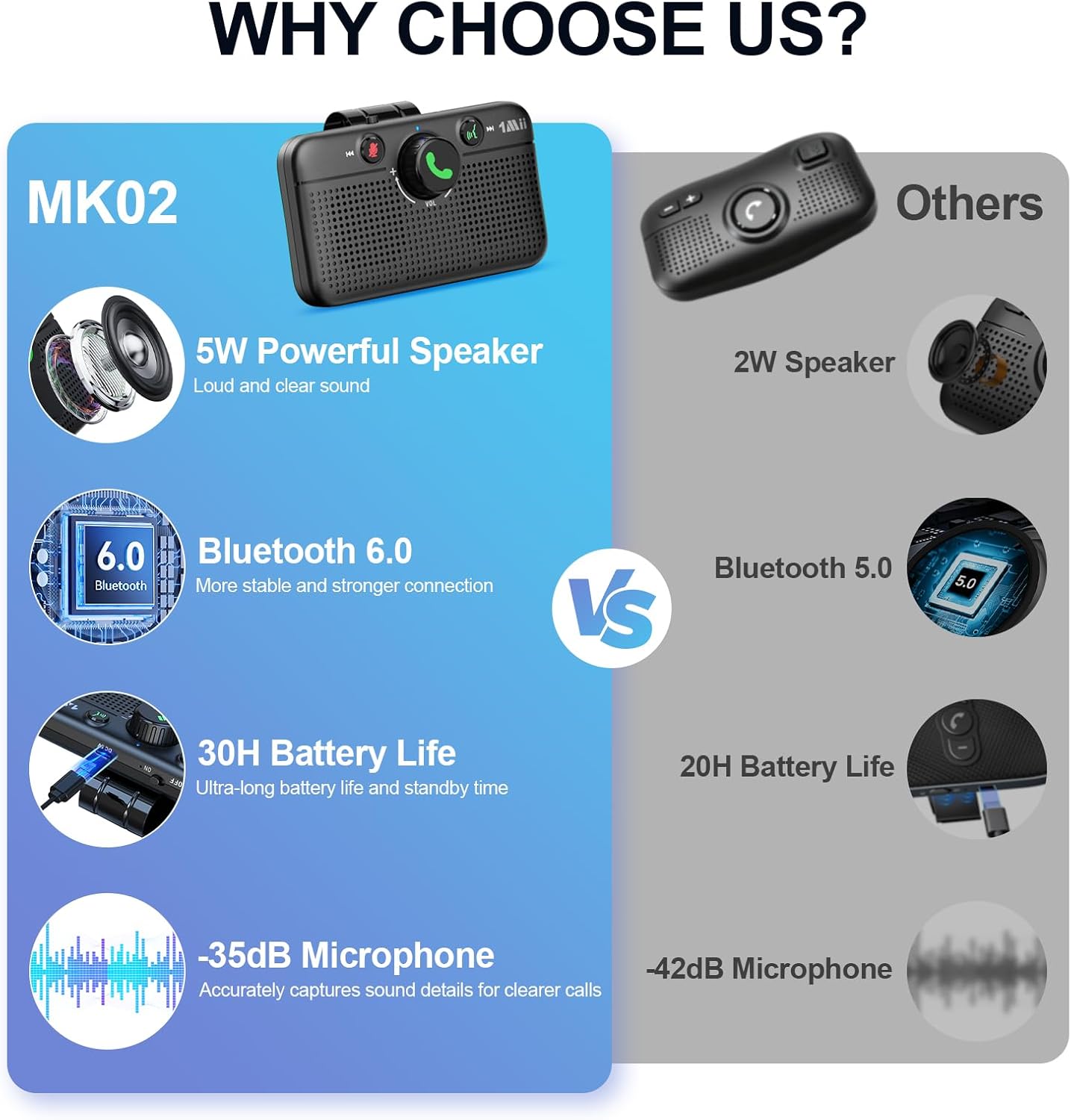
- Powerful 5W Speaker: Delivers clear audio for calls, music, and GPS directions.
- Oku na-anaghị aka: Ensures crystal-clear calls even in noisy environments.
- Nkwado onye enyemaka olu: Compatible with Siri and Google Assistant for voice control.
- Smart Auto Power On/Off: Automatically powers on and reconnects when entering the car, and powers off when leaving.
- Bluetooth Bluetooth: Provides faster and more stable connections with lower power consumption.
- Njikọ abụọ: Allows pairing with two phones simultaneously for seamless switching.
- Ndụ batrị agbatịkwuru: Offers up to 30 hours of talk time and 27 hours of music playback.
2. Kedu ihe dị na Igbe ahụ
Upon unboxing your 1Mii MK02 Bluetooth Car Speaker, please verify that all the following components are included:
- MK02 Bluetooth Speaker for Car (1 unit)
- Eriri Nchaji Ụdị-C (otu nkeji)
- Akwụkwọ ntuziaka onye ọrụ (1 nkeji)
3. Ihe osise
Familiarize yourself with the various parts and controls of your 1Mii MK02 Bluetooth Car Speaker:

4. Nhazi
4.1 Ịkwalite Ọkà Okwu
The 1Mii MK02 is designed for easy installation using its integrated visor clip. Simply attach the speaker to your car's sun visor for optimal sound and microphone placement.
4.2 Ịchaji ngwaọrụ
Before initial use, ensure the device is fully charged. Connect the provided Type-C charging cable to the speaker's charging port and a compatible 5V power source. The charging indicator light will provide status updates.
5. Njikọ Bluetooth
Follow these steps to pair your 1Mii MK02 with your mobile phone:
- Ike Na: Slide the power switch to the "ON" position. The MK02 will automatically enter pairing mode, indicated by the light flashing red and blue.
- Kwado Bluetooth: On your mobile phone, go to the Bluetooth settings and ensure Bluetooth is turned on.
- Jikọọ: In the list of available devices on your phone, tap on "MK02" to connect. Once connected, the light on the speaker will turn off, and you will hear a "Connected" voice prompt.

6. Ntuziaka ọrụ
6.1 Njikwa oku
- Oku azaa: Press the Call/Volume knob once.
- Jụ oku: Press and hold the Call/Volume knob for 2 seconds.
- Kpọgide oku: Press the Call/Volume knob once during a call.
- Mechie/Kpuchie: Press the Mute button once during a call.
6.2 Nghaghachi egwu
- Gwuo/kwụsịtụ: Press the Call/Volume knob once.
- Dịkwuo Mpịakọta: Turn the Call/Volume knob to the left.
- Belata Mpịakọta: Turn the Call/Volume knob to the right.
- Gara aga Track: Press and hold the Previous Track button for 2 seconds.
- Track na-esote: Press and hold the Next Track button for 2 seconds.
6.3 Mmelite Onye Enyemaka Olu
Press the Voice Assistant button once to activate your phone's voice assistant (Siri or Google Assistant).


7. Pairing a Second Phone
The 1Mii MK02 supports dual Bluetooth connections, allowing two phones to be paired simultaneously. To pair a second phone:
- Disconnect First Phone: On the first paired phone, turn off its Bluetooth connection to the MK02. The MK02 will re-enter pairing mode (light flashes red and blue).
- Pair Second Phone: On the second phone, turn on Bluetooth and select "MK02" from the available devices to connect.
- Reconnect First Phone: Turn on Bluetooth on the first phone again. It should automatically reconnect to the MK02.
Both phones are now connected. The speaker will prioritize incoming calls from either device and allow audio streaming from the last connected device.
8. Nchọpụta nsogbu
If you encounter issues with pairing or abnormal sound, follow these steps:
- Tọgharịa ngwaọrụ: Press and hold both the "Mute" button and the "Voice Assistant" button simultaneously for 5 seconds. The light will flash purple once, then flash red and blue, indicating a successful reset and re-entry into pairing mode.
- Forget Device on Phone: On your phone, go to Bluetooth settings, find "MK02" in the device list, and select "Forget This Device" or "Unpair."
- Toggle Phone Bluetooth: Turn off your phone's Bluetooth, wait a few seconds, then turn it back on.
- Tinyegharịa ụzọ: Follow the standard Bluetooth pairing steps outlined in Section 5.
9. Nkọwapụta
| Njirimara | Nkọwapụta |
|---|---|
| Aha Nlereanya | RT6202J1 |
| Nọmba Nlereanya ihe | MK02 |
| Ụdị | 1 Mii |
| Ụdị nkwụnye | Visor Clip |
| Ihe onwunwe | Acrylonitrile Butadiene Styrene (ABS) |
| Ụdị Ọkà Okwu | Ọkà Okwu Nwere Ike |
| Ike Nwepu kacha elu | 5 Watt |
| Teknụzụ Njikọta | Bluetooth 6.0 |
| Ngwa dakọtara | Android, iOS |
| Isi Iyi Ike | Akwanyere batrị |
| Ọnụọgụ nke batrị | 1 Batrị na-abụghị ọkọlọtọ (gụnyere) |
| Oge Okwu | Ruo awa iri abụọ |
| Oge Egwu | Ruo awa iri abụọ |
| Oge Njikere | Ruo ọnwa isii |
| Akụkụ ngwaahịa | 2.17"D x 4.49"W x 2.6"H |
| Ibu Ibu | 7.8 ounces |
| Agba | Nwa |

10. Akwụkwọ ikike na nkwado
The 1Mii MK02 Bluetooth Car Speaker comes with a limited warranty. For detailed warranty information, product support, or technical assistance, please refer to the official 1Mii websaịtị ma ọ bụ kpọtụrụ ndị ahịa ha ozugbo.


