1. Ngwaahịa gafereview
The NICGIGA 16 Port 2.5Gb Ethernet Switch (Model S25-1600) is an unmanaged network switch designed to expand your network capacity with high-speed 2.5 Gigabit Ethernet ports. It features a fanless metal design for quiet operation and efficient heat dissipation, supporting both desktop and 19-inch rack mounting. This plug-and-play device requires no software configuration, making it suitable for home and small office environments requiring enhanced network performance.
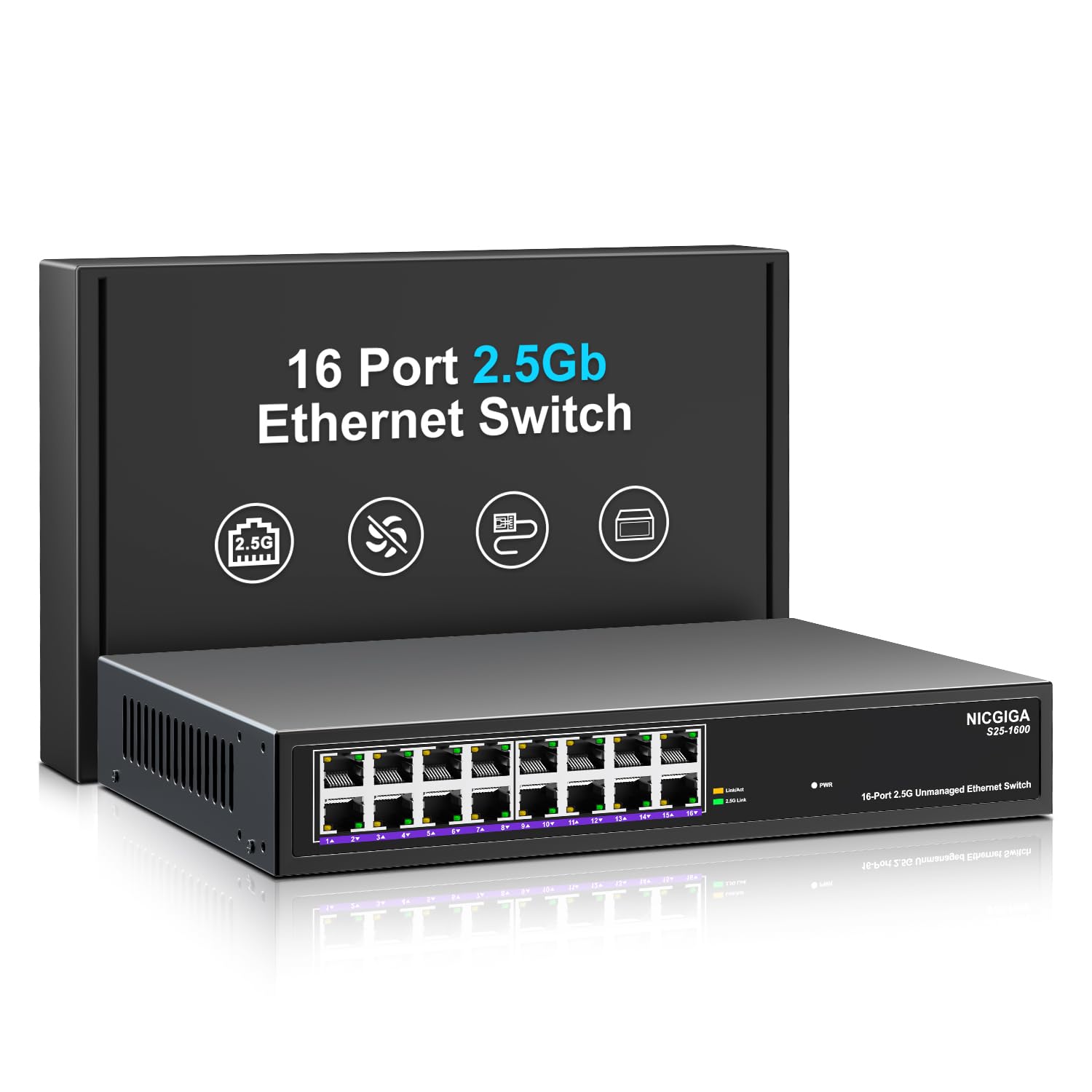
Foto 1: N'ihu view of the NICGIGA S25-1600 switch, highlighting the 16 RJ45 ports and LED indicators for power and link status.
2. Ihe ngwugwu
Verify the following items are included in your package:
- NICGIGA 16 Port 2.5Gb Ethernet Switch (Model S25-1600)
- Ihe nkwụnye ọkụ
- Rack Mount Kit (ọ bụrụ na ọdabara)
- Akwụkwọ ntuziaka (akwụkwọ a)
3. Akụrụngwa Ngwaahịa
- 16x 2.5Gbps RJ45 Ports: Provides high-speed connectivity for multiple devices.
- 80Gbps Switching Capacity: Ensures high-performance data transfer without bottlenecks.
- Mkparịta ụka akpaaka: Automatically detects and adjusts to optimal link speeds (100Mbps, 1Gbps, 2.5Gbps) for connected devices.
- Nkwụnye ma kpọọ: No software or configuration required for immediate use.
- Fanless Metal Design: Offers silent operation and robust heat dissipation.
- Desktop or 19-inch Rack Mount: Flexible installation options.
- Nchedo Àmụ̀mà 4KV: Enhances device durability against electrical surges.
- Automatic MDI/MDIX: Eliminates the need for crossover cables.
- Non-blocking Data Forwarding: Ensures full wire-speed throughput on all ports simultaneously.

Figure 2: Key features of the NICGIGA S25-1600 switch, including its 2.5Gbps ports, rack-mountable design, fanless operation, plug-and-play functionality, metal casing, na nchekwa àmụ̀mà 4KV.
4. Nhazi ntuziaka
The NICGIGA 16 Port 2.5Gb Ethernet Switch is designed for simple plug-and-play installation. Follow these steps to set up your switch:
- Njikọ ike: Jikọọ ihe nkwụnye ike enyere na ọdụ ntinye ike nke ihe nkwụnye ahụ wee tinye ihe nkwụnye ahụ n'ime oghere eletriki nkịtị. Ike LED dị na panel ihu kwesịrị ịgba ọkụ.
- Njikọ ngwaọrụ: Connect your network devices (e.g., computers, NAS, WiFi 6 APs, routers) to any of the 16 RJ45 ports on the switch using standard Ethernet cables. The switch will automatically detect the link speed and establish a connection.
- Nyocha: Observe the LED indicators on the front panel. A green light indicates a 2.5G link, while a yellow light indicates a 100Mb/1G link. A flashing yellow light signifies data transmission.

Figure 3: Simplified setup process: connect power, connect devices, and the network is ready.
Nhọrọ nkwụnye:
The switch supports both desktop placement and 19-inch rack mounting. Use the included rack mount kit for rack installations.

Figure 4: The NICGIGA S25-1600 switch installed in a 19-inch rack, showing its compact dimensions suitable for enterprise and data center use.
5. Ntuziaka ọrụ
As an unmanaged switch, the NICGIGA S25-1600 operates automatically once connected. There is no software configuration required.
Ihe ngosi LED:
- Igwe ọkụ ọkụ:
- Na: A gbanye ọkụ ahụ.
- Gbanyụọ: Agbanyụrụ ọkụ.
- Port Link/Activity LEDs (Green/Yellow):
- Green Light Na: Indicates a 2.5G network link is established.
- Ìhè edo edo agbanyere: Indicates a 100Mb/1G network link is established.
- Yellow Light Flashing: Indicates data transmission activity on the port.
- Gbanyụọ: No link is established or the connected device is powered off.
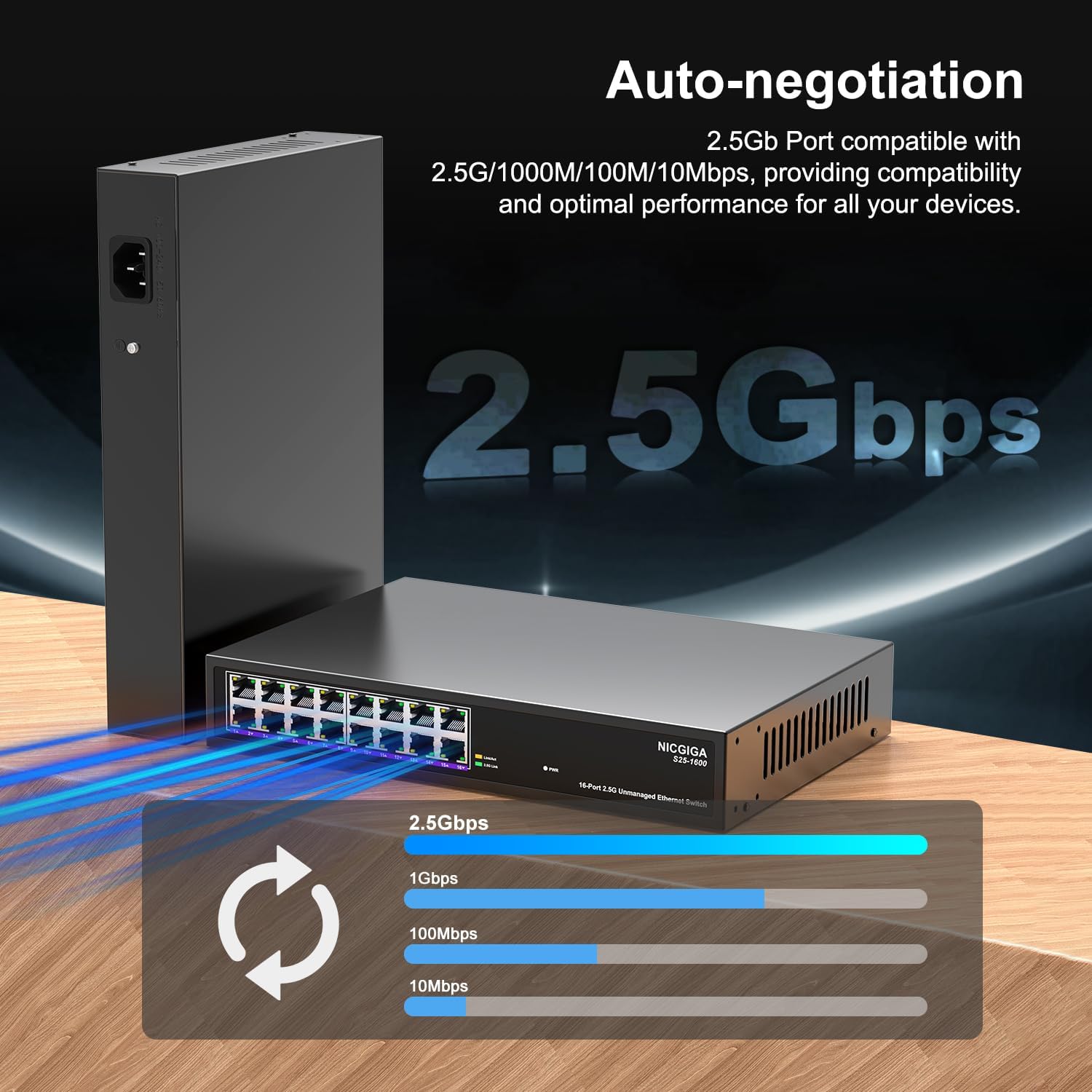
Figure 5: The auto-negotiation function ensures compatibility and optimal performance across various network speeds.
6. Nlekọta
The NICGIGA S25-1600 switch is designed for minimal maintenance.
- Nhicha: Jiri akwa dị nro dị nro hichaa mpụta nke mgba ọkụ. Ejila ihe nhicha mmiri ma ọ bụ ikuku ikuku.
- Igwe ikuku: Ensure the switch is placed in a well-ventilated area. Although fanless, proper airflow helps maintain optimal operating temperatures. Do not block ventilation openings.
- Ọnọdụ gburugburu: Operate the switch within the recommended temperature and humidity ranges specified in the technical specifications.
7. Nchọpụta nsogbu
If you encounter issues with your NICGIGA S25-1600 switch, refer to the following troubleshooting tips:
| Nsogbu | Ihe nwere ike ime | Ngwọta |
|---|---|---|
| No Power LED indication. | No power supply or faulty power adapter. |
|
| No Link/Activity LED for a connected device. |
|
|
| Ọsọ netwọk dị nwayọ. |
|
|
8. Nkọwapụta
| Njirimara | Nkọwa |
|---|---|
| Nlereanya | S25-1600 |
| ọdụ ụgbọ mmiri | 16x 100/1000/2500Mbps ọdụ ụgbọ mmiri RJ45 |
| Ike ịgbanwee | 80Gbps |
| Ọnụego mbugharị ngwugwu | 89.28Mpps |
| Tebụl adreesị MAC | 16K |
| Ogwe osisi Jumbo | 12K |
| Cache ebe nchekwa | 12Mbit |
| Mkparịta ụka akpaaka | 100Mb/1G/2.5G |
| MDI/MDIX | Akwadoro |
| Design enweghị atụ | Ee |
| Ebe obibi | Ọla |
| Nhọrọ nkwụnye | Desktop, 19-inch Rack Mount |
| Nchekwa ọkụ | 4KV |
| Akụkụ ngwugwu | 13.62 x 10.51 x 3.5 sentimita asatọ |
| Ibu Ibu | 4.09 pound |
| UPC | 790885830181 |
9. Akwụkwọ ikike na nkwado teknụzụ
NICGIGA provides a one-year warranty for this product. For technical assistance or warranty claims, please contact NICGIGA customer support. Lifetime technical support is available for the product.
For further information, please visit the official NICGIGA websaịtị ma ọ bụ lee nkọwa kọntaktị enyere na nzụta gị.


