1. Okwu mmalite
The Aoocci C7 is a 7-inch HD touchscreen navigation system designed for motorcycles, offering seamless integration with Apple CarPlay and Android Auto. This device provides GPS navigation, music playback, messaging, and hands-free calling capabilities, enhancing your riding experience. Its IP67 waterproof rating and extreme temperature resistance ensure durability in various weather conditions. This manual provides detailed instructions for setup, operation, and maintenance of your Aoocci C7 system.
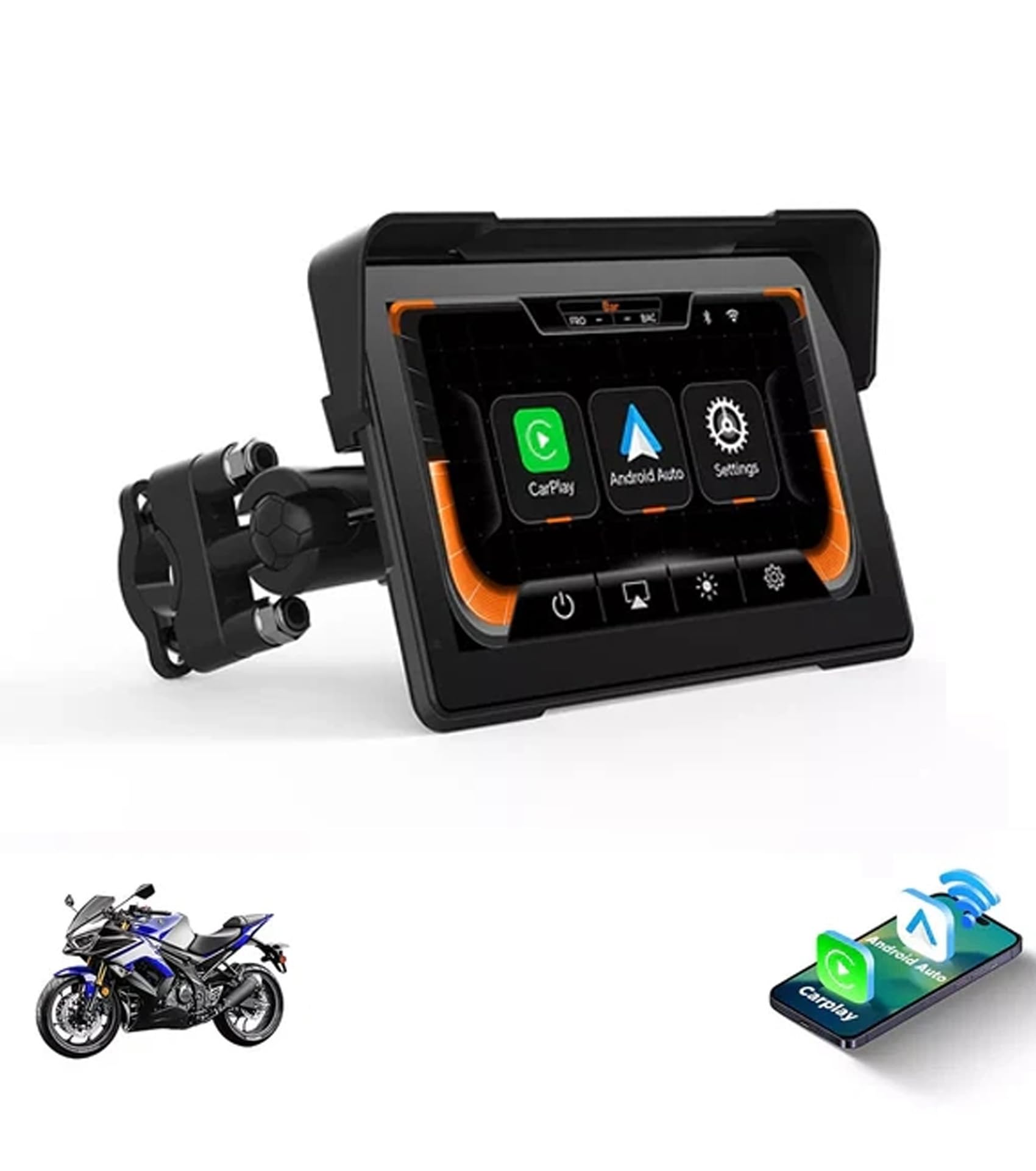
Image: Aoocci C7 7-inch Touchscreen Motorcycle Internet Navigation System. This image shows the device with a motorcycle in the background, highlighting its 7-inch touchscreen display.
2. Kedu ihe dị na Igbe ahụ
Upon opening your Aoocci C7 package, please verify that all the following components are included:
- 7 inch Motorcycle carplay screen
- Igwe ọkụ ọkụ
- Mount & TPMS (Note: TPMS is optional and may not be included in all C7 models)
- Nessgba Harị
- Ngwa na Ngwaọrụ

Image: Aoocci C7 Parts & Accessories. This image displays the main unit along with the power cable, mounting hardware, and other included tools.
Video: Unboxing, Installation & Usage of the New Packaging for C7. This video demonstrates the unboxing process, showing all included components and a brief overview of installation and usage.
3. Nhazi ntuziaka
3.1 Ịtinye ngwaọrụ
The Aoocci C7 features a universal butterfly clamp mount, designed to fit handlebars with diameters ranging from 11mm to 28mm. Follow these steps for secure installation:
- Use the provided wrench to install the bracket onto your motorcycle's handlebar. Ensure it is securely tightened.
- Install the connecting rod onto the bracket. The mount is 360° adjustable for optimal viewakụkụ .
- Install the CarPlay screen onto the mount and adjust it to the desired position. Tighten the adjustment ring to fix it in place.
- Ensure all connections are firm and the device is stable before riding.

Image: Aoocci C7 Installation Instruction. This graphic illustrates the step-by-step process of mounting the device to a motorcycle handlebar and connecting the power.
3.2 Njikọ ike
The device requires a 12V power connection. The low-power design (12V/0.8A) ensures hassle-free installation. Connect the red wire (ACC) to the motorcycle's positive power terminal and the black wire (GND) to the negative terminal.
Video: Unboxing, Installation & Usage of the New Packaging for C7. This video demonstrates the unboxing process, showing all included components and a brief overview of installation and usage.
4. Ntuziaka ọrụ
4.1 Wireless CarPlay & Android Auto Connection
The Aoocci C7 supports wireless Apple CarPlay and Android Auto, allowing you to connect your smartphone via Bluetooth and Wi-Fi for navigation, music, messaging, and hands-free calls.
- On the Aoocci C7 screen, select either 'CarPlay' or 'Android Auto'.
- On your smartphone, turn on Bluetooth and Wi-Fi.
- Chọọ maka and select the device's Bluetooth name (e.g., 'CAR-BT-XXX') from your phone's Bluetooth settings to pair.
- Confirm the pairing request on both devices. Once connected, CarPlay or Android Auto will launch automatically.

Image: Aoocci C7 Apple CarPlay Connection Steps. This image illustrates the four steps to connect an iPhone to the Aoocci C7 for CarPlay functionality.

Image: Aoocci C7 CarPlay & Android Auto Interface. This image shows the device displaying navigation and media playback interfaces for both CarPlay and Android Auto.
4.2 Smartphone Mirror Link
The Aoocci C7 supports Mirror Link for most Apple and Android smartphones. This feature allows you to display your phone's screen directly on the CarPlay unit, enabling access to apps like YouTube, maps, and more.
4.3 GPS igodo
Utilize your smartphone's GPS capabilities through CarPlay or Android Auto to find optimal routes. The 7-inch HD display provides clear and easy-to-read navigation instructions.
4.4 Dual Bluetooth Support
The device supports dual Bluetooth, allowing you to connect your phone to the C7 and then connect a Bluetooth helmet or headset to your phone. This setup enables audio output for music and calls directly to your helmet.

Image: Aoocci C7 Bluetooth Helmet Setup. This image illustrates the connection flow from the CarPlay unit to a phone, and then to a Bluetooth helmet or headset.
Video: Aoocci C7 Motorcycle Carplay Features and Usage. This video provides a comprehensive demonstration of the Aoocci C7's features and how to use them, including CarPlay, Android Auto, and navigation.
5. Nlekọta
The Aoocci C7 is designed for all-weather durability with an IP67 waterproof rating, protecting it against rain, dust, and vibrations. It also withstands extreme temperatures from -20°C to 70°C (-4°F to 158°F).
- Nhicha: Jiri nwayọọ, damp ákwà iji hichaa ihuenyo na mpụta ya. Zere kemịkalụ siri ike ma ọ bụ ihe ndị na-emebi ihe.
- Nchekwa: Mgbe ọ naghị eji ya ogologo oge, chekwaa ngwaọrụ ahụ n'ebe dị jụụ, kpọrọ nkụ na-adịghị na ìhè anyanwụ.
- Nyocha USB: Periodically check power cables and connections for any signs of wear or damage.

Image: Aoocci C7 IP67 Waterproof & Heat-Resistant Design. This image demonstrates the device's durability in various weather conditions, including rain, snow, and hot sun.
6. Nchọpụta nsogbu
If you encounter issues with your Aoocci C7, please refer to the following common troubleshooting steps:
- Ngwaọrụ anaghị agbanye: Ensure the power cable is correctly connected to the motorcycle's 12V power source and the device. Check for any loose connections or blown fuses.
- Enweghị ike ijikọ na CarPlay/Android Auto: Verify that Bluetooth and Wi-Fi are enabled on your smartphone and the Aoocci C7. Ensure your phone is discoverable and try re-pairing the devices. Clear previous connection history on the C7 if necessary.
- Enweghị ọdịyo: Check the volume settings on both the Aoocci C7 and your connected smartphone/helmet headset. Ensure your Bluetooth headset is properly paired and connected to your phone.
- Ihuenyo anaghị anabata: Try restarting the device by turning off and on your motorcycle's ignition. If the issue persists, perform a factory reset (refer to the settings menu).
- Nsogbu nke akara GPS: Gbaa mbọ hụ na ngwaọrụ ahụ nwere nke doro anya view of the sky. If using your phone's GPS, check your phone's location services settings.
7. Nkọwapụta
| Njirimara | Nkọwa |
|---|---|
| Ibu Ibu | 2.5 pound |
| Akụkụ ngwaahịa | 9.05 x 7.28 x 4.6 sentimita asatọ |
| Nọmba Nlereanya ihe | C7 |
| Ngosipụta nha | 7 sentimita asatọ |
| Iwu olu | Ihuenyo mmetụ aka |
| Servicedị Ọrụ hicgbọ | ọgba tum tum |
| Njirimara Pụrụ Iche | Waterproof |
| Teknụzụ Njikọta | Bluetooth |
| Ụdị map | Gburugburu ụwa |
| Sistemụ nrụọrụ | Android |
8. Akwụkwọ ikike Ozi
The Aoocci C7 comes with a Akwụkwọ ikike nke ọnwa 12 from the date of purchase. This warranty covers manufacturing defects and malfunctions under normal use. Please retain your proof of purchase for warranty claims. For detailed warranty terms and conditions, refer to the official Aoocci websaịtị ma ọ bụ kpọtụrụ nkwado ndị ahịa.
9. Nkwado ndị ahịa
For further assistance, technical support, or inquiries regarding your Aoocci C7, please visit the official Aoocci Store or contact our customer service team.
Aoocci Store: https://www.amazon.com/stores/Aoocci/page/EF40CE3A-7630-4A18-93DC-75FE2EBDD718


