1. Okwu mmalite
Daalụ maka ịzụrụasing the LG 43 inch UHD AI UA73 4K Smart TV. This television combines stunning 4K Ultra High Definition visuals with advanced Artificial Intelligence features and the intuitive webOS25 platform. Enjoy vibrant colors, sharp details, and smart functionalities including AI-powered search and voice control. This manual provides essential information for setting up, operating, and maintaining your new television.
2. Ozi nchekwa
Please read all safety instructions carefully before using your TV. Keep this manual for future reference.
2.1 Nchekwa eletriki
- Ebubigala ọnụ ụzọ mgbidi ma ọ bụ eriri ndọtị.
- Gbaa mbọ hụ na etinyere eriri ọkụ ahụ nke ọma na TV na oghere mgbidi.
- Ejila mmiri mmiri emetụ plọg ọkụ ahụ aka.
2.2 Ntinye
- Place the TV on a stable, level surface or mount it securely to a wall using a compatible VESA mount.
- Gbaa mbọ hụ na ikuku zuru oke na gburugburu TV iji gbochie ikpo oke ọkụ.
- Debe TV ahụ ka ọ ghara ịpụta ìhè, ebe okpomọkụ na-anaghị apụta, nakwa ebe mmiri na-anaghị eru ya ala.
2.3 Nhicha
- Kwupuo TV tupu ihicha.
- Use a soft, dry cloth to clean the screen and exterior. Do not use liquid cleaners or sprays directly on the TV.
3. Ihe ngwugwu
Hụ na ihe niile dị n'ime igbe ahụ:
- LG 43 inch UHD AI 4K Smart TV (Model 43UA73006LA)
- AI Magic Remote Control
- Ụdọ ọkụ
- TV Stand (iberibe 2) na kposara
- User Manual and Regulatory Information
- Batrị maka Njikwa Ime Obodo (AA x 2)
4. Nhazi
4.1 Mwepu na nkwụnye nrụnye
- Carefully remove the TV from its packaging. It is recommended to have two people for this step.
- Tinye ihuenyo TV gbadaa n'elu ala dị nro ma dịkwa larịị iji gbochie mmebi.
- Attach the stand pieces to the TV using the provided screws, ensuring they are securely fastened. Refer to the diagram in the quick setup guide for specific screw locations.
- Alternatively, if wall-mounting, follow the instructions provided with your VESA-compatible wall mount kit.
4.2 Njikọta Peripherals
Connect external devices such as Blu-ray players, game consoles, or soundbars to the appropriate ports on the back of the TV.
- ọdụ ụgbọ mmiri HDMI: For high-definition video and audio.
- ọdụ ụgbọ mmiri USB: Maka ijikọ ngwaọrụ nchekwa USB.
- Ntinye Antenna/Cable: Maka ijikọ antenna ma ọ bụ TV USB.
- Apụọ ọdịyo dijitalụ anya: Maka ijikọ na ụda ụda ma ọ bụ nnata ọdịyo.
4.3 Ike mbụ na njikọ netwọkụ
- Tinye eriri ọkụ n'ime TV wee banye n'ime oghere mgbidi.
- Pịa bọtịnụ ike na njikwa remote ma ọ bụ na TV.
- Follow the on-screen instructions for the initial setup wizard. This will guide you through language selection, time zone, and network connection.
- Select your Wi-Fi network and enter the password, or connect an Ethernet cable for a wired connection.
5. Ọrụ
5.1 AI Magic Remote Control
The AI Magic Remote allows for intuitive control of your TV, including point-and-click navigation and voice commands.
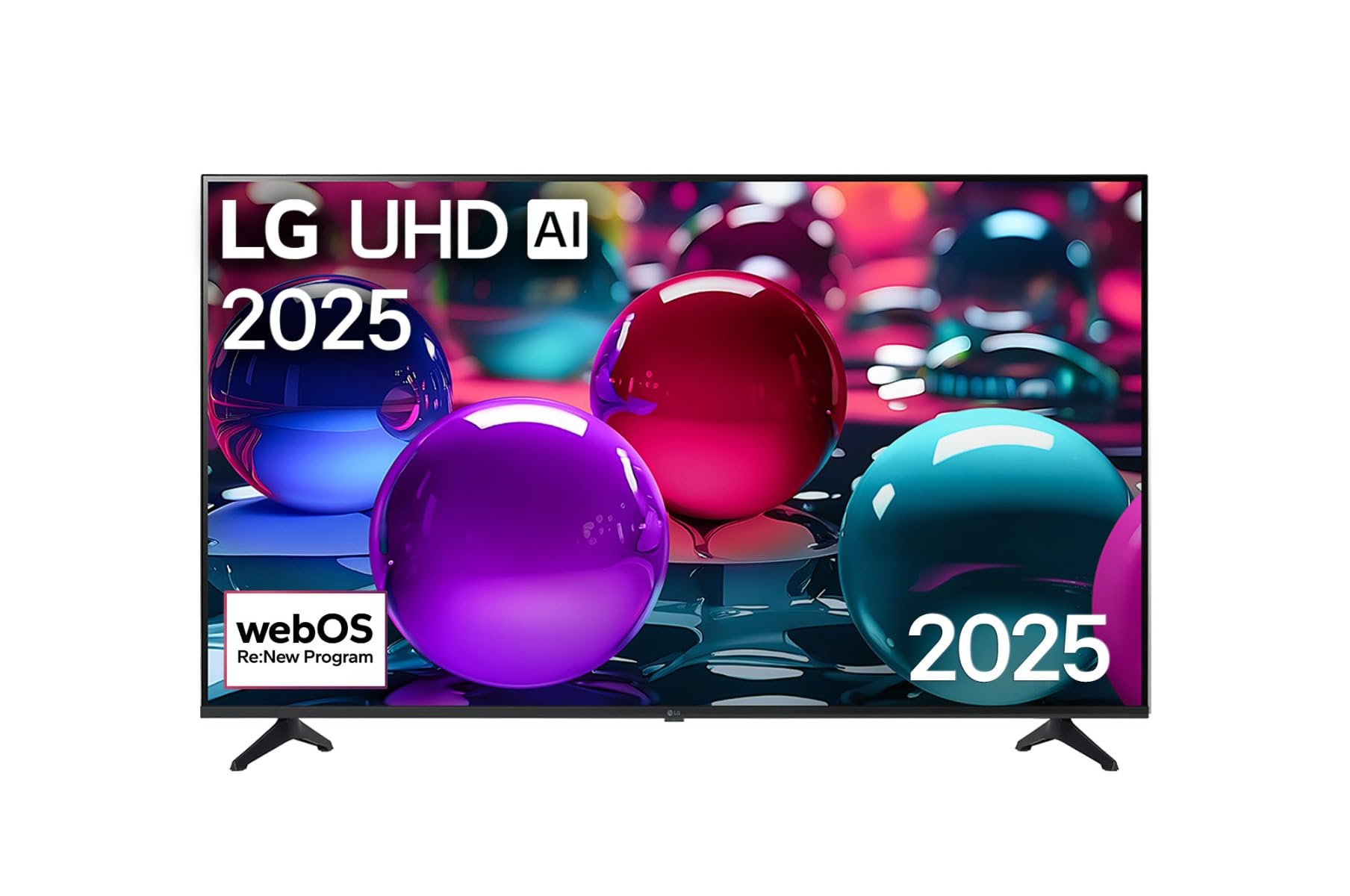
This image displays the LG 43 inch UHD AI 4K Smart TV, highlighting its webOS Re:New Program and Artificial Intelligence features. The accompanying AI Magic Remote is shown with a speech bubble indicating 'Just speak!', emphasizing its voice control capabilities.
- Bọtịnụ ike: Gbanyụọ ma ọ bụ gbanyụọ TV.
- Scroll Wheel/OK Button: Na-agagharị menu ma na-akwado nhọrọ.
- Bọtịnụ Iwu Olu: Press and hold to activate AI Search, AI Chatbot, or AI Concierge. Speak your command into the remote.
- Bọtịnụ ụlọ: Na-abanye na webOS Home screen.
- Bọtịnụ azụ: Na-alaghachi na ihuenyo gara aga.
- Elu elu/ala: Na-edozi olu.
- Ọwa elu/ala: Na-agbanwe ọwa.
5.2 webOS Interface
Nke webOS Home screen provides quick access to apps, inputs, and settings. Use the Magic Remote to point and click on desired options or navigate with the directional buttons.
- App Launcher: Customize and access your favorite streaming services and applications.
- Ntinye Nhọrọ: Switch between HDMI inputs, USB, or live TV.
- Ntọala: Adjust picture, sound, network, and general TV settings.
5.3 AI atụmatụ
Leverage the power of AI for enhanced TV experience:
- Ọchụchọ AI: Use voice commands to find content, information, or apps quickly.
- AI Chatbot: Interact with the TV for assistance or information.
- AI Concierge: Receive personalized content recommendations and smart home integration.
6. Nlekọta
6.1 Na-ehicha TV gị
Iji mee ka ọdịdị na arụmọrụ TV dị mma:
- Kwupuo TV mgbe niile tupu ihicha ya.
- Jiri akwa dị nro na-enweghị lint iji hichaa ihuenyo ahụ nwayọ. Maka akara isi ike, ntakịrị dampjiri mmiri hichaa ákwà ahụ, wee hichaa ya ozugbo.
- Clean the TV frame and stand with a soft, dry cloth.
- Do not use abrasive cleaners, alcohol, benzene, or thinners, as these can damage the screen or finish.
6.2 Mmelite ngwanrọ
Your LG Smart TV periodically receives software updates to improve performance and add new features. Ensure your TV is connected to the internet to receive these updates automatically. You can also manually check for updates in the TV's settings menu.
7. Nchọpụta nsogbu
Ọ bụrụ na ị na-enwe nsogbu na TV gị, rụtụ aka na azịza ndị a na-ahụkarị:
| Nsogbu | Ngwọta enwere ike |
|---|---|
| Enweghị ike | Check if the power cord is securely plugged in. Try a different power outlet. |
| Enweghị foto, mana ụda dị | Gbaa mbọ hụ na ahọpụtara isi mmalite ntinye ziri ezi. Lelee njikọ eriri na ngwaọrụ mpụga. |
| Enweghị ụda, mana foto dị | Check volume levels and mute settings. Verify audio output settings in the TV menu. |
| Njikwa anya anaghị arụ ọrụ | Replace batteries. Ensure there are no obstructions between the remote and the TV. Re-pair the Magic Remote if necessary (refer to TV settings). |
| Enweghị ike ijikọ na Wi-Fi | Restart your router and modem. Check Wi-Fi password. Ensure the TV is within range of the router. |
| Esemokwu ịdị mma foto (dịka ọmụmaatụ, agbagọ, agbagọ) | Check the resolution of the input source. Adjust picture settings in the TV menu. |
If the problem persists, please contact LG customer support.
8. Nkọwapụta
| Njirimara | Nkọwa |
|---|---|
| Ụdị | LG |
| Aha Nlereanya | 43UA73006LA |
| Nha ihuenyo | 43 sentimita asatọ |
| Ngosipụta teknụzụ | Ikanam |
| Mkpebi | 4K UHD (3840 x 2160) |
| Akụkụ akụkụ | 16:9 |
| Sistemụ nrụọrụ | webOS25 |
| Atụmatụ pụrụ iche | AI Processor, AI Magic Remote, HDR10, Sleep Timer |
| Agba | Nwa |
| Ibu Ibu | 6.8 Kilogram (14.96 pound) |
| Akụkụ ngwaahịa | 37.68 x 37.68 x 21.97 sentimita asatọ |
| Ụbọchị mbụ dị | Nọvemba 28, 2025 |
9. Akwụkwọ ikike & Nkwado
9.1 Akwụkwọ ikike ngwaahịa
Your LG 43 inch UHD AI UA73 4K Smart TV is covered by a limited manufacturer's warranty. Please refer to the warranty card included in your package for specific terms, conditions, and duration of coverage. Keep your proof of purchase for warranty claims.
9.2 Nkwado ndị ahịa
For technical assistance, troubleshooting beyond this manual, or warranty service, please contact LG Customer Support:
- Websaịtị: Gaa leta nkwado LG gọọmentị website for FAQs, downloads, and service requests.
- Ekwentị: Refer to your warranty card or LG's official websaịtị maka nọmba kọntaktị mpaghara.