1. Okwu mmalite
This manual provides essential information for the proper use and maintenance of your HOTWAV R9 Ultra 5G Rugged Tablet. Please read it thoroughly before operating the device to ensure optimal performance and longevity. The HOTWAV R9 Ultra is designed for durability and high performance, featuring 5G connectivity, a large display, and robust construction.
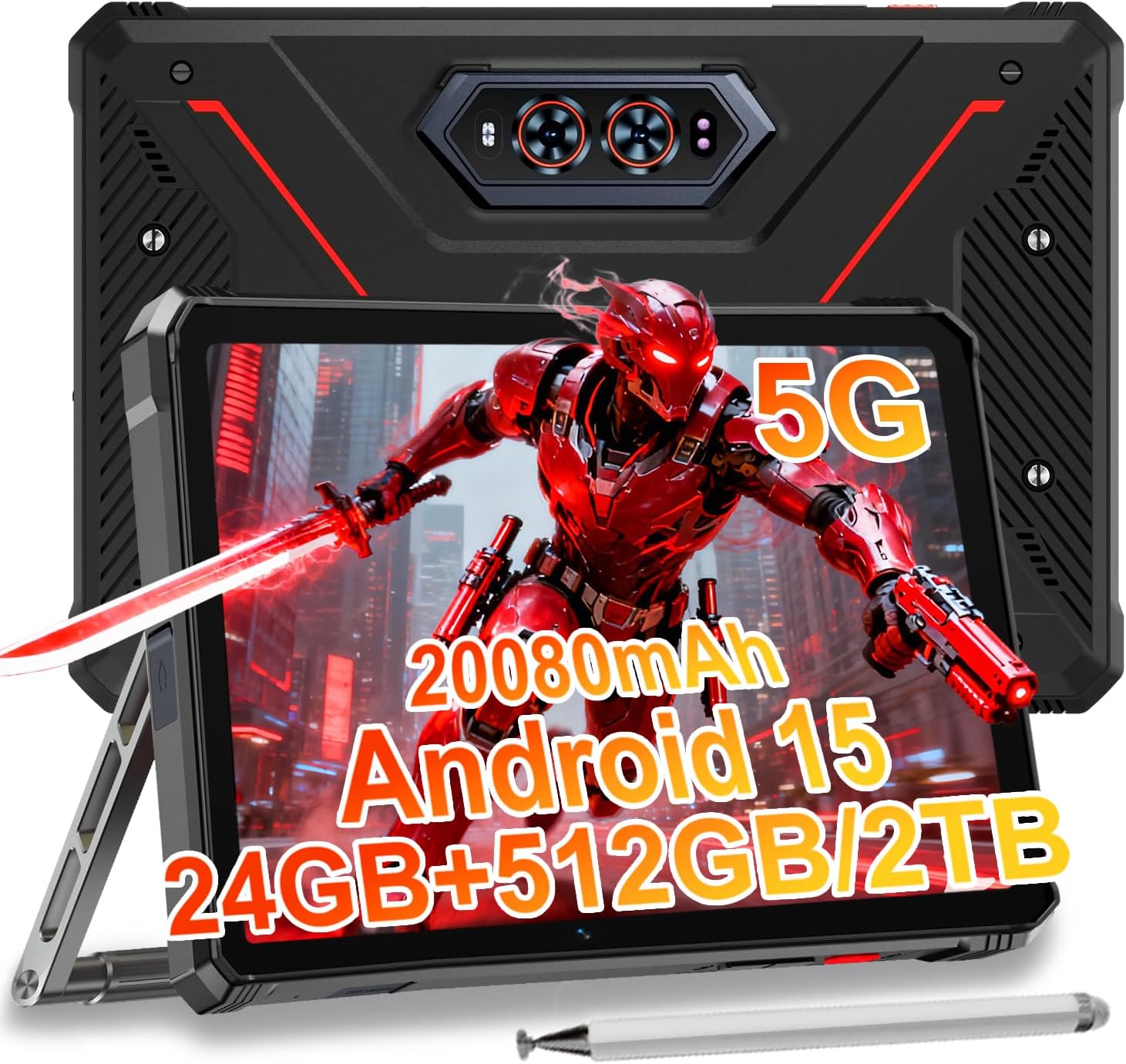
Image 1.1: The HOTWAV R9 Ultra 5G Rugged Tablet with its included stylus and stand.
2. Kedu ihe dị na Igbe ahụ
Chọpụta na ihe niile dị mgbe ị na-ebupụ igbe:
- 1 x R9 Ultra Tablet
- 1 x Akwụkwọ ntuziaka
- 1 x Tablet Protective Film (pre-installed or separate)
- 1 x Tablet Charger Accessory
- 1 x Tablet Stand + Strap + Electronic Pen
3. Ngwaọrụ gafereview
Familiarize yourself with the physical components of your tablet.
3.1 Akụkụ anụ ahụ
- Ngosipụta: 11-inch FHD+ 2K screen.
- Igwefoto ihu: 16MP maka oku vidiyo na selfie.
- Igwefoto azụ: 64MP main camera, 20MP night vision camera.
- ọdụ ụgbọ mmiri: USB-C charging/data port, Dual SIM/MicroSD card slot.
- Bọtịnụ: bọtịnụ ike, bọtịnụ olu elu/ala.
- Ndị na-ekwu okwu: Ndị ọkà okwu stereo agbakwunyere.
- CampÌhè: Integrated high-performance light on the rear.

Foto 3.1: N'azụ view of the tablet highlighting the camera system and integrated campìhè.
4. Nhazi
4.1 Nwụnye Kaadị SIM na MicroSD
- Chọta oghere kaadị SIM/MicroSD n'akụkụ mbadamba.
- Jiri ngwaọrụ ejector SIM enyere ka imepe traị.
- Carefully place your Nano-SIM cards (up to two) and/or a MicroSD card (up to 2TB) into the tray, ensuring correct orientation.
- Insert the tray back into the tablet until it clicks into place.
Important Notice Before Purchase: HOTWAV rugged tablets are not compatible with AT&T, Cricket, or Verizon networks. They fully support T-Mobile, Mint, Boost, and Google Fi. Verify your carrier compatibility to ensure seamless connectivity.
4.2 Initial Power On and Android 15 Setup
- Press and hold the Power button until the HOTWAV logo appears.
- Soro ntuziaka ndị dị na ihuenyo iji mezue ntọala mbụ, gụnyere nhọrọ asụsụ, njikọ Wi-Fi, nbanye akaụntụ Google, na ntọala nchekwa.
- The tablet runs on Android 15, offering enhanced features and security.

Foto 4.1: Ofeview of the Android 15 operating system interface.
5. Na-arụ ọrụ mbadamba nkume
5.1 Nsoro ụzọ
- Mmegharị aka: Use taps, swipes, and pinches to interact with the screen.
- Ihuenyo ụlọ: Access apps and widgets.
- Amamọkwa: Si n'elu ihuenyo gaa ala view ọkwa na ntọala ngwa ngwa.
5.2 Njikọta
- 5G netwọk: Insert a compatible 5G SIM card for high-speed mobile data.
- Wi-Fi 5: Jikọọ na netwọk ikuku maka ịnweta ịntanetị.
- Bluetooth Bluetooth: Pair with Bluetooth devices such as headphones or speakers.
- GPS: Utilize multi-system navigation (Beidou, GPS, Galileo, Glonass) and a geomagnetic sensor for accurate positioning.

Image 5.1: The tablet's GPS functionality in use for navigation.
5.3 Ojiji igwefoto
The tablet features a versatile camera system:
- Igwefoto isi 64MP: Maka foto ndị dị elu.
- Igwefoto ọhụụ abalị 20MP: For clear images in low-light conditions.
- Igwefoto n'ihu 16MP: For video calls and self-portraits.
Camera modes include Night Mode, Pro Mode, Panorama Mode, and Underwater Mode for diverse shooting scenarios.

Image 5.2: Demonstrating the tablet's underwater and night vision camera capabilities.
5.4 Njikwa batrị
The tablet is equipped with a 20080mAh battery for extended use.
- Ịchaji: Use the included 20W fast charger for efficient power replenishment.
- Nchaji Nlaghachi OTG: The tablet can act as a power bank to charge other devices.

Image 5.3: Visual representation of the 20080mAh battery and 20W fast charging.
5.5 Stylus Usage
The included stylus allows for precise interaction with the screen, ideal for drawing, note-taking, or navigating with gloves on.

Image 5.4: The stylus pen, designed for precise input.
Atụmatụ 5.6 Pụrụ Iche
- CampÌhè: Activate the rear camping light for illumination in dark environments.
- Gemini AI: Utilize Gemini AI for advanced reasoning, creative solutions, and deeper conversations.
- Ụdị uwe aka: The display supports operation while wearing gloves.
- NJ ihu: Unlock your tablet using facial recognition.
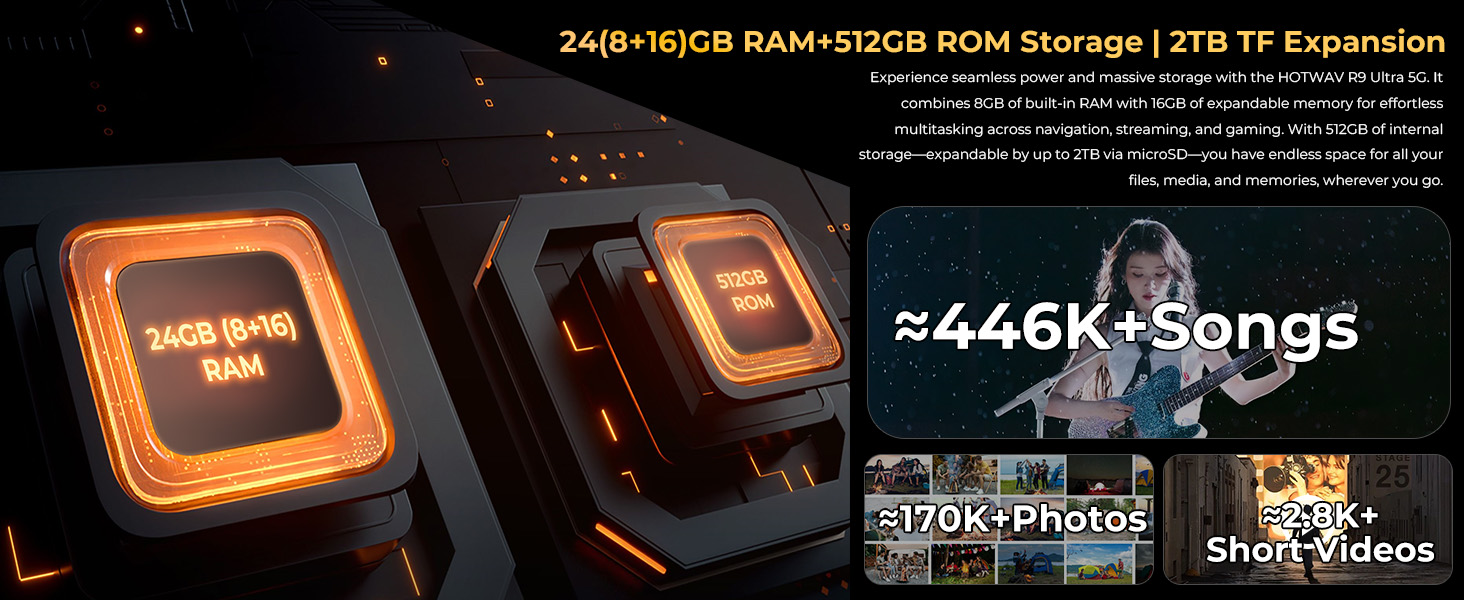
Image 5.5: The tablet's integrated camping light providing illumination.
5.7 Atụmatụ Ịdịgide
The HOTWAV R9 Ultra is built to withstand challenging conditions:
- IP68 na IP69K gosiri ọkwa: Fully dust-tight and protected against high-pressure, high-temperature water jets.
- MIL-STD-810H Certified: Meets military standards for shock and drop resistance.
- Iko Corning Gorilla 3: Provides enhanced screen protection against scratches and impacts.

Image 5.6: The tablet's robust design, highlighting its resistance to drops, water, and dust.
6. Nlekọta
6.1 Nhicha
To clean your tablet, use a soft, lint-free cloth. For stubborn dirt, slightly dampen akwa na mmiri. Zere iji kemịkalụ siri ike ma ọ bụ ihe na-emebi emebi.
6.2 Mmelite ngwanrọ
Regularly check for and install software updates to ensure your tablet has the latest features, security patches, and performance improvements. Navigate to Ntọala> Sistemu> Mmelite sistemụ ka ịlele maka mmelite dị.
6.3 Njikwa nchekwa
Mgbe ụfọdụ review Nchekwa mbadamba gị. Hichapụ ihe na-adịghị mkpa files, wepụ ngwa ndị a na-ejighị, ma nyefee nnukwu mgbasa ozi files to external storage or cloud services to maintain optimal performance. The tablet supports up to 2TB of expandable storage via MicroSD.
7. Nchọpụta nsogbu
Ọ bụrụ na ị hụ nsogbu na mbadamba gị, lee ihe ngwọta ndị a na-enye:
- Mbadamba anaghị agba ọkụ: Hụ na batrị ahụ chajị. Jikọọ mbadamba ahụ na chaja ya ma chere nkeji ole na ole tupu ị nwaa ịgbanye ya ọzọ.
- Ịrụ ọrụ nwayọ: Close unused applications, clear cache, or restart the tablet. Check for available software updates.
- Connectivity issues (Wi-Fi/5G): Toggle Wi-Fi or mobile data off and on. Restart your router for Wi-Fi issues. Verify SIM card installation and carrier compatibility for 5G issues.
- Ihuenyo anaghị anabata: Perform a forced restart by holding the power button for approximately 10-15 seconds.
- Ngwa na-akụda: Hichapụ cache na data n'ime ngwa ahụ Ntọala > Ngwa, or reinstall the app.
Maka nsogbu ndị na-adịgide adịgide, kpọtụrụ ndị ahịa.
8. Nkọwapụta
| Njirimara | Nkọwapụta |
|---|---|
| Ụdị | HOTWAV |
| Aha Nlereanya | R9 Ultra |
| Sistemụ nrụọrụ | Android 15 |
| Nha ihuenyo | 11 sentimita asatọ |
| Mkpebi ihuenyo | 1200 x 1920 Pixels (2K FHD+) |
| Akara nhazi | Unisoc |
| Ihe eserese eserese | Mali-G57 MC2 |
| RAM | 24GB (8GB anụ ahụ + 16GB mebere emebere) |
| Nchekwa nke ime | 512GB |
| Nchekwa enwere ike ịgbasa | Ruo 2TB site na MicroSD |
| N'azụ Webcam mkpebi | 64 MP (Main) + 20 MP (Nightvision) |
| N'ihu Webcam mkpebi | 16 MP |
| Ike batrị | 20080mAh |
| Ịchaji | Nchaji Ngwa Ngwa 20W, Nchaji Nlaghachi OTG |
| Ọkwa Ịdịgide | IP68, IP69K, MIL-STD-810H |
| Njikọta | 5G, Wi-Fi 5, Bluetooth 5.0, GPS (Beidou, Galileo, Glonass) |
| Ibu Ibu | 2.64 pound |
| Akụkụ ngwaahịa | 10.6 x 7.1 x 0.7 sentimita asatọ |
9. Akwụkwọ ikike na nkwado
9.1 Ozi akwụkwọ ikike
The HOTWAV R9 Ultra comes with a comprehensive 2-year hardware warranty. This warranty covers manufacturing defects and ensures the reliability of your device. Please retain your proof of purchase for warranty claims.
9.2 Nkwado ndị ahịa
For technical assistance, troubleshooting, or warranty inquiries, please contact HOTWAV customer support. Support options typically include:
- Nkwado n'ịntanetị 24/7
- Nkwado nka na ụzụ ndụ oge niile
Refer to the official HOTWAV websaịtị ma ọ bụ akwụkwọ ịzụrụ ihe maka nkọwa kọntaktị akọwapụtara.

Image 9.1: Representation of HOTWAV's customer support services.


