gafereview

The Beats Powerbeats Fit are high-performance wireless earbuds designed for active lifestyles. They feature secure-fit wingtips for stability, Active Noise Cancelling (ANC) for immersive sound, and Transparency mode to stay aware of your surroundings. With up to 30 hours of battery life (with the charging case) and sweat & water resistance, these earbuds are built to support intense workouts and daily use. They are compatible with both Apple and Android devices.
Atụmatụ gụnyere:
- Flexible, secure-fit wingtips for exceptional stability and comfort.
- Custom acoustic platform delivering powerful, balanced sound.
- Active Noise Cancelling (ANC) to block external sounds.
- Transparency mode to hear your surroundings.
- IPX4 sweat and water resistance for both earbuds and charging case.
- Ruo awa iri abụọ na anọ nke ndụ batrị zuru oke na akpa chaja.
- Personalized Spatial Audio with dynamic head tracking.
- Compatibility with Apple (H1 chip features) and Android (Beats app).
- Exceptional call quality with dual beam-forming microphones.
Kedu ihe dị na Igbe ahụ

Your Powerbeats Fit package includes the following items:
- Powerbeats Fit earbuds
- USB-C charging case
- Four ear tip sizes (extra-small, small, medium, and large)
- Ntuziaka mmalite ngwa ngwa
- Akwụkwọ ikike kaadị
Note: Power adapter and USB-C charging cable are sold separately.
Video: Unboxing the Powerbeats Fit earbuds and reviewing the contents of the package.
Melite
Ịchaji
Before first use, ensure your Powerbeats Fit earbuds and charging case are fully charged. Connect the USB-C charging case to a power source using a compatible USB-C cable and power adapter (sold separately). The LED indicator on the case will show charging status.
A 5-minute Fast Fuel charge provides up to 1 hour of playback when the battery is low.
Ijikọta
To pair your Powerbeats Fit with a device:
- Open the charging case with the earbuds inside and hold it near your unlocked Apple or Android device.
- Follow the on-screen instructions to connect.
- For Android devices, download the Beats app from the Google Play Store for one-touch pairing and additional features.
dabara na nkasi obi
Achieving the correct fit is crucial for optimal sound quality, noise cancellation, and comfort. Powerbeats Fit come with four ear tip sizes (XS, S, M, L) to ensure a personalized fit.
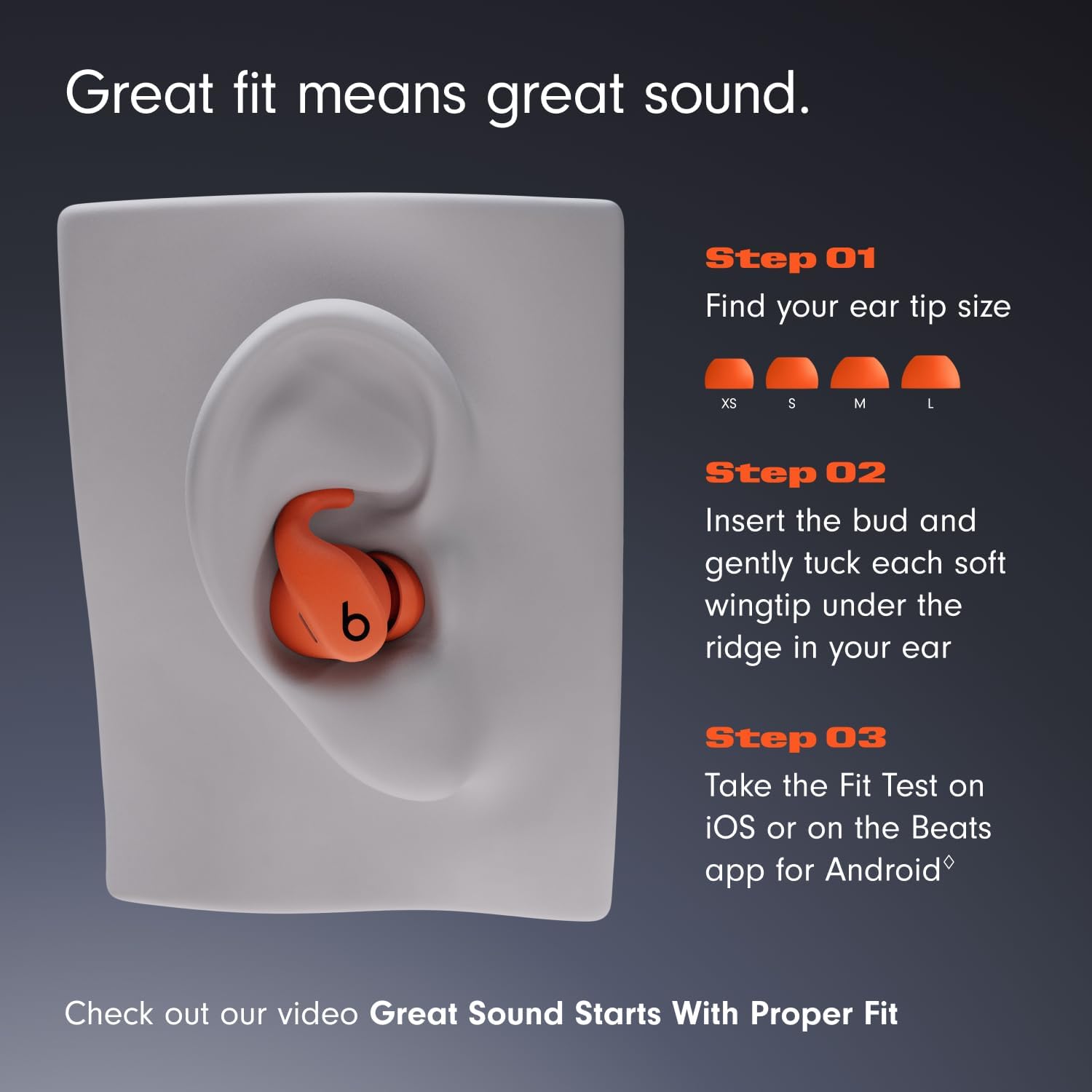
Image: Visual guide for selecting ear tip size and proper earbud insertion.
- Choose your ear tip size: Experiment with the different ear tip sizes to find the pair that creates a comfortable and secure seal in your ear canal.
- Insert the earbud: Gently place the earbud into your ear.
- Tuck the wingtip: Gently tuck the soft, flexible wingtip under the ridge of your upper ear to secure the earbud in place.
- Perform a Fit Test: Use the Ear Tip Fit Test on iOS (iOS 26 or later) or the Beats app for Android (Android 13 or later) to ensure an optimal acoustic seal for the best audio performance and noise cancellation.
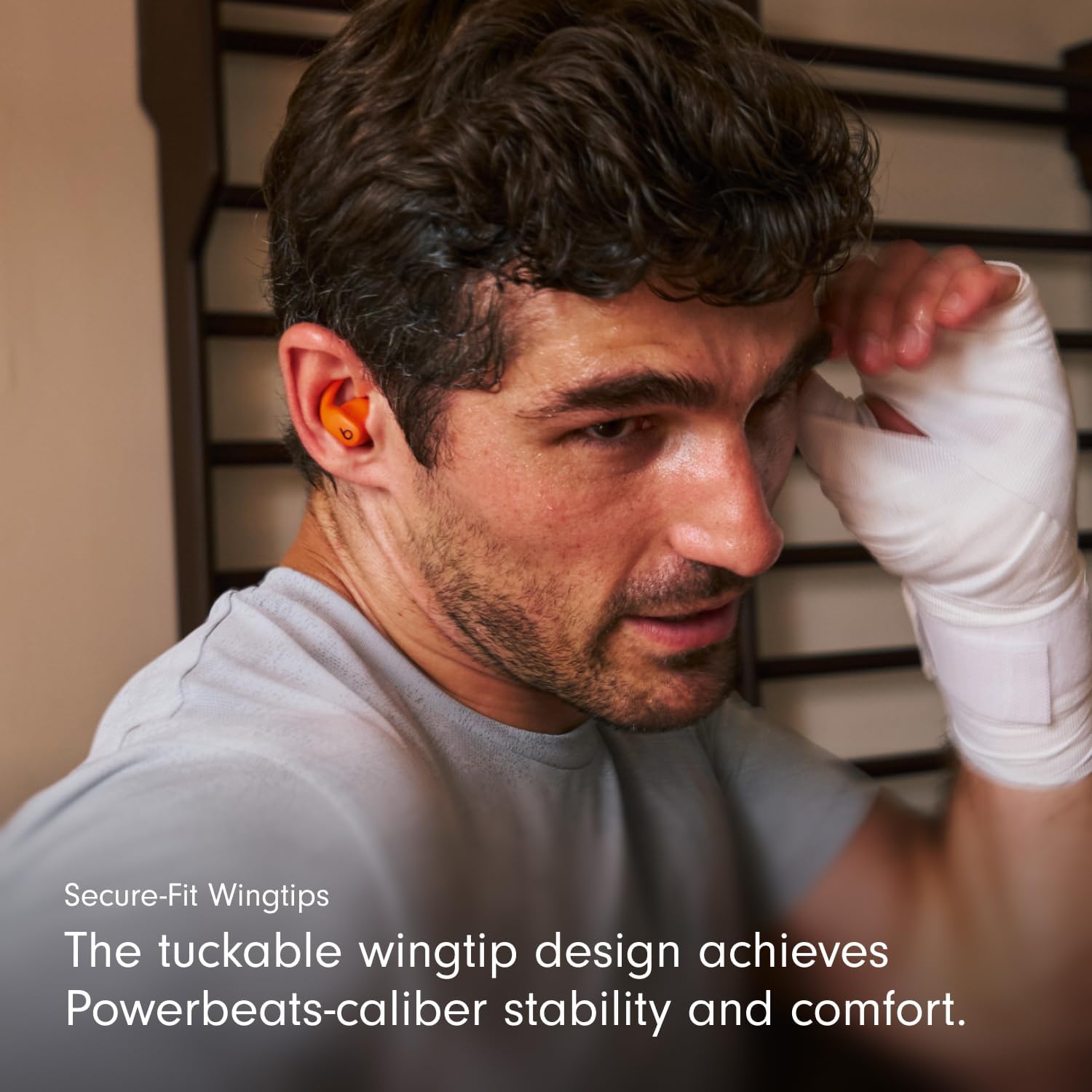
Image: Close-up of the secure-fit wingtip in use, providing stability.
Video: Demonstrates how to properly wear Powerbeats Fit earbuds and utilize the secure-fit wingtips for optimal comfort and stability.
Ntuziaka ọrụ
Njikwa
Each earbud features a multi-function 'b' button for controlling music, calls, and listening modes. Controls are customizable via the Beats app for Android or iOS settings.
- Njikwa egwu: Press once to play/pause, twice to skip forward, three times to skip backward.
- Njikwa oku: Pịa otu ugboro ka ịza/ kwusi oku.
- Ụdị ntị: Press and hold the 'b' button to switch between Active Noise Cancelling and Transparency mode.
- Enyemaka Olu: Activate Siri hands-free on Apple devices. Voice assistant functionality may vary on Android devices.
Auto-Play/Pause sensors detect when earbuds are inserted or removed from your ears, automatically playing or pausing audio.
Ịkagbu mkpọtụ mkpọtụ (ANC) & Ụdị nghọta
Powerbeats Fit offer two distinct listening modes:
- Ịkagbu mkpọtụ mkpọtụ (ANC): Blocks external sounds for an immersive listening experience, allowing you to focus on your audio.
- Ụdị nghọta: Na-enye gị ohere ịnụ ihe gbara gị gburugburu ka ị ka na-anụ ụda olu gị, nke bara uru maka mmata n'ebe ndị mmadụ na-ekwo ekwo.
Switch between these modes by pressing and holding the 'b' button on either earbud.
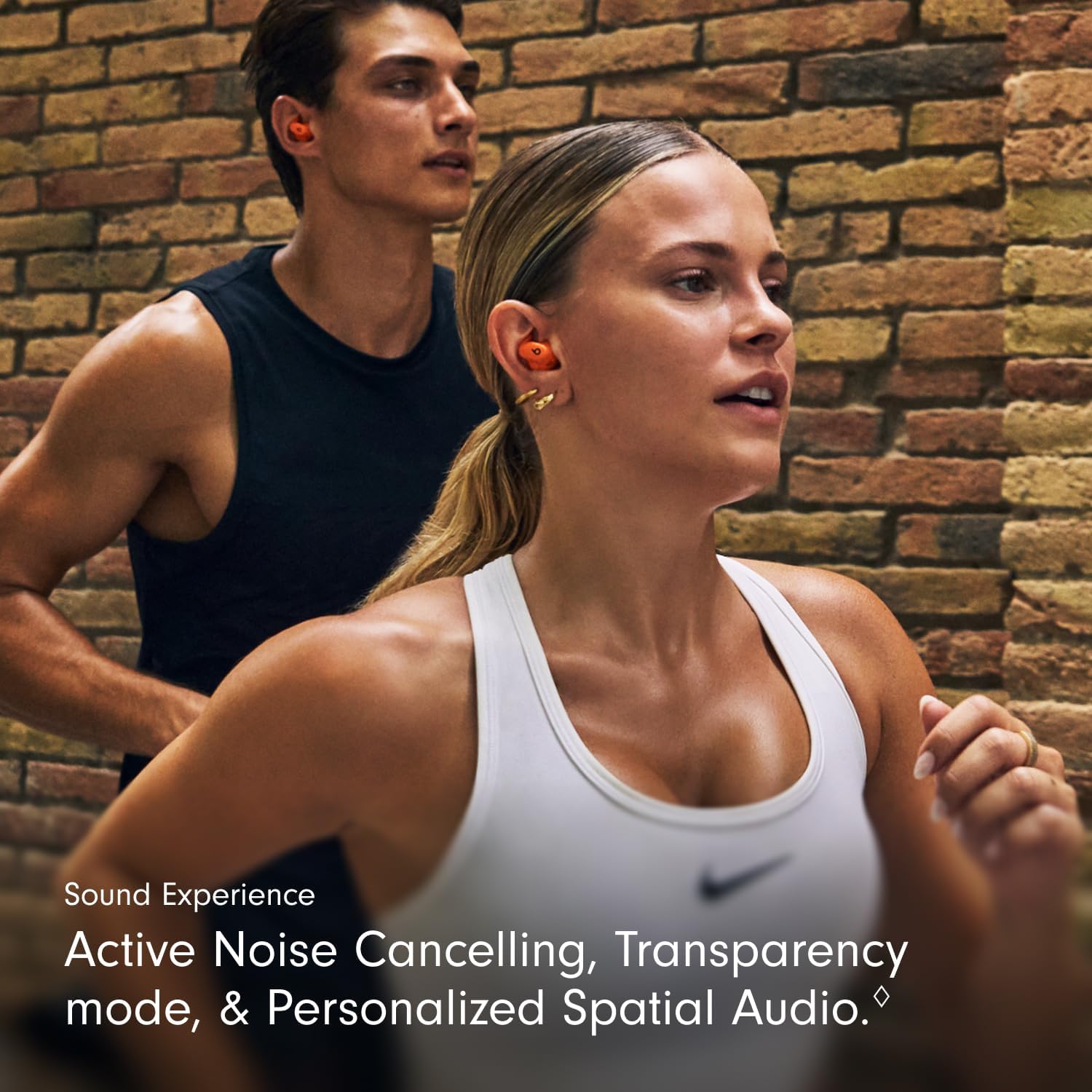
Image: Illustrates the sound experience with ANC and Transparency mode.
Ọdịyo Oghere ahaziri ahazi
Experience immersive sound with Personalized Spatial Audio and dynamic head tracking. This feature adapts the audio to your head movements, creating a theater-like experience for compatible content. Adaptive EQ further tailors the sound to your earbud's personal fit and seal.
Video: Showcases the Powerbeats Fit in various workout scenarios, highlighting their secure fit and audio features.
Nlekọta
Nhicha
Regular cleaning helps maintain optimal performance and hygiene. Use a soft, dry, lint-free cloth to wipe down the earbuds and charging case. Do not use abrasive materials or submerge the devices in liquid. Remove ear tips and clean them with water and mild soap, then dry thoroughly before reattaching.
Mmiri na Ọsụsọ Nguzogide

Image: Powerbeats Fit earbuds and case are IPX4 rated for sweat and water resistance.
Both Powerbeats Fit earbuds and the charging case are IPX4 rated, meaning they are resistant to sweat and splashes of water. This makes them suitable for intense workouts and use in light rain. However, they are not waterproof and should not be submerged in water. Always ensure the earbuds and case are dry before charging to prevent damage.
Nchọpụta nsogbu
If you encounter issues with your Powerbeats Fit, try the following solutions:
- Enweghị ogo ụda/adịghị mma:
- Gbaa mbọ hụ na akwụgoro ihe ekwe ntị.
- Lelee njikọ Bluetooth ma jikọọ ọzọ ma ọ bụrụ na ọ dị mkpa.
- Verify ear tip fit using the Ear Tip Fit Test in the Beats app or iOS settings.
- Clean ear tips and speaker mesh for any debris.
- Earbuds anaghị akwụ ụgwọ:
- Gbaa mbọ hụ na e boro ebubo ebubo.
- Lelee eriri USB-C na ihe nkwụnye ike maka mmebi.
- Ensure earbuds are properly seated in the charging case.
- Clean charging contacts on both earbuds and case.
- Okwu Njikọta:
- Gbanyụọ Bluetooth ma gbanye ya ọzọ na ngwaọrụ gị.
- Chezọ ngwaọrụ dị na ntọala Bluetooth gị wee jikọọ ọzọ.
- Hụ na ekweisi dị n'ime ngwaọrụ gị.
- Active Noise Cancelling/Transparency Not Working:
- Ensure earbuds have a proper seal in your ears.
- Check settings in the Beats app or iOS to confirm the desired mode is active.
For further assistance, refer to the Digital Quick Start Guide or visit the official Beats support websaịtị.
Nkọwapụta
| Njirimara | Nkọwa |
|---|---|
| Aha Nlereanya | Powerbeats Fit |
| Nọmba Nlereanya ihe | ME2M4LL/A |
| Njikwa mkpọtụ | Mkpọchi Mkpọtụ Na-arụ Ọrụ, Mwepụ Ụda |
| Teknụzụ Njikọta | Igwe na-enweghị ikuku (Bluetooth, Wi-Fi) |
| Battery Life (with charging case) | Ruo awa 30 |
| Ịchaji Mmanụ Ọkụ Ngwa Ngwa | 5-minute charge provides up to 1 hour of playback |
| Ọkwa Nguzogide mmiri | IPX4 (Ọsụsọ na Mmiri Na-eguzogide) |
| Ntinye ntị | Na Ntị |
| Ụdị Ihe | In Ear, True Wireless |
| Ụdị njikwa | Njikwa Olu, Njikwa Ngwa, Njikwa Bọtịnụ, Siri, Njikwa Aka, Njikwa Olu |
| Ngwa dakọtara | Cellphones, Desktops, Laptops, Smart Watch, Tablets (Apple & Android) |
| Ibu ihe (mkpokọta) | 61.3 grams |
| Earbud arọ | 5.78 Gram (nke ọ bụla) |
| Ịchaji Ibu Ca | 49.75 grams |
| Onye nrụpụta | Na-akụ |
| UPC | 195950384697, 195950384840 |
Video: Explores the design philosophy and engineering behind the Powerbeats Fit, focusing on the wingtip and acoustic drivers.
Akwụkwọ ikike na nkwado
Your Powerbeats Fit earbuds come with a standard manufacturer's warranty. For detailed warranty information, please refer to the warranty card included in your package or visit the official Beats support websaịtị.
AppleCare+: For extended coverage, including battery service and accidental damage protection, you may purchase AppleCare+. Scan the QR code on the included AppleCare+ card to learn more and purchase.
Apple Music Trial: Powerbeats Fit includes a free trial of Apple Music for new subscribers. Scan the QR code on the Apple Music card to activate your trial and enjoy great music.
For the most up-to-date information, digital quick start guides, and support resources, please visit the official Beats support websaịtị.


