1. Ozi nchekwa dị mkpa
Please read and understand all safety instructions before using this product. Failure to follow these instructions may result in injury or damage.
- Ihe ize ndụ ịnwụ anwụ: Keep all cables out of reach of children (at least 1 meter / 3 feet away). Never place the camera or monitor within reach of a child in a crib or playpen.
- Ihe egwu na-akụda: This product contains small parts. Keep all components and packaging materials away from children.
- Nchekwa Eletriki: Use only the provided power adapters. Do not use extension cords. Do not expose the product to water or moisture.
- ekpo oke ọkụ: Do not cover the camera or monitor with clothing, blankets, or any other material. Ensure proper ventilation.
- Ntinye aka: This product uses 2.4 GHz FHSS technology. Keep it away from other 2.4 GHz devices (e.g., Wi-Fi routers, microwaves) to avoid interference.
- Okpomọkụ: Do not place the camera or monitor near heat sources or in direct sunlight.
2. Ihe ngwugwu
Nyochaa na etinyere ihe niile edepụtara n'okpuru na ngwugwu gị. Ọ bụrụ na ihe ọ bụla na-efu ma ọ bụ mebie, biko kpọtụrụ nkwado ndị ahịa.
- 1 x Baby Monitor (Parent Unit)
- 1 x Baby Camera (Baby Unit)
- 2 x Adapters Ike (Chaja)
- 1 x Screw Set for Wall Mounting
- 1 x Akwụkwọ ntuziaka onye ọrụ

Foto nke 2.1: Ihe dị n'ime ngwugwu na nha ngwaahịa
The image above illustrates the monitor, camera, and accessories included in the package, along with their approximate dimensions.
3. Ngwaahịa gafereview
3.1 Nyochaa ( Ngalaba Nne na Nna)
The monitor features a 7-inch IPS HD screen for clear viewing. It includes control buttons for various functions such as pan/tilt, zoom, volume, two-way talk, and menu navigation.
3.2 Igwefoto (Ngalaba nwa)
The camera provides 1080P video resolution and offers a 350° horizontal pan and 90° vertical tilt for comprehensive room coverage. It includes automatic night vision, a temperature sensor, and a microphone/speaker for two-way audio.
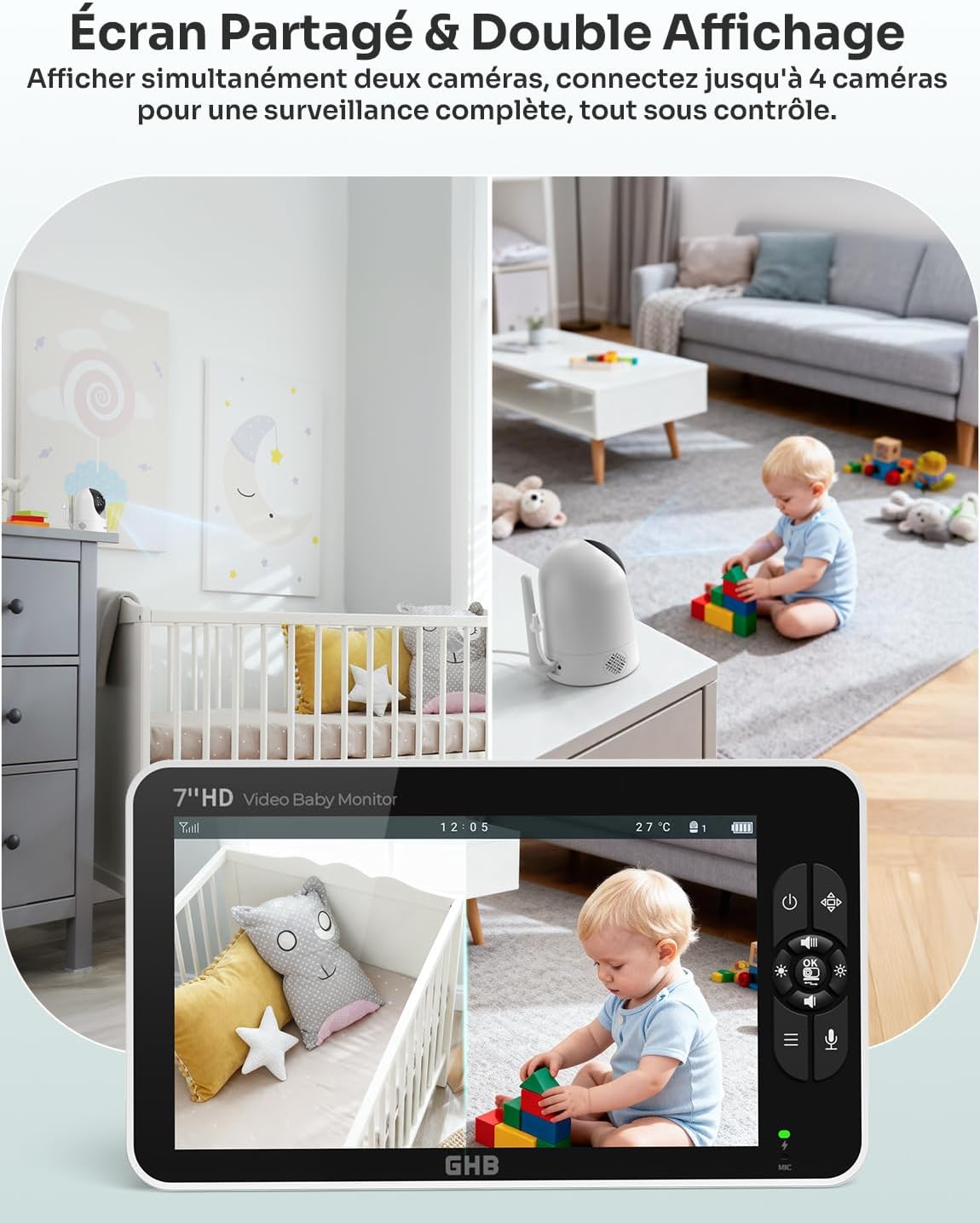
Figure 3.1: GHB Baby Monitor and Camera
This image shows the monitor displaying a live feed from the camera, which is positioned in a baby's room.
4. Ntuziaka Nhazi
4.1 Charging the Monitor
Before first use, fully charge the monitor for approximately 8 hours. Connect one of the provided power adapters to the monitor's Type-C port and plug it into a power outlet. The monitor has a 4000 mAh battery, offering up to 10 hours of continuous use or 168 hours in VOX mode.

Figure 4.1: Monitor Charging and Battery Life
The image illustrates the monitor's Type-C charging port and its impressive battery life, especially when VOX mode is active.
4.2 Ịkwado igwefoto
The camera unit does not have an internal battery and must remain connected to a power source during operation. Connect the second power adapter to the camera's power input and plug it into a power outlet.
4.3 Ntinye igwefoto
Debe igwefoto ahụ n'ebe doro anya view of your baby, ensuring it is at least 1 meter (3 feet) away from the crib or playpen to prevent strangulation hazards from the power cable. The camera can be placed on a flat surface (e.g., a table) or mounted on a wall using the included screw set. It features a standard 1/4-inch screw hole for compatibility with various mounts (mount not included).

Figure 4.2: Camera Rotation and Zoom Capabilities
This image demonstrates the camera's wide range of motion (350° horizontal, 90° vertical) and the digital zoom function available on the monitor.

Figure 4.3: Multiple Installation Options
The image above shows flexible installation options for the camera, including tabletop, wall-mounted, or using a compatible 1/4-inch screw support.
4.4 Njikọ mbụ
Once both the camera and monitor are powered on, they should automatically connect. The system uses 2.4 GHz FHSS wireless technology, which does not require Wi-Fi or a mobile application for operation. If the connection is not established automatically, refer to the troubleshooting section.
5. Ntuziaka ọrụ
5.1 Gbanyụọ ma ọ bụ gbanyụọ
- Nyochaa: Press and hold the power button on the monitor to turn it on or off.
- Igwefoto: The camera powers on automatically when connected to a power source. Disconnect from power to turn off.
5.2 Ndụ View na Nsoro ụzọ
Upon powering on, the monitor will display the live video feed from the camera. Use the directional buttons on the monitor to pan (left/right) and tilt (up/down) the camera remotely. Use the zoom button to digitally zoom in (2x, 4x) on the image.
5.3 Ọhụụ abalị
The camera is equipped with automatic infrared night vision. In low-light conditions, the camera will automatically switch to night vision mode, providing a clear black and white image of your baby up to 10 meters (33 feet).

Figure 5.1: Day and Night Vision
This image demonstrates the clear 1080P HD video quality during the day and the automatic night vision capability in low light.
5.4 Ụdị VOX (Mgbanwe Olu)
VOX mode conserves battery by turning off the monitor screen when no sound is detected from the baby's room. The screen will automatically activate when the camera detects sound above a set sensitivity level. You can adjust the VOX sensitivity in the monitor's settings menu.

Figure 5.2: VOX Mode Operation
The image above visually explains how VOX mode works, with the screen activating only when sound is detected, saving power.
5.5 Audio ụzọ abụọ
To speak to your baby, press and hold the microphone button on the monitor. Release the button to listen. This feature allows you to comfort your baby remotely.

Figure 5.3: Two-Way Intercom Function
This image illustrates the two-way audio feature, enabling clear communication between parent and baby.
5.6 Lullabies
The monitor includes 8 pre-programmed lullabies. Access the lullaby menu through the monitor's settings to select and play a soothing melody for your baby.

Figure 5.4: Lullabies and Temperature Monitoring
The image highlights the monitor's ability to play lullabies and display the room temperature, contributing to the baby's comfort.
5.7 Nlekọta okpomọkụ
The camera features a built-in temperature sensor that displays the room temperature on the monitor. An alert can be set to notify you if the temperature goes outside a predefined range.
5.8 Multi-Camera Support
The system supports connecting up to 4 cameras (additional cameras sold separately). You can view multiple camera feeds simultaneously using the split-screen function or cycle through them. This allows for comprehensive surveillance of different areas.

Figure 5.5: Split Screen and Multi-Camera View
This image demonstrates the split-screen feature, allowing simultaneous viewing from two cameras, and the capability to connect up to four cameras for broader surveillance.

Figure 5.6: 300-Meter Connection Range
The image highlights the robust 300-meter connection range in open areas, ensuring stable and clear transmission without Wi-Fi dependency.
6. Nlekọta
6.1 Nhicha
Wipe the camera and monitor surfaces with a soft, dry cloth. Do not use abrasive cleaners or solvents. Avoid getting moisture into any openings.
6.2 Nlekọta batrị
To prolong the monitor's battery life, avoid fully discharging it frequently. Charge the monitor regularly, especially if it will not be used for an extended period. Store the monitor in a cool, dry place.
7. Nchọpụta nsogbu
- Enweghị foto/ụda:
- Ensure both the camera and monitor are powered on and connected to their respective power adapters.
- Check if the camera is within range of the monitor.
- Re-pair the camera and monitor if the connection is lost (refer to the full manual for specific pairing steps if automatic pairing fails).
- Ogo Foto adịghị mma:
- Gbaa mbọ hụ na oghere igwefoto dị ọcha.
- Lelee maka ihe mgbochi dị n'etiti igwefoto na ihe nlele.
- Move the camera or monitor closer to each other.
- Avoid placing the unit near other 2.4 GHz devices that may cause interference.
- No Sound or Static:
- Adjust the volume level on the monitor.
- Ensure there are no obstructions blocking the microphone on the camera or speaker on the monitor.
- Monitor Battery Drains Quickly:
- Battery life varies with usage. Continuous video streaming will consume more power than VOX mode.
- Ensure the monitor is fully charged before use.
- Consider using VOX mode to extend battery life.
- Over time, all rechargeable batteries degrade. If battery life significantly decreases, contact customer support.
8. Nkọwapụta
| Njirimara | Nkọwapụta |
|---|---|
| Nọmba nlereanya | SM71 |
| Nha ihuenyo | 7 inches IPS HD |
| Mkpebi vidiyo | 1080p |
| Camera Pan/Tilt | 350° kwụ ọtọ / 90° kwụ ọtọ |
| Oke ọhụụ abalị | Ruo mita 10 (ụkwụ 33) |
| Teknụzụ Njikọta | 2.4 GHz FHSS (No Wi-Fi/App required) |
| Nyochaa batrị | 4000mAh lithium-ion |
| Ndụ batrị (Ụdị VOX) | Ruo awa iri abụọ |
| Battery Life (Continuous) | Ruo awa iri abụọ |
| Atụmatụ pụrụ iche | Two-Way Audio, VOX Mode, Temperature Alert, 8 Lullabies, 4x Digital Zoom, Multi-Camera Support (up to 4) |
| Ikuku iche | Ruo mita 300 (oghere mepere emepe) |
| Akụkụ ngwaahịa (L x W x H) | 22.2 x 12.4 x 10.8 cm (8.7 x 4.9 x 4.3 inch) |
| Ibu ngwaahịa | 920 grams (2.03 lbs) |
| Isi Iyi Ike | Ada Ada AC |
| Ụdị nwụnye | Tabletop, Wall Mount (1/4 inch screw hole) |
9. Akwụkwọ ikike na nkwado
9.1 Ozi akwụkwọ ikike
Specific warranty details may vary by region and retailer. Please refer to the warranty card included in your product packaging or contact your point of purchase for information regarding the warranty period and terms.
9.2 Nkwado ndị ahịa
If you encounter any issues or have questions not covered in this manual, please contact GHB customer support. Contact information can typically be found on the product packaging, the official GHB websaịtị, ma ọ bụ site na onye na-ere ahịa gị.