1. Okwu mmalite
This manual provides essential information for the safe operation, assembly, maintenance, and troubleshooting of your CIRCOOTER Cruiser Pro Electric Scooter. Please read this manual thoroughly before your first ride to ensure proper usage and to maximize the lifespan of your scooter. Retain this manual for future reference.

Image 1.1: The CIRCOOTER Cruiser Pro Electric Scooter, showcasing its robust design and integrated lighting system.
2. Ntuziaka nchekwa
Your safety is paramount. Always adhere to local laws and regulations regarding electric scooter usage. Wearing a helmet and appropriate protective gear (knee pads, elbow pads) is strongly recommended.
2.1 Nchekwa nchekwa izugbe
- Always perform a pre-ride check, including brakes, tires, and battery level.
- Do not ride in heavy rain or through standing water.
- Avoid riding on slippery surfaces, loose gravel, or excessively rough terrain.
- Debe ebe dị anya site na ụgbọala ndị ọzọ na ndị na-aga ije.
- Do not carry passengers or exceed the maximum weight limit of 330 pounds.
- Children under 13 years of age should not operate this scooter.
3. Ngwaahịa gafereview
The CIRCOOTER Cruiser Pro is an adult electric scooter designed for off-road and urban use, featuring dual motors, pneumatic tires, and advanced safety features.
3.1 Atụmatụ
- Dual 1200W Motors (2400W Total): Provides powerful acceleration and a top speed of up to 38 mph.
- 11-inch Pneumatic Off-Road Tires: Ensures stability and traction on various terrains.
- 48V 20Ah Lithium-ion Battery: Offers an extended range of up to 40 miles on a single charge.
- Dual Hydraulic Spring Shock Absorption: Enhances ride comfort over uneven surfaces.
- Triple Braking System: Features oil brake, disc brake, and electronic brake for reliable stopping power.
- Integrated Lighting System: Includes headlights, spotlights, taillights, ambient lights, and turn signals for visibility.
- Nhazi a na-agbanwe agbanwe: Facilitates easy storage and transportation.
- CIRCOOTER App Support: Allows for smart control and monitoring via a mobile application.
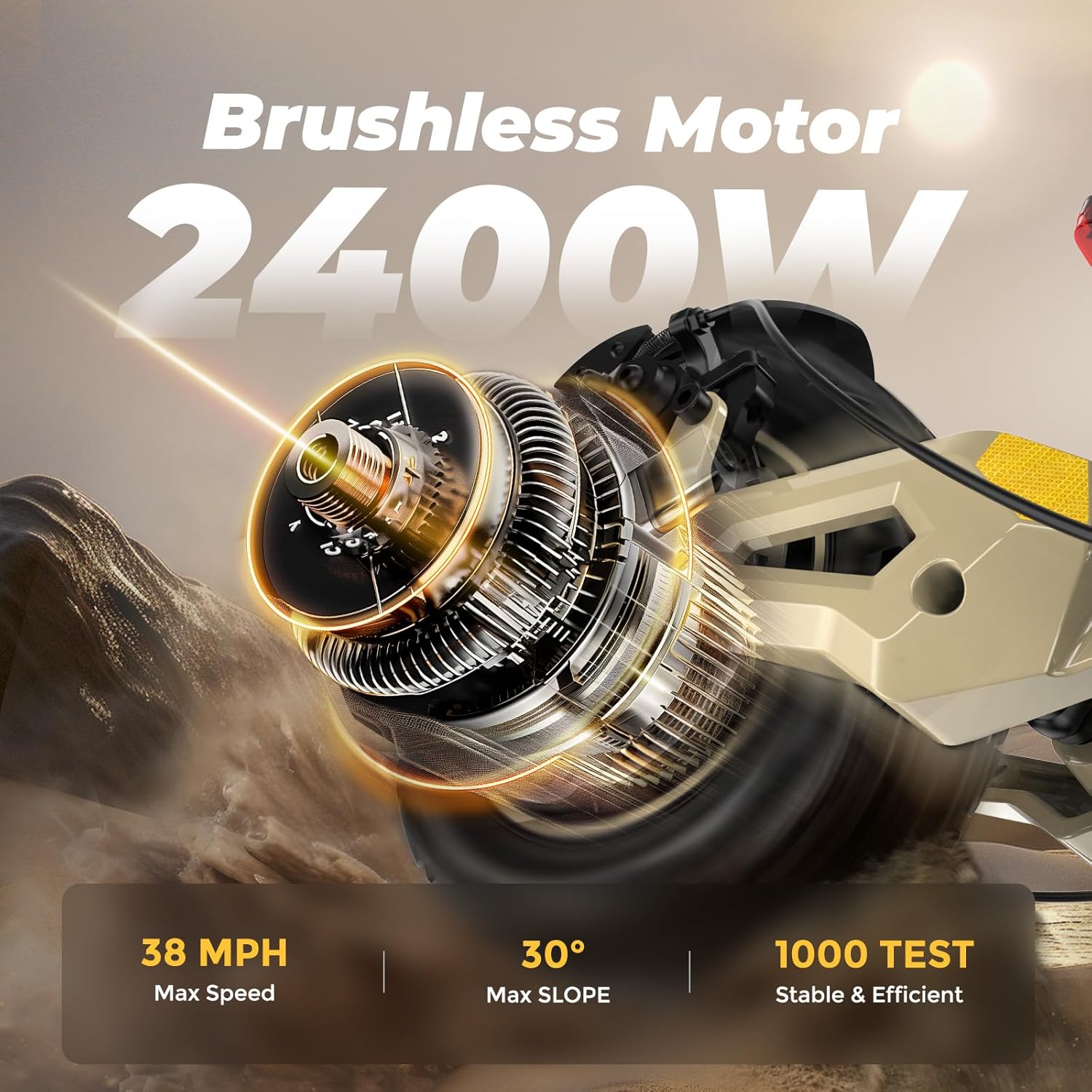
Image 3.1: Illustration of the powerful 2400W brushless motor, capable of reaching speeds up to 38 MPH and handling inclines of up to 30 degrees.

Image 3.2: The 48V 20Ah Lithium-ion battery, providing a maximum range of 40 miles and supporting a maximum load of 331 lbs.
4. Nhazi na Nkwadebe mbụ
4.1 Unboxing na Nyocha akụrụngwa
Carefully remove all components from the packaging. Verify that all included items are present:
- CIRCOOTER Cruiser Pro Electric skuuta
- chaja
- Spare Inner Tube
- Akpa nchekwa
- Ngwa ngwa
- Akwụkwọ ntuziaka (akwụkwọ a)
4.2 Mgbakọ
- Nwụnye ogwe aka: Attach the handlebar to the stem, ensuring all bolts are securely tightened using the provided toolkit.
- Ikpughe skooter: Release the folding mechanism and carefully raise the stem until it locks into place. Ensure the locking mechanism is fully engaged.
- Ọnụ ego taya Check the tire pressure. Inflate the 11-inch pneumatic tires to the recommended PSI (typically indicated on the tire sidewall) using a suitable pump.
4.3 Nchaji izizi
Before first use, fully charge the scooter's battery. Connect the charger to the scooter's charging port(s) and then to a power outlet. The charging indicator on the charger will change color (e.g., red to green) when charging is complete. Avoid overcharging.
5. Ntuziaka ọrụ
5.1 Gbanyụọ ma ọ bụ gbanyụọ
Press and hold the power button on the display to turn the scooter on or off.
5.2 Ngosipụta na Njikwa
The scooter features a real-time smart display providing critical information and controls:

Image 5.1: The scooter's handlebar display showing speed, battery level, distance, and speed mode indicators.
- Ọsọ: Displays current, average, or maximum speed.
- Ọkwa batrị: Indicates available battery power.
- Ogologo: Tracks cycling mileage.
- Mgbanwe Ụdị Ọsọ: Toggle between TRUBO, STD (Standard), and ECO (Economy) modes for varying performance and range.
5.3 Ịnya skuuta
- Place one foot firmly on the deck and push off with the other foot to gain initial momentum.
- Gently press the throttle to engage the motor.
- Use the handlebars for steering and balance.
- To brake, gently squeeze the brake levers. The scooter is equipped with front and rear braking systems for effective stopping.
- Utilize the integrated lighting system for enhanced visibility, especially during low-light conditions. Turn signals are available for indicating turns.

Image 5.2: The scooter's comprehensive lighting system, including a strong headlight, brake tail light, and left/right turn signals for improved safety and visibility.
5.4 CIRCOOTER App Integration
Download the "CIRCOOTER" app to unlock additional features and control options:

Image 5.3: The CIRCOOTER mobile application interface, demonstrating features such as riding records, headlight control, riding mode switch, and lock/unlock functionality.
- Ngosipụta nlegharị anya: View your riding statistics.
- Gear Switching: Adjust speed modes remotely.
- Njikwa ụgbọ mmiri: Mee ka ntọala njikwa ụgbọ mmiri rụọ ọrụ ma jikwaa ya.
- Njikwa ọkụ ihu: Turn headlights on or off.
- Mkpọchi/Mepee: Secure your scooter.
6. Nlekọta
Regular maintenance ensures optimal performance and longevity of your CIRCOOTER Cruiser Pro.
6.1 Nlele Oge Nile
- Nrụgide taya: Check and maintain recommended tire pressure weekly.
- breeki: Inspect brake levers, cables, and pads regularly for wear and proper function. Adjust or replace as needed.
- Bọltị na ihe njide: Periodically check all bolts and fasteners for tightness. Tighten any loose components.
- Batrị: Store the scooter with a partially charged battery if not in use for extended periods. Avoid fully discharging the battery.
6.2 Nhicha na Nchekwa
- Jiri mgbasa ozi hichaa skuutaamp akwa . Zere iji ụgbọ elu mmiri nwere nrụgide ozugbo na akụrụngwa eletrik.
- Debe skuuta ahụ n'ebe dị jụụ ma kpọọ nkụ, ebe anwụ na-anaghị anwụ kpọmkwem na oke okpomọkụ dị oke njọ.
- The foldable design allows for convenient storage in compact spaces.
7. Nchọpụta nsogbu
This section addresses common issues you might encounter with your scooter. For problems not listed here, please contact customer support.
| Nsogbu | Ihe nwere ike ime | Ngwọta |
|---|---|---|
| Skuta anaghị agba ọkụ | Low battery; Loose connections; Power button malfunction | Charge the battery; Check all visible cable connections; Contact customer support |
| Oke ma ọ bụ ọsọ dị ala | Low tire pressure; Battery degradation; Riding in high-power mode constantly; Heavy load | Inflate tires to correct pressure; Use ECO mode; Reduce load; Contact customer support for battery issues |
| Brekị adịghị ike | Worn brake pads; Loose brake cable; Air in hydraulic system | Inspect and replace brake pads; Adjust brake cable tension; Seek professional service for hydraulic system |
| Mkpọtụ na-adịghị ahụkebe n'oge arụ ọrụ | Loose components; Debris in wheels; Motor issue | Check and tighten all bolts; Inspect wheels for foreign objects; Contact customer support |
8. Nkọwapụta
Detailed technical specifications for the CIRCOOTER Cruiser Pro Electric Scooter.
| Njirimara | Nkọwapụta |
|---|---|
| Ụdị | CIRCOOTER |
| Aha Nlereanya | Cruiser Pro |
| Ike moto | Dual 1200W (2400W Total) |
| Ọsọ kacha | Up to 38 Mph |
| Batrị | 48V 20 Ah Lithium-ion |
| Max iche | Ruo 40 kilomita |
| Taya | 11-inch Pneumatic Off-Road |
| Sistemụ breeki | Oil Brake, Disc Brake, Electronic Brake (Front & Rear) |
| Nkwusioru | Front and Rear Hydraulic Spring Shock Absorption |
| Frame Ihe | Aluminum-magnesium alloy |
| Ibu Kachasị Elu (Oke Ibu) | 330 pound |
| Akụkụ ngwaahịa (LxWxH) | 54"L x 26"W x 52"H |
| Ogologo afọ | 13+ |
| Njirimara Pụrụ Iche | Enwere ike mpịaji |
| Ngosi nke enweghị mmiri | IPX4 |
| Asambodo | UL2272 |
9. Akwụkwọ ikike na nkwado
9.1 Ozi akwụkwọ ikike
All CIRCOOTER products, including the Cruiser Pro Electric Scooter, come with a limited warranty. The warranty coverage is as follows:
- 12 Months / 365 Days: For various accessories such as the rear fender, throttle, disc brake, etc.
- Ụbọchị 180: For the motor and battery.
This warranty ensures enhanced safety and professionalism, as the scooter has passed rigorous UL2272 certification.
9.2 Nkwado ndị ahịa
Should you have any questions, require assistance, or need to claim warranty service, our dedicated customer support team is available around the clock throughout the year to assist you. Your satisfaction is our top priority.
Email kọntaktị: ndewo@circooter.com


