1. Okwu mmalite
The Amzfast AMZG27F5Q is a 27-inch WQHD (2560 x 1440p) gaming monitor designed for an immersive visual experience. Featuring a Fast IPS panel, it delivers a high 200Hz refresh rate and a rapid 1ms response time, ensuring smooth and fluid gameplay. This monitor is compatible with both FreeSync and G-SYNC technologies to reduce screen tearing and stuttering. It supports HDR400, offers 132% sRGB and 96% DCI-P3 color gamut, and includes eye care features such as low blue light, anti-flicker, and anti-glare to protect your vision during extended use. Built-in speakers and a retractable headphone holder enhance convenience.
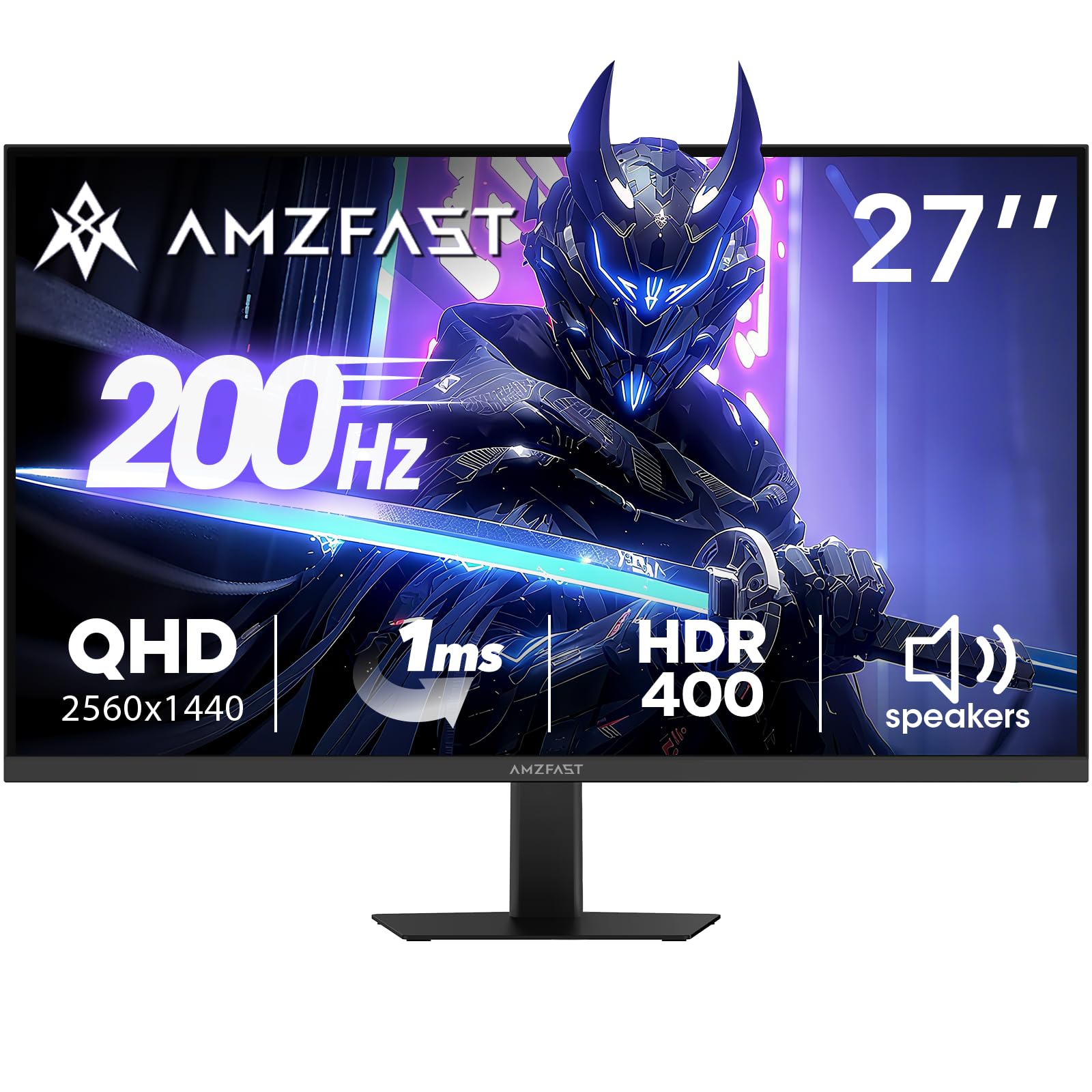
Image: Amzfast 27-inch gaming monitor displaying a vibrant game scene.
2. Kedu ihe dị na Igbe ahụ
Biko lelee ọdịnaya ngwungwu mgbe ị na-ebupụ igbe iji hụ na ihe niile dị:
- Amzfast AMZG27F5Q 27-Inch Gaming Monitor
- Ihe nkwụnye x1
- DP Cable (1.5m) x 1
- Akwụkwọ ntuziaka onye ọrụ
- Ntuziaka mmalite ngwa ngwa
3. Nhazi
3.1 Ịchịkọta Stand
Carefully remove the monitor and stand components from the packaging. Attach the stand base to the stand neck, then secure the assembled stand to the back of the monitor. Ensure all screws are tightened appropriately to prevent instability.
3.2 Ijikọ Monitor
The monitor supports multiple input options. Connect your device (PC, game console, laptop) to the monitor using one of the following cables:
- Ngosipụta ngosi (DP 1.4): For resolutions up to 2560x1440 at 200Hz.
- HDMI (HDMI 2.0): For resolutions up to 2560x1440 at 144Hz.
Connect the power adapter to the monitor's DC input and then to a power outlet.

Foto: N'azụ view diagram of the monitor showing port locations and dimensions.
3.3 VESA rịgoro
The monitor is compatible with 100mm x 100mm VESA mounts. If using a VESA mount, remove the stand and attach the monitor to your VESA-compatible arm or wall mount using appropriate screws (not included).

Foto: N'azụ view of the Amzfast 27-inch monitor, highlighting the VESA mounting points.
3.4 Nhazi n'ofeview Vidiyo
Vidiyo: Onye ọrụ gọọmentị gafereview of the Amzfast 27 Inch QHD 200Hz Gaming Monitor, demonstrating its features and setup.
4. Na-arụ ọrụ nlekota oru
4.1 Gbanyụọ ma ọ bụ gbanyụọ
Press the power button, usually located on the back or bottom of the monitor, to turn it on or off. The power indicator light will illuminate when the monitor is active.
4.2 Ngosipụta Ngosipụta (OSD) NchNhr
The OSD menu allows you to adjust various monitor settings. Typically, a joystick or a set of buttons on the back or bottom of the monitor is used for navigation. Common settings include:
- Ntọala foto: Brightness, Contrast, Sharpness, Gamma, Color Temperature.
- Ntọala agba: sRGB, DCI-P3, HDR modes.
- Gaming Settings: Overdrive (response time), Adaptive Sync (FreeSync/G-SYNC compatible), AI Crosshair, Night Vision.
- Isi mmalite ntinye: Select between DP and HDMI inputs.
- Audio: Volume control for built-in speakers and headphone output.
4.3 Atụmatụ
- Oke Mmegharị 200Hz na Oge Nzaghachi 1ms: Experience ultra-smooth visuals and reduced motion blur, crucial for fast-paced gaming.
- Mmekọrịta na-agbanwe agbanwe: Synchronizes the monitor's refresh rate with your GPU's frame rate to eliminate screen tearing and stuttering. Ensure this feature is enabled in both the monitor's OSD and your graphics card settings.
- HDR400 Display: Provides enhanced contrast and color accuracy for a more vibrant and realistic viewahụmahụ.
- Game Assist Modes: Utilize features like AI Crosshair for improved aiming and Night Vision for enhanced visibility in dark game scenes.
- Built-in Speakers & Headphone Holder: Convenient integrated 2W speakers for audio output and a retractable holder to keep your headphones organized.
- Teknụzụ Nlekọta anya: Features Low Blue Light, Anti-glare, and Anti-flicker technologies to reduce eye strain during prolonged use.

Image: Visual representation of 200Hz refresh rate in a racing game.

Image: Illustration of 1ms response time and Adaptive Sync technology.

Image: Display showcasing HDR400 and 10-bit color depth capabilities.

Image: Demonstration of AI Crosshair and Night Vision features in gaming scenarios.

Foto: N'azụ view of the monitor highlighting the built-in speakers and retractable headphone holder.

Image: User interacting with the monitor, emphasizing eye care features.
5. Nlekọta
5.1 Na-ehicha ihuenyo ahụ
Iji hichaa ihuenyo monitor ahụ, jiri ákwà dị nro, nke na-enweghị ihe e ji ehicha ya hichaa ya nke ọma. Maka akara siri ike, jiri obere ákwà hichaa ya.ampen the cloth with water or a mild, non-abrasive screen cleaner. Avoid using harsh chemicals, alcohol, or ammonia-based cleaners, as these can damage the screen surface.
5.2 Ihicha Casing
Jiri ákwà dị nro ma kpọrọ nkụ hichaa ihe nlele ahụasing. If necessary, a slightly damp cloth can be used, followed by a dry cloth to remove any moisture. Do not allow liquids to enter the monitor's vents or ports.
6. Nchọpụta nsogbu
If you encounter issues with your Amzfast AMZG27F5Q monitor, refer to the following common solutions:
| Nsogbu | Ihe nwere ike ime | Ngwọta |
|---|---|---|
| Enweghị onyonyo na ihuenyo | Power cable disconnected, input source incorrect, video cable loose. | Ensure power cable is securely connected. Select the correct input source via the OSD menu. Check video cable connections (DP/HDMI) at both the monitor and your device. |
| Onyonyo na-egbuke egbuke ma ọ bụ gbagọrọ agbagọ | Faulty video cable, incorrect refresh rate, Adaptive Sync issue. | Try a different video cable. Adjust the refresh rate in your device's display settings. Disable/enable Adaptive Sync in the OSD menu and graphics card settings. |
| Enweghị ụda sitere na ọkà okwu/ekweisi | Volume too low, audio output not selected, faulty cable. | Increase volume via OSD menu or your device. Ensure the monitor is selected as the audio output device on your computer. Check headphone connection. |
| Igwe nlekota anaghị agbanyụ | Power adapter issue, power button malfunction. | Verify the power adapter is working and connected correctly. Try a different power outlet. |
7. Nkọwapụta
| Njirimara | Nkọwa |
|---|---|
| Akụkụ ngwaahịa | 7.28 x 24.13 x 17.68 sentimita asatọ |
| Ibu Ibu | 12.97 pound |
| Nọmba nlereanya | AMZG27F5Q |
| Nha ihuenyo | 27 sentimita asatọ |
| Mkpebi | 2560 x 1440 Pixels (WQHD) |
| Akụkụ akụkụ | 16:9 |
| Ọnụego ume ọhụrụ | 200Hz |
| Oge nzaghachi | 1ms |
| Ụdị panel | Ngwa ngwa IPS |
| Icha ọkụ | 450 Candela per Square Meter (cd/m²) |
| Ọnụọgụ ọdịiche | 1000:1 (Static) |
| Agba Gamut | 132% sRGB, 96% DCI-P3 |
| Omimi agba | 10-bit (8bit+FRC) |
| Nkwado HDR | HDR400 |
| Mmekọrịta na-agbanwe agbanwe | FreeSync & G-SYNC Compatible |
| Njikọta | DP 1.4 x 2, HDMI 2.0 x 2, Earphone Jack, DC Input |
| Ugwu VESA | 100mm x 100mm |
| Ndị na-ekwu okwu arụrụ arụ | Yes (2W x 2) |
| Atụmatụ Nlekọta Anya | Low Blue Light, Anti-glare, Anti-flicker |
| Onye nrụpụta | EXPRESS LUCK INDUSTRIAL(ZHONGSHAN)LIMITED |
8. Akwụkwọ ikike & Nkwado
The Amzfast AMZG27F5Q monitor comes with a 1-year warranty. Additionally, a 30-day free return/replacement policy is offered. For further assistance, technical support, or warranty claims, please visit the official Amzfast store or contact customer service.
Official Amzfast Store: Amzfast Store