1. Okwu mmalite
This manual provides essential information for the setup, operation, maintenance, and troubleshooting of your Razer Blade 14 (2025) Gaming Laptop. This device is engineered for high performance in a portable form factor, suitable for gaming, creative tasks, and professional use.
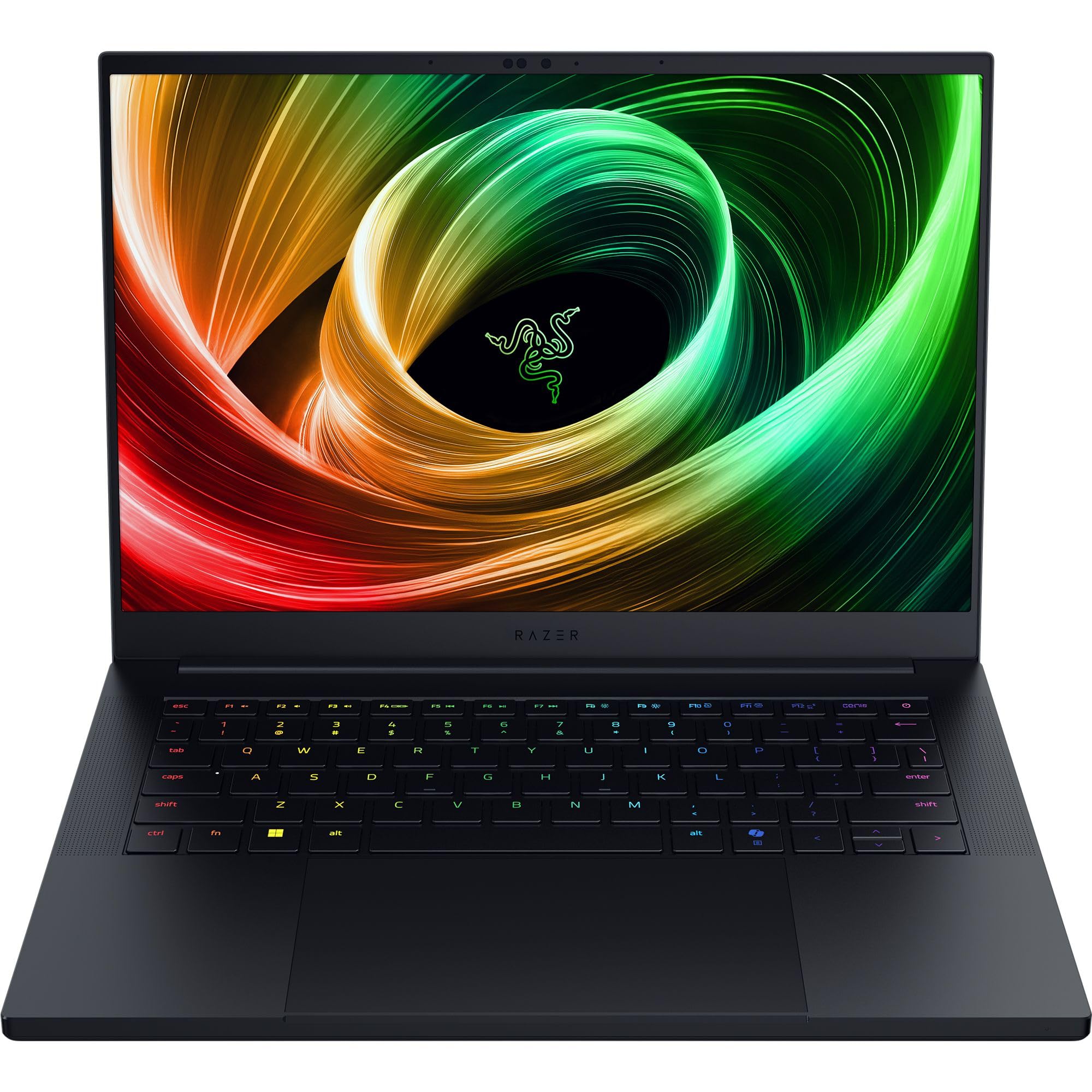
Figure 1: Razer Blade 14 (2025) Gaming Laptop.
2. Kedu ihe dị na Igbe ahụ
Chọpụta na ihe niile dị na nkwakọ ngwaahịa:
- Laptọọpụ egwuregwu Razer Blade 14
- Ihe nkwụnye ọkụ + eriri ọkụ mpaghara
- Micro-fiber ihicha akwa
- Ntuziaka ozi ngwaahịa dị mkpa
Vidiyo nke 1: Ịkpọghe igbe na ịmalitegharịaview of the Razer Blade 14. This video provides a visual guide to the contents of the box and the laptop's initial appearance.
3. Nhazi
3.1 Agbanye ike mbụ
- Unpack the Razer Blade 14 and its power adapter from the box.
- Jikọọ ihe nkwụnye ọkụ eletrik ahụ na ọdụ chaja nke laptọọpụ ahụ wee jikọọ na ebe ọkụ eletrik.
- Open the laptop lid. The system may power on automatically or require you to press the power button located on the top-right of the keyboard.
- Follow the on-screen instructions to complete the Windows 11 Home setup process. This includes selecting your region, connecting to a network, and creating a user account.
3.2 Njikọta Peripherals
The Razer Blade 14 offers a variety of ports for connecting external devices:
- Ọdụ ụgbọ mmiri USB-A: Connect USB accessories such as mice, keyboards, or external storage.
- USB4 Type-C Ports: Use for data transfer, video output, or charging compatible devices.
- Ọdụ ụgbọ mmiri HDMI: Connect to external displays or TVs for extended screen real estate.
- Jack Audio: 3.5mm Jikọọ ekweisi ma ọ bụ okwu na mpụga.

Figure 2: The thin and lightweight design of the Razer Blade 14, highlighting its portability.
4. Ịrụ ọrụ Laptọọpụ
4.1 Ngosipụta atụmatụ
The Razer Blade 14 features a 14-inch 3K (2880x1800) OLED display with a 120Hz refresh rate and an ultra-fast 0.2ms response time. This display is Calman Verified, ensuring professional-grade color accuracy with support for Rec. 709, DCI-P3, sRGB, and Adobe RGB color profiles.

Figure 3: The vibrant 3K 120Hz OLED display of the Razer Blade 14, showcasing its color accuracy and smooth visuals.
4.2 Arụmọrụ karịrịview
Your Razer Blade 14 is equipped with:
- Ihe nhazi: AMD Ryzen AI 9 365 CPU with up to 50 TOPS of AI processing power.
- Eserese: NVIDIA GeForce RTX 5060 Laptop GPU (up to 115W TGP) for immersive graphics and AI-enhanced performance with DLSS 4.
- Ebe nchekwa: 16GB LPDDR5X RAM running at 8000 MHz for ultra-fast and efficient multitasking.
- Nchekwa: 1TB SSD for ample na nchekwa ngwa ngwa.
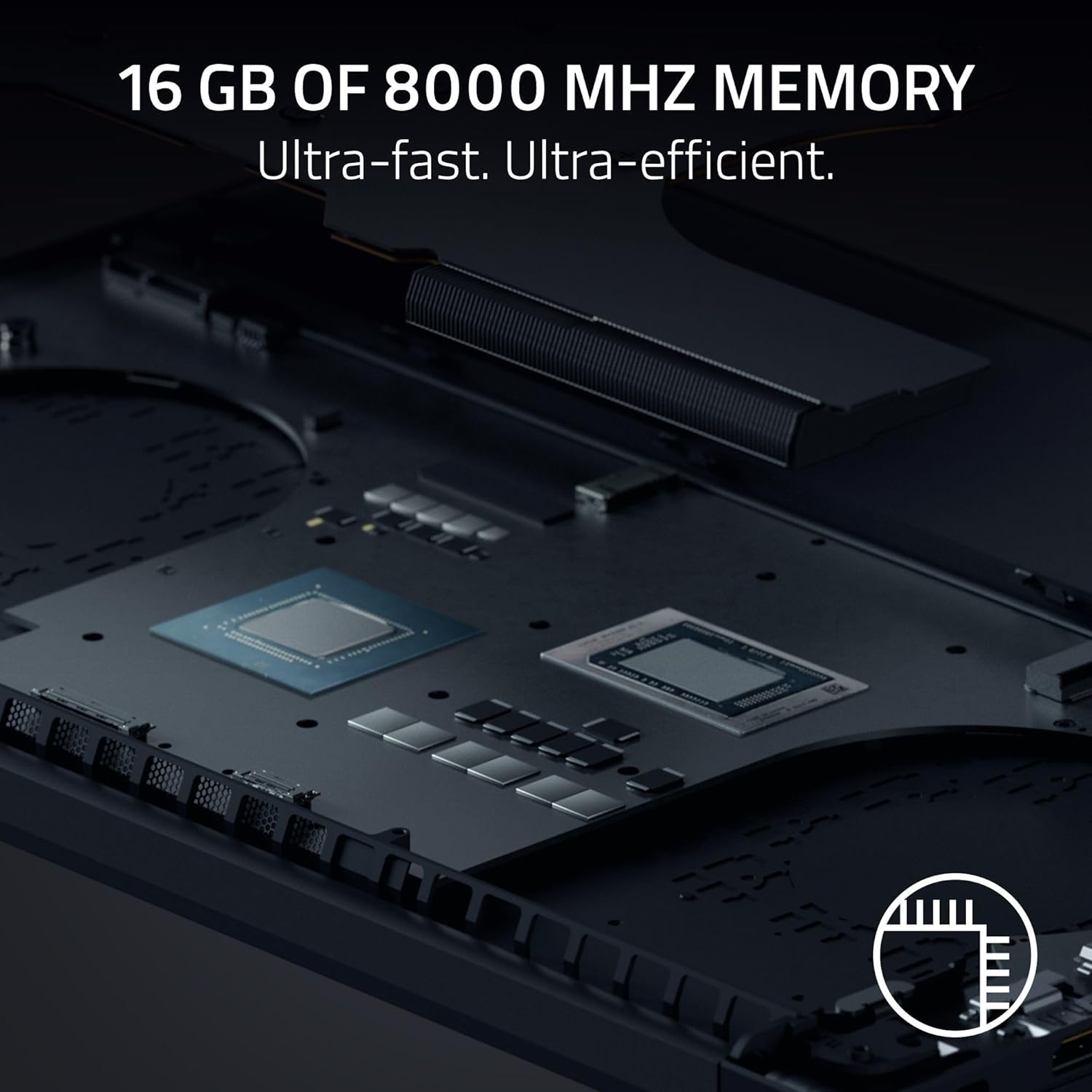
Ọgụgụ 4: Ime view of the Razer Blade 14, showing the high-performance CPU and RAM modules.
4.3 Audio and Keyboard
Experience rich, immersive sound with the new six-speaker array featuring THX Spatial Audio. The keyboard includes Razer Chroma RGB lighting, which can be customized through Razer Synapse software.

Ọgụgụ 5: N'elu-ala view of the Razer Blade 14 keyboard, showcasing the customizable Chroma RGB lighting.
4.4 Ndụ batrị na Nchaji
The laptop offers up to 11 hours of battery life. For quick charging, the compact 200W adapter can charge the battery up to 50% in just 30 minutes.

Figure 6: A user operating the Razer Blade 14 on a laptop stand, illustrating its portability and extended battery life.
5. Nlekọta
5.1 Nlekọta n'ozuzu
- Keep the laptop clean using the provided micro-fiber cloth. Avoid abrasive cleaners.
- Handle the laptop with care to prevent physical damage to the aluminum unibody.
- Avoid placing heavy objects on the laptop or exposing it to extreme temperatures.
5.2 Mmelite ngwanrọ
Regularly update your Windows 11 Home operating system and NVIDIA graphics drivers to ensure optimal performance and security. Utilize Razer Synapse for managing Chroma RGB lighting and accessing performance profiles, including overclocking options.
5.3 Sistemụ jụrụ oyi
The Razer Blade 14 features an advanced cooling design with a vapor chamber and thermal hood. To maintain optimal cooling performance, ensure that the air vents are not obstructed during use.
Video 2: Official Razer Blade 14 Accolade Trailer. This video highlights key features and design aspects of the laptop, including its cooling system.
6. Nchọpụta nsogbu
6.1 Okwu nkịtị na Ngwọta
- System Unresponsiveness: If the system becomes unresponsive, perform a hard reset by holding down the power button until the laptop shuts off, then restart.
- Ihe ngosi: Ensure graphics drivers are up to date. If using an external monitor, check cable connections.
- Batrị anaghị achaji: Verify the power adapter is securely connected to both the laptop and the power outlet. Try a different outlet if necessary.
- Mmebi arụrụ arụ: Check for background applications consuming resources. Ensure the cooling vents are clear and the laptop is on a hard, flat surface. Update drivers and operating system.
6.2 Nkwado kọntaktị
If you encounter persistent issues that cannot be resolved with the above steps, please refer to the Important Product Information Guide included in your box or visit the official Razer support websaịtị maka enyemaka ọzọ.
7. Nkọwapụta
| Njirimara | Nkọwapụta |
|---|---|
| Aha Nlereanya | Akara 14 |
| Nọmba Nlereanya ihe | RZ09-05305ES3-R3U1 |
| Nha ihuenyo | 14 sentimita asatọ |
| Mkpebi ihuenyo | 2880 x 1800 pikselụ (3K) |
| Mkpebi ihuenyo kacha | 2880x1800 pikselụ |
| Ọnụego ume ọhụrụ | 120 Hz |
| Nhazi | AMD Ryzen AI 9 365 (2 GHz ryzen_ai) |
| RAM | 16 GB LPDDR5X (8000 MHz) |
| Draịvụ ike | 1 TB SSD |
| Kaadị eserese | NVIDIA GeForce RTX 5060 (8 GB GDDR7) |
| Sistemụ nrụọrụ | Windows 11 Ụlọ |
| Ụdị ikuku | 802.11a/g/n/ac (Wi-Fi 7 capable) |
| ọdụ ụgbọ mmiri USB | 2x USB 3.0, Dual USB4 Type-C |
| Nkezi Ndụ batrị | Awa 11 |
| Ibu Ibu | 7.79 pound (ihe dị ka 3.53 n'arọ) |
| Akụkụ ngwaahịa | 12.24 x 0.64 x 8.83 sentimita asatọ |
| Atụmatụ pụrụ iche | AI-driven productivity tools, Advanced cooling system, Calman Verified display, THX Spatial Audio |
8. Akwụkwọ ikike na nkwado
Your Razer Blade 14 (2025) Gaming Laptop comes with a manufacturer's warranty. Please refer to the 'Important Product Information Guide' included in your product packaging for detailed warranty terms and conditions.
For technical support, driver downloads, and FAQs, visit the official Razer Support websaịtị: www.razer.com/supportI nwekwara ike ịchọta akụrụngwa ndị ọzọ na ogbako obodo ebe ahụ.