1. Okwu mmalite
The Jebao Jecod DCW-70 is a Bluetooth-enabled submersible Vario Cross Flow Wave Maker Pump designed for creating natural water movement in aquariums. It is suitable for both saltwater and freshwater environments and features an automatic power-off protection system when no water is detected. Control is available via a manual controller and a dedicated mobile application.
2. Ntuziaka nchekwa
- Kwụpụ ike mgbe niile tupu ị rụọ ọrụ mmezi ma ọ bụ nrụnye ọ bụla.
- Gbaa mbọ hụ na mgbapụta ahụ na-emikpu nke ọma n'ime mmiri mgbe ọ na-arụ ọrụ iji gbochie mmebi.
- Ejila ọkpọkọ ahụ rụọ ọrụ ma ọ bụrụ na eriri ọkụ ma ọ bụ plọg ahụ emebie.
- Ezubere ngwa a maka ime ụlọ naanị.
- Debe ebe ụmụaka na-apụghị iru.
- The maximum water temperature for operation is 35°C (95°F).
3. Ihe ngwugwu
Chọpụta na akụrụngwa niile dị na ngwugwu:
- DCW-70 Wave Maker Pump
- Onye njikwa
- Ihe nkwụnye ọkụ (DC 24V)
- Akwụkwọ ntuziaka onye ọrụ
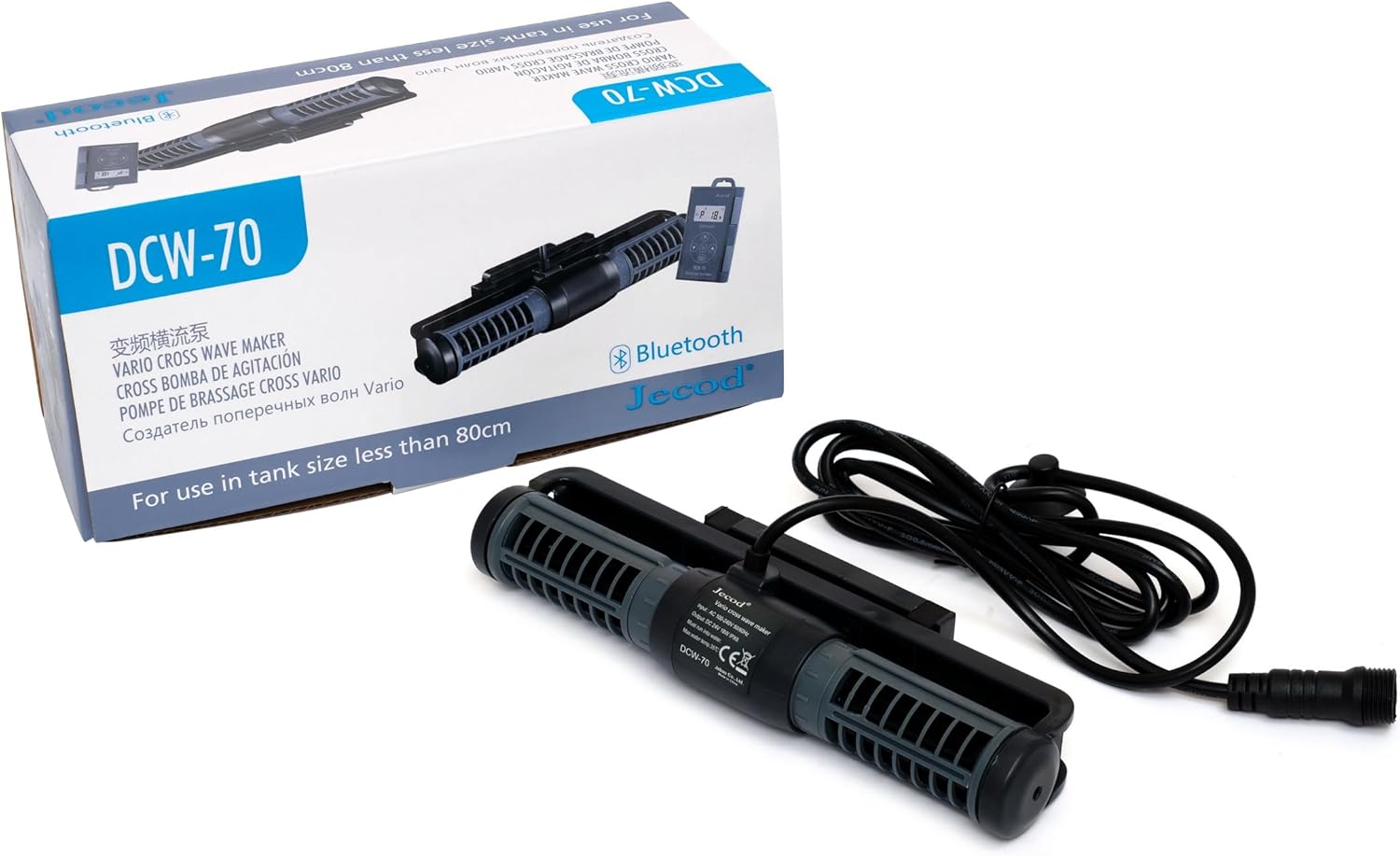
Image: The DCW-70 wave maker pump, its controller, and power adapter, displayed alongside its product packaging.
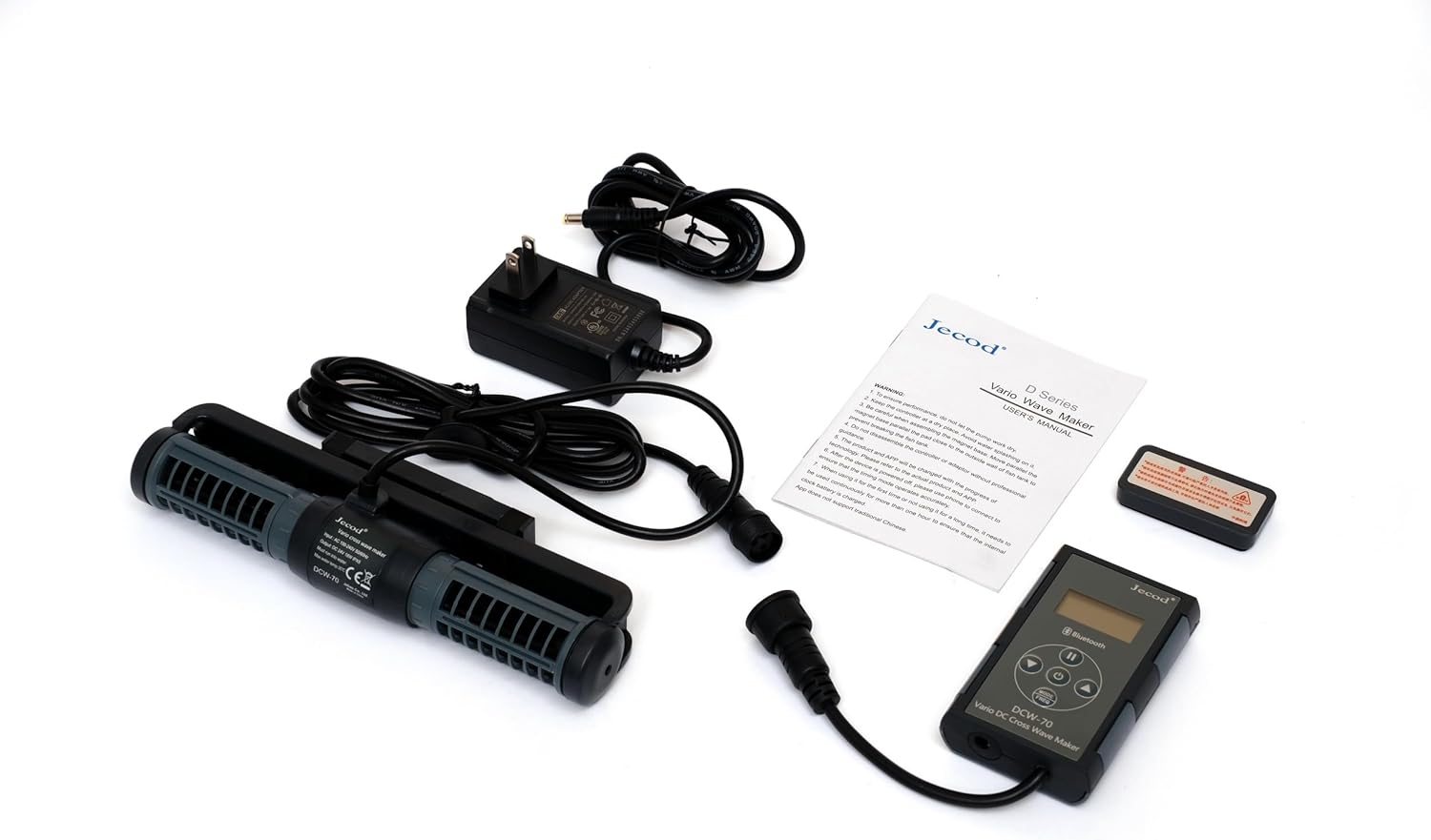
Image: All included components of the DCW-70 system, including the pump, controller, power adapter, and user manual, laid out on a white surface.
4. Ntọala na nwụnye
- Nkwanye: Position the wave maker pump inside your aquarium. Ensure it is fully submerged and securely attached to the aquarium wall using its magnetic mount or suction cups (if included). The pump features a 3D rotation angle for adjusting the output water direction.
- Njikọ njikọ: Connect the pump's power cable to the controller.
- Jikọọ ihe nkwụnye ọkụ: Connect the power adapter to the controller, then plug the adapter into a suitable electrical outlet.
- Ike izizi: Once connected, the pump will power on. Refer to the "Operation" section for initial settings.

Foto: A azụ view of the DCW-70 pump, showing the power cable connection point and the mounting bracket.

Oyiyi: Otu akụkụ view of the DCW-70 pump, highlighting the central motor housing and the label displaying input/output specifications and model number.
5. Ọrụ
5.1 Njikwa akwụkwọ ntuziaka
The included controller features a visual LCD display and buttons for adjusting pump settings. Specific modes and intensity levels can be selected directly from this unit. Refer to the controller's specific instructions for detailed button functions.
5.2 Bluetooth App Control
The DCW-70 pump can be controlled via a Bluetooth application on your iOS or Android device. This allows for advanced programming and control of one or multiple pumps.
- Budata ngwa: Chọọ maka the "Jebao" or "Jecod" control app in your device's app store (Google Play Store for Android, Apple App Store for iOS).
- Kwado Bluetooth: Gbaa mbọ hụ na agbanyere Bluetooth na ngwaọrụ mkpanaka gị.
- Jikọọ ngwaọrụ: Open the app and follow the on-screen instructions to discover and pair with your DCW-70 pump.
- Control and Program: Use the app interface to adjust flow patterns, intensity, and set schedules. The app supports master and slave mode wireless control for multiple units.
6. Nlekọta
- Nhicha mgbe niile: Periodically remove the pump from the aquarium and clean any accumulated algae or debris from the impeller and housing. Use a soft brush and clean water.
- Nyocha impeller: Check the impeller for any signs of wear or damage. Replace if necessary.
- Nyocha USB: Regularly inspect the power cord for any cuts, fraying, or damage.
- Ntinye mmiri: Always ensure the pump is fully submerged during operation to prevent overheating and damage.
7. Nchọpụta nsogbu
| Nsogbu | Ihe nwere ike ime | Ngwọta |
|---|---|---|
| Pump anaghị arụ ọrụ | No power; Impeller jammed; Not submerged | Check power connection; Clean impeller; Ensure full submersion. |
| Na-adịghị ike eruba | Impeller dirty; Obstruction in pump; Incorrect setting | Clean impeller; Remove obstructions; Adjust flow settings via controller or app. |
| Mkpọtụ na-adịghị ahụkebe | Debris in impeller; Impeller worn; Not properly mounted | Clean impeller; Inspect and replace impeller if worn; Re-secure pump mounting. |
| Nsogbu njikọ Bluetooth | Bluetooth off; App not updated; Interference | Ensure Bluetooth is on; Update app; Move closer to pump; Restart device/app. |
8. Nkọwapụta
| Nlereanya | DCW-70 |
| Akụkụ | 8.5" x 2.0" x 1.2" (ihe dị ka) |
| Ntinye Voltage | AC 100V-240V, 50/60Hz |
| Mmepụta Voltage | DC 24V |
| Oriri ike | 18W |
| Ọnụego mgbaba | 925 to 1850 GPH (Gallons Per Hour) |
| Ụdị mmiri | Suitable for Saltwater and Freshwater |
| Oke okpomọkụ mmiri | 35°C (95°F) |
| Njikwa | Manual Controller, Bluetooth App (iOS/Android) |
9. Akwụkwọ ikike na nkwado
For warranty information and technical support, please refer to the documentation included with your product or contact Jebao customer service directly. Keep your purchase receipt as proof of purchase.
For further assistance, visit the official Jebao websaịtị ma ọ bụ kpọtụrụ ọwa nkwado ha.


