1. Okwu mmalite
The OUKITEL P1000 PLUS is a versatile 1800W portable power station with a 1024Wh LiFePO4 battery, designed to provide reliable power for home backup, camping, RVs, and other off-grid needs. It features fast charging capabilities, app control, and multiple output ports to power a wide range of devices and appliances.
2. Kedu ihe dị na Igbe ahụ
Mgbe ebupuchara, biko hụ na ihe niile edepụtara n'okpuru nọ:
- OUKITEL P1000 PLUS Portable Power Station (x1)
- Ogwe anyanwụ 100W (x1)
- Eriri Nchaji AC (x1)
- Eriri Nchaji Ụgbọala (x1)
- MC4 to XT60 Cable (x1)
- Bluetooth Pairing Pin (x1)
- Kaadị akwụkwọ ikike (x1)
- Akwụkwọ ntuziaka onye ọrụ (x1)
Note: Due to the product's weight, the power station and solar panel may be delivered separately.
3. Ngwaahịa gafereview
3.1 Akụkụ ihu ihu
The front panel of the OUKITEL P1000 PLUS provides access to all output ports and the main display for monitoring. It includes:
- Bọtịnụ ike: Ka ịgbanwuo/ gbanyụọ unit ahụ.
- Ngosipụta LCD: Na-egosi ọkwa batrị, wat ntinye/mwepụtatage, remaining runtime, and other status indicators.
- DC Output Buttons: Individual buttons for 12V/3A and 12V/10A DC outputs.
- ọdụ ụgbọ mmiri USB: Two QC3.0 18W USB-A ports, one PD 20W USB-C port, and one PD 100W USB-C port.
- Bọtịnụ mmepụta AC: Individual buttons for the four AC outlets.
- Ọkụ LED: Multi-mode LED light for illumination.

Image: Front panel of the OUKITEL P1000 PLUS, showing the display, power button, DC, USB, and AC output ports, and the LED light.

Image: The OUKITEL P1000 PLUS power station actively powering various household devices, demonstrating its multi-output capability.
3.2 Akụkụ azụ azụ
The rear panel houses the input ports and additional safety features:
- Ntinye AC: For charging the power station via a standard wall outlet (1200W fast charging).
- Ntinye anyanwụ/ụgbọala: For charging via solar panels or a car charger.
- Ọdụ ụgbọ ala: Maka nchekwa ntọala.
- AC Charge Speed Switch: Allows selection between slow and quick charging modes for AC input.

Image: Rear panel of the OUKITEL P1000 PLUS, highlighting the AC input, solar/car input, ground terminal, and AC charge speed switch.
3.3 Top Handle
The unit features a sturdy, integrated handle on top for easy portability.
4. Nhazi
4.1 Nchaji izizi
Before first use, fully charge the OUKITEL P1000 PLUS. Connect the AC charging cable to the AC input port on the rear panel and plug it into a wall outlet. The LCD display will show the charging status. The unit supports 1200W fast charging, reaching 0-100% in approximately 41 minutes when combined with 500W solar input.
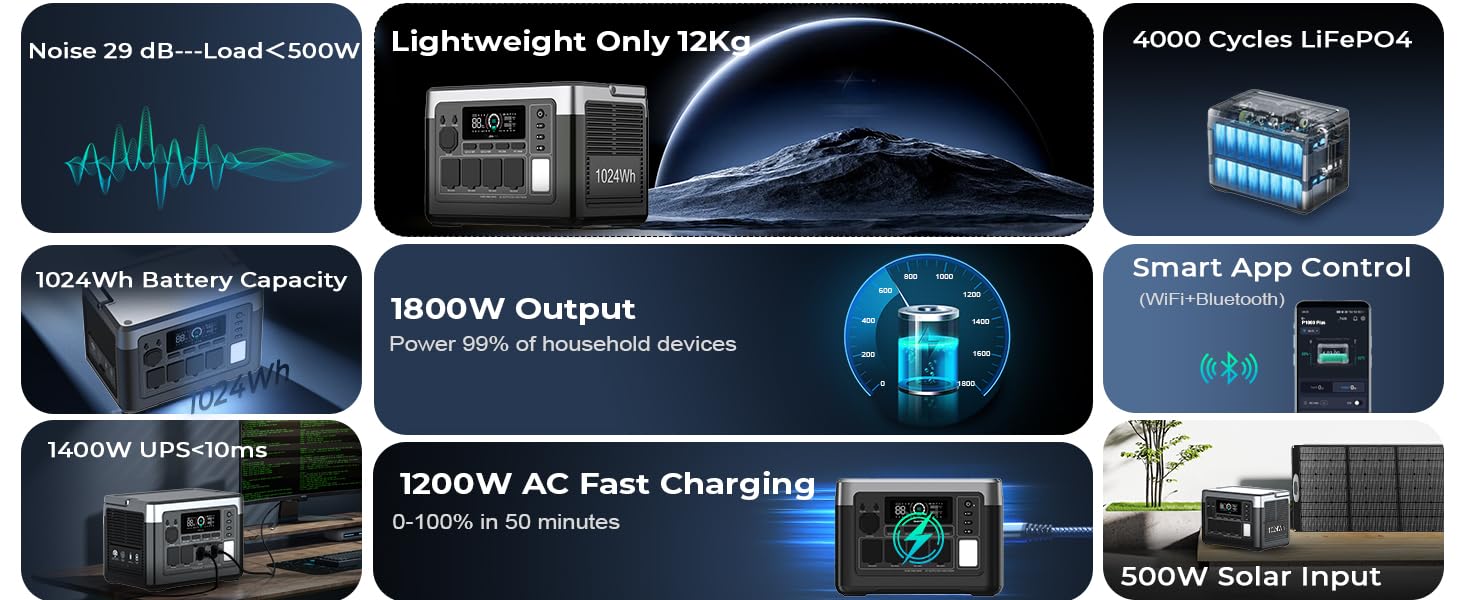
Image: The OUKITEL P1000 PLUS connected to an AC wall outlet for fast charging.
4.2 Nchaji anyanwụ
To charge using solar panels, connect the 100W solar panel (included) or other compatible solar panels (up to 500W) to the Solar/Car input port on the rear panel using the MC4 to XT60 cable. Position the solar panels in direct sunlight for optimal charging efficiency.

Image: The OUKITEL P1000 PLUS connected to a solar panel for outdoor charging.
5. Ntuziaka ọrụ
5.1 Gbanyụọ/ gbanyụọ
Press and hold the main power button on the front panel for 3 seconds to turn the unit on or off. The LCD display will illuminate upon activation.
5.2 Iji Ọdụ Mbupụ
The OUKITEL P1000 PLUS offers 11 output ports:
- 4 AC Outlets (1800W continuous, 3600W peak): Press the 'AC' button to activate.
- 2 USB-A Quick Charge 3.0 Ports (18W each): Automatically activate when a device is connected.
- 1 USB-C PD Port (20W): Automatically activates when a device is connected.
- 1 USB-C PD Port (100W): Automatically activates when a device is connected.
- 2 DC Outlets (12V/3A): Press the 'DC' button to activate.
- 1 Car Lighter Socket (12V/10A): Press the 'DC' button to activate.

Foto: nkọwa zuru ezu view of the OUKITEL P1000 PLUS output ports, including AC, USB-A, USB-C, DC, and car lighter socket.
5.3 Njikwa ngwa
Download the OUKITEL app to monitor and control your power station remotely via Bluetooth or Wi-Fi. The app provides real-time data on battery level, power input/output, charging progress, and temperature. You can also adjust AC charging power settings through the app.
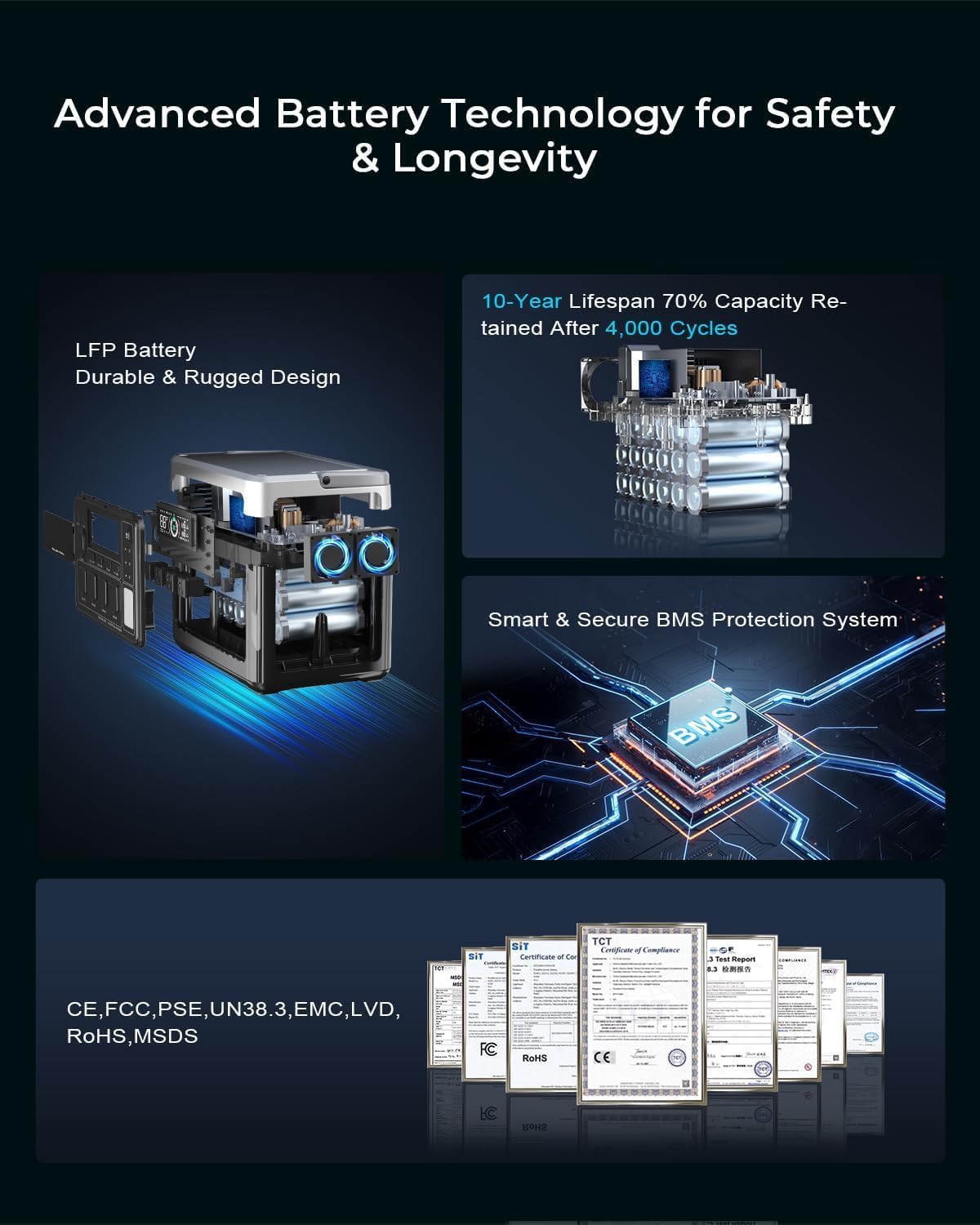
Image: A smartphone displaying the OUKITEL app interface, showing real-time power station data and control options.
5.4 Ọrụ Ike Na-anaghị Akwụsị Akwụsị (UPS)
The P1000 PLUS features a 0.01-second UPS switching function. When connected to an AC wall outlet and powering devices, it can automatically switch to battery power during an outage, ensuring continuous operation for connected essential devices.

Image: The OUKITEL P1000 PLUS providing backup power during a simulated power outage, highlighting its UPS capability.
5.5 Vidiyo ngwaahịa ngwaahịa
Video: Oukitel P1000 Plus 1024Wh Power Station for Home Use. This video demonstrates the power station's application in a home setting.
Video: OUKITEL P1000PLUS 1800W Power Station For Home Use Camping. This video showcases the power station's versatility for both home and outdoor use.
6. Battery Technology & Safety
The OUKITEL P1000 PLUS utilizes premium LiFePO4 batteries, known for their durability and long lifespan. These batteries offer over 3,500 charge cycles, providing reliable service for more than 10 years.

Image: Diagram illustrating the advanced LiFePO4 battery technology and Smart BMS protection system within the OUKITEL P1000 PLUS.
6.1 Smart Battery Management System (BMS)
A smart BMS continuously monitors voltage, current, and temperature to ensure safe and reliable operation, protecting the battery from overcharge, over-discharge, over-current, and short circuits.
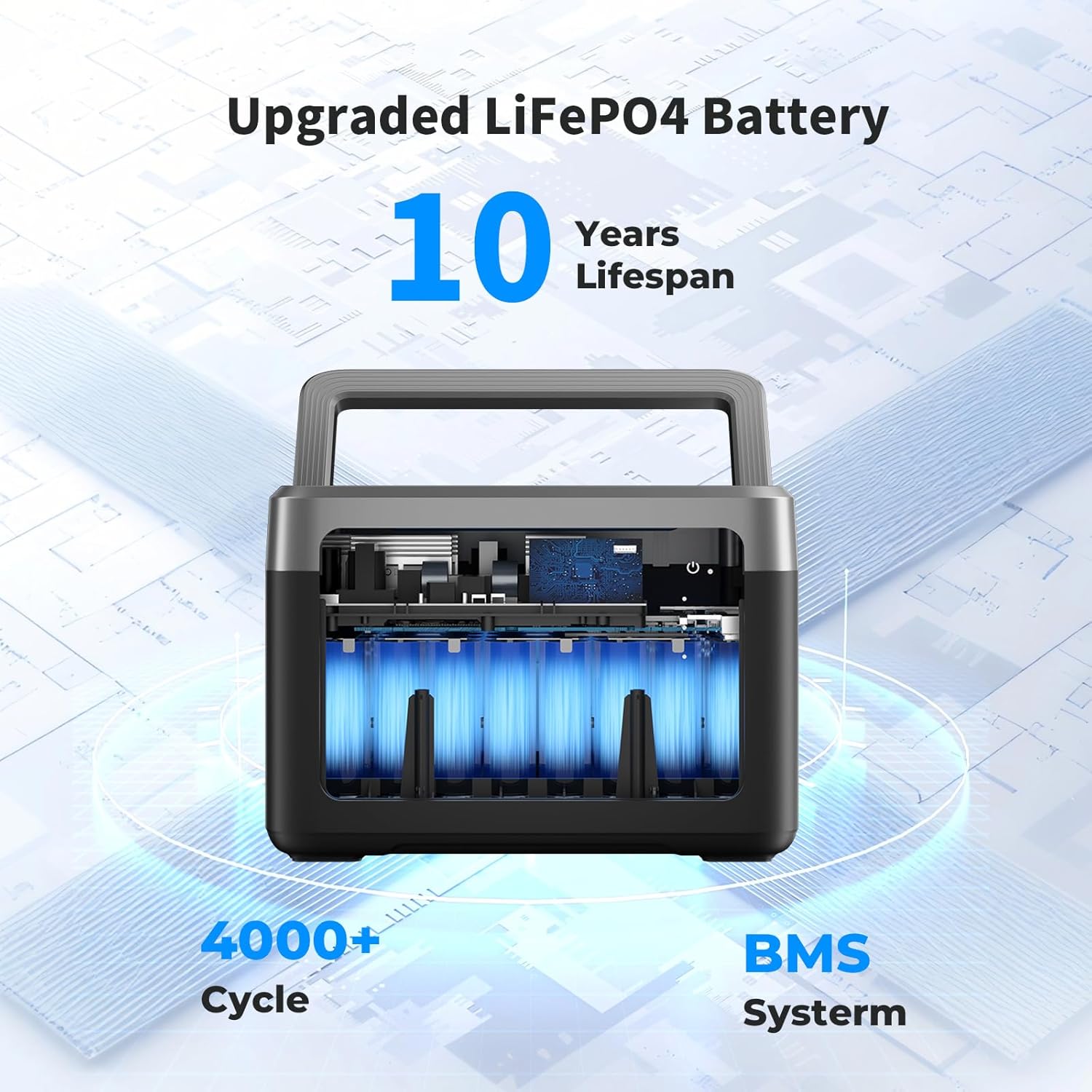
Image: Visual representation of the 10-year lifespan and 4000+ cycle rating of the upgraded LiFePO4 battery with BMS.
6.2 Asambodo
The OUKITEL P1000 PLUS complies with various international safety and quality standards, including CE, FCC, PSE, UN38.3, EMC, LVD, RoHS, and MSDS.
7. Nlekọta
- Nhicha: Use a dry, soft cloth to clean the exterior. Do not use abrasive cleaners or immerse the unit in water.
- Nchekwa: Store the power station in a cool, dry place away from direct sunlight and extreme temperatures. For long-term storage, charge the unit to 50-80% every 3-6 months to prolong battery life.
- Igwe ikuku: Ensure proper ventilation during use and charging to prevent overheating. Do not block the ventilation openings.
8. Nchọpụta nsogbu
If you encounter issues with your OUKITEL P1000 PLUS, please refer to the following common solutions:
- Nkeji anaghị agbanwu: Ensure the battery is charged. If not, connect to an AC outlet or solar panel.
- Enweghị Mbupụ sitere na Ọdụ Ụgbọ Mmiri: Verify that the specific output (DC, AC) is activated by pressing its respective button. Check if the device connected is within the power station's wattage ókè.
- Nchekwa ibu ibu: If an overload occurs, the unit may shut down. Disconnect the overloaded device, restart the power station, and connect devices within its rated output.
- Okwu ịchaji: Ensure cables are securely connected. Check the AC charge speed switch on the rear panel; try switching modes if charging is slow. For solar charging, ensure panels are in direct sunlight and correctly connected.
- Njikọ ngwa: Ensure Bluetooth or Wi-Fi is enabled on your device and the power station. Restart both devices if connection fails.
For persistent issues, please contact OUKITEL customer support.
9. Nkọwapụta
| Njirimara | Nkọwa |
|---|---|
| Ụdị | OUKITEL |
| Aha Nlereanya | IKWU |
| Wattage | 1800 watts (Na-aga n'ihu) |
| Oke Wattage | 3600 watt |
| Ike batrị | 1024Wh |
| Ụdị batrị | LiFePO4 |
| Mmepụta AC | 100-120V/1800W (Pure Sine Wave) |
| AC Charging Speed | 1200W Max |
| Ntinye anyanwụ | 500W Max |
| USB-A mmepụta | 2 x QC3.0 18W |
| USB-C mmepụta | 1 x PD 20W, 1 x PD 100W |
| Mmepụta DC | 2 x 12V/3A |
| Car Lighter Socket | 1 x 12V/10A |
| Oge mgbanwe UPS | 0.01 sekọnd |
| Ogologo ndụ | Usoro okirikiri 3,500+ (ruo ikike pasent 70) |
| Akụkụ | 12.99"L x 8.66"W x 9.05"H |
| Ibu Ibu | 26.5 pound |
| Ihe onwunwe | Aluminom, plastic |
10. Akwụkwọ ikike & Nkwado
The OUKITEL P1000 PLUS comes with a 2-year warranty, ensuring peace of mind for your investment. For any technical assistance, troubleshooting, or warranty claims, please contact OUKITEL customer service through their official channels. Details can be found on the warranty card included in your package or on the official OUKITEL websaịtị.


