Ozi nchekwa dị mkpa
Biko gụọ ma ghọta ntuziaka nchekwa niile tupu i jiri ngwaahịa a. Ọdịda ịgbaso ntuziaka ndị a nwere ike ibute ujo ọkụ eletrik, ọkụ ma ọ bụ mmerụ ahụ dị egwu.
- Do not insert wet or hot batteries into the device.
- Avoid using the device near water or in excessively humid environments.
- Tụfuo batrị n'enweghị nsogbu yana dịka iwu mpaghara siri dị.
- To prevent interference, avoid placing the device too close to other wireless electronic devices.
- Ensure the device is securely plugged into the car's cigarette lighter socket to prevent dislodgement during driving.
Ngwaahịa gafereview
The LENCENT BT27 is a versatile Bluetooth FM transmitter designed to enhance your in-car audio and charging experience. It features Bluetooth 5.4 for stable connections, dual USB-C PD 30W ports for rapid charging, hands-free calling, Hi-Fi deep bass, and customizable 7-color LED lighting.

Figure 1: LENCENT BT27 Bluetooth FM Transmitter
Isi ihe:
- Dual USB-C PD 30W Ports: For fast charging compatible devices.
- Ọdụ ụgbọ mmiri USB-A: For USB drive music playback (up to 64GB) and standard charging.
- Mkpọchi ọtụtụ ọrụ: Controls FM frequency, volume, and call management.
- Ikanam Display: Shows FM frequency and car battery voltage.
- Bọtịnụ Bass: Activates deep bass mode.
- Bọtịnụ ọkụ: Controls 7-color LED ambient lighting.
- Igwe okwu: Integrated for hands-free calling with CVC noise reduction.
Atụmatụ
- Hi-Fi Deep Bass: Enhance your audio experience with powerful bass by pressing the dedicated 'Bass' button. Features clear stereo sound and optional 7-color LED ambient lights.
- 60W Dual USB Fast Charging: Equipped with two USB-C (PD 30W) ports, delivering a total maximum output of 60W. Capable of charging an iPhone up to 70% in under 30 minutes. Includes a safe charging system to prevent overcharging and overheating.
- Teknụzụ Bluetooth 5.4 dị elu: Ensures faster pairing, smoother transmission, and a more stable audio stream with extremely low latency. Supports Bluetooth audio streaming and USB drive playback (up to 64GB).
- Hands-Free Calls & Voice Control: Features a built-in microphone with CVC noise reduction for clear voice capture, reducing interference and echo. Supports voice commands for calls, podcasts, or navigation, promoting safer driving.
- Compact and Compatible Design: Its compact size saves space and makes it portable. Compatible with most 12V to 24V vehicles and a variety of Bluetooth devices.
Ntọala na nwụnye
- Insert the FM Transmitter: Plug the LENCENT BT27 into your car's 12V/24V cigarette lighter socket. The LED display will light up, showing the car battery voltage and then 'bt' (Bluetooth mode).
Figure 2: Plugging in the FM Transmitter
- Tune Your Car Radio: Turn on your car's FM radio and find an empty, unused frequency (one with static, typically between 87.5 MHz and 108.0 MHz).

Figure 3: Tuning the car radio to an empty frequency
- Tọọ ugboro ugboro Transmitter: Press and hold the multi-function knob on the BT27 until the FM frequency on its LED display starts flashing. Rotate the knob left or right to match the frequency to the empty station you found on your car radio. Once matched, the connection is established.

Figure 4: Adjusting the transmitter's FM frequency
- Jikọọ site na Bluetooth: On your smartphone, enable Bluetooth and search for available devices. Select 'BT27' from the list to pair. A voice prompt will confirm successful connection. You can now stream audio from your phone to your car speakers.
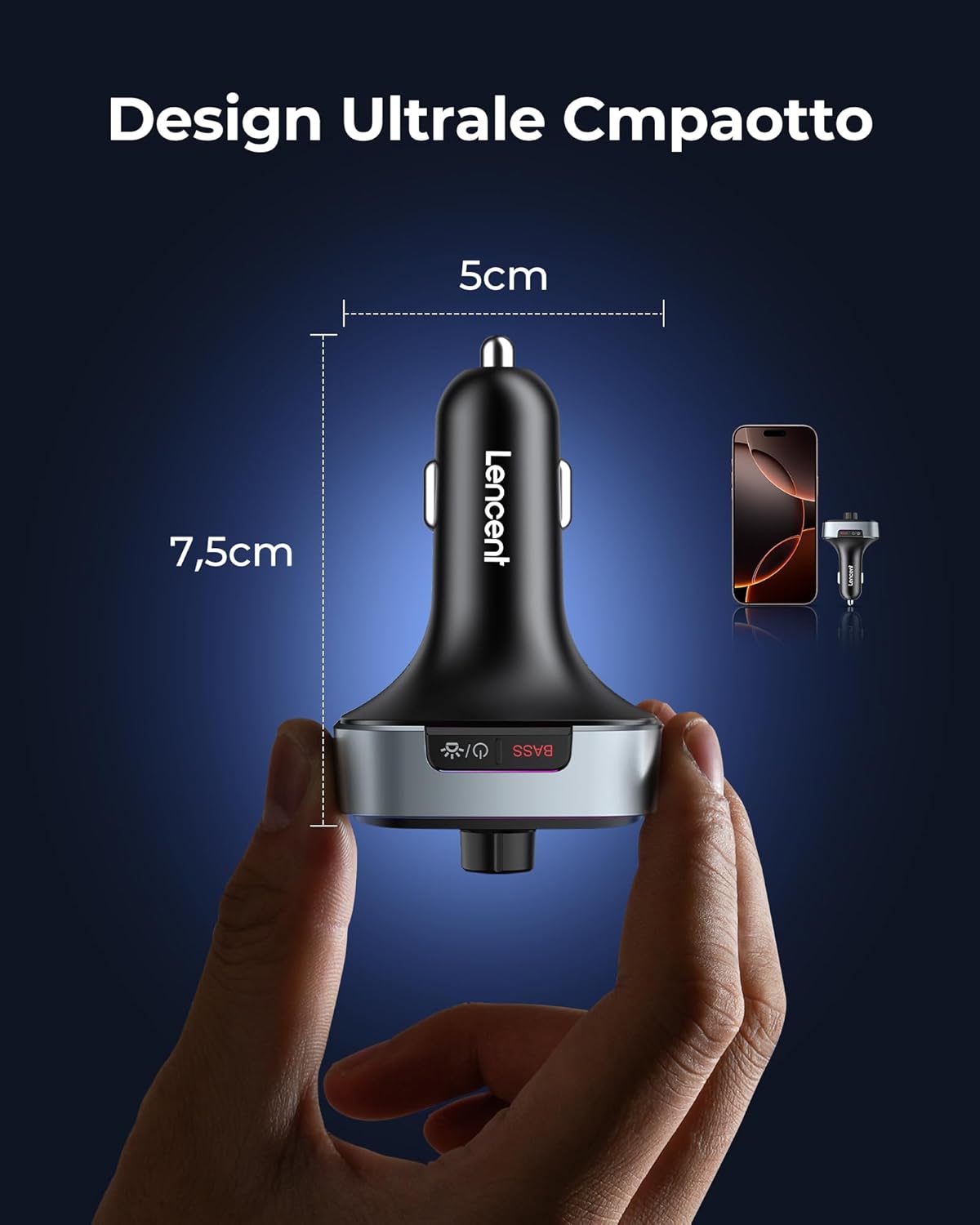
Figure 5: Bluetooth pairing with your smartphone
Ntuziaka ọrụ
Nkpọghachi egwu:
- Mgbasa ozi Bluetooth: Once paired, play music on your smartphone, and it will stream through your car's speakers.
- Mkpọghachi draịvụ USB: Insert a USB drive (FAT32 format, up to 64GB) into the USB-A port. The device will automatically switch to USB playback mode.
- Njikwa olu: Rotate the multi-function knob to adjust the volume.
- Njikwa Track: Use the 'Previous Track' and 'Next Track' buttons to skip songs.
- Gwuo/kwụsịtụ: Press the multi-function knob once to play or pause music.
- Ụdị Bass miri emi: Press the 'Bass' button once to activate or deactivate the deep bass sound effect.

Figure 6: Activating Deep Bass Mode
Oku na-anaghị aka:
- Oku azaa: Press the multi-function knob once to answer an incoming call.
- Jụ oku: Press and hold the multi-function knob to reject an incoming call.
- Oku ngwụcha: Press the multi-function knob once during a call to hang up.
- Agbagharị: Double-press the multi-function knob to redial the last number.

Figure 7: Hands-Free Calling in a Car
Enyemaka Olu:
- Mee ka onye enyemaka olu rụọ ọrụ: Press and hold the multi-function knob to activate your smartphone's voice assistant (Siri, Google Assistant).

Figure 8: Activating Siri or Google Assistant
LED Ambient Lights:
- Change/Turn On/Off Lights: Press the 'Light' button once to cycle through the 7 available colors or turn the lights on/off.

Figure 9: Customizable 7-Color LED Lights
Ngwa ịchaji:
- Connect your devices to the USB-C (PD 30W) ports for rapid charging.
- The USB-A port also provides charging capabilities.
Figure 10: Dual USB-C Fast Charging
Nlekọta
- Keep the device dry and clean. Avoid exposure to liquids.
- Ekwula ngwa a. Ndị ọrụ ruru eru kwesịrị ịrụzi ya.
- Chekwaa n'ebe dị jụụ, kpọrọ nkụ mgbe ọ naghị eji ya.
- Regularly check the cigarette lighter socket for debris that might affect connection.
Nchọpụta nsogbu
| Nsogbu | Ihe nwere ike ime | Ngwọta |
|---|---|---|
| No sound or static during music playback. | FM frequency mismatch or interference. | Ensure the transmitter and car radio are on the same empty FM frequency. Try a different empty frequency. |
| Njikọ Bluetooth adịghị akwụsi ike ma ọ bụ daa ada. | Device too far from phone, interference, or incorrect pairing. | Ensure phone is close to the transmitter. Re-pair the device. Check for other Bluetooth devices causing interference. |
| Slow charging or no charging. | Cable issue, device not fully inserted, or device not compatible with fast charging. | Use a high-quality charging cable. Ensure the transmitter is fully inserted. Check if your device supports PD 30W charging. |
| Poor call quality (echo/noise). | Microphone obstruction or excessive background noise. | Ensure the microphone is not obstructed. Reduce car fan speed or window opening. The CVC noise reduction should minimize most background noise. |
Nkọwapụta
- Ụdị: BT27
- Ụdị Bluetooth: 5.4
- Ntinye Voltage: 12V-24V DC
- Mmepụta USB-C (PD): 30W (each port), Total 60W
- Mmepụta USB-A: Standard charging (also for USB drive playback)
- Gburugburu FM ugboro ole: 87.5-108.0 MHz
- Ụdị ọdịyo akwadoro: MP3, WMA, WAV, FLAC (via USB drive)
- USB Drive Capacity: Ruo 64GB
- Akụkụ: 8.5 x 5.1 x 4 cm
- Arọ: 85 grams
- Ihe: Plastic, metal
- Atụmatụ ndị ọzọ: CVC Noise Reduction, Siri & Google Voice Assistant, Car Voltage Monitoring, 7-Color LED Ambient Light.
Akwụkwọ ikike na nkwado
LENCENT products are designed for reliability and user satisfaction. For any issues or support needs, please refer to the following:
- Akwụkwọ ikike: This product comes with a standard manufacturer's warranty. Please retain your proof of purchase for warranty claims.
- Ndị ọrụ nlekọta ndị ahịa: For assistance, you can contact LENCENT customer support via email, Amazon chat, or visit the official LENCENT websaịtị.
- na-alaghachi: Refer to the retailer's return policy for details on product returns.

Figure 11: LENCENT Multichannel Support


