1. Okwu mmalite
Welcome to your new Baseus BC1 Open Ear Earbuds. This manual provides detailed instructions for setup, operation, and maintenance to ensure you get the best experience from your device. The Baseus BC1 earbuds feature a comfortable open-ear design, secure tri-curve clip, rich sound with powerful bass, clear calls with 4-mic AI noise reduction, IP55 water resistance, and precise button control.
2. Ihe ngwugwu
Biko lelee ọdịnaya nke ngwugwu ahụ ka ị hụ na ihe niile dị:
- Baseus BC1 Open Ear Earbuds (Left & Right)
- Nchaji case
- Akwụkwọ ntuziaka onye ọrụ
- -Dị-C Nchaji USB

3. Ngwaahịa gafereview
The Baseus BC1 Open Ear Earbuds are designed for comfort and high-quality audio, allowing you to stay aware of your surroundings. The compact charging case provides extended battery life and convenient storage.

4. Nhazi
4.1. Ịchaji
Tupu ojiji nke mbụ, chajie nke ọma ntị na akpa nchaji.
- Jikọọ eriri chaja Type-C enyere na ọdụ ụgbọ mmiri dị na ikpe yana isi iyi ọkụ.
- Ịchaji zuru oke maka ikpe ahụ na-ewe ihe dị ka awa 1.5.
- The earbuds offer up to 7.5 hours of listening on a single charge, and up to 38 hours total with the fully charged case.

4.2. Gbanyụọ / gbanyụọ
- Ike Na: Mepee igbe nchaji, na ntị ntị ga-agbanye na-akpaghị aka.
- Gbanyụọ: Place the earbuds back into the charging case and close the lid; they will power off automatically.
4.3. Njikọ Bluetooth
- Open the charging case. The earbuds will automatically enter pairing mode, indicated by a flashing LED light.
- Na ngwaọrụ gị (smartphone, tabletị, wdg), gaa na ntọala Bluetooth wee mee ka Bluetooth nwee ike.
- Chọọ maka "Baseus BC1" in the list of available devices and select it to connect.
- Once connected, you will hear a confirmation tone, and the LED indicator on the earbuds will turn off.
4.4. Yiri ekwe ntị
For optimal comfort and sound quality, follow these steps to wear your earbuds:
- Gently clip each earbud onto your ear, ensuring the main body rests comfortably behind your earlobe.
- Adjust the earbud to find the most comfortable and secure position. The tri-curve ergonomic clip is designed to adapt to various ear shapes.
- Ensure the sound outlet is aligned with your ear canal to experience the best sound quality.


5. Ntuziaka ọrụ
5.1. Njikwa bọtịnụ
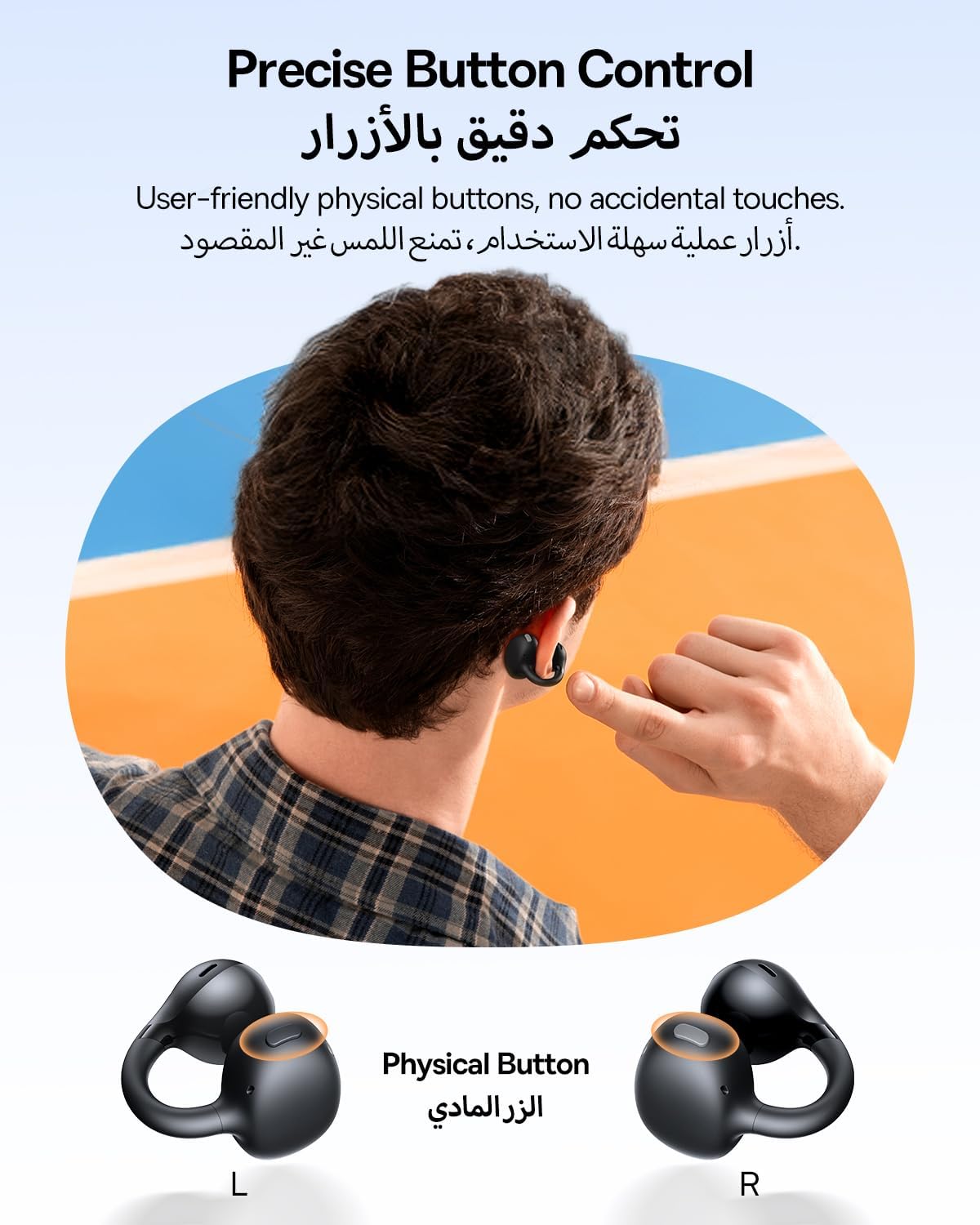
The Baseus BC1 earbuds feature physical buttons for precise control, minimizing accidental touches. The functions are as follows:
- Gwuo/kwụsịtụ: Single press the button on either earbud.
- Olu elu: Single press the button on the right earbud.
- Olu ala: Single press the button on the left earbud.
- Track na-esote: Long press the button on the right earbud for 1.5 seconds.
- Gara aga Track: Long press the button on the left earbud for 1.5 seconds.
- Azịza/Kwụsị Oku: Double press the button on either earbud.
- Jụ oku: Long press the button on either earbud for 1.5 seconds during an incoming call.
- Enyemaka Olu: Triple press the button on the right earbud.
- Cycle Modes (Game/Movie/Normal): Triple press the button on the left earbud.
5.2. App Customization
Download the official Baseus app from your device's app store to unlock advanced features and personalize your listening experience:
- EQ nwere ike ịhazi ya: Adjust the equalizer settings to fine-tune the audio to your preference.
- Ụda Profiles: Choose from various preset sound profiles for different music genres or listening scenarios.
- Touch Control Personalization: Reassign touch control functions to suit your needs.

5.3. Njikọ Ọtụtụ Isi
The Baseus BC1 earbuds support simultaneous connection to two devices, allowing seamless switching between them:
- Pair the earbuds with your first device (e.g., smartphone).
- Disconnect the earbuds from the first device's Bluetooth settings. The earbuds will re-enter pairing mode.
- Pair the earbuds with your second device (e.g., tablet or laptop).
- Manually reconnect the earbuds to the first device from its Bluetooth settings.
- The earbuds will now be connected to both devices simultaneously, allowing you to switch audio sources without re-pairing.

6. Nlekọta
6.1. Nhicha
To ensure optimal performance and longevity of your earbuds:
- Regularly clean the earbuds and the charging contacts inside the case using a clean, dry cotton swab.
- Ọ bụrụ na ọ dị mkpa, jiri nwayọọ dampen the cotton swab with alcohol for disinfection.
- Avoid issues such as the earbuds being unable to charge or power on due to prolonged lack of cleaning.
6.2. Nchekwa
- Mgbe ị na-ejighị ya, debe ntị ntị gị n'ime akpa chaja ha iji chebe ha pụọ na uzuzu na mmebi.
- If the earbuds will not be used for an extended period, charge the case at least once every three months to maintain battery health.
7. Nchọpụta nsogbu
If you encounter any issues with your Baseus BC1 earbuds, please refer to the following common problems and solutions:
- Igwe ntị anaghị ejikọta: Ensure Bluetooth is enabled on your device and the earbuds are in pairing mode. Try forgetting previous pairings on your device and re-pairing.
- Naanị otu earbud na-arụ ọrụ: Place both earbuds back in the charging case, close the lid for 10 seconds, then open it again. If the issue persists, perform a factory reset.
- Ogo ụda adịghị mma: Ensure the earbuds are worn correctly and the sound outlet is aligned with your ear canal. Check the EQ settings in the Baseus app.
- Earbuds anaghị akwụ ụgwọ: Clean the charging contacts on both the earbuds and the case. Ensure the charging cable is properly connected to a working power source.
7.1. Ntọgharị ụlọ nrụpụta
If the earbuds are not functioning correctly, a factory reset may resolve the issue:
- Remove the pairing information of the earbuds from your device's Bluetooth settings (e.g., "Forget This Device").
- Place both earbuds into the charging case, ensuring they are securely in place.
- Close the charging case for 3 seconds, then reopen it.
- With the charging case open, long press the button on the charging case for 10 seconds until the indicator light flashes white twice. This indicates that the reset is complete.
- After the factory reset, use the initial Bluetooth pairing method (Section 4.3) to reconnect and resume normal use.
8. Nkọwapụta
| Njirimara | Nkọwa |
|---|---|
| Aha Nlereanya | BC1 |
| Nọmba Nlereanya ihe | PM153 |
| Ụdị | Baseus |
| Agba | Nwa |
| Ntinye ntị | Mepee Ntị |
| Ụdị ekweisi | Mepee Ntị |
| Teknụzụ Njikọta | Ikuku |
| Teknụzụ nzikọrịta ozi ikuku | Bluetooth |
| Mgbochi | 16 Ohm |
| Njikwa mkpọtụ | Ọ dịghị |
| Jack ekweisi | Enweghị Jack |
| Usoro njikwa | Pịa bọtịnụ |
| Ọkwa Nguzogide mmiri | Mmiri na-eguzogide mmiri (IP55) |
| Oge Nchaji | awa 1.5 |
| Ibu Ibu | 111 grams |
| Akụkụ ngwugwu | 13.4 x 8.5 x 4.2 cm |
| Ngwa gụnyere | Akwụkwọ ntuziaka onye ọrụ |
| Ihe onwunwe | Plastic |
| Ngwa dakọtara | Phones, tablets, desktop computers, laptops, mobile phones, smart speakers, TVs, digital video game players |
9. Ozi nchekwa
- Avoid prolonged listening at high volume levels to prevent potential hearing damage.
- Ejila ekweisi ekwe ntị n'ọnọdụ ebe enweghị ike ịnụ ụda gburugburu nwere ike ịdị ize ndụ (dịka ọmụmaatụ, ịnya ụgbọala, ịgba ígwè, ịga ije n'okporo ụzọ).
- Keep the earbuds and charging case away from extreme temperatures, direct sunlight, and moisture.
- Do not attempt to disassemble, repair, or modify the product. This may void the warranty and cause damage.
- Keep out of reach of children and pets to prevent accidental ingestion or misuse.
- Tụfuo ngwaahịa ahụ na batrị ya n'ụzọ kwesịrị ekwesị dịka iwu obodo si dị.
10. Akwụkwọ ikike & Nkwado
For warranty information, technical support, or any product-related inquiries, please refer to the official Baseus websaịtị ma ọ bụ kpọtụrụ onye nkesa mpaghara gị.
You can also visit the official Baseus Store for more information: Ụlọ Ahịa Baseus


