Okwu mmalite
This manual provides essential information for setting up, operating, maintaining, and troubleshooting your new iBUYPOWER Slate Gaming PC. Please read through these instructions carefully to ensure optimal performance and longevity of your system. The iBUYPOWER Slate Gaming PC is designed for high-performance gaming and demanding computing tasks, featuring an Intel Core Ultra 7 265F CPU, NVIDIA GeForce RTX 5060 8GB GPU, 32GB DDR5 RGB 5200MHz RAM, and a 1TB NVMe SSD, running on Windows 11 Home.
Kedu ihe dị na Igbe ahụ
- iBUYPOWER Slate Gaming PC (Model: SBI7N5603)
- Igwe ọkụ ọkụ
- iBUYPOWER Gaming Keyboard
- iBUYPOWER Gaming Mouse
- Akwụkwọ (Nduzi Mmalite Ngwa Ngwa, Ozi Akwụkwọ ikike)
Ntuziaka nhazi
1. Mwepu na nyocha
Carefully remove the PC and all accessories from the packaging. Inspect for any visible damage. Remove any internal packing foam from inside the PC case before powering on.
2. Njikọ Peripherals
- Jikọọ Nyochaa: Connect your monitor to the graphics card (NVIDIA GeForce RTX 5060) ports on the back of the PC using an appropriate cable (HDMI or DisplayPort).
- Jikọọ ahụigodo na òké: Plug the included iBUYPOWER gaming keyboard and mouse into available USB ports on the PC.
- Njikọ Ike: Connect the power cable to the PC's power supply unit (PSU) and then to a wall outlet.
- Jikọọ netwọk: For internet access, connect an Ethernet cable to the RJ-45 port or ensure Wi-Fi antennas are securely attached for wireless connectivity.

3. Mmalite Ike na Ntọala Windows
Press the power button on the PC. Follow the on-screen instructions to complete the Windows 11 Home setup process. This typically involves setting up your region, language, network, and user account.
Atụmatụ igodo
- Ihe nhazi: Intel Core Ultra 7 265F CPU for high-performance computing.
- Kaadị eserese: NVIDIA GeForce RTX 5060 8GB GPU for immersive gaming and content creation.
- Ebe nchekwa: 32GB DDR5 RGB 5200MHz RAM (16x2) for efficient multitasking.
- Nchekwa: 1TB NVMe SSD for fast boot times and ample nchekwa.
- Sistemụ nrụọrụ: Windows 11 Home arụnyerela mbụ.
- Njikọta: Integrated 802.11AC Wi-Fi and multiple USB 3.1 ports.
- Nhazi ikpe: Tempered Glass RGB Gaming Case with 16-color RGB lighting.
Imepụta na Aesthetics
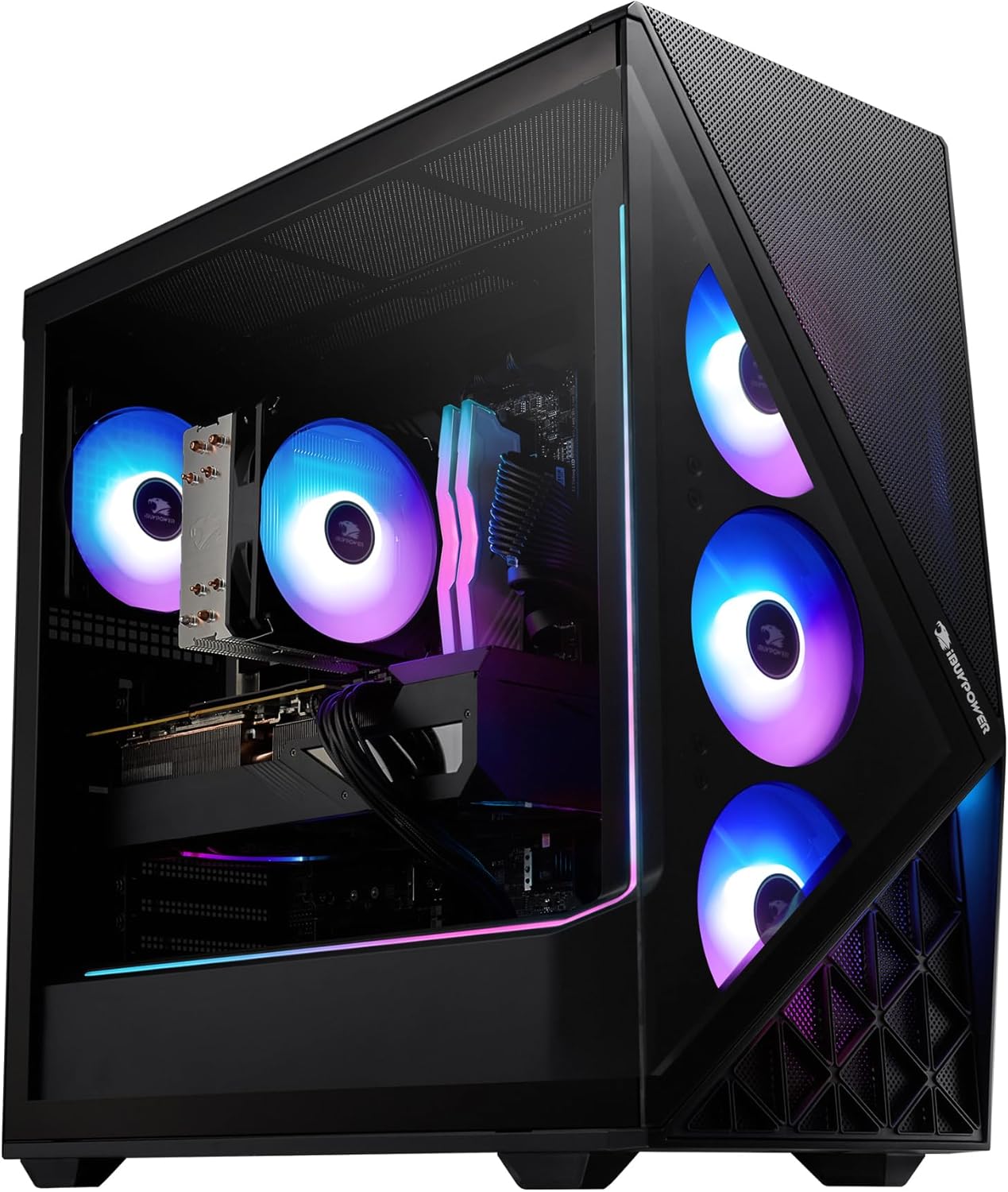

Performance Components
The Intel Core Ultra 7 265F processor and NVIDIA GeForce RTX 5060 8GB graphics card provide a powerful foundation for gaming and demanding applications. The 32GB DDR5 RAM ensures smooth multitasking and responsiveness.
Ịrụ ọrụ PC gị
Your iBUYPOWER PC comes with Windows 11 Home pre-installed, offering a user-friendly interface and access to a wide range of applications. Ensure all drivers are up-to-date for optimal performance, especially for the graphics card.
Ahụmahụ Ịgba Cha Cha
For the best gaming experience, ensure your display settings match your monitor's capabilities and the game's recommended settings. Utilize the NVIDIA control panel for fine-tuning graphics settings.
Nlekọta
1. Nhicha
Regularly clean the exterior of your PC with a soft, dry cloth. Use compressed air to clear dust from fans and vents to maintain optimal airflow and prevent overheating. Pay special attention to the perforated mesh panels.
2. Mmelite ngwanrọ
Keep your Windows operating system, graphics drivers, and other software updated to ensure security, stability, and performance improvements.
3. Sistemụ jụrụ oyi
The PC features a Tower Air Cooler and RGB fans in a premium iBUYPOWER Slate Black case to keep components cool. Ensure no obstructions block the airflow to the fans. For advanced cooling, the system supports liquid cooling solutions.
Nchọpụta nsogbu
| Okwu | Ngwọta |
|---|---|
| High Operating Temperatures | Ensure proper airflow around the PC. Clean dust filters and fans regularly with compressed air. Verify CPU cooler is properly seated. |
| Poor Wi-Fi Performance | Ensure Wi-Fi antennas are securely connected. Position the PC to minimize interference. Consider a wired Ethernet connection for maximum stability and speed. |
| Non-functional USB Ports | Test the port with a different USB device. Check Device Manager in Windows for any driver issues. Restart the PC. If the issue persists, contact iBUYPOWER support. |
| System Slowdown/Stuttering | Check for background applications consuming resources. Ensure drivers (especially graphics) are updated. Monitor system resource usage (CPU, RAM, Disk) via Task Manager. |
Nkọwapụta
| Njirimara | Nkọwa |
|---|---|
| Nhazi | Intel Core Ultra 7 265F (2.4 GHz) |
| Kaadị eserese | NVIDIA GeForce RTX 5060 8GB |
| RAM | 32 GB DDR5 5200MHz (16x2) |
| Nchekwa | 1 TB NVMe SSD |
| Sistemụ nrụọrụ | Windows 11 Ụlọ |
| Ụdị ikuku | 802.11 ac |
| ọdụ ụgbọ mmiri USB | 6 x USB 3.0, 2 x USB 2.0 |
| Ethernet | 1x RJ-45 Network Ethernet 10/100/1000 |
| Audio | On board audio |
| Ibu Ibu | 36 pound |
| Akụkụ ngwaahịa | 19.5 x 8.7 x 19.3 sentimita asatọ |
| Agba | Nwa |
Akwụkwọ ikike na nkwado
Your iBUYPOWER Slate Gaming PC is covered by a manufacturer's warranty. For specific warranty details, registration, or technical support, please refer to the documentation included with your product or visit the official iBUYPOWER support websaịtị. Debe ihe akaebe nke ịzụrụ maka akwụkwọ ikike.


