1. Ngwaahịa gafereview
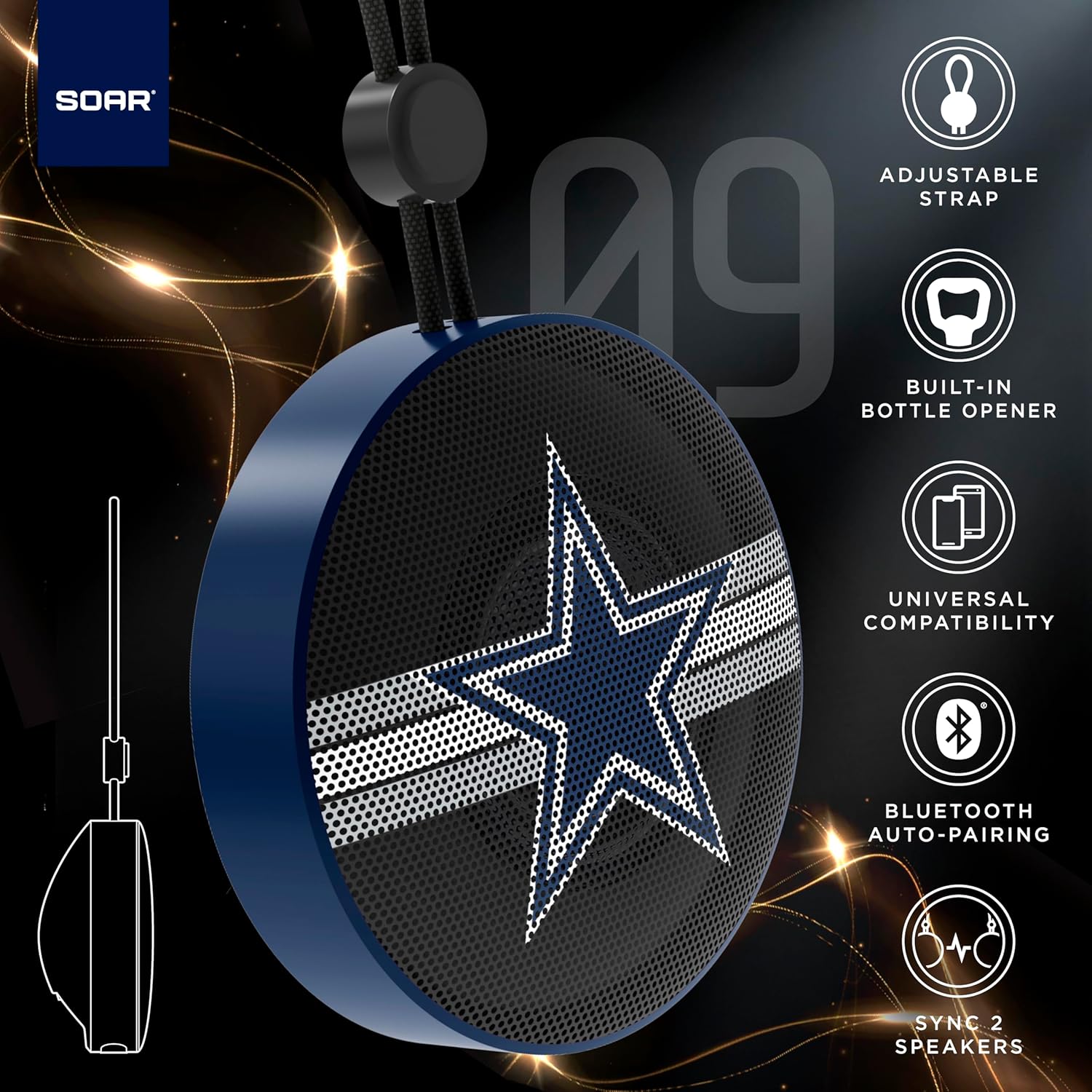
The SOAR NFL Bluetooth Bottle Opener Speaker is a compact and portable audio device designed for convenience and entertainment. It features 5W sound output, Bluetooth connectivity for wireless audio streaming, and a built-in bottle opener. The speaker includes an adjustable lanyard for easy carrying and offers up to 10 hours of playback on a single charge. It also supports dual pairing for an immersive stereo experience and has a built-in microphone for hands-free calls.

N'ihu view of the SOAR NFL Bluetooth Bottle Opener Speaker featuring the Arizona Cardinals logo.

The product packaging highlighting features like adjustable strap, 10-hour battery life, and built-in bottle opener.
2. Ihe ngwugwu
- SOAR NFL Bluetooth Bottle Opener Speaker
- USB-C eriri USB
- Akwụkwọ ntuziaka onye ọrụ
3. Nhazi
3.1 Ịchaji ọkà okwu
Before first use, fully charge the speaker. Use the provided USB-C cable to connect the speaker's charging port to a compatible USB power source (e.g., wall adapter, computer USB port).
- A charging indicator light will illuminate during charging.
- The light will change or turn off once charging is complete.
Detail of the USB-C charging port and control buttons on the speaker.
3.2 Gbanyụọ/ gbanyụọ
To power on the speaker, press and hold the power button until you hear an audible prompt or see the LED lights activate. To power off, press and hold the power button again.
3.3 Njikọ Bluetooth
- Ensure the speaker is powered on and in pairing mode (indicated by a flashing LED light).
- Na ekwentị mkpanaaka gị (ama, mbadamba, wdg), mee ka Bluetooth rụọ ọrụ.
- Chọọ maka available Bluetooth devices. The speaker will appear as "SOAR POP" or a similar name.
- Select the speaker from the list to connect. A confirmation tone or voice prompt will indicate successful pairing.
4. Ọrụ
4.1 Na-akpọ Audio
Once paired, you can stream audio from your device to the speaker. Use your device's controls to manage playback (play, pause, skip tracks) and adjust volume. The speaker itself may have basic playback controls (e.g., play/pause, next/previous track) as shown near the charging port.
4.2 Dual Pairing (True Wireless Stereo)
For an enhanced audio experience, two SOAR POP speakers can be paired together to create a stereo sound system. Refer to the specific instructions provided with your speakers for dual pairing mode activation.
4.3 Built-in Bottle Opener
The speaker features a discreetly integrated bottle opener. Position the bottle cap under the metal opener and apply upward pressure to remove the cap.

The speaker demonstrating its built-in bottle opener function.
4.4 Adjustable Lanyard
The speaker includes a 10-inch adjustable lanyard for convenient portability. Attach it to a backpack, belt loop, or other gear for easy transport.

Image showing the speaker's dimensions and the adjustable lanyard for portability.
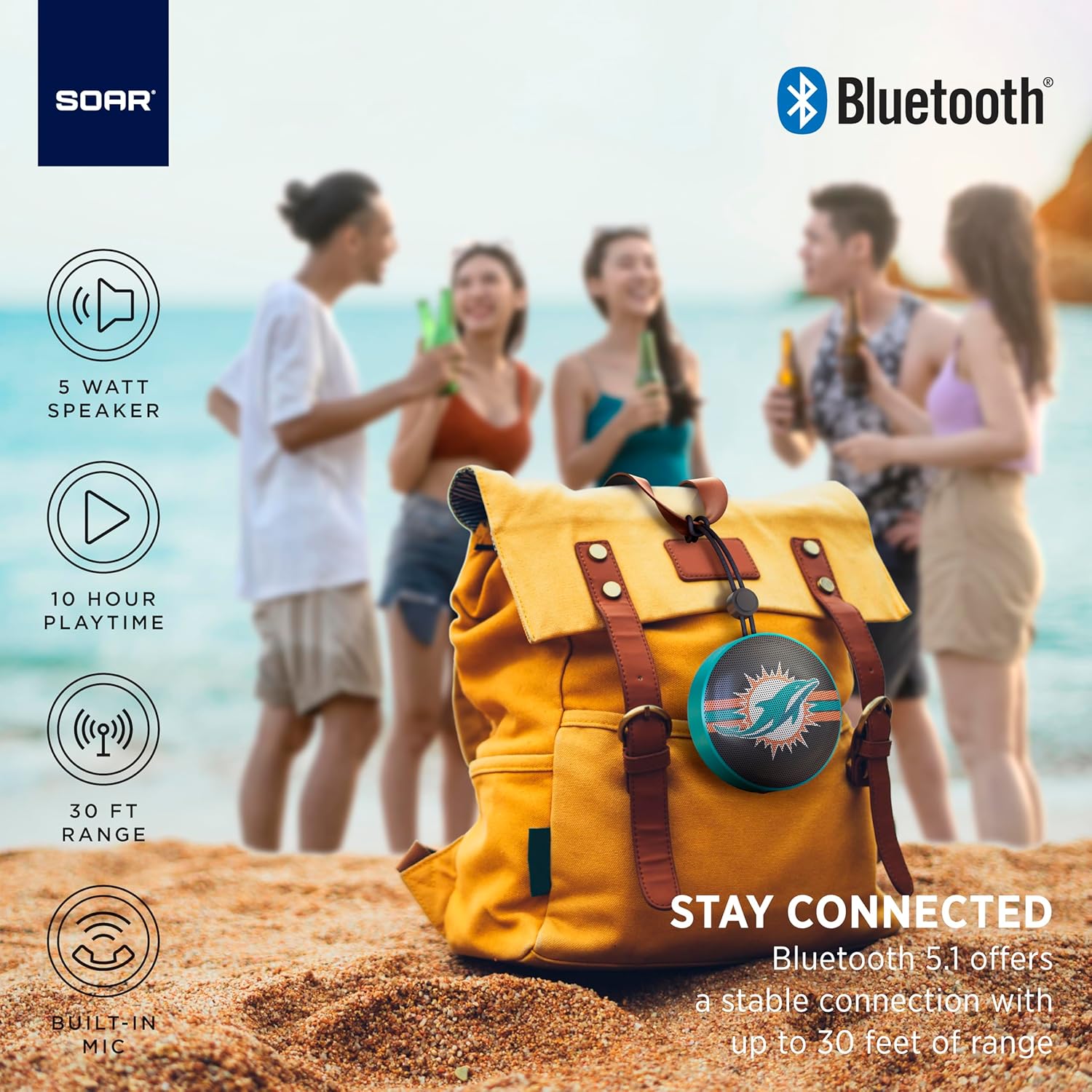
The portable speaker attached to a backpack, illustrating its on-the-go use.
4.5 Oku na-enweghị aka
With the built-in microphone, you can answer calls directly through the speaker when connected to your smartphone. Press the play/pause button to answer or end a call.
5. Nlekọta na nlekọta
- Nhicha: Use a soft, dry cloth to clean the speaker. Do not use harsh chemicals or abrasive cleaners.
- Nguzogide mmiri: The speaker is designed with IPX4 water resistance, meaning it is protected against splashing water from any direction. It is not intended for submersion in water. Ensure the charging port cover is securely closed to maintain water resistance.
- Nchekwa: Chekwaa ọkà okwu n'ebe dị jụụ, kpọrọ nkụ na-adịghị na ìhè anyanwụ kpọmkwem na oke okpomọkụ.
6. Nchọpụta nsogbu
- Enweghị ike: Ensure the speaker is fully charged. Connect it to a power source using the USB-C cable.
- Enweghị ike ijikọ site na Bluetooth:
- Make sure the speaker is in pairing mode (flashing LED).
- Ensure Bluetooth is enabled on your device and it is within range (up to 30 feet).
- Chezọ ngwaọrụ ahụ na ntọala Bluetooth ekwentị gị wee nwaa ijikọ ọzọ.
- Malitegharịa ekwentị ma igwe okwu ma ngwaọrụ gị.
- Enweghị ụda:
- Lelee ọkwa olu na ma ọkà okwu na ngwaọrụ gị ejikọrọ.
- Ensure the speaker is successfully paired and connected to your device.
- Gbalịa ịkpọ ụda sitere na ngwa ma ọ bụ isi mmalite dị iche.
- Ogo ụda adịghị mma:
- Bugharịa igwe okwu ahụ nso na ngwaọrụ gị iji belata nnyonye anya.
- Hụ na enweghị ihe mgbochi ọ bụla n'etiti igwe okwu na ngwaọrụ gị.
- Check if the speaker is fully charged. Low battery can affect sound quality.
7. Nkọwapụta
| Ụdị | SOAR |
| Nọmba nlereanya | NFL-BTX9-CARD |
| Ihe onwunwe | Polymer |
| Akụkụ ngwaahịa | 3.6"L x 1.8"W |
| Ibu Ibu | 9.4 ounces |
| Ike Ọkà Okwu | 5W |
| Ndụ batrị | Ruo awa iri abụọ |
| Ụdị Bluetooth | 5.1 |
| Mmiri Nguzogide | IPX4 (Protected against splashing of water) |
| UPC | 192129183983 |
8. Akwụkwọ ikike na nkwado
For warranty information and customer support, please refer to the documentation included with your product or visit the official SOAR websaịtị. Debe akwụkwọ nnata ịzụrụ maka akwụkwọ ikike.


