1. Okwu mmalite
Thank you for choosing the SMUG Adjustable Height Electric Standing Desk. This manual provides essential information for the safe assembly, operation, and maintenance of your new desk. This electric standing desk is designed to offer a versatile workspace, allowing you to easily switch between sitting and standing positions to promote a healthier work environment.

Image 1.1: The SMUG Adjustable Height Electric Standing Desk in Modern Black, showcasing its sleek design and ample workspace with a laptop, monitor, and accessories.
2. Ozi nchekwa
Please read all safety instructions before using the desk to prevent injury or damage. Keep this manual for future reference.
- Agafela oke oke oke nke 176 lbs (80 n'arọ). Overloading the desk can cause instability and damage.
- Be aware of the anti-collision system and safety lock features. Ensure there are no obstructions in the desk's path during height adjustments to prevent injuries or damage to property.
- Always ensure the desk is placed on a level surface and is properly assembled according to the instructions to prevent tipping.
- Debe ụmụaka na anụ ụlọ pụọ na tebụl mgbe ị na-arụ ọrụ.
- Anọla ma ọ bụ guzoro na tebụl.
- Kwupu ike tupu ihicha ma ọ bụ ịrụ ọrụ ọ bụla.
3. Ntuziaka Mgbakọ
The SMUG Electric Standing Desk is designed for straightforward assembly. All necessary tools and clear instructions are included in the package. Most users can complete assembly in under 30 minutes.
3.1. Ihe ngwugwu
Tupu ịmalite mgbakọ ahụ, hụ na ihe niile dị na ya dị:
- Desktop (may be in two splicing boards)
- Ụkwụ Tebụl (2)
- Ogwe njikwa
- Nkwụnye moto na ike
- Headphone Hook (2)
- Cable Management Grommets (2)
- Ngwa Mgbakọ (skru, boltị, wdg)
- Assembly Tools (Allen wrench, screwdriver)
- Akwụkwọ ntuziaka onye ọrụ
3.2. Nzọụkwụ Mgbakọ
- Wepu ihe niile ma dobe ha n'elu ala dị ọcha ma dị nro ka ọ ghara ịta ahụhụ.
- Follow the detailed step-by-step instructions provided in the separate assembly guide included with your desk.
- Attach the desk legs to the desktop, ensuring all screws are securely tightened.
- Install the control panel and connect the motor and power cables as directed.
- Attach the headphone hooks and insert the cable management grommets into the designated holes.
- Once assembled, carefully flip the desk upright. It is recommended to have assistance for this step due to the desk's weight.

Image 3.1: A diagram illustrating the product dimensions (47.24"W x 23.62"D, height adjustable from 28.7" to 48") and key features such as two wire holes, two sturdy hooks, and two splicing boards for the desktop.
4. Ọrụ
Your SMUG Electric Standing Desk features intuitive controls for height adjustment and memory presets.
4.1. Ndozi elu
The desk can be adjusted effortlessly from a minimum height of 28.7 sentimita asatọ to a maximum height of 46.5 sentimita asatọ. The quiet dual motors operate at less than 55dB.
- Pịa ma jide Up arrow (▲) button to raise the desk.
- Pịa ma jide Down arrow (▼) button to lower the desk.
- Release the button at your desired height. The current height will be displayed on the LED screen.
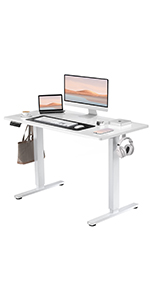
Image 4.1: Close-up of the desk's control panel, showing the LED display, up/down arrows, and three memory preset buttons (1, 2, 3).
4.2. Ntọala ebe nchekwa
The desk features 3 memory presets to store and recall your preferred sitting and standing heights.
- Gbanwee oche ahụ n'ịdị elu ịchọrọ iji bọtịnụ elu/ala.
- Pịa 'M' button. The LED display will show 'S-'.
- N'ime sekọnd 3, pịa otu n'ime bọtịnụ nọmba (1, 2 ma ọ bụ 3) to save the current height to that preset. The display will show 'S-1', 'S-2', or 'S-3' to confirm.
- Iji cheta ogologo echekwara, pịa bọtịnụ nọmba kwekọrọ (1, 2 ma ọ bụ 3). Desktọpụ ahụ ga-aga na-akpaghị aka na ọnọdụ echekwara.
4.3. Anti-Collision System
The desk is equipped with an anti-collision system that automatically stops and slightly reverses the desk's movement if it encounters an obstruction during adjustment. This feature helps prevent damage and ensures user safety.
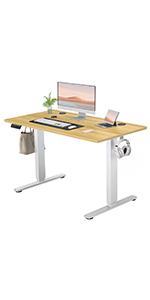
Image 4.2: A visual representation of the anti-collision system, showing the desk stopping and reversing upon encountering an obstacle.
4.4. Njikwa USB
The desk includes integrated cable management features to help keep your workspace tidy.
- Wire Holes: Two desktop wire holes allow for neat routing of power and data cables.
- Nko ekweisi: Two sturdy side hooks provide convenient storage for headphones or bags.
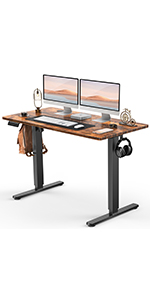
Image 4.3: Desktop wire hole for cable organization.
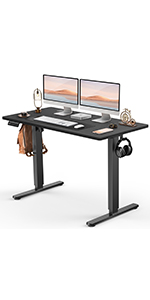
Image 4.4: Side hook for headphones or accessories.
5. Nlekọta
Proper care will ensure the longevity and optimal performance of your standing desk.
- Nhicha: Wipe the desk surface with a dry cloth. For stubborn marks, use a slightly damp cloth with a mild, non-abrasive cleaner, then dry immediately. Avoid harsh chemicals.
- Nyocha: Lelee skru na njikọ niile iji hụ na ha kwụgidere. Tinyegharịa ma ọ bụrụ na ọ dị mkpa.
- Njikwa USB: Ensure cables are not pinched or tangled, which could affect desk operation or damage wiring.
- Nkesa arọ: Distribute weight evenly across the desktop to maintain stability and prevent strain on the lifting mechanism.
6. Nchọpụta nsogbu
If you encounter issues with your SMUG Electric Standing Desk, refer to the following common solutions:
- Desktọpụ anaghị aga:
- Lelee ma eriri ọkụ eletrik ahụ dị n'ime tebụl ahụ na ebe ọkụ eletrik na-arụ ọrụ nke ọma.
- Ensure the safety lock (if applicable) is disengaged.
- If an error code is displayed, refer to the specific troubleshooting section in the full assembly manual or contact customer support.
- Desktọpụ mkpara:
- Verify that all assembly screws are tightened.
- Ensure the desk is on a level surface. Adjust the leveling feet if necessary.
- Reduce the weight on the desk if it exceeds the maximum capacity.
- Presets ebe nchekwa anaghị arụ ọrụ:
- Ensure you are following the correct procedure for setting and recalling presets (Section 4.2).
- Try resetting the desk by unplugging it for 30 seconds and then plugging it back in.
For issues not covered here, please contact SMUG customer support.
7. Nkọwapụta
| Njirimara | Nkọwa |
|---|---|
| Ụdị | SMUG |
| Aha Nlereanya | ELT-P4824V3-BK |
| Akụkụ ngwaahịa (D x W x H) | 23.6"D x 47.2"W x 46.5"H |
| Ogologo kacha nta | 28.7 sentimita asatọ |
| Ogologo kachasị elu | 46.5 sentimita asatọ |
| Agba | Ojii nke oge a |
| Ụdị ihe kacha elu | Osisi injinia |
| Isi ihe | Metal (Leg) |
| Nkwanye ịdị arọ kacha | Pound 176 (80 n'arọ) |
| Ụdị moto | Dual Electric Motors (<55dB) |
| Atụmatụ pụrụ iche | Adjustable Height, Electric, Memory Presets, Anti-Collision System, Headphone Hook, Cable Management |
| Mgbakọ chọrọ | Ee (ngwaọrụ niile gụnyere) |
| Ibu ngwaahịa | 41.9 pound |
| UPC | 720314569320 |
8. Akwụkwọ ikike & Nkwado
The SMUG Adjustable Height Electric Standing Desk comes with a Akwụkwọ ikike nwere okeBiko lee kaadị akwụkwọ ikike dị na ngwugwu gị maka usoro na ọnọdụ akọwapụtara.
For any questions, assistance with assembly, operation, or troubleshooting, SMUG offers 24/7 nkwado ndị ahịa. Please contact the manufacturer directly using the contact information provided in your product packaging or on the official SMUG websaịtị.


