Baseus Inspire XH1 Adaptive Active Noise Cancelling Headphones User Manual
Model: Baseus Inspire XH1
Okwu mmalite
Thank you for choosing the Baseus Inspire XH1 Adaptive Active Noise Cancelling Headphones. This manual provides essential information for setting up, operating, and maintaining your headphones to ensure optimal performance and longevity.

Figure 1: Baseus Inspire XH1 Adaptive Active Noise Cancelling Headphones in Starlight Off-White.
Kedu ihe dị na Igbe ahụ
- Baseus Inspire XH1 Active Noise Cancelling Headphones ×1
- Aux Cable ×1
- eriri USB-C ×1
- Ebu akpa ×1

Figure 2: The Baseus Inspire XH1 package includes the headphones, an Aux cable, a USB-C charging cable, and a protective carrying case.
Melite
- Nchaji mbụ: Before first use, fully charge your headphones using the provided USB-C cable. Connect the USB-C end to the headphone's charging port and the other end to a compatible USB power source.
- Ike Na: Press and hold the power button on the headphone until the indicator light illuminates.
- Njikọ Bluetooth:
- Ensure your headphones are powered on and in pairing mode (indicator light may flash).
- On your device (smartphone, laptop, etc.), go to Bluetooth settings and search for "Baseus Inspire XH1".
- Select the headphones to pair. A voice prompt will confirm successful connection.
- App Setup (Recommended): Download the Baseus App (V2.8.9+ or later) from your device's app store. Connect your headphones via the app to access advanced features like SoundFit hearing personalization and firmware updates (V1.1.07+ or later).
Ntuziaka ọrụ
Njikwa
- Bọtịnụ ike: Pịa ma jide ka ịgbanwuo/ gbanyụọ.
- Bọtịnụ olu: Adjust volume up/down.
- Bọtịnụ ọrụ ọtụtụ: Kpọọ/kwụsịtụ egwu, zaa/kwụsị oku.
- Bọtịnụ ANC: Toggle between Active Noise Cancellation (ANC) modes (ANC On, Transparency, ANC Off).
Video 1: Official product video demonstrating the features and controls of the Baseus Inspire XH1 headphones, including ANC and sound quality.
Atụmatụ igodo
- Sound by Bose & Dolby Audio: Experience premium audio quality with immersive 360° sound. Activate Dolby Audio via button control or the Baseus App.
- Premium Adaptive ANC: The 4-layer hybrid ANC system reduces noise by up to -48 dB, adapting to your surroundings 38,400 times per second. Switch modes (ANC On, Transparency, ANC Off) using the ANC button or the app.
- SoundFit Hearing Personalization: Use the Baseus App to perform an in-app hearing test. The headphones will personalize your audio profile for a tailored listening experience.
- LDAC & Hi-Res Audio: Enjoy high-resolution audio with 3 times the detail of standard Bluetooth. Ensure LDAC is enabled in the Baseus App for compatible Android devices.
- Oku 5-Mic AI Kpochapụ: Benefit from crystal-clear conversations even in noisy environments (up to 75 dB(A)) thanks to 5-mic ENC and AI-powered noise reduction.
- Njikọ Multipoint: Connect to two devices simultaneously and effortlessly switch between them.
- Modera Modera: Access ambient sounds and set a timer via the app to help you relax.
- Nchedo Ntị: Limit the maximum volume (75-100 dB) via the app to protect your hearing.
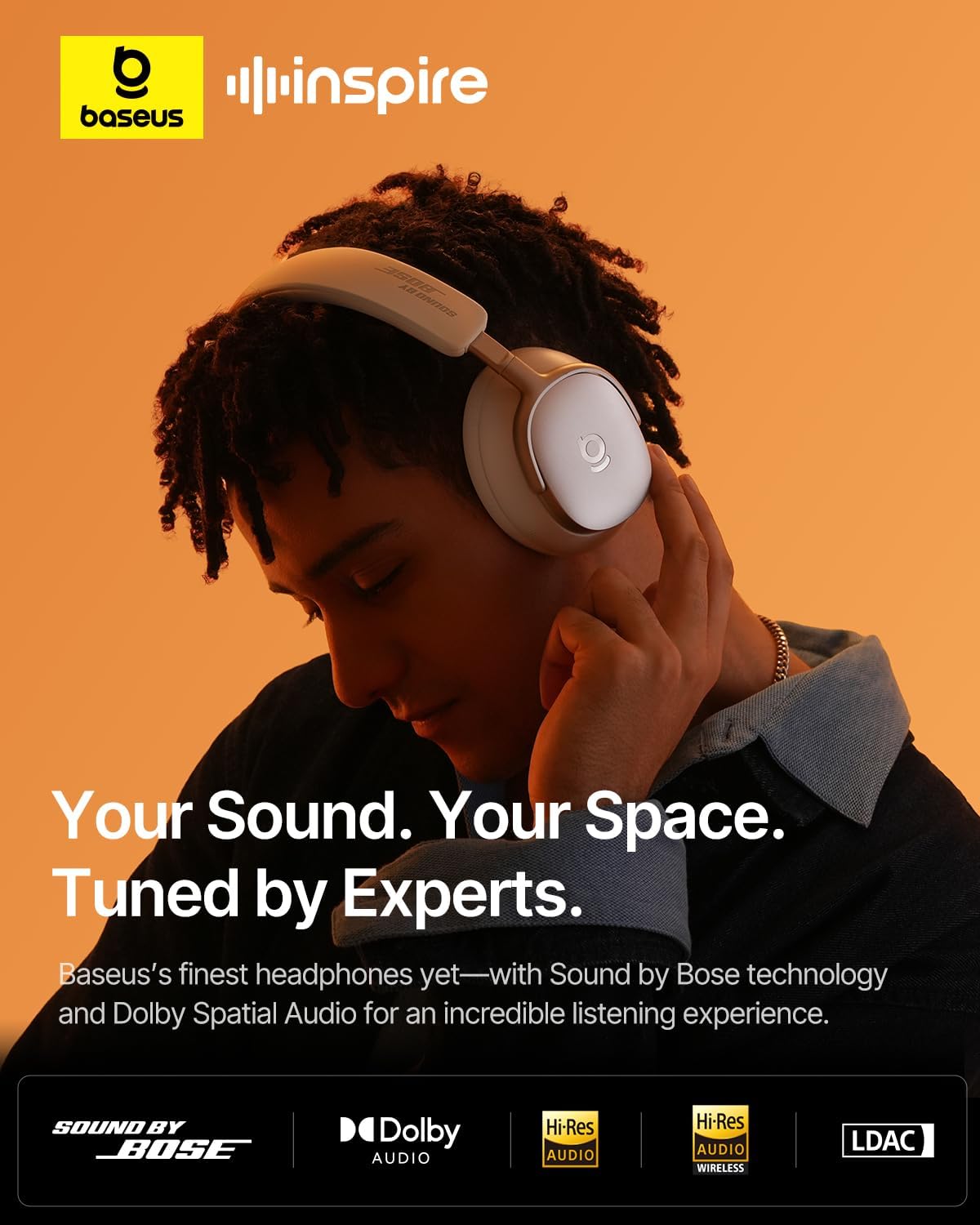
Figure 3: The Baseus Inspire XH1 headphones offer a personalized audio experience tuned by experts, featuring Sound by Bose technology and Dolby Spatial Audio.

Figure 4: The Premium Adaptive ANC system provides up to -48 dB noise reduction, blocking out distractions for quiet and comfort.

Figure 5: The 5-Mic AI Clear Calls feature ensures effortless clarity for every conversation, even in bustling environments.
Batrị na Nchaji
- Ndụ batrị: Up to 100 hours of playtime with ANC off, or 65 hours with ANC on.
- Nchaji ngwa ngwa: A 10-minute charge provides an additional 12 hours of playtime.
- Nchaji ọdụ ụgbọ mmiri: USB-C.

Figure 6: The Baseus Inspire XH1 headphones offer up to 100 hours of battery life, providing week-long playtime for extended listening.
Nlekọta
- Nhicha: Jiri ákwà dị nro ma kpọọ nkụ hichaa ekweisi. Zere kemịkal siri ike ma ọ bụ ihe ndị na-emebi ihe.
- Nchekwa: Store headphones in the provided carrying case when not in use to protect them from dust and damage.
- Zere mmiri mmiri: While durable, avoid prolonged exposure to moisture.
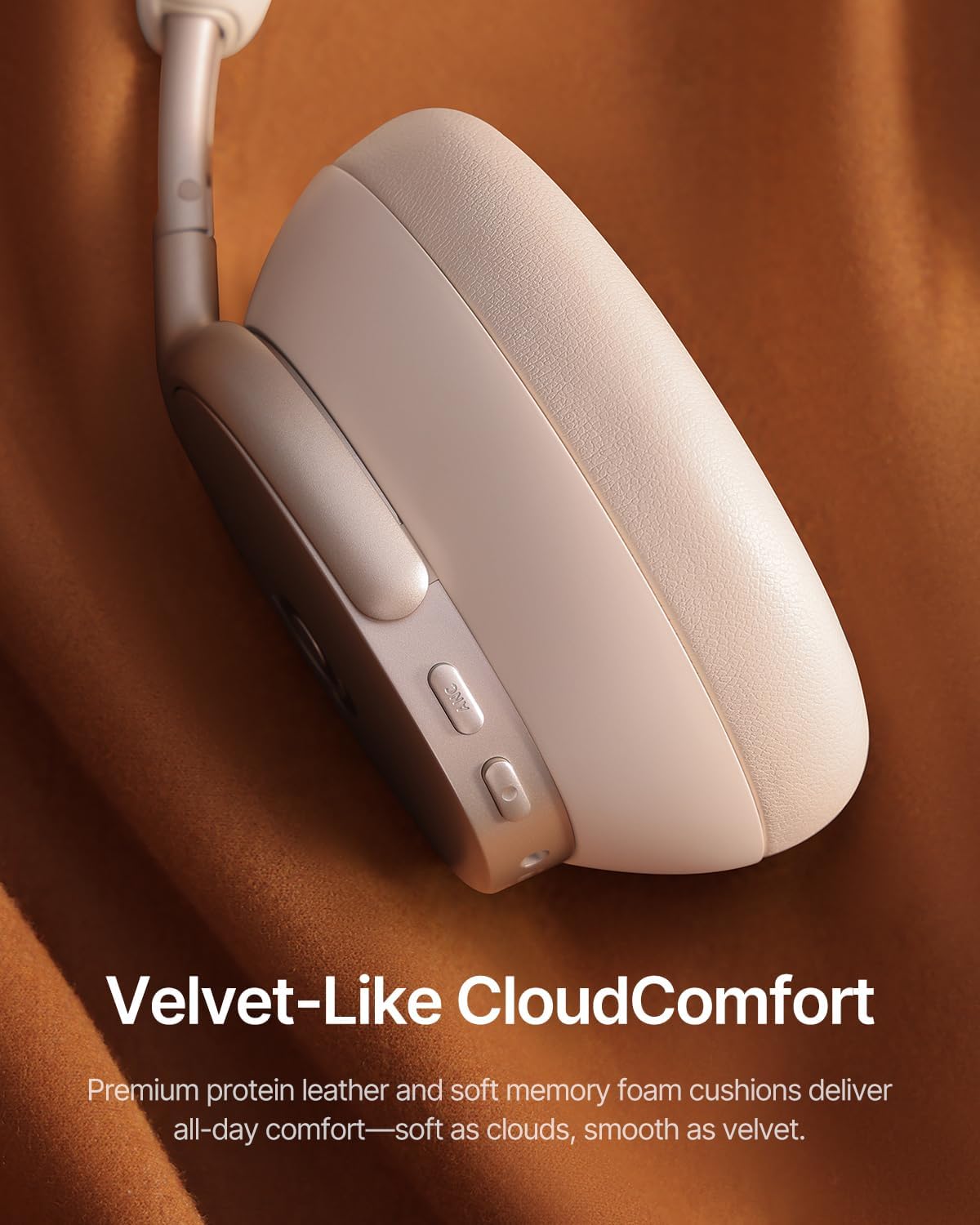
Figure 7: The Velvet-Like CloudComfort design, featuring protein leather and memory foam, ensures comfort for all-day wear and requires gentle cleaning.

Figure 8: The foldable design allows for travel-friendly portability, fitting snugly into its custom case for protection.
Nchọpụta nsogbu
- Enweghị ike: Ensure headphones are fully charged.
- Enweghị ike ijikọ: Ensure Bluetooth is enabled on your device and headphones are in pairing mode. Try restarting both devices.
- Ogo ụda adịghị mma: Check audio source quality. Ensure LDAC is enabled for Hi-Res audio (if supported by your device). Adjust EQ settings in the Baseus App.
- ANC anaghị arụ ọrụ nke ọma: Ensure ANC mode is correctly activated. Update headphone firmware via the Baseus App.
- Disconnections: Ensure headphones are within Bluetooth range of your device. Avoid strong interference sources.
Nkọwapụta
| Aha Nlereanya | Baseus Inspire XH1 |
| Ụdị | Baseus |
| Njikwa mkpọtụ | Nkagbu mkpọtụ nọ n'ọrụ |
| Teknụzụ Njikọta | Ikuku (Bluetooth 6.1) |
| Ndụ batrị | Up to 100 Hours (ANC off) |
| Ụdị njikwa | Button Control/APP Control |
| Ibu Ibu | 1.85 pound |
| Akụkụ ngwaahịa | 8.07 x 3.14 x 6.57 sentimita asatọ |
Akwụkwọ ikike na nkwado
For warranty information or technical support, please contact Baseus customer service:
- Ekwentị: +1 800 220 8056 (Global)
- Email: care@baseus.com (Global)
Please have your product model number (Baseus Inspire XH1) and purchase details ready when contacting support.


