1. Okwu mmalite
Welcome to the user manual for the MARSTEK 63A 110V Automatic/Manual Transfer Switch. This device is engineered to provide seamless power management by automatically or manually switching between primary (L1) and backup (L2) power sources. It features an LED display for real-time monitoring and incorporates comprehensive protection features to ensure the safety and reliability of your electrical system.
This manual provides essential information for the safe and efficient installation, operation, and maintenance of your transfer switch. Please read it thoroughly before installation and use.
2. Ozi nchekwa dị mkpa
Always follow basic safety precautions when installing, operating, and maintaining this product to reduce the risk of fire, electric shock, and injury to persons.
- A ga-arụrịrị nrụnye site n'aka onye ọrụ ọkụ eletrik ruru eru dịka koodu eletriki mpaghara na nke obodo siri dị.
- Disconnect all power sources before performing any installation, wiring, or maintenance.
- Do not operate the switch if it appears damaged.
- Gbaa mbọ hụ na ntọ ala kwesịrị ekwesị iji gbochie ujo ọkụ eletrik.
- This device is designed for indoor use in a dry environment.
- Keep children away from electrical equipment.
3. Ihe ngwugwu
- 1 x MARSTEK 63A 110V Automatic/Manual Transfer Switch
- 1 x DIN Rail
- Akwụkwọ ntuziaka onye ọrụ 1 x (akwụkwọ a)
4. Ngwaahịa gafereview
The MARSTEK 63A 110V Automatic/Manual Transfer Switch is a compact device designed for reliable power source switching. It features an LED display for real-time voltage and operational status, and offers both automatic and manual control options.
Atụmatụ igodo
- Automatic or Manual Switching: Seamless transfer between primary (L1) and backup (L2) power sources.
- Nchedo zuru oke: Na-agụnye overvoltage, na -agbadatage, na nchebe karịrị akarị.
- Nleba anya oge: High-definition LED display shows voltage na okwa.
- Nwụnye dị mfe: DIN rail mountable design.
- Ngwa sara mbara: Suitable for commercial, industrial, and residential backup power systems.
Eserese ngwaahịa

This image displays the main unit of the transfer switch, highlighting its compact design and the integrated LED display. The DIN rail is also shown, indicating its mounting method.
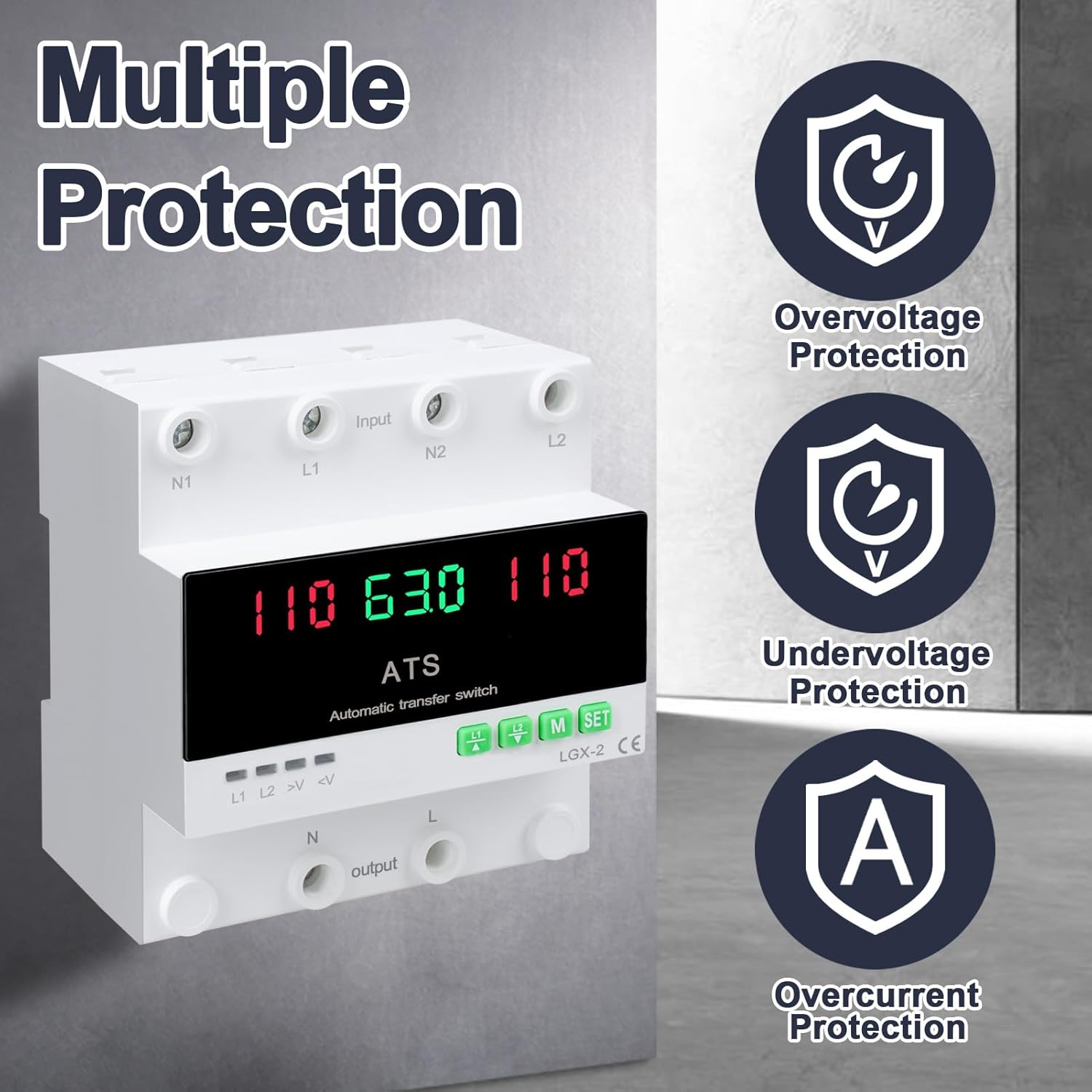
This image illustrates the built-in safety mechanisms of the transfer switch, emphasizing its capability to protect connected devices from electrical instability through overvoltage, na -agbadatage, and overcurrent safeguards.
5. Nkọwapụta
| Oke | Uru |
|---|---|
| Nlereanya | Dual Power 63A |
| Ogo dị ugbu a | 63 Amps |
| Nrụ ọrụ Voltage | 120 volts |
| Ụdị ọrụ | ON-AUTO-MANUAL |
| Akụkụ ngwaahịa (L x W x H) | 4.3 x 3.5 x 3.3 sentimita asatọ |
| Ibu | 13.12 ounces |
| Ụdị kọntaktị | A na-emechikarị |
| Ụdị njikọ | Tinye |
| Ọnụ | Ịghasa |
| Circuit .dị | 2-ụzọ |
| Ngwa kọntaktị | Ọla kọpa |
| Ugboro ugboro | 50/60Hz |
| Mfefetage Ebe nchekwa | AC140V |
| N'okpurutage Ebe nchekwa | AC90V |
6. Ntọala na nwụnye
Proper installation is crucial for the safe and reliable operation of the transfer switch. This device is designed for DIN rail mounting.
Tupu echichi
- Ensure all power sources are disconnected at the main breaker before beginning installation.
- Chọpụta na voltage and current ratings of the transfer switch match your electrical system requirements.
- Prepare the installation location, ensuring it is dry, well-ventilated, and easily accessible.
Eserese waya

This diagram illustrates the correct wiring connections for the transfer switch. It shows the input terminals for primary power (N1, L1) and backup power (N2, L2), and the output terminals (N, L) to the load. The diagram also labels the LED indicators for L1 output, L2 output, overvoltage, na undervoltage, as well as the menu/reset and manual ON/OFF buttons.
Nzọụkwụ Nwụnye
- Mount the DIN rail securely in your electrical panel or enclosure.
- Attach the transfer switch onto the DIN rail.
- Connect the primary power source (N1, L1) to the designated input terminals.
- Connect the backup power source (N2, L2) to the designated input terminals.
- Connect the load (N, L) to the output terminals.
- Lelee njikọ niile ugboro abụọ maka mkpirisi na izi ezi.
- Once all wiring is complete and verified, restore power to the system.
7. Ọrụ
The MARSTEK transfer switch offers both automatic and manual operation modes.
Ụdị akpaaka

In automatic mode, the switch prioritizes the primary power source (L1). If L1 fails or experiences voltage fluctuations (undervoltage ma ọ bụ overvoltage), the switch will automatically transfer the load to the backup power source (L2). When L1 is restored and stable, the switch will automatically transfer the load back to L1.
Ụkpụrụ ntuziaka

The transfer switch can be manually operated using the buttons on the front panel.
- To close L1: Press the button labeled "L1" (often indicated by an up arrow or similar icon). Press again to open L1.
- To close L2: Press the button labeled "L2" (often indicated by a down arrow or similar icon). Press again to open L2.
In manual mode, the automatic transfer function is overridden. Ensure you understand the implications of manual switching before use.
LED Display and Indicators
The LED display provides real-time information about the system status.
- The main display shows voltage readings for the active power source.
- L1: Indicates L1 output is active.
- L2: Indicates L2 output is active.
- >V: Mfefetage gosiri ìhè.
- <V: N'okpurutage gosiri ìhè.
- M: Menu selection/Reset button.
- WEP :TARA: Manual ON/OFF button.
8. Nlekọta
The MARSTEK transfer switch requires minimal maintenance.
- Periodically inspect the wiring connections to ensure they are secure and free from corrosion.
- Keep the device clean and free from dust and debris. Use a dry, soft cloth for cleaning.
- Ejila ihe nchacha abrasive ma ọ bụ ihe mgbaze.
- Gbaa mbọ hụ na ikuku ikuku zuru oke gburugburu unit ahụ iji gbochie ikpo oke ọkụ.
Warning: Always disconnect all power sources before performing any maintenance.
9. Nchọpụta nsogbu
Akụkụ a na-enye azịza maka nsogbu nkịtị ị nwere ike izute.
| Nsogbu | Ihe nwere ike ime | Ngwọta |
|---|---|---|
| Ngwaọrụ anaghị agbanye ọkụ. | No input power; incorrect wiring; internal fault. | Check main breakers and power sources. Verify all wiring connections. If the problem persists, contact support. |
| No automatic transfer. | Device in manual mode; power source within acceptable limits; fault in L1 or L2 detection. | Ensure the device is set to automatic mode. Check voltage levels of both L1 and L2. Contact support if automatic transfer fails despite correct settings. |
| Mfefetage (>V) or Undervoltage (<V) indicator lit. | Ntinye voltage outside specified range. | Lelee voltage of the active power source. The device will automatically switch if the voltage is outside the set parameters (AC140V overvoltage, AC90V undervoltage). Address the power source issue. |
| Nchedo oke ọkụ malitere. | Load exceeds the 63A current rating. | Reduce the connected load. Ensure total current draw does not exceed 63 Amps. |
10. Akwụkwọ ikike na nkwado
For warranty information and technical support, please refer to the MARSTEK official websaịtị ma ọ bụ kpọtụrụ onye na-ere ahịa gị. Debe nnata nzụta gị ka ihe akaebe nke ịzụrụ.
Manufacturer: JUXIANG
Aha: MARSTEK