Okwu mmalite
Welcome to the OUKITEL C3 Cell Phone user manual. This guide provides essential information to help you set up, operate, and maintain your new smartphone. Please read this manual thoroughly to ensure proper usage and to maximize your device's potential.
Kedu ihe dị na Igbe ahụ
Upon opening your OUKITEL C3 package, you should find the following items:
- 1x OUKITEL C3 Ekwentị mkpanaaka
- Chaja 1x 10W
- 1 x eriri data
- 1x Akpa ekwentị
- 1x Akwụkwọ ntuziaka onye ọrụ

Image: Contents of the OUKITEL C3 package, including the phone, charger, data cable, phone case, and manual.
Video: An unboxing demonstration of the OUKITEL C3 Cell Phone, showing the phone and its included accessories.
Ngwaahịa gafereview
The OUKITEL C3 is a 4G Android smartphone featuring a 6.52-inch waterdrop screen, a 5000mAh battery, and a dual-camera system. It is designed for everyday communication and multimedia use.
Akụkụ ndị bụ isi:
- Ngosipụta: 6.52-inch HD Waterdrop Screen (540x1200 resolution, 450nit brightness)
- Ihe nhazi: Unisoc T310
- Ebe nchekwa: 16GB RAM (4GB fixed + 12GB virtual) + 64GB ROM, expandable up to 1TB via TF card
- Batrị: 5000mAh with 10W fast charging and OTG reverse charging support
- Igwefoto: 13MP Main Camera, 5MP Front Camera
- Sistemụ nrụọrụ: Android 14
- Njikọta: 4G Dual SIM, Bluetooth 5.0, Wi-Fi, GPS, GLONASS, Beidou, Galileo
- Nchekwa: NJ ihu
- Akụkụ: 9.3mm thickness, 198g weight
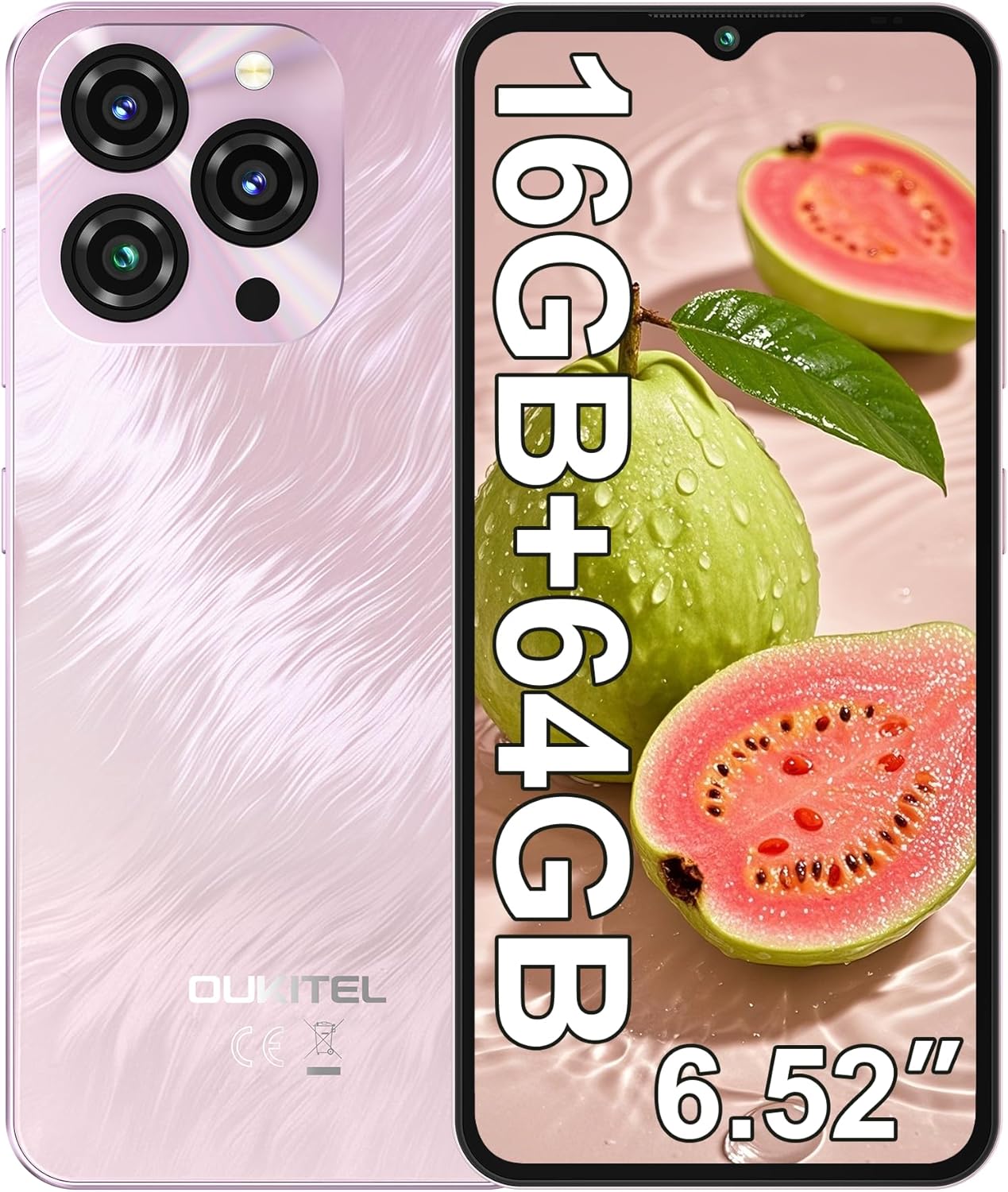
Image: The OUKITEL C3 Cell Phone, showcasinnhazi ya na modulu igwefoto ya.

Image: Close-up of the OUKITEL C3's 6.52-inch waterdrop display, highlighting its visual quality.

Image: Visual representation of the OUKITEL C3's slim 9.3mm thickness and 198g weight.
Melite
1. Kaadị SIM na ntinye kaadị TF
The OUKITEL C3 supports dual Nano SIM cards or one Nano SIM card and one TF (microSD) card for expanded storage.
- Chọta tray kaadị SIM n'akụkụ ekwentị.
- Insert the SIM ejector tool (included in the box) into the small hole next to the tray and push gently until the tray pops out.
- Place your Nano SIM card(s) and/or TF card into the designated slots on the tray. Ensure the gold contacts face downwards and the cards are correctly oriented.
- Carefully reinsert the tray into the phone until it is flush with the device's side.

Image: Diagram showing the SIM card tray, 3.5mm audio jack, and USB-C port on the OUKITEL C3.
2. Ike mbido na ịtọlite
- Press and hold the Power button (located on the right side of the phone) until the OUKITEL logo appears.
- Soro mkpali na ihuenyo ka ịhọrọ asụsụ gị, jikọọ na netwọk Wi-Fi, wee guzobe akaụntụ Google gị.
- You will also be guided through setting up security features like Face ID during this process.
3. Ịchaji ngwaọrụ
Tupu e jiri ya mee ihe mbụ, a na-atụ aro ka ị chajịa OUKITEL C3 gị nke ọma.
- Connect the USB data cable to the 10W charger.
- Tinye chaja n'ime oghere ọkụ.
- Jikọọ njedebe USB-C nke eriri na ọdụ ụgbọ mmiri dị na ala ekwentị gị.
- Akara ngosi batrị dị na ihuenyo ga-egosi ọkwa nchaji.

Image: Illustration of the OUKITEL C3's 5000mAh battery and charging process.
Ntuziaka ọrụ
1. Nsoroụzọ bụ isi (Android 14)
Your OUKITEL C3 runs on Android 14, offering an intuitive user experience.
- Ihuenyo ụlọ: Swipe left or right to navigate between home screens. Tap and hold an empty space to customize widgets, wallpapers, and settings.
- Drawer ngwa: Si na ala ihuenyo pịgharịa ka ị nweta ngwa niile arụnyere.
- Amamọkwa & Ntọala ngwa ngwa: Si n'elu ihuenyo gaa ala view ọkwa na ịnweta ntọala ngwa ngwa (Wi-Fi, Bluetooth, wdg).
- Ngwa ọhụrụ: Swipe up from the bottom and hold (or tap the square navigation button if enabled) to see recently used applications.

Image: The OUKITEL C3 displaying the Android 14 operating system interface with various applications.
2. Ojiji igwefoto
The OUKITEL C3 is equipped with a 13MP main camera and a 5MP front camera.
- Mepee ngwa "Igwefoto" site na ihuenyo mbụ gị ma ọ bụ drọwa ngwa.
- Switch between the front and rear cameras using the camera switch icon.
- Pịa bọtịnụ mkpuchi ka ịsee foto.
- Explore different modes like Video, Portrait, or Panorama if available in the camera app.

Image: Visual detailing of the OUKITEL C3's 13MP main camera and 5MP front camera capabilities.
3. Njikọta
- Wi-Fi: Gaa na Ntọala> Netwọk & ịntanetị> Wi-Fi iji jikọọ na netwọk dị.
- Bluetooth: Go to Settings > Connected devices > Bluetooth to pair with Bluetooth devices like headphones or speakers.
- GPS: Location services are enabled by default. You can manage them in Settings > Location. The phone supports GPS, GLONASS, Beidou, and Galileo for accurate positioning.
- OTG: The OUKITEL C3 supports USB On-The-Go (OTG), allowing you to connect USB devices like flash drives or keyboards using an OTG adapter (sold separately).
4. Face ID
Face ID provides a convenient and secure way to unlock your phone.
- Go to Settings > Security & privacy > Device unlock > Face unlock.
- Soro ntuziaka dị na ihuenyo iji denye ihu gị. Hụ na ọ na-enwu nke ọma ma jide ekwentị ahụ n'ọkwa anya.
- Ozugbo ị debanyere aha, ị nwere ike imeghe ekwentị gị site na ilele igwefoto dị n'ihu.
Nlekọta
1. Nlekọta batrị
- Zere ikpughe ekwentị na oke okpomọkụ.
- Use only the provided charger and cable for optimal charging performance and safety.
- For long-term storage, charge the battery to around 50% and power off the device.
2. Mmelite ngwanrọ
Regularly check for and install software updates to ensure your phone has the latest features, security patches, and performance improvements.
- Gaa na Ntọala> Sistemu> Mmelite sistemụ.
- Tap "Check for update" and follow the instructions if an update is available.
3. Na-ehicha ngwaọrụ gị
- Use a soft, lint-free cloth to wipe the screen and back of the phone.
- Zere iji kemịkalụ siri ike ma ọ bụ ihe na-emebi emebi.
- Maka isi ike smudges, ntakịrị dampen akwa na mmiri ma ọ bụ ihe nchacha ihuenyo e mere maka ngwá electronic.
Nchọpụta nsogbu
| Nsogbu | Ngwọta enwere ike |
|---|---|
| Ekwentị anaghị agbanye. | Gbaa mbọ hụ na agbagoro batrị. Jikọọ chaja wee chere nkeji ole na ole tupu ị nwaa ịgbanye ọzọ. |
| Enweghị ike ịkpọ ma ọ bụ nata oku/ederede. |
|
| Apps are slow or freezing. |
|
| Batrị na-agbapụ ngwa ngwa. |
|
| Face ID not working. |
|

Image: Important information regarding OUKITEL C3's carrier compatibility, specifically T-Mobile support.
Nkọwapụta
| Njirimara | Nkọwa |
|---|---|
| Aha Nlereanya | OUKITEL C3 |
| Sistemụ nrụọrụ | Android 14 |
| Ngosipụta | 6.52 Inches HD Waterdrop Screen, 540 x 1200 Resolution, 60 Hz Refresh Rate |
| RAM | 16 GB (4GB fixed + 12GB virtual) |
| Nchekwa ime (ROM) | 64 GB |
| Nchekwa enwere ike ịgbasa | Up to 1 TB via TF Card |
| Igwefoto isi | 13 MP |
| Igwefoto ihu | 5 MP |
| Ike batrị | 5000 mAh |
| Ịchaji | 10W Fast Charging, Supports OTG Reverse Charging |
| Njikọta | 4G Cellular Technology, Bluetooth 5.0, Wi-Fi |
| Nsoro ụzọ | GPS, GLONASS, Beidou, Galileo |
| Jack ọdịyo | 3.5 mm |
| Ụdị kaadị SIM | Dual Nano SIM |
| Akụkụ | 9.3mm ọkpụrụkpụ |
| Ibu | 198 grams (ihe dị ka 14.9 ounces) |
| Supported Carrier | T-Mobile (Does not support Metro PCS, AT&T, Verizon) |
Vidiyo: Efereview of the OUKITEL C3 Cell Phone's main features and specifications.
Akwụkwọ ikike na nkwado
For warranty information and technical support, please refer to the warranty card included in your product package or visit the official OUKITEL websaịtị. Debe ihe akaebe nke ịzụrụ maka akwụkwọ ikike.
Ozi mkpọtụrụ: Please refer to the contact details provided in your product documentation or on the OUKITEL official website for customer service and support.


