1. Okwu mmalite
Thank you for choosing the HTC N15 Wireless Clip-On Earbuds. These open-ear earphones are designed to provide audio while allowing you to remain aware of your surroundings. This manual provides detailed instructions for setup, operation, and maintenance to ensure optimal performance and longevity of your device.

Image 1.1: HTC N15 Wireless Clip-On Earbuds and Charging Case.
2. Ihe ngwugwu
Biko lelee ihe dị n'ime ngwugwu ahụ mgbe ị na-emepe igbe ahụ. Ọ bụrụ na ihe ọ bụla efuola ma ọ bụ mebie, kpọtụrụ ndị ọrụ nkwado ndị ahịa.
- 1 Pair HTC N15 Clip-On Earbuds
- Okwu Nchaji
- 1 USB-C eriri USB
- 1 Akwụkwọ ntuziaka onye ọrụ (akwụkwọ a)
Video 2.1: Unboxing the HTC N15 Wireless Clip-On Earbuds, showing the earbuds, charging case, and USB-C cable.
3. Ngwaahịa gafereview
3.1 Earbud Features
- Imeghe Ntị: Allows awareness of surroundings.
- Clip-On Fit: Secure and comfortable for various activities.
- Njikwa mmetụ: Intuitive control for audio and calls.
- Igwe okwu arụnyere n'ime ya: For clear communication.
- Dị fechaa: Each earbud weighs approximately 4.7g.
- 13mm Driver: For enhanced sound quality.
3.2 Charging Case Features
- Ọdụ ụgbọ mmiri USB-C: For convenient charging.
- Ihe ngosi batrị: LEDs show charging status and battery level.

Foto 3.1: Ofeview of HTC N15 earbuds and charging case, highlighting battery life and Type-C charging port.
4. Nhazi
4.1 Ịchaji ntị na akpa
Tupu ojiji nke mbụ, chajie nke ọma ekwe ntị na akpa nchaji.
- Tinye ntị ntị n'ime akpa nchaji.
- Jikọọ eriri USB-C na nchaji na ọdụ ụgbọ mmiri dị na akpa ahụ yana na isi iyi ọkụ.
- The LED indicators on the case will illuminate to show charging status. A full charge for the case takes approximately 1.5 hours.
- The earbuds provide up to 8 hours of playback on a single charge, and the charging case extends total playtime to 22 hours.

Image 4.1: Visual representation of charging times and battery life for the HTC N15 earbuds and case.
4.2 Ijikọ na ngwaọrụ
The HTC N15 earbuds use Bluetooth 6.0 for fast and stable connections.
- Gbaa mbọ hụ na a na-akwụ ụgwọ ekwe ntị yana n'ime igbe nchaji.
- Open the charging case. The earbuds will automatically enter pairing mode, indicated by flashing LED lights.
- Na ngwaọrụ gị (smartphone, tabletị, laptọọpụ), gaa na ntọala Bluetooth wee gbanye Bluetooth.
- Chọọ maka ngwaọrụ dịnụ wee họrọ "HTC NE15" site na ndepụta ahụ.
- Once connected, the earbud LEDs will stop flashing, and you will hear a confirmation tone.
Ekwe ntị ndị a ga-ejikọghachi na ngwaọrụ ikpeazụ ejikọtara na akpa ahụ ozugbo ewepụrụ ha na akpa ahụ, ọ bụrụ na Bluetooth agbanyere na ngwaọrụ ahụ.

Image 4.2: The HTC N15 earbuds offer flexible connectivity with various devices including notebooks, TVs, desktops, watches, phones, and iPads.
5. Ntuziaka maka iyi uwe
For optimal sound and comfort, ensure the earbuds are worn correctly.
- Chọpụta ihe ekwe ntị aka ekpe (L) na aka nri (R).
- Confirm the direction of the earbud, ensuring the clip is oriented to hook over the top of your ear.
- Gently clip the earbud onto the thinnest part of your ear, sliding it down until it feels secure.
- Adjust the earbud tip to align with your ear canal for the best sound experience and comfort.

Image 5.1: Step-by-step guide on how to properly wear the HTC N15 Clip-On Earbuds for a secure and comfortable fit.

Image 5.2: Illustration of the ergonomic open-ear clip design and wearing tips for optimal sound alignment.
6. Ntuziaka ọrụ
The HTC N15 earbuds feature smart touch controls for easy management of audio and calls.

Image 6.1: Diagram illustrating the touch control functions for the HTC N15 earbuds.
6.1 Njikwa egwu
- Gwuo/kwụsịtụ: Pịa otu ekwe ntị ugboro abụọ.
- Abụ na-esote: Triple-click the Right (R) earbud.
- Abụ gara aga: Triple-click the Left (L) earbud.
- Olu elu: Click the Right (R) earbud.
- Olu ala: Click the Left (L) earbud.
6.2 Njikwa oku
- Azịza/Kwụsị Oku: Click either earbud.
- Jụ oku: Pịa ma jide otu ntị ntị maka sekọnd 2.
6.3 Voice Assistant & Game Mode
- Mee ka onye enyemaka olu rụọ ọrụ: Hold the Left (L) earbud for 2 seconds.
- Ụdị egwuregwu: Hold the Right (R) earbud for 2 seconds to activate low-latency mode.

Image 6.2: The HTC N15 earbuds feature a low-latency Game Mode, reducing audio delay to 40ms for an improved gaming experience.
7. Nlekọta
7.1 Nhicha
- Jiri akwa dị nro, kpọrọ nkụ na-adịghị na-ehicha ntị ntị na chaja mgbe niile.
- Ejila ihe mkpocha abrasive, mmanya, ma ọ bụ ihe mgbaze kemịkal.
- Hụ na kọntaktị chaja dị na ntị na ihe mkpuchi ahụ dị ọcha ma kpọọ nkụ.
7.2 Nchekwa
- Chekwaa ntị ntị n'akpa chaja ha mgbe anaghị eji ya iji chebe ha ma debe ya ebubo.
- Zere ịchekwa na oke okpomọkụ ma ọ bụ oke iru mmiri.
7.3 Mgbochi mmiri na uzuzu
The HTC N15 earbuds are rated IP45 for water and dust resistance. This means they are protected against dust ingress and low-pressure water jets from any direction. They are suitable for workouts and light rain but should not be submerged in water.
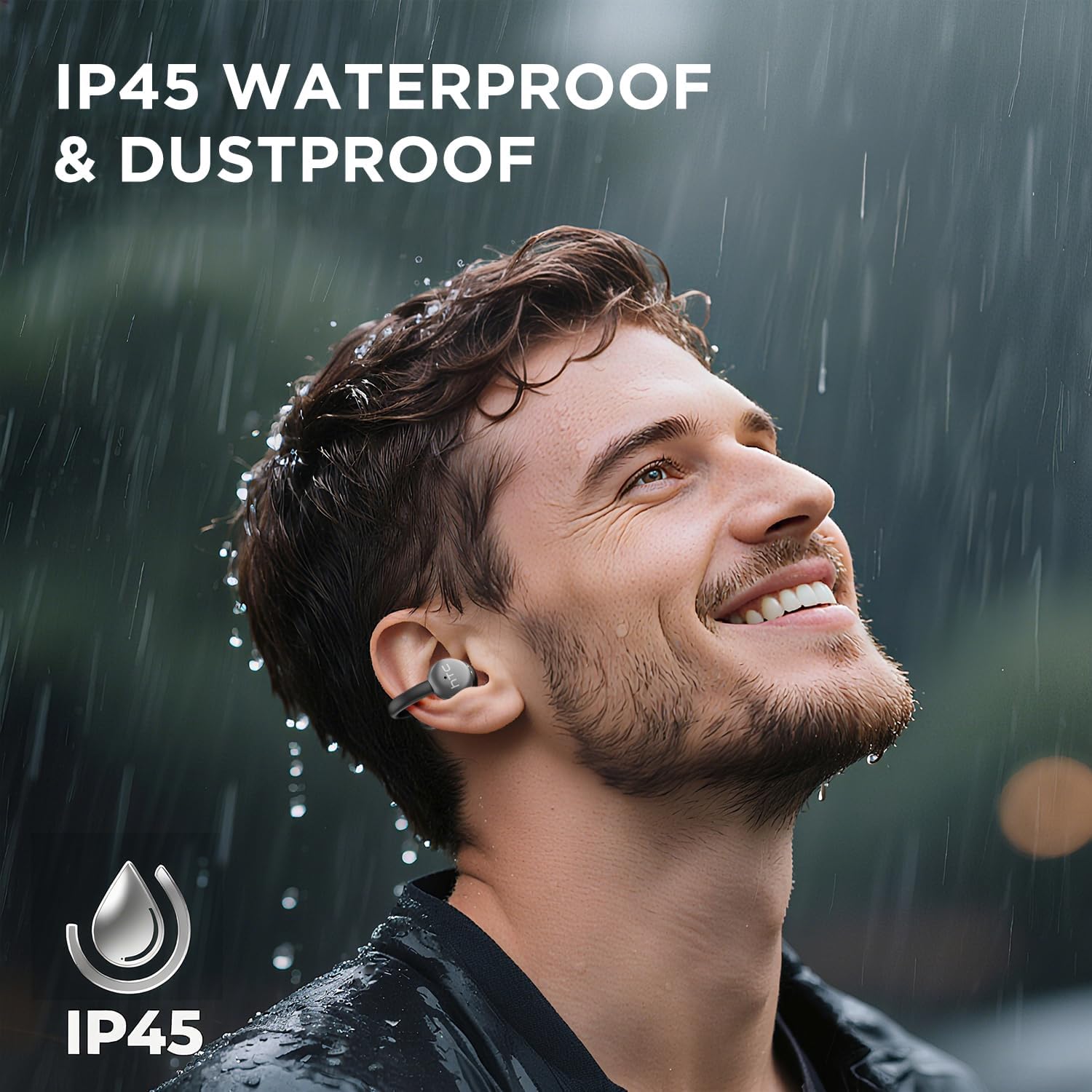
Image 7.1: The HTC N15 earbuds are IP45 rated, offering protection against dust and water splashes, making them suitable for outdoor activities.
8. Nchọpụta nsogbu
| Nsogbu | Ihe nwere ike ime | Ngwọta |
|---|---|---|
| Igwe ntị anaghị ejikọta ọnụ | Low battery; Bluetooth off on device; Earbuds not in pairing mode; Interference. | Charge earbuds and case. Ensure Bluetooth is enabled on your device. Place earbuds in case, close, then open to re-enter pairing mode. Move closer to your device. |
| Enweghị ụda ma ọ bụ ụda adịghị mma | Volume too low; Earbuds not properly seated; Device not connected; Dirty earbuds. | Increase device volume. Adjust earbuds for a proper fit. Reconnect earbuds to your device. Clean earbuds as per maintenance section. |
| Earbuds anaghị akwụ ụgwọ | Charging cable not connected properly; Dirty charging contacts; Faulty cable/adapter. | Ensure USB-C cable is securely connected. Clean charging contacts. Try a different USB-C cable or power adapter. |
| Njikwa mmetụ anaghị anabata ya | Earbuds not active; Moisture on touch surface; Software glitch. | Ensure earbuds are active and connected. Wipe touch surface dry. Place earbuds back in case, close, then reopen to reset. |
9. Nkọwapụta
| Njirimara | Nkọwapụta |
|---|---|
| Aha Nlereanya | HTC NE15 |
| Ụdị Bluetooth | 6.0 |
| Teknụzụ Njikọta | Ikuku (Bluetooth) |
| Ụdị ntị | Clip-On, Open-Ear |
| Nha ọkwọ ụgbọ ala | 13mm |
| Usoro njikwa | Metụ aka |
| Igwe okwu | Wuru n'ime |
| Otu Charge Oge egwuregwu | Ruo awa iri abụọ |
| ngụkọta oge egwuregwu (ya na ikpe) | Ruo awa iri abụọ |
| Case Fast Charging | Ihe ruru. awa 1.5 |
| Nchaji ọdụ ụgbọ mmiri | USB-C |
| Mmiri Nguzogide | IP45 (Mmiri na Uzuzu Na-eguzogide) |
| Earbud arọ | Approx. 4.7g (each) |
| Ngwa dakọtara | Smartphones, Tablets, Bluetooth-enabled Devices (iOS, Android) |
| UPC | 768649989642 |
10. Akwụkwọ ikike na nkwado
HTC provides customer support for its products. If you encounter any issues or have questions not covered in this manual, please contact our support team.
- Nkwado ndị ahịa: Nkwado Nkata Ndụ 7*24 dị. Lee nkwakọ ngwaahịa ma ọ bụ HTC gọọmentị. websaịtị maka nkọwa kọntaktị.
- Ozi akwụkwọ ikike: Please retain your proof of purchase for warranty claims. Specific warranty terms and conditions may vary by region. Refer to the warranty card included in your package or the official HTC websaịtị maka ozi zuru ezu.


