1. Okwu mmalite
The Nothing Ear (3) wireless earbuds are designed to provide a high-quality audio experience with advanced features for various activities. This manual provides essential information for setting up, operating, and maintaining your earbuds.
2. Kedu ihe dị na Igbe ahụ
- Nothing Ear (3) Earbuds
- Akpa nchaji ikuku
- USB-C na eriri USB-C
- Eartips (XS / S / L)
- Akwụkwọ ntuziaka onye ọrụ
- Ozi nchekwa na akwụkwọ ikike

Image: All items included in the Nothing Ear (3) product packaging.
3. Nhazi
3.1 Mmakọ mbụ
- Ensure your Nothing Ear (3) earbuds are in the charging case and the case is charged.
- Open the charging case lid. The indicator light should begin to flash, indicating pairing mode.
- On your device (smartphone, tablet, laptop), go to Bluetooth settings and select "Nothing Ear (3)" from the list of available devices.
- Soro mkpali na ihuenyo ọ bụla iji mezue usoro njikọta.
3.2 Nothing X App Installation
For full functionality and customization, download the Nothing X app from your device's app store. The app allows you to adjust EQ settings, manage Active Noise Cancellation, customize controls, and access other advanced features.

Image: The Nothing X App provides comprehensive control over your Ear (3) earbuds.
4. Ntuziaka ọrụ
4.1 Njikwa mmetụ
The Nothing Ear (3) features intuitive pinch controls on the earbud stems. These controls can be customized via the Nothing X app.
- Single Pinch: Kpọọ/Kwụsịtụ ọdịyo, Zaa/Kwụsị oku.
- Double Pinch: Skip forward, Decline incoming call.
- Triple Pinch: Magharịa azụ.
- Pinch & Hold: Toggle Noise Control (ANC/Transparency/Off).
- Double Pinch & Hold: Volume down (customizable).
4.2 Mkpọtụ Na-arụ Ọrụ (ANC) na Ọnọdụ Nghọta
The earbuds offer up to 45 dB of Smart Hybrid ANC to reduce ambient noise. Transparency Mode allows you to hear your surroundings without removing the earbuds.
- Ụdị ngbanwe: Use the Pinch & Hold gesture on either earbud to cycle through ANC, Transparency, and Off modes.
- ANC na-agbanwe agbanwe: The Nothing X app allows for adaptive ANC settings, adjusting noise cancellation levels based on your environment.

Image: Visualizing the noise control features of Nothing Ear (3).
4.3 Super Mic Feature
The charging case integrates a dual-microphone system, called Super Mic, designed to enhance voice clarity by targeting your voice and reducing background noise up to 95 dB during calls.
- Nkwalite: Press and hold the 'TALK' button on the charging case. For optimal clarity in loud settings, hold the case within 5cm of your mouth.
- Quick Commands: Hold the 'TALK' button for quick commands.
- Extended Conversations: Double-tap the 'TALK' button to lock it for longer conversations.
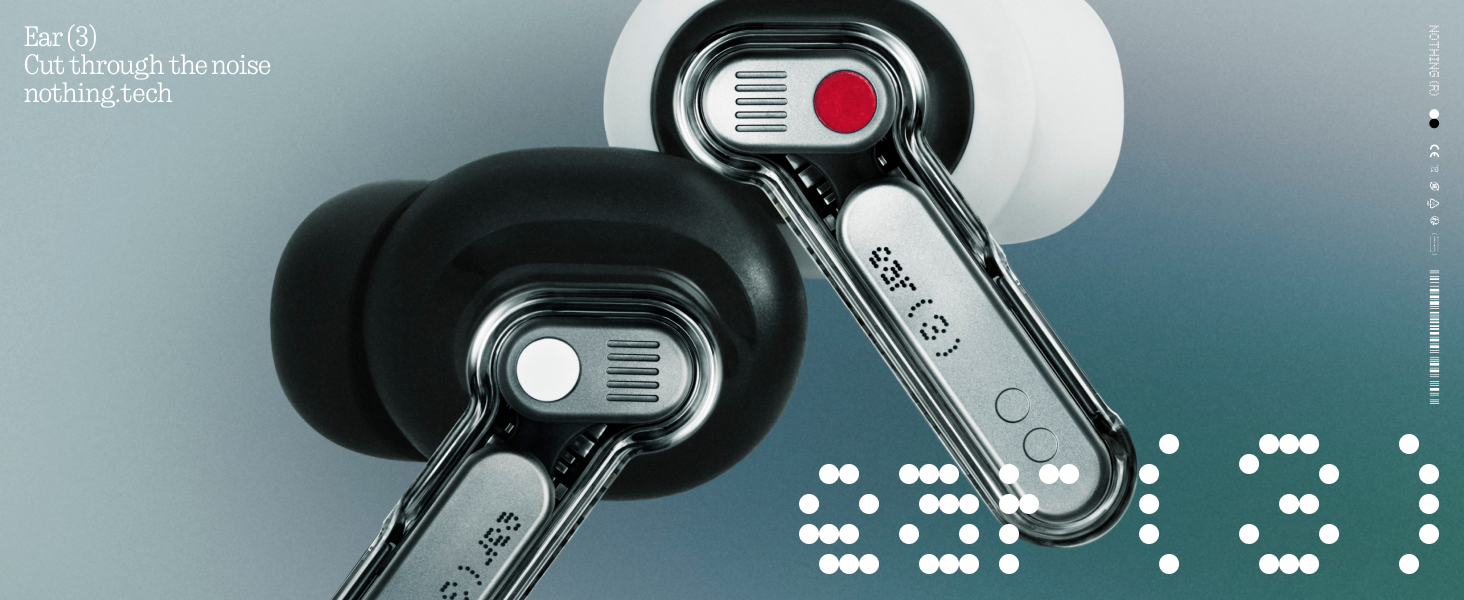
Image: The Super Mic feature in use for clear communication.
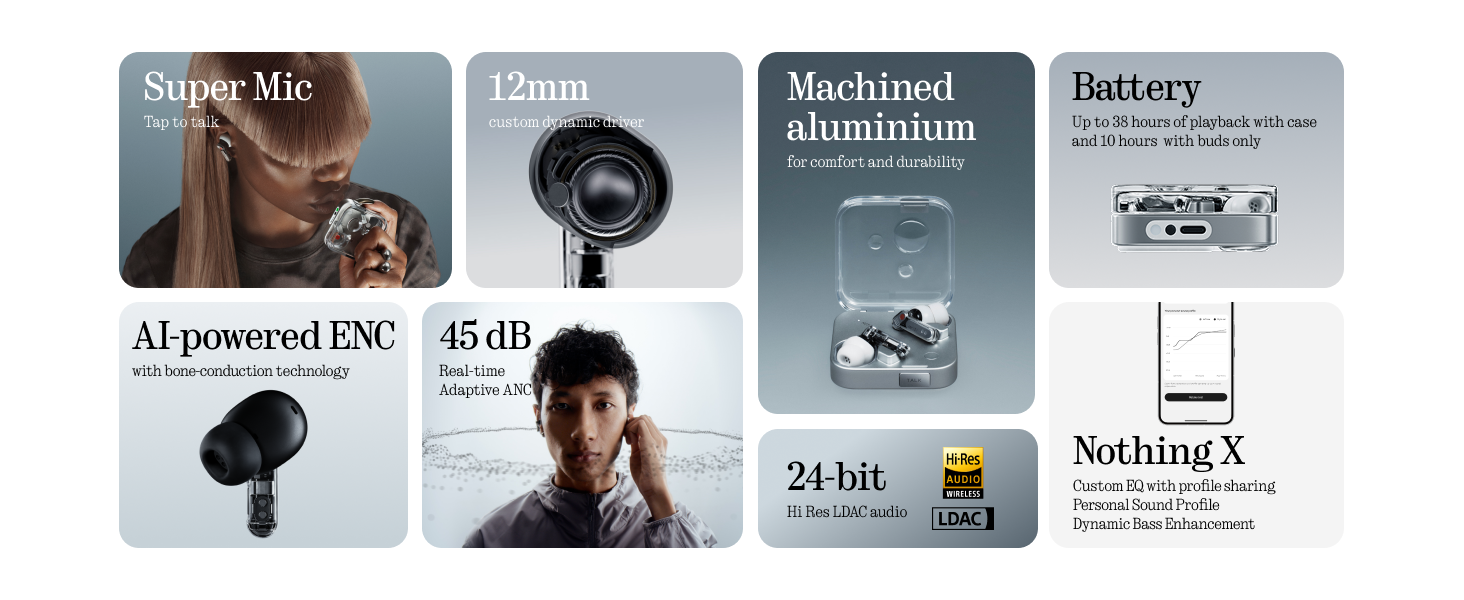
Image: The 'TALK' button on the charging case for Super Mic activation.
4.4 Audio gbasara oghere
Experience immersive sound with Spatial Audio. This feature can be toggled between 'Fixed' and 'Off' modes within the Nothing X app.
4.5 Low Lag Mode (Gaming)
Activate Low Lag Mode via the Nothing X app for optimized audio synchronization during gaming sessions on compatible devices.
4.6 Njikọ abụọ
The earbuds support Bluetooth 5.4 with Dual Connect, allowing seamless switching between two paired devices (e.g., phone and laptop).
5. Nchaji na batrị
The Nothing Ear (3) provides up to 10 hours of continuous playback, with a total of 38 hours using the charging case. A quick 10-minute charge can provide an additional 10 hours of use.
- Wired Nchaji: Use the provided USB-C to USB-C cable to charge the case.
- Nchaji ikuku: Igbe chaja ahụ na-akwado chaja ikuku.

Image: Battery life and charging capabilities of Nothing Ear (3).
6. Nlekọta na nlekọta
- Nguzogide mmiri: The earbuds have an IP54 rating, making them water resistant and suitable for workouts and light rain. The charging case also has an IP54 rating.
- Nhicha: Jiri akwa dị nro na-ehicha ihe ntị ntị na chaja mgbe niile. Gbaa mbọ hụ na ọ nweghị mmiri na-abanye n'ọdụ ụgbọ mmiri ma ọ bụ igwe okwu okwu.
- Atụmatụ: Remove and clean eartips periodically. Replace them if they show signs of wear or damage.
7. Nchọpụta nsogbu
- Enweghị ụda: Ensure earbuds are charged, properly paired, and volume is up on both the earbuds and your device.
- Okwu ijikọ: Place earbuds back in the case, close the lid, then open it again to re-enter pairing mode. Forget the device on your phone's Bluetooth settings and try pairing again.
- ANC anaghị arụ ọrụ: Check ANC settings in the Nothing X app. Ensure eartips provide a good seal.
- Ogo oku na-adịghị mma: Ensure Super Mic is activated correctly in noisy environments. Check earbud microphone grilles for obstructions.
- Okwu ngwa: Ensure the Nothing X app is updated to the latest version. Restart the app or your device if problems persist.
8. Nkọwapụta
| Aha Nlereanya | Nothing Ear (3) |
| Nọmba Nlereanya ihe | B173 |
| Njikwa mkpọtụ | Hybrid Active Noise Cancellation (up to 45 dB) |
| Teknụzụ Njikọta | Bluetooth 5.4, ikuku |
| Nha ọkwọ ụgbọ ala ọdịyo | 12 Millimeta Ọkwọ Ụgbọala Na-agbanwe Agbanwe |
| Ọkwa Nguzogide mmiri | IP54 (Earbuds & Case) |
| Ndụ batrị (Earbuds) | Ruo awa iri abụọ |
| Mgbakọta ndụ batrị (ya na igbe) | Ruo awa iri abụọ |
| Nchaji ngwa ngwa | 10 min charge for 10 hours playback |
| Nchaji ikuku | Akwadoro |
| Igwe okwu | 6 HD Microphones (earbuds), Dual-Microphone System (case for Super Mic) |
| Ihe onwunwe | Aluminom, plastic |
| Ibu Ibu | 71.4 Grams (Case) |
9. Official Product Video
Vidiyo: Onye ọrụ gọọmentị gafereview of the Nothing Ear (3) Wireless Earbuds, highlighting key features like 45dB Hybrid ANC.
10. Akwụkwọ ikike na nkwado
For warranty information and customer support, please refer to the 'Safety and Warranty Information' document included in your product packaging or visit the official Nothing websaịtị.


