1. Okwu mmalite
The boAt Aavante Prime 7.1.4 7050DA Soundbar system is designed to enhance your home entertainment audio experience. This system features a 7.1.4 channel configuration with Dolby Atmos technology, providing immersive surround sound. It includes a main soundbar unit, a wireless subwoofer, and two satellite speakers, offering multiple connectivity options for various devices.
2. Ozi nchekwa
- Gụọ ntuziaka niile tupu ị rụọ ọrụ a.
- Etinyela igwe ahụ n'ime mmiri ozuzo, mmiri ozuzo, ma ọ bụ oke okpomọkụ.
- Gbaa mbọ hụ na ikuku ikuku dị na gburugburu unit ahụ iji gbochie ikpo oke ọkụ.
- Emeghela casing; zigara ndị ọrụ ruru eru ọrụ niile.
- Debe unit ahụ pụọ na mpaghara magnetik siri ike.
- Jiri naanị ihe nkwụnye ọkụ ewepụtara na unit ahụ.
3. Kedu ihe dị na Igbe ahụ
Chọpụta na akụrụngwa niile dị na nkwakọ ngwaahịa:
- Ngalaba ụda ụda
- Subwoofer
- Igwe okwu Satịlaịtị (otu abụọ)
- Njikwa Ime Obodo (na batrị AA abụọ)
- USB Aux
- Igwe ọkụ (s)
- Akwụkwọ ntuziaka (akwụkwọ a)
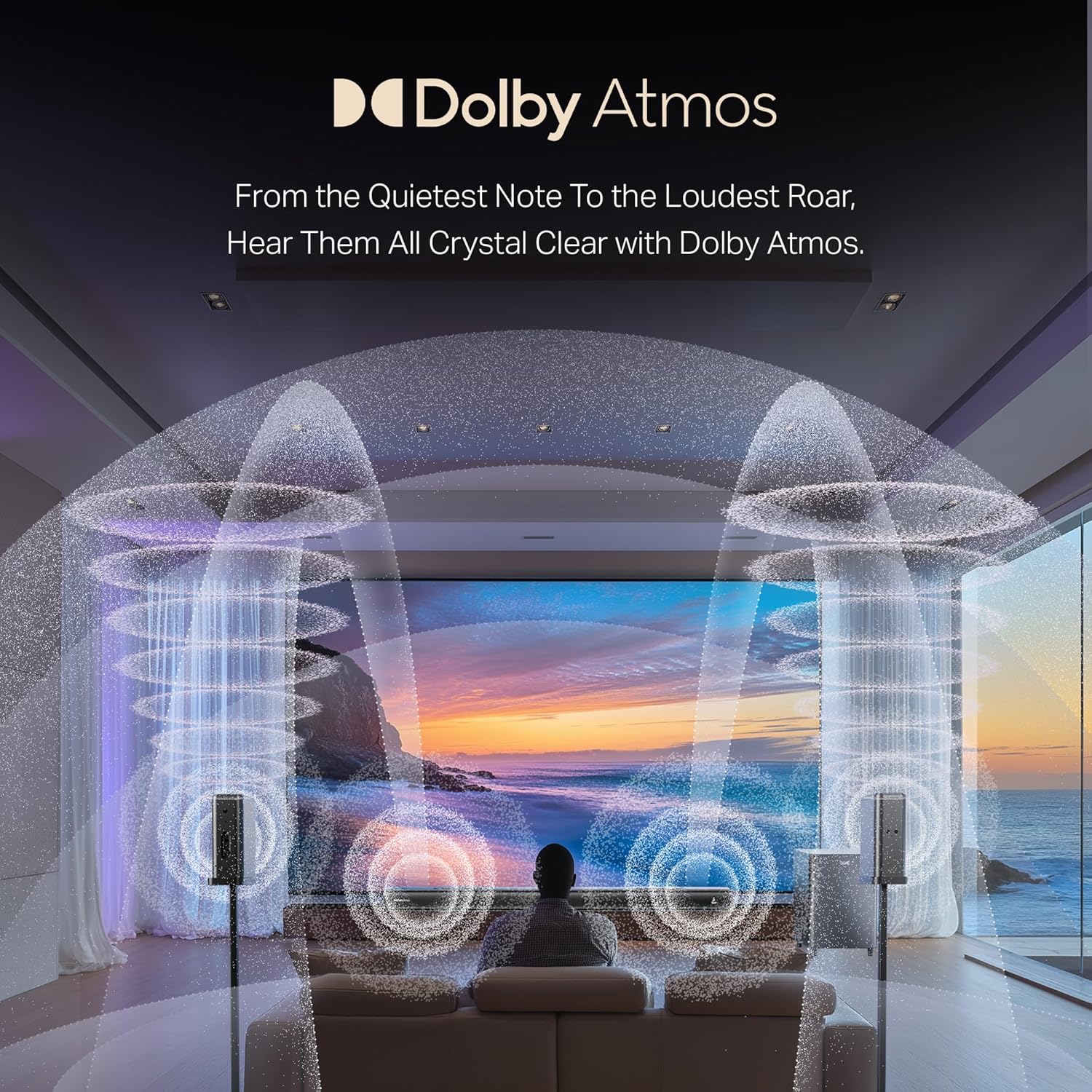
Foto: Ofeview of the boAt Aavante Prime 7.1.4 7050DA Soundbar system, showing the soundbar, subwoofer, and two satellite speakers.
4. Nhazi
4.1 Ntinye
- Ogwe ụda olu: Place the soundbar centrally below your television. Ensure it is on a stable, flat surface or mounted securely to a wall.
- Subwoofers: Position the wireless subwoofer on the floor, preferably in the front corner of the room for optimal bass response.
- Ndị na-ekwu okwu Satellite: Place the satellite speakers behind your listening position, one on the left and one on the right, for effective surround sound.

Image: A visual representation of a 7.1.4 channel sound setup, illustrating the placement of the soundbar, subwoofer, and satellite speakers in a room for an immersive audio experience.
4.2 Ijikọ ike
- Connect the power cable to the soundbar's power input.
- Connect the power cable to the subwoofer's power input.
- Connect the power cables to the satellite speakers' power inputs.
- Plug all power cables into a suitable AC power outlet.
4.3 Connecting to a TV/Source Device
Họrọ otu n'ime ụzọ njikọ ndị a:
- HDMI e-ARC (Recommended): Connect an HDMI cable from the soundbar's HDMI e-ARC port to your TV's HDMI e-ARC/ARC port. This allows for high-quality audio transmission and TV remote control integration.
- Ngwa anya: Connect an optical cable from the soundbar's OPTICAL IN port to your TV's optical digital audio output.
- Nkeji oge: Use the provided AUX cable to connect the soundbar's AUX IN port to your TV's 3.5mm audio output or another audio source.
- Coaxial: Connect a coaxial cable from the soundbar's COAXIAL IN port to your TV's coaxial digital audio output.
- USB: Fanye draịva USB n'ime ọdụ ụgbọ USB nke ụda ụda ka ịkpọọ ọdịyo files ozugbo.
4.4 Wireless Pairing (Subwoofer & Satellites)
The subwoofer and satellite speakers are designed to pair automatically with the soundbar upon power-up. If pairing does not occur automatically:
- Hụ na etinyere ngwaọrụ niile n'ọrụ.
- Refer to the specific pairing instructions in the full manual if a manual pairing button is present on the units.
5. Ntuziaka ọrụ
5.1 Gbanyụọ ma ọ bụ gbanyụọ
Pịa Ike button on the soundbar or remote control to turn the system on or off.
5.2 Nhọrọ ntinye
Pịa Ntinye/Isi iyi button on the soundbar or remote control to cycle through available input modes: HDMI e-ARC, Optical, AUX, USB, Coaxial, and Bluetooth.
5.3 Njikwa olu
Jiri ihe Elu elu (+) na Olu ala (-) buttons on the soundbar or remote control to adjust the master volume.
5.4 Njikọ Bluetooth
- Select Bluetooth mode on the soundbar. The indicator will flash, indicating pairing mode.
- On your mobile device, enable Bluetooth and search for "boAt Aavante Prime 7050DA".
- Select the device to pair. Once connected, the indicator will stop flashing.
Ụdị EQ 5.5
The soundbar offers various Equalizer (EQ) modes to optimize audio for different content types. Press the EQ bọtịnụ dị na njikwa dịpụrụ adịpụ iji gbanwee n'etiti ụdịdị:
- Ihe nkiri: Enhances dialogue and cinematic effects.
- Egwu: Emebere ya nke ọma maka ịkpọ egwu.
- Akụkọ: Focuses on vocal clarity.
- Egwuregwu: Accentuates ambient sounds and commentary.

Image: The soundbar's remote control, displaying buttons for power, volume, input selection, and EQ modes. Below it, icons represent various connectivity options including Optical, Bluetooth v5.3, AUX IN, HDMI e-ARC, USB, and Coaxial.
6. Nlekọta
- Nhicha: Jiri akwa dị nro dị nro hichaa elu igwe ụda ụda, subwoofer, na igwe okwu satịlaịtị. Ejila ihe na-ehicha mmiri mmiri ma ọ bụ ihe abrasive.
- Nchekwa: Ọ bụrụ na ị na-echekwa unit ahụ ruo ogologo oge, kwụpụ ya na ike ma chekwaa ya n'ebe dị jụụ na nkụ.
- Igwe ikuku: Gbaa mbọ hụ na egbochighị oghere ikuku iji gbochie ikpo oke ọkụ.
7. Nchọpụta nsogbu
| Nsogbu | Ihe nwere ike ime | Ngwọta |
|---|---|---|
| Enweghị ike | Ejikọghị eriri ọkụ; Ọkụ ọkụ anaghị arụ ọrụ | Check power connections; Try a different outlet |
| Enweghị ụda | Ntinye ezighi ezi ahọpụtara; Olu dị oke ala; Ejikọghị eriri nke ọma | Select correct input source; Increase volume; Check all audio cable connections |
| Subwoofer/Satellites not pairing | Units too far apart; Interference; Pairing issue | Ensure units are within range; Reduce interference; Power cycle all units |
| Njikwa anya anaghị arụ ọrụ | Batrị agwụla; Ihe mgbochi dị n'etiti remote na soundbar | Replace batteries (2 AA); Remove obstructions; Point remote directly at soundbar |
| Olu agbagọ | Source audio quality is poor; Volume too high; Incorrect EQ mode | Check source audio; Reduce volume; Try a different EQ mode |
8. Nkọwapụta
| Njirimara | Nkọwa |
|---|---|
| Aha Nlereanya | Aavante Prime 7.1.4 7050DA |
| Nọmba Nlereanya ihe | HA0085 |
| Ụdị Ọkà Okwu | Igwe ụda ụda |
| Nhazi ọwa ụda gburugburu | 7.1.4 |
| Teknụzụ Njikọta | Bluetooth v5.3, HDMI e-ARC, Optical, AUX, USB, Coaxial |
| Usoro njikwa | Metụ, njikwa anya |
| Eji akwadoro | For Televisions, Home Theater, Home Entertainment Systems |
| Akụkụ ngwaahịa | 111D x 12W x 8H centimita |
| Ibu Ibu | 16 n'arọ |
| Batrị achọrọ | 2 AA batteries (for remote, included) |
| Onye nrụpụta | Imagine Marketing Ltd |
9. Akwụkwọ ikike na nkwado
This boAt Aavante Prime 7.1.4 7050DA Soundbar comes with a Akwụkwọ ikike nke afọ 1 from the date of purchase. For warranty claims, technical support, or service inquiries, please contact the manufacturer, Imagine Marketing Ltd, at info@imaginemarketingindia.com. Please retain your purchase receipt for warranty validation.


