1. Okwu mmalite
Welcome to the user manual for your Raycon Essential Open Earbuds. These true wireless Bluetooth 6.0 headphones are designed for comfort and awareness, featuring an ultra-lightweight, open-ear design with comfort hooks and IPX5 water resistance. This manual provides detailed instructions to help you get the most out of your new earbuds.

Image: Raycon Essential Open Earbuds (Blue)
2. Kedu ihe dị na Igbe ahụ
Your Raycon Essential Open Earbuds package includes the following items:
- Raycon Essential Open Earbuds (Left and Right)
- Nchaji case
- Igwe nchaji USB
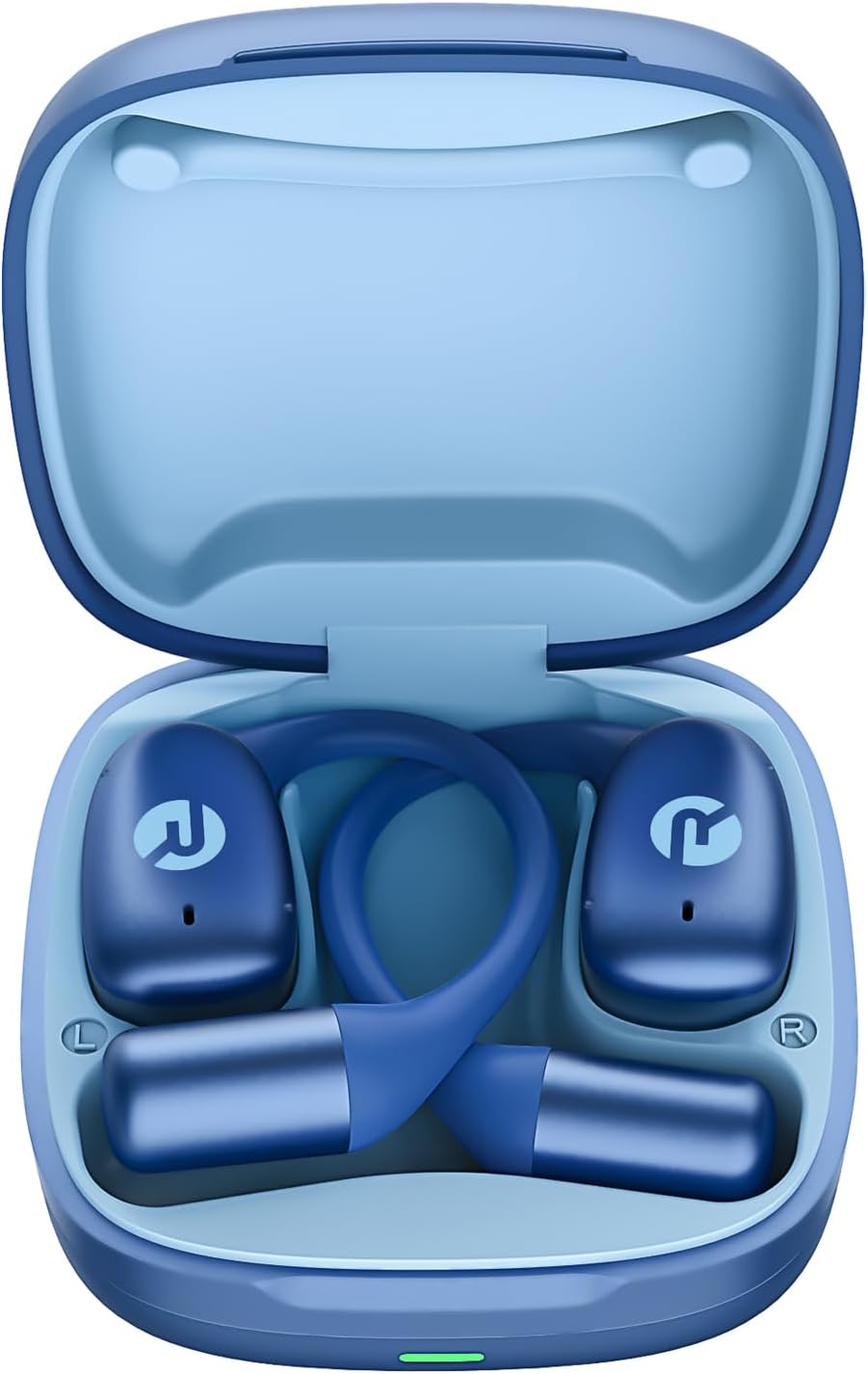
Image: Raycon Essential Open Earbuds in Charging Case
3. Atụmatụ igodo
The Raycon Essential Open Earbuds are packed with features designed for an optimal listening experience:
- Imeghe Ntị: Experience clear audio while maintaining full awareness of your surroundings. This design is ideal for activities where situational awareness is crucial, such as workouts or outdoor runs.
- Featherlight Fit: Designed to be ultra-lightweight (approximately 13.3g per earbud) and comfortable, ensuring a secure fit that remains stable during movement without causing discomfort.
- Built for On-The-Go: These earbuds are sweat-resistant and designed for active lifestyles, making them suitable for gym sessions, cycling, and daily commutes. Their portable size ensures easy transport.
- Ogologo ndụ batrị: Enjoy up to 8 hours of continuous playback on a single charge, with an additional 28 hours provided by the charging case, totaling up to 36 hours of battery life.
- IPX5 mmiri na-eguzogide: Engineered to withstand sweat and light splashes, making them durable for various environments and activities.
- Flexible Ear Hook: The ergonomic ear hook is designed to bend and conform to the shape of any ear, ensuring a comfortable and secure fit for all users.
- Njikọ Multipoint: Seamlessly connect to two devices simultaneously and switch between them without manual re-pairing.

Image: Open-Ear Design Illustration

Image: Ultra-Lightweight Design

Image: Compact Design

Image: 36 Hours of Battery Life

Image: IPX5 Water Resistant

Image: Flexible Ear Hook

Image: Multipoint Connection
4. Nhazi
4.1 Charging Your Earbuds
Before first use, fully charge your Raycon Essential Open Earbuds and their charging case. The charging case provides additional battery life for on-the-go power.
- Place both earbuds into the charging case, ensuring they are properly seated.
- Connect the provided USB charging cable to the charging port on the case and plug the other end into a USB power source (e.g., wall adapter, computer USB port).
- Ọkụ ihe ngosi dị na akpa chajị ga-egosi ọnọdụ chajị. Ozugbo chajịchara ya nke ọma, ọkụ ahụ ga-agbanwe ma ọ bụ gbanyụọ.
4.2 Mmakọ mbụ
Follow these steps to pair your earbuds with your device for the first time:
- Gbaa mbọ hụ na a na-akwụ ụgwọ ekwe ntị yana n'ime igbe nchaji.
- Open the charging case. The earbuds will automatically enter pairing mode, indicated by flashing lights on the earbuds.
- Na ngwaọrụ gị (ama, mbadamba, laptọọpụ), gaa na ntọala Bluetooth.
- Chọọ maka available devices and select "Raycon Essential Open Earbuds" from the list.
- Ozugbo ejikọtara ya, ọkụ ntị ga-akwụsị ịgbawa, ị ga-anụkwa olu nkwenye.
Video: Essential Open Earbuds - Our Most Compact Open Audio Yet. This short video demonstrates the compact design and ease of use of the earbuds.
5. Ntuziaka ọrụ
5.1 Yiri ekwe ntị
The Essential Open Earbuds feature a comfort hook design for a secure and comfortable fit. Gently place the earbud over your ear, ensuring the hook rests comfortably behind your ear and the speaker portion is positioned near your ear canal without blocking it, allowing for open-ear listening.
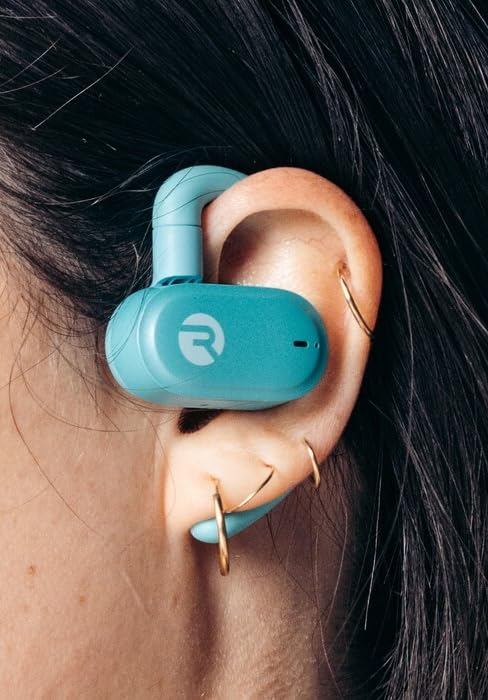
Image: Earbud worn on ear (Mint)
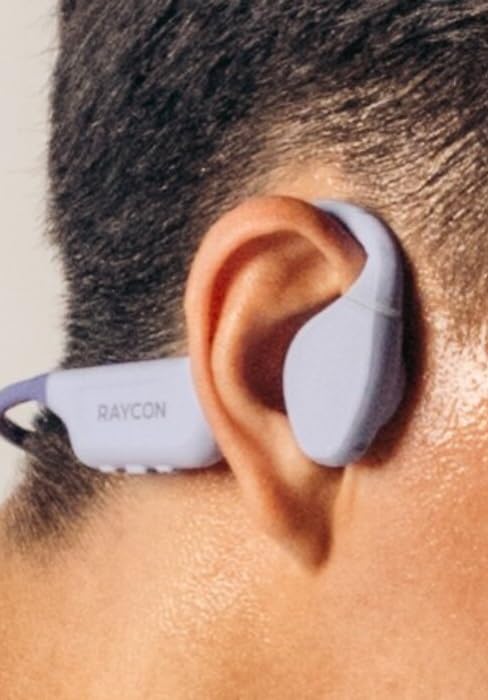
Image: Earbud worn on ear (Purple)
5.2 Njikwa mmetụ
The earbuds feature intuitive touch controls for managing your audio and calls:
| Omume | Njikwa |
|---|---|
| Gwuo/kwụsịtụ | Otu mgbata na ntị ntị |
| Track na-esote | Pịa bọtịnụ ntị aka nri ugboro abụọ |
| Egwu gara aga | Kpatụ ntị ugboro abụọ n'akụkụ aka ekpe |
| Elu elu | Pịa ugboro atọ na ntị ntị aka nri |
| Mpịakọta ọnụ | Pịa ugboro atọ na ekwe ntị aka ekpe |
| Zaa/Kwụsị Oku | Single tap on either earbud during a call |
| Jụ oku | Pịa ma jide otu ntị ntị maka sekọnd 2 |
| Mee ka onye enyemaka olu rụọ ọrụ | Pịa ma jide otu ntị ntị maka sekọnd 3 |
6. Nlekọta
Proper care and maintenance will extend the lifespan of your Raycon Essential Open Earbuds.
- Nhicha: Jiri ákwà dị nro, kpọrọ nkụ, na nke na-enweghị ihe e ji achacha ákwà hichaa ntị na ihe mkpuchi chaja mgbe niile. Ejila kemịkalụ siri ike ma ọ bụ ihe ndị na-eme ka ọ dị nro.
- Nguzogide mmiri: The earbuds are IPX5 water resistant, meaning they can withstand sweat and light splashes. Do not submerge them in water or expose them to strong jets of water. Ensure they are dry before placing them back in the charging case.
- Nchekwa: Mgbe ejighị ya, chekwaa ntị ntị na chaja ha iji chebe ha pụọ na uzuzu na mmebi. Chekwaa n'ebe dị jụụ, ebe kpọrọ nkụ na-adịghị na oke okpomọkụ.
7. Nchọpụta nsogbu
Ọ bụrụ na ị hụ nsogbu na ntị ntị gị, gbalịa ngwọta ndị a:
| Nsogbu | Ngwọta |
|---|---|
| Igwe ntị anaghị ejikọta ọnụ | Ensure earbuds are charged. Turn off and on your device's Bluetooth. Forget the device in Bluetooth settings and re-pair. |
| Enweghị ụda sitere na otu ntị ntị | Place both earbuds back in the case, close it, then open it again. Check device's audio output settings. |
| Obere olu | Increase volume on both the earbuds (triple tap right) and your connected device. |
| Okwu ịchaji | Ensure the charging cable is securely connected. Try a different USB port or power adapter. Clean charging contacts on earbuds and case. |
| Isi ntị na-adapụ | Adjust the flexible ear hook to better fit your ear shape. Ensure proper placement as described in the 'Wearing the Earbuds' section. |
8. Nkọwapụta
Detailed technical specifications for the Raycon Essential Open Earbuds:
| Njirimara | Nkọwa |
|---|---|
| Aha Nlereanya | Raycon Essential Open Earbuds |
| Nọmba nlereanya | RBO715 |
| Teknụzụ Njikọta | Ikuku |
| Teknụzụ nzikọrịta ozi ikuku | Bluetooth |
| Ụdị Bluetooth | 6.0 |
| Ngwa gụnyere | USB |
| Ihe onwunwe | Plastic, silicone |
| Ihe eji eme ihe maka ngwaahịa | Egwuregwu |
| Ngwa dakọtara | Smartphones, Laptops, Tablets, Smart Speakers |
| Ụdị njikwa | Njikwa aka |
| Ọkwa Nguzogide mmiri | IPX5 mmiri na-eguzogide |
| Oke ugboro ugboro | 20 Hz - 20,000 Hz |
| Ụdị ọkwọ ụgbọ ala ọdịyo | Ọkwọ ụgbọala Armature kwụ ọtọ |
| Ụdị ntị | nko |
| Ntinye ntị | Mepee Ntị |
| Ibu Ibu | 4.6 ounces |
| UPC | 811162032996 |
| Onye nrụpụta | Raycon Global |
| Ndụ batrị (Earbuds) | Ruo awa iri abụọ |
| Mkpokọta ndụ batrị (ya na ikpe) | Ruo awa iri abụọ |
9. Akwụkwọ ikike na nkwado
For detailed warranty information, product registration, and customer support, please visit the official Raycon websaịtị ma ọ bụ kpọtụrụ ndị ahịa ha ozugbo. Debe ihe akaebe nke ịzụrụ ihe maka akwụkwọ ikike ọ bụla.
Raycon Official Websaịtị: www.rayconglobal.com


